
Compiling Shaders Fix
★ 17 active SHiFT Codes as of March 14, 2026
☆ Black Market Location
★ Elemental Weakness Chart
☆ Legendary Weapons
★ Builds: Vex | Amon | Rafa | Harlowe
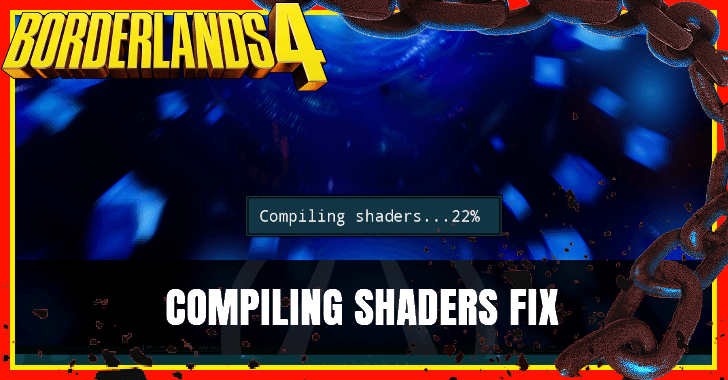
Fix any issues for compiling shaders in Borderlands 4 by updating your graphics drivers and adjusting their shader cache. Learn how to solve any persistent shader issues by reading below!
List of Contents
How to Fix Compiling Shaders in Borderlands 4
Update Graphics Drivers
First, check if your graphics drivers are updated to their most recent version. If not, go to the graphic driver's official site or app to install it.
Clear Up Drive Space for Shader Cache
Next, clear up some space in your hard drive for the game's shader cache. This will help your PC properly process the game's graphics. You should have enough space in these drives:
- the drive where Borderlands 4 is installed
- the drive where your OS is installed (Windows)
Clear Shader Cache
Finally, if the problem still persists, you should clear out your graphics driver's shader cache. This will only affect the boot times and shaders for the programs in your PC.
Shader Cache for Nvidia
- Open RunCommand by pressing the Windows Key and R.
- Copy and paste %LOCALAPPDATA%\NVIDIA\DXCache in the text bar.
- Delete any files over 10mb in this folder (over 10 mb). However, this may clear shaders for other programs.
This is how to clear shader cache for Nvidia drivers. However, this fix may delete shaders for other games and programs. Double check the files because you may delete important shaders.
Shader Cache for AMD
- Install the AMD Adrenalin app, then open it.
- Select Gaming, then Graphics
- Scroll down to bottom of the screen. Then, select the Reset Shader Cache option
This is how to clear shader cache for AMD drivers. This option will clear all shaders for any programs using the AMD graphics driver. When you have to open your games and programs, they will have to recompile or reinstall their shaders.
Borderlands 4 Related Guides

Beginner's Guide to Borderlands 4: Tips and Tricks
Tips and Tricks Guides



Author

Compiling Shaders Fix

Rankings
- We could not find the message board you were looking for.
Gaming News

![Marathon Cryo Archive Map Teased as [REDACTED] on Selection Screen](https://img.game8.co/4442236/6357203e58172f6de57f1991e7c39b22.png/thumb)


Popular Games

Genshin Impact Walkthrough & Guides Wiki
Umamusume: Pretty Derby Walkthrough & Guides Wiki
Pokemon Pokopia Walkthrough & Guides Wiki
Honkai: Star Rail Walkthrough & Guides Wiki
Monster Hunter Stories 3: Twisted Reflection Walkthrough & Guides Wiki
Arknights: Endfield Walkthrough & Guides Wiki
Wuthering Waves Walkthrough & Guides Wiki
Zenless Zone Zero Walkthrough & Guides Wiki
Pokemon TCG Pocket (PTCGP) Strategies & Guides Wiki
Monster Hunter Wilds Walkthrough & Guides Wiki










Recommended Games
Diablo 4: Vessel of Hatred Walkthrough & Guides Wiki
Cyberpunk 2077: Ultimate Edition Walkthrough & Guides Wiki
Fire Emblem Heroes (FEH) Walkthrough & Guides Wiki
Yu-Gi-Oh! Master Duel Walkthrough & Guides Wiki
Super Smash Bros. Ultimate Walkthrough & Guides Wiki
Pokemon Brilliant Diamond and Shining Pearl (BDSP) Walkthrough & Guides Wiki
Elden Ring Shadow of the Erdtree Walkthrough & Guides Wiki
Monster Hunter World Walkthrough & Guides Wiki
The Legend of Zelda: Tears of the Kingdom Walkthrough & Guides Wiki
Persona 3 Reload Walkthrough & Guides Wiki










All rights reserved
©2025 Gearbox Software. Published by 2K Games. Developed by Gearbox. Gearbox, Borderlands, and related logos are all trademarks of Gearbox Software, LLC. 2K and the 2K logo are trademarks of Take-Two Interactive Software, Inc. All other marks and trademarks are the property of their respective owners. All rights reserved.
The copyrights of videos of games used in our content and other intellectual property rights belong to the provider of the game.
The contents we provide on this site were created personally by members of the Game8 editorial department.
We refuse the right to reuse or repost content taken without our permission such as data or images to other sites.
So.. after this HUGE post, you first solution is to update your graphics drivers?! Tell me, do you consider us idiots?