
How to Claim Premium Edition Items
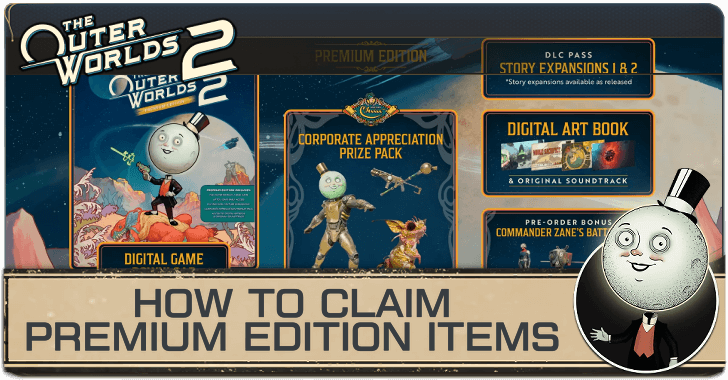
Complete the prologue to claim the Premium Edition items in The Outer Worlds 2. This guide will show you how to claim the Premium Edition items and what’s included.
How to Claim Premium Edition Items
Gets Added to Inventory After the Prologue
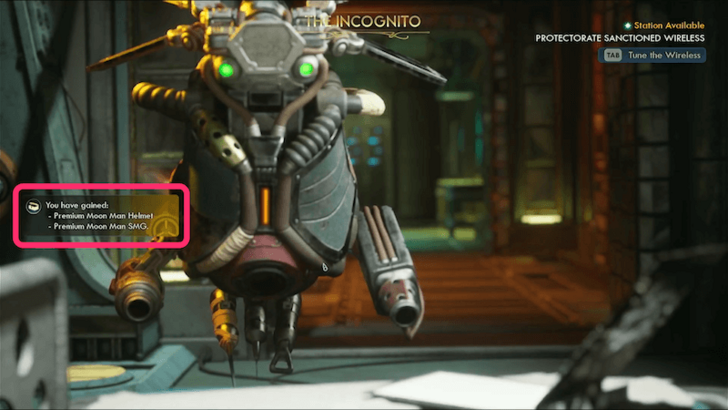
Complete the game’s prologue, A Cause Worth Killing For, to claim your Premium Edition items. After the prologue, Val will speak with you to respec your character one last time. The Premium Edition items will then be added to your inventory afterward, whether you choose to respec or not.
Bug Fix for PlayStation 5 Users Not Receiving Premium Editon Items
Some PlayStation 5 players reported a bug where they did not receive their Premium Edition items after completing the prologue. This issue has been fixed in a recent update (Hotfix 1.0.4.0), and PS5 users should now receive their Premium Edition items properly.
To claim the Premium Edition Items, simply load any save file, and the items will be added to your inventory once you’re in the game.
Premium Edition Content
| Premium Edition Content | ||
|---|---|---|
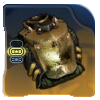 Premium Moon Man Armor Premium Moon Man Armor |
 Premium Moon Man Helmet Premium Moon Man Helmet |
|
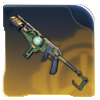 Premium Moon Man SMG Premium Moon Man SMG |
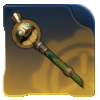 Deluxe Moon Man Staff Deluxe Moon Man Staff |
|
In addition to the base game, the Premium Edition includes the Corporate Appreciation Prize Pack, which features the Premium Moon Man Armor, Premium Moon Man Helmet, Premium Moon Man SMG, and Deluxe Moon Man Staff.
The Premium Edition also comes with two upcoming story DLCs and a Digital Artbook & Soundtrack.
The Outer Worlds 2 Related Guides
Beginner's Guide: Tips and Tricks
All Tips and Tricks Guides
Comment
 Anonymous 5 months
I downloaded dlc for outerworlds 2 on ps5 physical its says usable but not showing up in the game



Author
How to Claim Premium Edition Items

Rankings
- We could not find the message board you were looking for.
Gaming News

![The Liar Princess and the Blind Prince Review [PC] | Lovely to Look at but Tedious to Play](https://img.game8.co/4442586/8d95f5faf05780f1765ce7e0938bd825.jpeg/show)
![Monster Hunter Stories 3 Review [First Impressions] | Simply Rejuvenating](https://img.game8.co/4438641/2a31b7702bd70e78ec8efd24661dacda.jpeg/thumb)
![The Seven Deadly Sins: Origin [First Impressions] | A Promising Start](https://img.game8.co/4440581/584e0bfb87908f12c4eab6e846eb1afd.png/thumb)

Popular Games

Genshin Impact Walkthrough & Guides Wiki
Umamusume: Pretty Derby Walkthrough & Guides Wiki
Pokemon Pokopia Walkthrough & Guides Wiki
Honkai: Star Rail Walkthrough & Guides Wiki
Monster Hunter Stories 3: Twisted Reflection Walkthrough & Guides Wiki
Arknights: Endfield Walkthrough & Guides Wiki
Wuthering Waves Walkthrough & Guides Wiki
Zenless Zone Zero Walkthrough & Guides Wiki
Pokemon TCG Pocket (PTCGP) Strategies & Guides Wiki
Monster Hunter Wilds Walkthrough & Guides Wiki










Recommended Games
Diablo 4: Vessel of Hatred Walkthrough & Guides Wiki
Cyberpunk 2077: Ultimate Edition Walkthrough & Guides Wiki
Fire Emblem Heroes (FEH) Walkthrough & Guides Wiki
Yu-Gi-Oh! Master Duel Walkthrough & Guides Wiki
Super Smash Bros. Ultimate Walkthrough & Guides Wiki
Pokemon Brilliant Diamond and Shining Pearl (BDSP) Walkthrough & Guides Wiki
Elden Ring Shadow of the Erdtree Walkthrough & Guides Wiki
Monster Hunter World Walkthrough & Guides Wiki
The Legend of Zelda: Tears of the Kingdom Walkthrough & Guides Wiki
Persona 3 Reload Walkthrough & Guides Wiki










All rights reserved
© 2025 Obsidian Entertainment, Inc. Obsidian Entertainment, the Obsidian Entertainment logo, The Outer Worlds 2, and The Outer Worlds 2 logos are trademarks or registered trademarks of Obsidian Entertainment, Inc. All rights reserved.
The copyrights of videos of games used in our content and other intellectual property rights belong to the provider of the game.
The contents we provide on this site were created personally by members of the Game8 editorial department.
We refuse the right to reuse or repost content taken without our permission such as data or images to other sites.
Hello, dear users! Thank you for using our guides as reference. This bug was resolved in today's patch, and you should be able to receive the items as soon as you load into any save! Please refer to these patch notes for additional changes: https://game8.co/games/Outer-Worlds-2/archives/561531