
Preload Date and Time: How to Preload
You can preload Outer Worlds 2 on Xbox, PC and Playstation so you can immediately start playing the game. Read on how to preload Outer Worlds 2, what platforms have preload available, their dates, file size and more here!
List of Contents
 Attention! Attention! |
More details will be added here once we find new information! Sign in and select  under the page's title to be notified of any updates! under the page's title to be notified of any updates! |
|---|
Preload Dates and Times
| Console | Preload Availability |
|---|---|
| Xbox | Available since October 10, 2025 |
| PC (Xbox App) | Available since October 10, 2025 |
| PC (Steam) | TBD |
| PC (Battlenet) | TBD |
| PlayStation | Available since October 22, 2025 |
Preload Available on Xbox Series Consoles and PlayStation 5
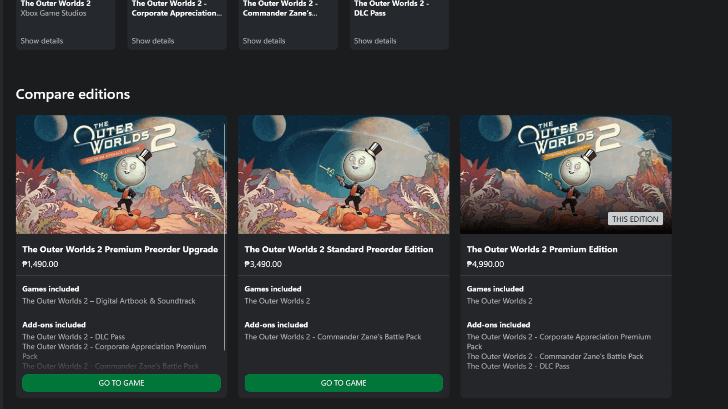
Preload for The Outer Worlds 2 has been available on Xbox Series consoles since October 10, 2025, and on the PlayStation 5 since October 22. Players on these platforms can start downloading files now to reduce the overall wait time before playing!
This preload is supported for both Premium Edition and Regular Edition of the game, which means players can download these files before the game's Early Access on October 24, 2025 or official release on October 29, 2025.
Preload Also Available on the PC Xbox App
Note that you can also preload on PC via the Xbox App and this will keep your game preloaded on Xbox or Xbox via PC, once again reducing the wait time to play the game.
No Official Preload Info for Steam and Battlenet
Preload information for Steam and Battlenet downloads are currently unavailable. We will keep you updated on this should new information arrive!
How to Preload
- Order the Game From Your Preferred Platform
- Install When Requested to Install Files
- Wait for the Install to Finish
Order the Game From Your Preferred Platform
| The Outer Worlds 2 Storefronts | |||
|---|---|---|---|
 Steam |
Xbox |
||
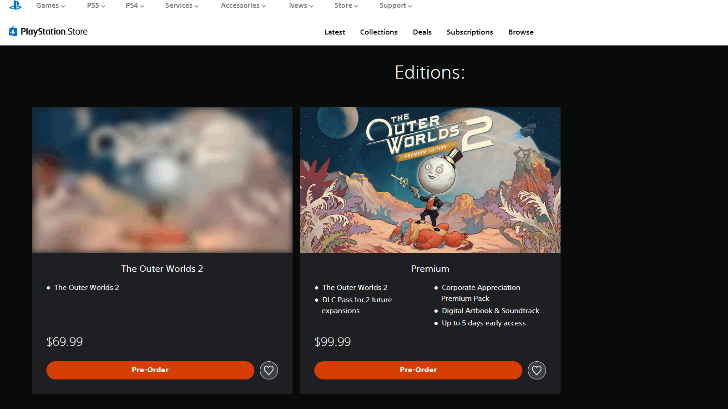 PS Store |
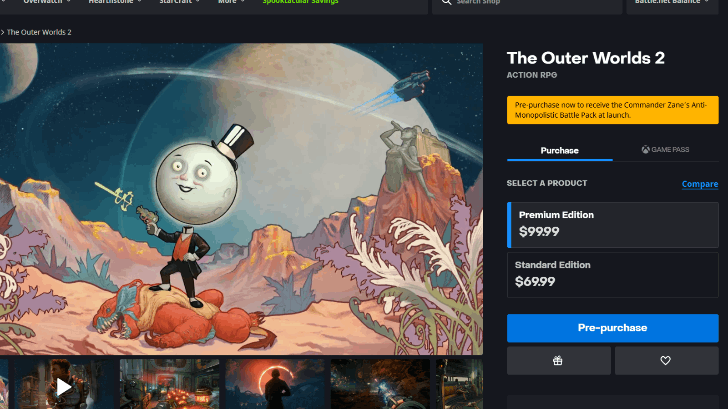 Battle.net |
||
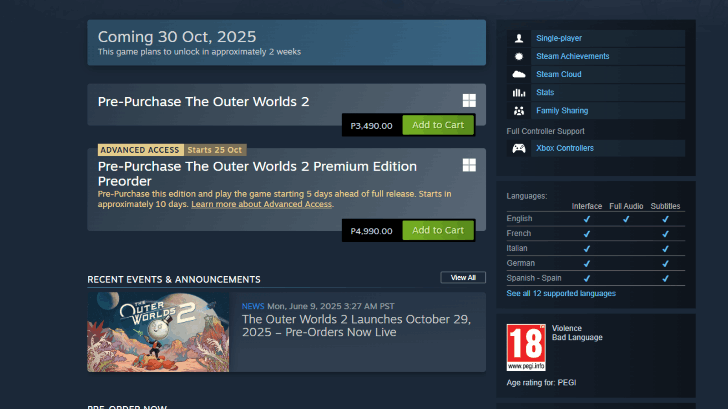
To preload The Outer Worlds 2, you must order the game from your preferred platform, preferably ahead of time. Just hit the Buy Icon on the storefront of your desired edition of the game to have it on your app tray or game list.
Pre-Order Guide and All Pre-Order Bonuses
Install When Requested by the Game
Should your platform allow you to preload the game, it will request an installation ahead of release date. (usually a large download) These are the files that you will need to preload to get the game running on launch. Just install all files required to start the preload.
Wait for the Install to Finish
Note that the preload may take time depending on your platform, internet and other factors. The file size of the game is pretty large, and will take some time.
Wait for the install process to properly finish and once done, you can now boot your game immediately on the game's release!
Preload File Sizes
Outer Worlds 2 Preload File Sizes
| Console | Preload Size |
|---|---|
| Xbox | ~79GB |
| PC (Xbox App) | ~77GB |
| PC (Steam) | TBA |
| PC (Battlenet) | TBA |
| Playstation | TBA |
So far, only Xbox has a confirmed preload file size from around 77GB-79GB depending on the Xbox platform you are downloading from. We will update this with more preload file sizes once they come out!
Available Platforms and Consoles Guide
Outer Worlds 2 Related Guides
Latest News
-
![]()
Release Time and Countdown
Updated 10/24/2025
See the release countdown and time for the full launch of Outer Worlds 2!
-
![]()
Early Access Date and Time
Updated 10/24/2025
Check out the date and time of the Early Access period here.
-
![]()
Pre-Order Bonuses
Updated 10/22/2025
See all the bonuses you can get from pre-ordering Outer Worlds 2.
-
![]()
Edition Differences
Updated 10/22/2025
Check out the contents of the two editions available here!
-
![]()
Preload Date and Time
Updated 10/22/2025
Check the date and time for preloads on your platform here!
Other News
Comment



Author
Preload Date and Time: How to Preload

Rankings
- We could not find the message board you were looking for.
Gaming News

![The Liar Princess and the Blind Prince Review [PC] | Lovely to Look at but Tedious to Play](https://img.game8.co/4442586/8d95f5faf05780f1765ce7e0938bd825.jpeg/show)
![Monster Hunter Stories 3 Review [First Impressions] | Simply Rejuvenating](https://img.game8.co/4438641/2a31b7702bd70e78ec8efd24661dacda.jpeg/thumb)
![The Seven Deadly Sins: Origin [First Impressions] | A Promising Start](https://img.game8.co/4440581/584e0bfb87908f12c4eab6e846eb1afd.png/thumb)

Popular Games

Genshin Impact Walkthrough & Guides Wiki
Umamusume: Pretty Derby Walkthrough & Guides Wiki
Pokemon Pokopia Walkthrough & Guides Wiki
Honkai: Star Rail Walkthrough & Guides Wiki
Monster Hunter Stories 3: Twisted Reflection Walkthrough & Guides Wiki
Arknights: Endfield Walkthrough & Guides Wiki
Wuthering Waves Walkthrough & Guides Wiki
Zenless Zone Zero Walkthrough & Guides Wiki
Pokemon TCG Pocket (PTCGP) Strategies & Guides Wiki
Monster Hunter Wilds Walkthrough & Guides Wiki










Recommended Games
Diablo 4: Vessel of Hatred Walkthrough & Guides Wiki
Cyberpunk 2077: Ultimate Edition Walkthrough & Guides Wiki
Fire Emblem Heroes (FEH) Walkthrough & Guides Wiki
Yu-Gi-Oh! Master Duel Walkthrough & Guides Wiki
Super Smash Bros. Ultimate Walkthrough & Guides Wiki
Pokemon Brilliant Diamond and Shining Pearl (BDSP) Walkthrough & Guides Wiki
Elden Ring Shadow of the Erdtree Walkthrough & Guides Wiki
Monster Hunter World Walkthrough & Guides Wiki
The Legend of Zelda: Tears of the Kingdom Walkthrough & Guides Wiki
Persona 3 Reload Walkthrough & Guides Wiki










All rights reserved
© 2025 Obsidian Entertainment, Inc. Obsidian Entertainment, the Obsidian Entertainment logo, The Outer Worlds 2, and The Outer Worlds 2 logos are trademarks or registered trademarks of Obsidian Entertainment, Inc. All rights reserved.
The copyrights of videos of games used in our content and other intellectual property rights belong to the provider of the game.
The contents we provide on this site were created personally by members of the Game8 editorial department.
We refuse the right to reuse or repost content taken without our permission such as data or images to other sites.