
How to Add and Block Friends
☆ New: Tier List Maker & Co-Op Board!
★ Upcoming: Version 2.7, Nangong Yu & Cissia
☆ 2.6 Phase 1: Sunna & Yixuan
★ 2.6 Phase 2: Aria & Yuzuha
☆ Tier Lists: Agents | W-Engines | Bangboos | Teams
★ Redeem Codes for free Polychromes!
Here's a guide on how to add, block and remove friends in Zenless Zone Zero (ZZZ). See how to add friends, how to block them, and other additional friend features here!
List of Contents
How to Add Friends in Zenless Zone Zero
Steps on How to Add A Friend
Access the Inter-Knot
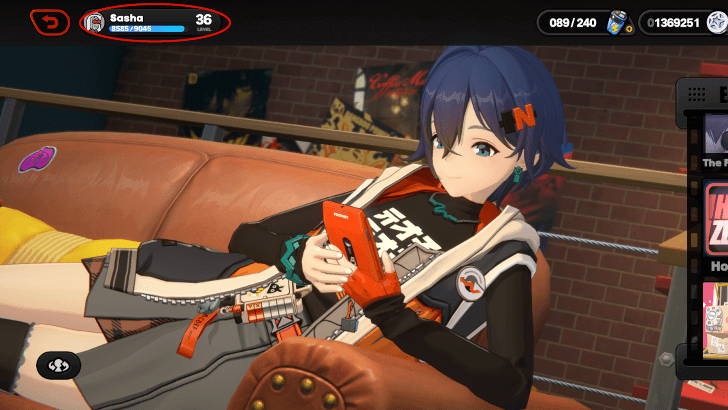
On the main menu, tap or click the Inter-Knot Account Icon in the upper-left portion of the screen.
Add Friend Tab
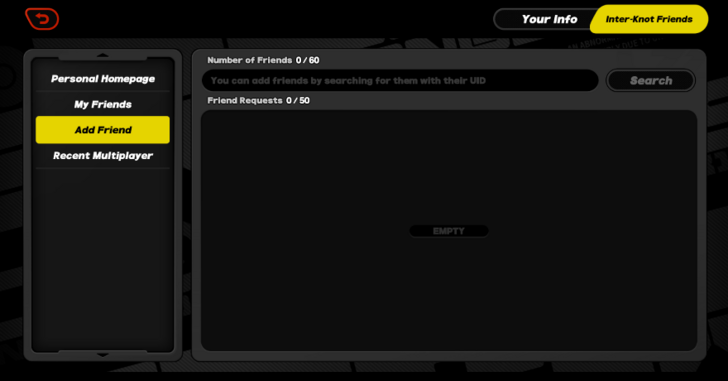
Click on the Add Friend tab to access the search bar.
Enter the UID
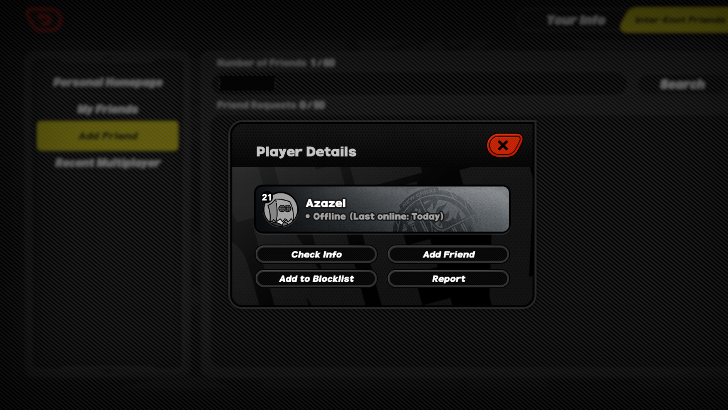
Input your friend's UID, and tap on the Add Friend button to add that proxy account as your friend.
How to Block and Remove Friends in Zenless Zone Zero
Steps on How to Block And Remove Friends
Access the Inter-Knot
On the main menu, tap or click the Inter-Knot Account Icon in the upper-left portion of the screen.
View Player Details
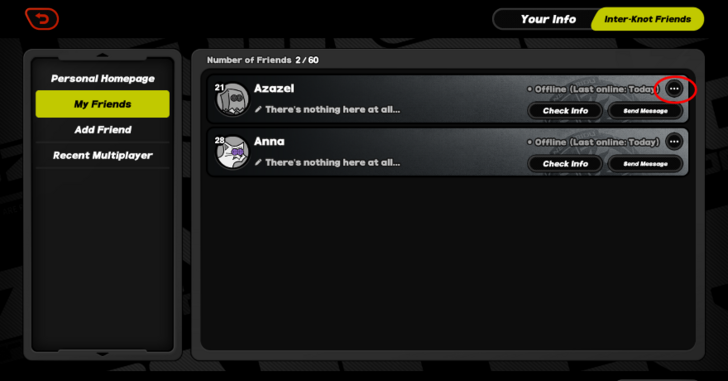
Tap on the player details button. If the proxy that you wish to block or remove isn't on the My Friends list, they can be viewed by inputting their UID in the search bar.
Remove or Add to Blocklist
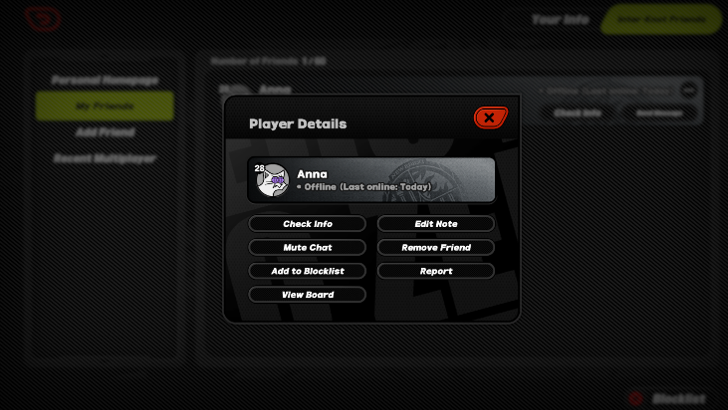
On the player details menu, tap the Remove Friend button. The Proxy may also be added to Blocklist in this menu.
Additional Friend Features
How To Message Friends
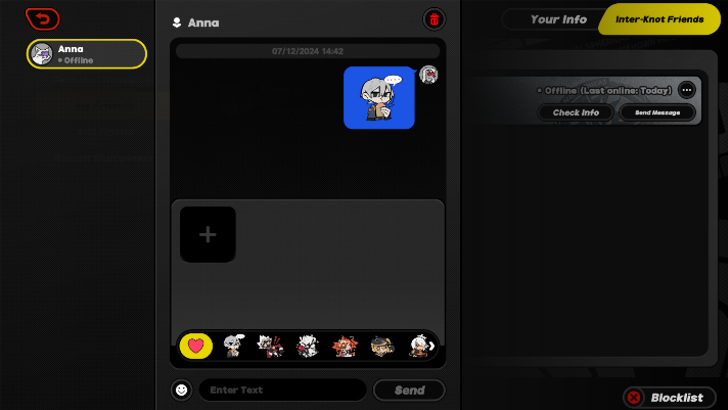
On the My Friends tab of the Inter-Knot menu, click on the Send Message button for the friend that you wish to send messages to. Apart from text, unique emojis can also be sent.
How to Invite Friends in the Arcade
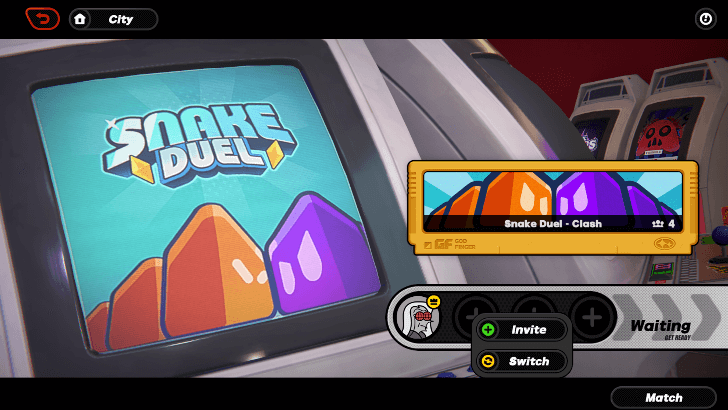
On the 4-player arcade game lobby, click on the plus icon on any of the open slots. Clicking on the Invite button will show all the proxies on the friends list that can be invited.
How to Unlock Friends in Zenless Zone Zero
Complete the Hare and the Proxy Quest
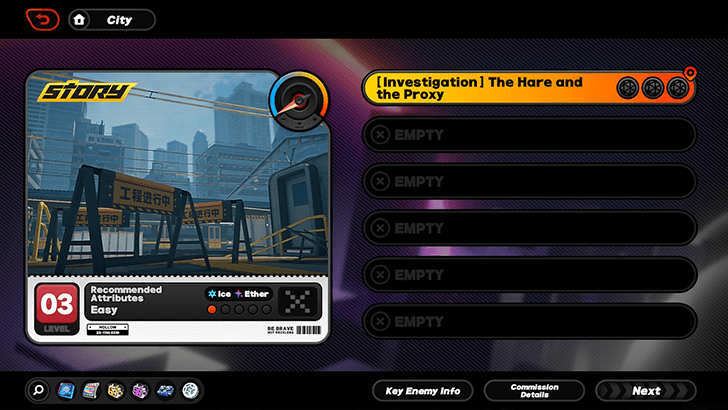
Upon completion of the commission, the proxy will be prompted to create an Inter-Knot account after some dialogue with the other characters. The Inter-Knot Menu can be accessed once a name has been registered.
The Hare and the Proxy Quest Guide
Zenless Zone Zero Related Guides
All Zenless Zone Zero Tips and Tricks



Author

How to Add and Block Friends

Rankings
Gaming News



Popular Games

Genshin Impact Walkthrough & Guides Wiki
Honkai: Star Rail Walkthrough & Guides Wiki
Arknights: Endfield Walkthrough & Guides Wiki
Umamusume: Pretty Derby Walkthrough & Guides Wiki
Wuthering Waves Walkthrough & Guides Wiki
Pokemon TCG Pocket (PTCGP) Strategies & Guides Wiki
Abyss Walkthrough & Guides Wiki
Zenless Zone Zero Walkthrough & Guides Wiki
Digimon Story: Time Stranger Walkthrough & Guides Wiki
Clair Obscur: Expedition 33 Walkthrough & Guides Wiki








Recommended Games
Fire Emblem Heroes (FEH) Walkthrough & Guides Wiki
Pokemon Brilliant Diamond and Shining Pearl (BDSP) Walkthrough & Guides Wiki
Diablo 4: Vessel of Hatred Walkthrough & Guides Wiki
Super Smash Bros. Ultimate Walkthrough & Guides Wiki
Yu-Gi-Oh! Master Duel Walkthrough & Guides Wiki
Elden Ring Shadow of the Erdtree Walkthrough & Guides Wiki
Monster Hunter World Walkthrough & Guides Wiki
The Legend of Zelda: Tears of the Kingdom Walkthrough & Guides Wiki
Persona 3 Reload Walkthrough & Guides Wiki
Cyberpunk 2077: Ultimate Edition Walkthrough & Guides Wiki










All rights reserved
Copyright © 2024 HoYoverse, COGNOSPHERE. All Rights Reserved.
The copyrights of videos of games used in our content and other intellectual property rights belong to the provider of the game.
The contents we provide on this site were created personally by members of the Game8 editorial department.
We refuse the right to reuse or repost content taken without our permission such as data or images to other sites.
I can search my friends UID and send them a friend request, but they don't get it. When they try to search me, they can't find me with my UID. We both are playing on NA server, only difference (I think) is the playing platform: I play with mobile/PC and they play with Playstation.