
How to Customize Accessories
★ Tier Lists: Characters | Weapons | Demon Wedges
★ Builds: Kezhou | Fushu | Fina | Lynn | Psyche
★ Version 1.2 Summary | Characters: Zhiliu | Yuming
┗ Mechanics: Mount | Gifting | Reputation | Accessory Customization
★ How to Get Characters | Mystic Maze | Redeem Codes
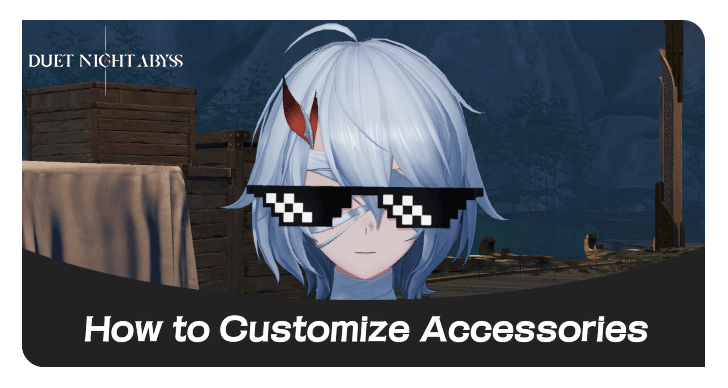
Accessories can now be customized in the Armoury's Cosmetics menu in Duet Night Abyss (DNA). See how to customize accessories, acessory customization features, what accessories can't be customized, and how to unlock it.
List of Contents
How to Customize Accessories
| How to Customize Accessories |
|---|
| 1. Go to the Armoury Tab |
| 2. Go to Cosmetics |
| 3. Press the Gear Button Next to Equip |
Go to the Armoury Tab
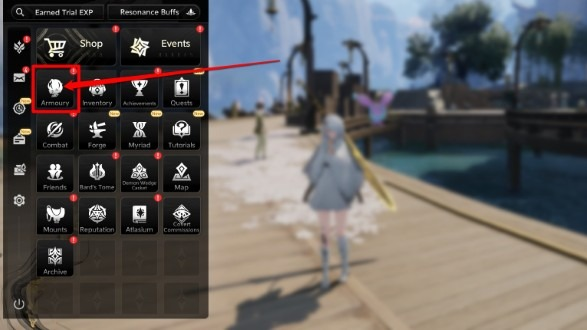
Open the menu and navigate to the Armory tab.
Go to Cosmetics
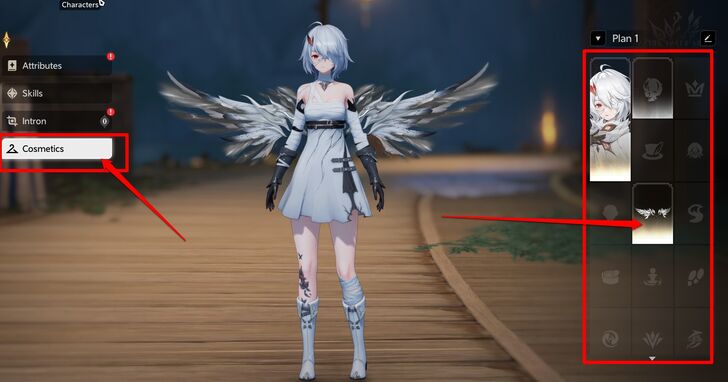
Once in the Armory tab, select the character whose accessories you want to customize. Navigate to Cosmetics, then choose either the currently equipped accessory or one of the available categories within the Cosmetics menu.
Press the Gear Button Next to Equip
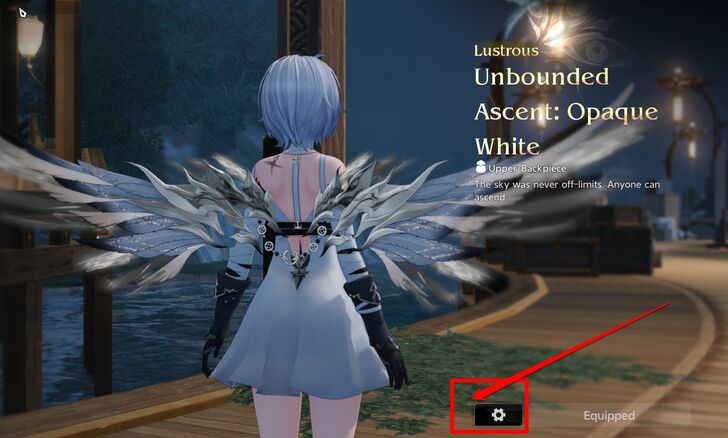
Go to the Accessories tab and locate the accessory you want to edit. Press the gear icon next to the Equip button to customize it.
Afterward, you can continue customizing and equipping additional accessories.
Accessory Customization Features
| Customization Options for Accessories |
|---|
|
|

Size
The Size option allows you to increase or decrease the accessory’s scale within a range of –15 to +15.
Position
Left/Right
You can adjust the accessory’s position horizontally, moving it left or right within a range of –15 to +15.
Up/Down
You can adjust the accessory’s position vertically, moving it up or right down a range of –15 to +15.
Forward/Backward
This option allows the accessory to be positioned on either the front or back of the character.
Rotation
Axis: Vertical
Axis: Vertical functions like Forward/Backward but allows the accessory to move not only to the front and back of the character, but also to the sides, following a circular or inverted circular motion.
Axis: Horizontal
Axis: Horizontal allows the accessory to shift to the front or back of the character and flip its orientation.
Axis: Depth
Axis: Depth allows you to manually adjust the angle of the accessory or invert it completely.
Revert or Save
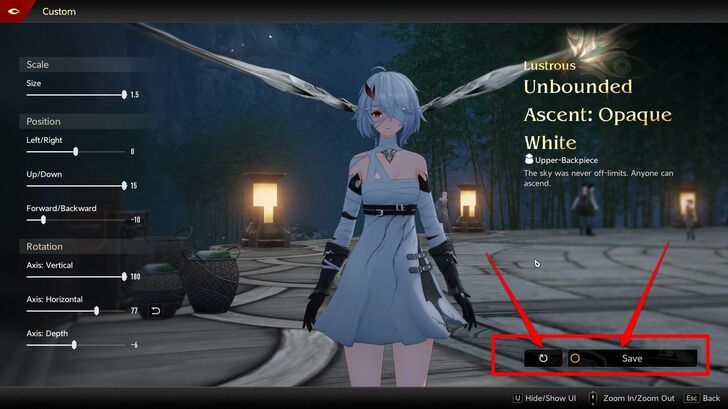
You can select the Revert button next to Save to restore the accessory to its original appearance. Alternatively, save your changes once finished and preview how the accessory looks in-game.
What Accessories Can't Be Customized?
| What Accessories Can't Be Customized? |
|---|
|
|
Character-Exclusive Accessories
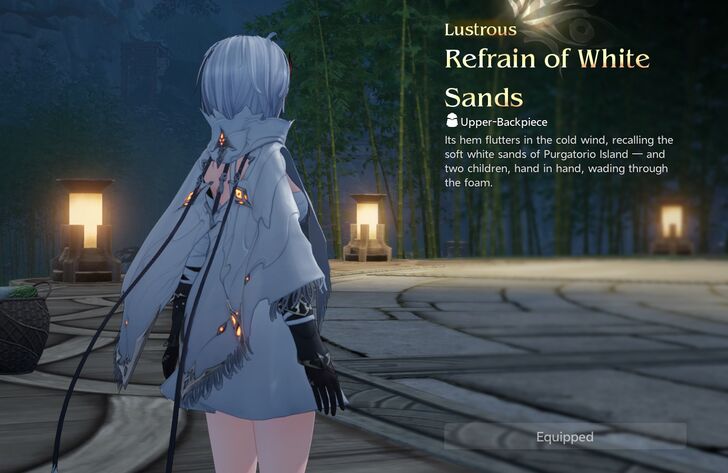
Character-exclusive accessories, such as Phoxhunter’s Refrain of White Sands or Kezhou’s It’s a Cloak, cannot be customized, as they are specifically designed for and exclusive to their respective characters.
Effect Accessories
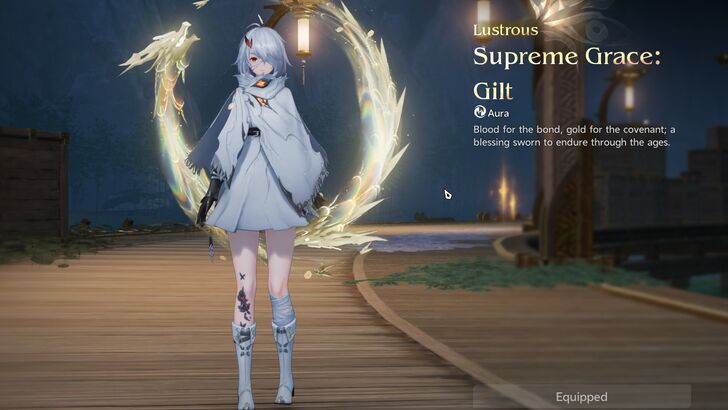
All effect accessories like Teleport, Footprint, Aura, and Helix Leap, are accessories that cannot be customized.
Melee and Ranged Weapon Accessories
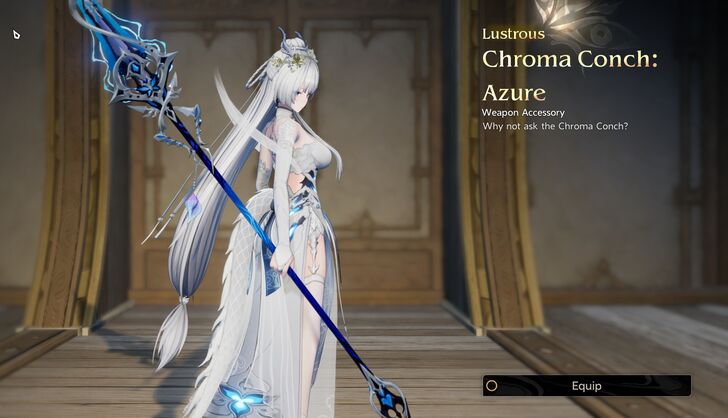
All melee and ranged weapon accessories are not customizable.
Specific Hat Piece Accessories
Certain hat pieces cannot be customized. If there is no gear button next to the Equip button, then the accessory is not customizable.
How to Unlock Accessory Customization
Automatically Unlocked
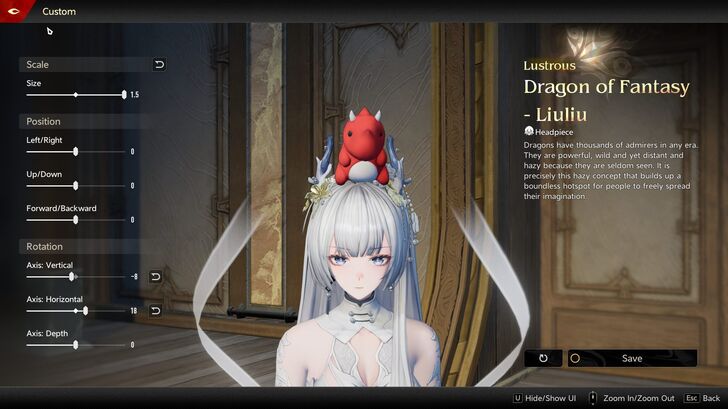
Accessory Customization is automatically unlocked and available for accessories after Version 1.2 update.
What is Accessory Customization?
Allows Players to Adjust Accessories Size, Position, and Rotation
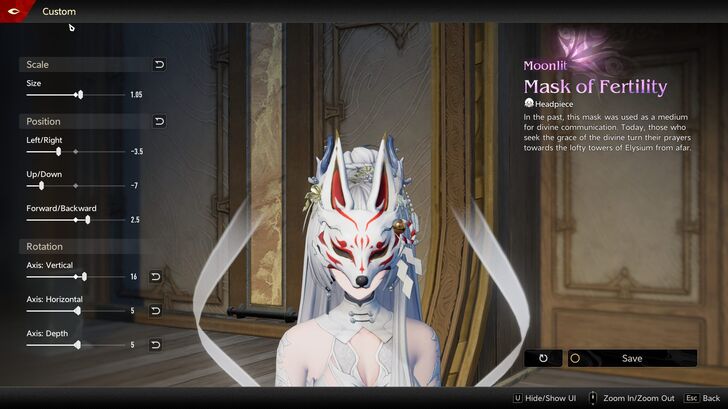
Accessory Customization is a feature introduced in Version 1.2 that allows players to adjust an accessory’s size, position, and rotation.
This gives players more creative freedom to further customize their character’s appearance, similar to dyeing outfits or equipping skins, and helps express their personal style.
Duet Night Abyss Related Guides

Tips and Tricks: Beginner's Guide
All Tips and Tricks
Comment



Author
How to Customize Accessories
Rankings
- We could not find the message board you were looking for.
Gaming News

![Death Stranding 2: On The Beach [PC] Review | A Port That Delivers](https://img.game8.co/4447392/15310a0c9aa1b6843bb713b2ea216930.jpeg/show)


Popular Games

Genshin Impact Walkthrough & Guides Wiki
Umamusume: Pretty Derby Walkthrough & Guides Wiki
Crimson Desert Walkthrough & Guides Wiki
Monster Hunter Stories 3: Twisted Reflection Walkthrough & Guides Wiki
Honkai: Star Rail Walkthrough & Guides Wiki
Pokemon Pokopia Walkthrough & Guides Wiki
The Seven Deadly Sins: Origin Walkthrough & Guides Wiki
Wuthering Waves Walkthrough & Guides Wiki
Zenless Zone Zero Walkthrough & Guides Wiki
Arknights: Endfield Walkthrough & Guides Wiki










Recommended Games
Fire Emblem Heroes (FEH) Walkthrough & Guides Wiki
Diablo 4: Vessel of Hatred Walkthrough & Guides Wiki
Cyberpunk 2077: Ultimate Edition Walkthrough & Guides Wiki
Yu-Gi-Oh! Master Duel Walkthrough & Guides Wiki
Super Smash Bros. Ultimate Walkthrough & Guides Wiki
Pokemon Brilliant Diamond and Shining Pearl (BDSP) Walkthrough & Guides Wiki
Elden Ring Shadow of the Erdtree Walkthrough & Guides Wiki
Monster Hunter World Walkthrough & Guides Wiki
The Legend of Zelda: Tears of the Kingdom Walkthrough & Guides Wiki
Persona 3 Reload Walkthrough & Guides Wiki










All rights reserved
Game Copyright©Pan Studio All Rights Reserved.
The content we provide on this site were created personally by members of the Game8 editorial department.
We refuse the right to reuse or repost content taken without our permission such as data or images to other sites.
©Pan Studio (Provider)