
Best Settings and PC Optimization
★ Tier Lists: Characters | Weapons | Demon Wedges
★ Builds: Kezhou | Fushu | Fina | Lynn | Psyche
★ Version 1.2 Summary | Characters: Zhiliu | Yuming
┗ Mechanics: Mount | Gifting | Reputation | Accessory Customization
★ How to Get Characters | Mystic Maze | Redeem Codes
Duet Night Abyss (DNA) offers various settings that players can change on their devices. Learn how to change to the best settings, PC optimizations, how to access the settings menu, and other info here!
Best Settings for PC
Display Settings
| Settings | Option |
|---|---|
| Frame Rate | Unlimited |
| V-Sync | Off |
| Teammate Effects | Block Some |
| UI Scaling | 100% |
| Graphics Filter | Professional |
| FSR/DLSS | On |
| Visual Effects Quality | High |
| Depth of Field Effect | Gaussian Blur |
| Depth of Field Quality | High |
| Texture Filtering | Very High x8 |
| Texture Quality | High |
| Shadow Quality | Extreme |
| Display Mode | Depends on User's Screen |
You may select the quality preset that works best for your PC. While a player may want to have better graphics, it is recommended to have settings that ensure stable performance for a smoother gameplay experience!
Control Settings
| Setting | Option |
|---|---|
| Horizontal Camera Sensitivity | User Preference |
| Vertical Camera Sensitivity | User Preference |
| Aim Sensitivity (Horizontal) | User Preference |
| Aim Sensitivity (Vertical) | User Preference |
| Default Camera Distance | User Preference |
| Smart Combat Camera | User Preference |
| Aim Preference | User Preference |
| Aim Assist | Turn Off to Control Aim |
| Lock & Aim | Turn Off to Control Aim |
| Enable Movement for Plunging Attack | Turn Off to Plunge Directly Downwards |
| Damage Text Display: Count | Decrease for Visual Clarity |
| Damage Text Display: Size | Decrease for Visual Clarity |
| Hide Back Weapon | User Preference |
| Always show enemy names | User Preference |
| Show Enemy Status Icons | User Preference |
| Show Ally Status Icons | User Preference |
| Controller Vibration | User Preference |
| Controller Vibration Intensity | User Preference |
The Control Settings are mostly for tweaking the game's feel to your preference, so feel free to adjust these settings to your liking.
How to Invert Y Axis?
You cannot invert the Y-axis in Duet Night Abyss through the in-game settings.
However, some controllers allow you to adjust their control profile configuration externally, which can enable Y-axis inversion.
Audio Settings
| Setting | Option |
|---|---|
| Master Volume | User Preference |
| Music Volume | User Preference |
| Voice-Over Volume | User Preference |
| SFX Volume | User Preference |
You can change the audio settings according to your preference for the game.
Language Settings
| Setting | Option |
|---|---|
| Text | User Preference |
| Voice | User Preference |
You can change the language of both text and voice in the game. Do note that to change the voice, you will need to download a voice pack. Depending on the language, it may vary on the extra storage space it will need.
Best Settings for Mobile
Display Settings
Basic Settings
| Basic Settings | Option |
|---|---|
| Quality Preset | Extreme |
| Graphics Filter | Professional |
Custom Settings
| Custom Settings | Option |
|---|---|
| Frame Rate | 60 Hz |
| Resolution | High |
| Shadow Quality | Extreme |
| Visual Effects Quality | High |
| Ui Scaling 100% | High |
| V-Sync | On |
| Teammate Effects | Show All |
| Crowd Density | Extreme |
| Anti-Aliasing | TAA |
| Texture Quality | Extreme |
| Screenshot Quality | 1x Resolution |
You may use the default display settings the game assigns based on your device’s hardware, but you can also tweak them for a more comfortable experience.
Control Setings
| Setting | Option |
|---|---|
| Horizontal Camera Sensitivity | User Preference |
| Vertical Camera Sensitivity | User Preference |
| Aim Sensitivity (Horizontal) | User Preference |
| Aim Sensitivity (Vertical) | User Preference |
| Default Camera Distance | User Preference |
| Smart Combat Camera | User Preference |
| Aim Preference | User Preference |
| Aim Assist | Turn Off to Control Aim |
| Lock & Aim | Turn Off to Control Aim |
| Enable Movement for Plunging Attack | Turn Off to Plunge Directly Downwards |
| Enable Gyro Controls in Air | Turn Off if No Controller |
| Hold to Lock and Shoot | User Preference |
| Damage Text Display: Count | Decrease for Visual Clarity |
| Damage Text Display: Size | Decrease for Visual Clarity |
| Hide Back Weapon | User Preference |
| Always show enemy names | User Preference |
| Show Enemy Status Icons | User Preference |
| Show Ally Status Icons | User Preference |
| Controller Vibration | User Preference |
| Controller Vibration Intensity | User Preference |
The mobile Control Settings introduce two new options: Enable Gyro Controls in Air and Hold to Lock and Shoot. Both can be adjusted based on your preferred playstyle.
However, if you're not using a controller, we recommend turning Gyro off since on-screen controls can become imprecise or even cause dizziness if the device moves too much.
How to Change Settings
Open Menu and Select Settings Option
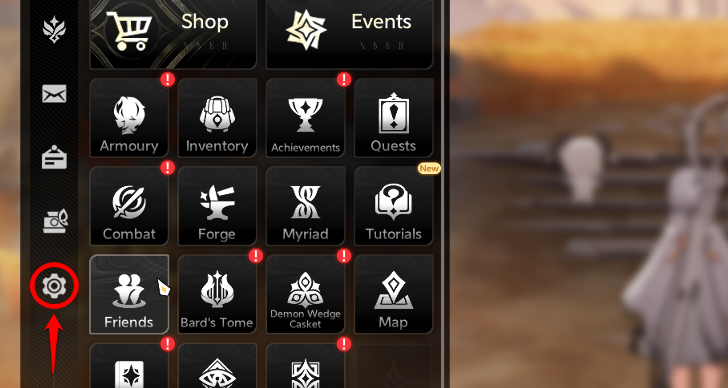
Players can open the menu and find the gear icon at the bottom left of the sidebar. Clicking this will show various settings options!
Available Settings Options
| Settings | Details |
|---|---|
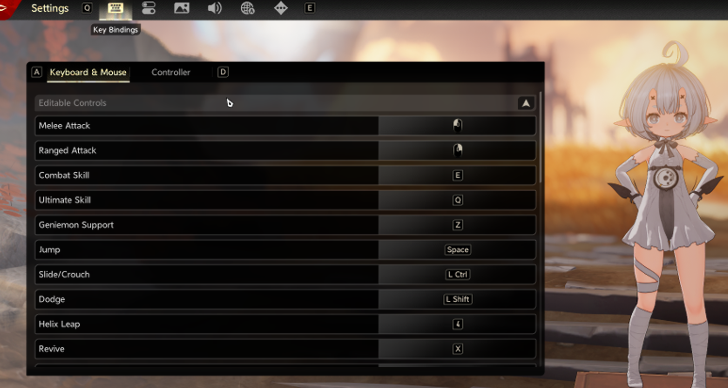 Key Bindings Settings |
In this section, players can switch the assigned functions of each button or key. |
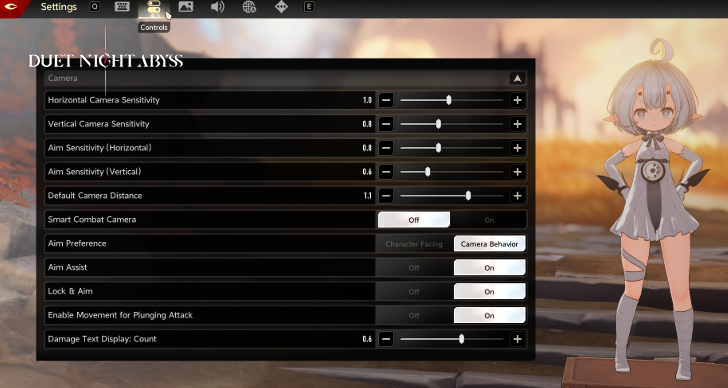 Controls Settings |
Players can change the movement sensitivity, camera view, and other helpful tools to improve gameplay experience! |
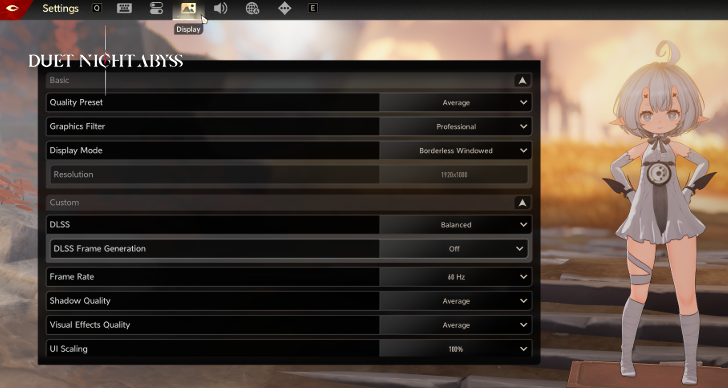 Display Settings |
The display section is where players can change the graphics quality to better suit their device or needs. |
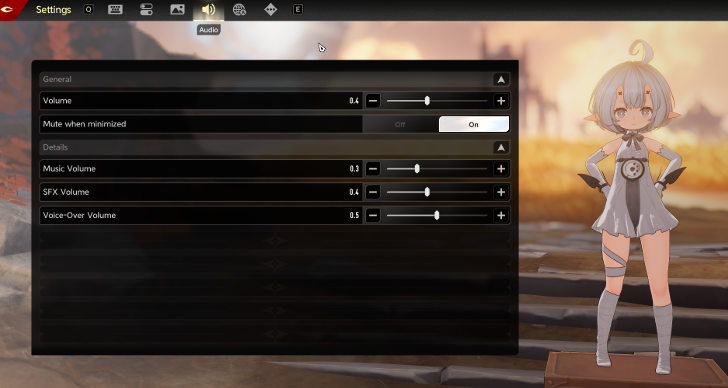 Audio Settings |
Music, volume, and background sound can be toggled accordingly in here! |
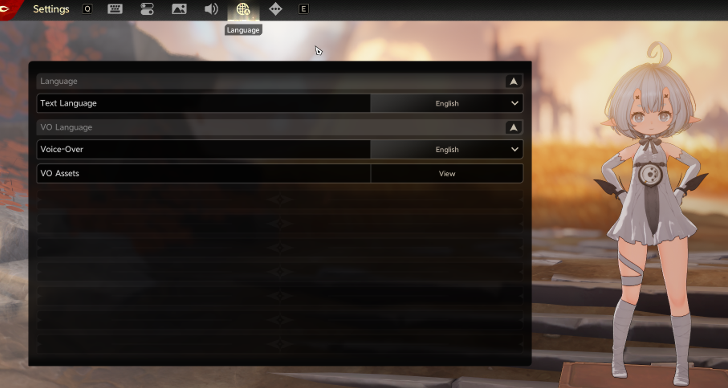 Language Settings |
If players will switch to their preferred language for audio and subtitles, they can configure the settings on this tab. |
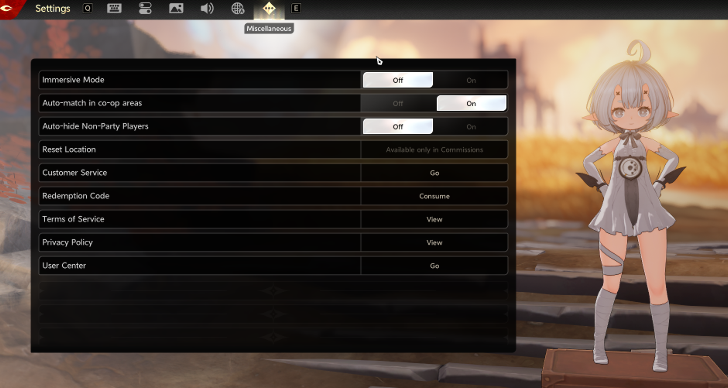 Miscellaneous Settings |
The redemption codes can be claimed in this part! Other settings for co-op and information are listed here. |
Duet Night Abyss Related Guides

Tips and Tricks: Beginner's Guide
All Tips and Tricks
Comment



Author

Best Settings and PC Optimization
Rankings
Gaming News

![Forza Horizon 6 Review [Preview] | Beautiful Roads With a Whole Lot of Oversteer](https://img.game8.co/4460981/a7254c24945c43fbdf6ad9bea52b5ce9.png/show)

![Forza Horizon 6 Review [Preview] | Beautiful Roads With a Whole Lot of Oversteer](https://img.game8.co/4460981/a7254c24945c43fbdf6ad9bea52b5ce9.png/thumb)
Popular Games

Genshin Impact Walkthrough & Guides Wiki
Crimson Desert Walkthrough & Guides Wiki
Umamusume: Pretty Derby Walkthrough & Guides Wiki
Honkai: Star Rail Walkthrough & Guides Wiki
Monster Hunter Stories 3: Twisted Reflection Walkthrough & Guides Wiki
Wuthering Waves Walkthrough & Guides Wiki
The Seven Deadly Sins: Origin Walkthrough & Guides Wiki
Pokemon TCG Pocket (PTCGP) Strategies & Guides Wiki
Pokemon Pokopia Walkthrough & Guides Wiki
Zenless Zone Zero Walkthrough & Guides Wiki










Recommended Games
Monster Hunter World Walkthrough & Guides Wiki
Fire Emblem Heroes (FEH) Walkthrough & Guides Wiki
Pokemon Brilliant Diamond and Shining Pearl (BDSP) Walkthrough & Guides Wiki
Super Smash Bros. Ultimate Walkthrough & Guides Wiki
Diablo 4: Vessel of Hatred Walkthrough & Guides Wiki
Cyberpunk 2077: Ultimate Edition Walkthrough & Guides Wiki
Yu-Gi-Oh! Master Duel Walkthrough & Guides Wiki
Elden Ring Shadow of the Erdtree Walkthrough & Guides Wiki
The Legend of Zelda: Tears of the Kingdom Walkthrough & Guides Wiki
Persona 3 Reload Walkthrough & Guides Wiki










All rights reserved
Game Copyright©Pan Studio All Rights Reserved.
The content we provide on this site were created personally by members of the Game8 editorial department.
We refuse the right to reuse or repost content taken without our permission such as data or images to other sites.
©Pan Studio (Provider)