
Camera Guide: How to Take Photos
★ Tier Lists: Characters | Weapons | Demon Wedges
★ Builds: Kezhou | Fushu | Fina | Lynn | Psyche
★ Version 1.2 Summary | Characters: Zhiliu | Yuming
┗ Mechanics: Mount | Gifting | Reputation | Accessory Customization
★ How to Get Characters | Mystic Maze | Redeem Codes
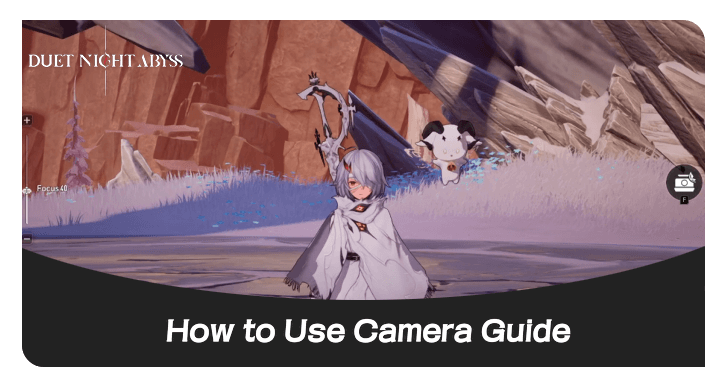
Players can take photos in the Camera option from the Main Menu in Duet Night Abyss (DNA). Find out how to take photos, photo mode and camera controls, and how to unlock the camera here!
List of Contents
How to Take Photos
Select Camera From the Main Menu
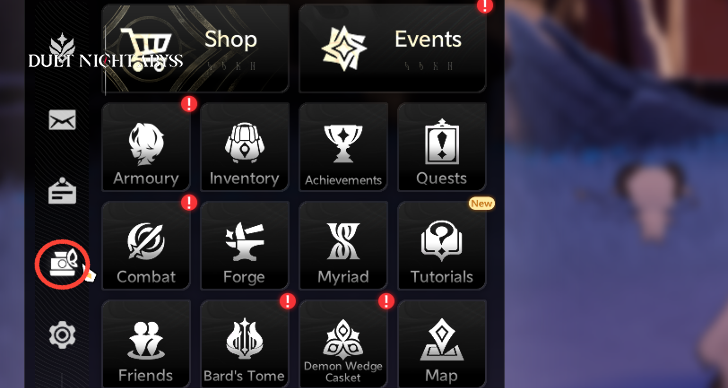
You can find the Camera option on the left side of the Main Menu and click on it to open the Camera feature!
Click the Snapshot Button
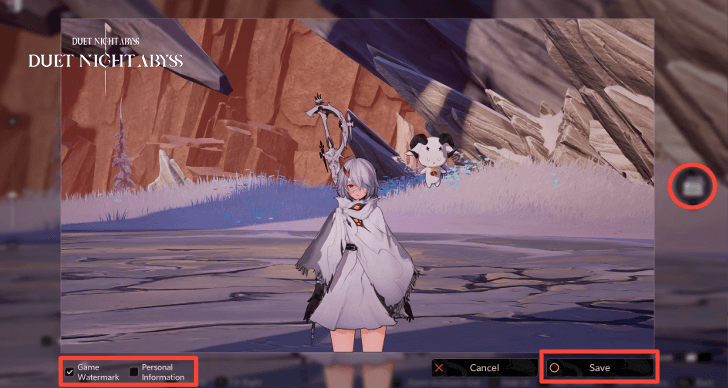
To take a photo, click the snapshot button on the right of the screen. Afterwards, you can save the image by clicking the Save button at the bottom right corner. Players can also hide their UID or remove the game's watermark at the bottom left corner of the screen.
Pictures are Saved in Screenshot Folder
The picture you saved is found in the game's screenshot folder for the PC version of the game or your phone's dedicated application album.
Photo Mode and Camera Controls
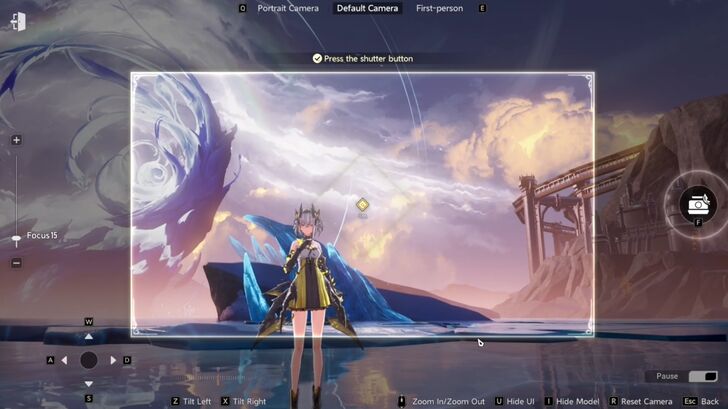
| WASD To Move Camera | Players can use the keys, W-A-S-D, on the keyboard to move the camera up, left, down, and right respectively. |
|---|---|
| Zoom In/Out (Mouse Wheel) |
You can use the mouse wheel to zoom in and out! This will make the frame move closer or farther away from the subject of the photo. |
| Hiding Models | When taking a picture, you also have the option to turn off models that include your character, players, NPCs, Geniemons, and Monsters. |
| Hide the UI | Players can hide their UI if they would like to see a preview of what the photo may look like, before they capture it. |
| Pause Movement | If there is a specific pose or animation that you would want a picture of, you can also pause the movement. |
| Camera Focus | Moving the bar on the left of the screen can change the camera's focus on the main subject of the picture! |
| Camera Angles | The camera has three perspectives: portrait, default and first-person. Players can toggle to which angle they'd prefer to use. |
| Tilt Camera | You can also tilt the angle of a picture scene with the camera. |
How to Unlock the Camera
Unlocks During In the Depths of Winter Quest
While players progress through the In the Depths of Winter main story quest, they will have to take a picture of Psyche. The camera feature will unlock here!
In the Depths of Winter Quest
Duet Night Abyss Related Guides

Tips and Tricks: Beginner's Guide
All Tips and Tricks
Comment



Author
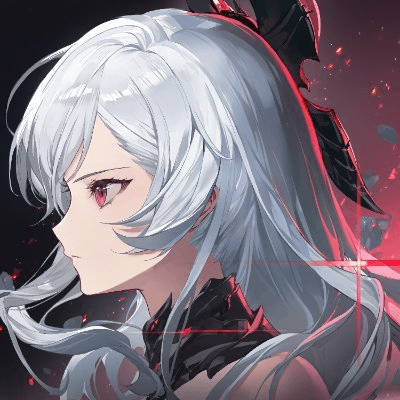
Camera Guide: How to Take Photos
Rankings
Gaming News

![Forza Horizon 6 Review [Preview] | Beautiful Roads With a Whole Lot of Oversteer](https://img.game8.co/4460981/a7254c24945c43fbdf6ad9bea52b5ce9.png/show)
![Forza Horizon 6 Review [Preview] | Beautiful Roads With a Whole Lot of Oversteer](https://img.game8.co/4460981/a7254c24945c43fbdf6ad9bea52b5ce9.png/thumb)
Popular Games

Genshin Impact Walkthrough & Guides Wiki
Crimson Desert Walkthrough & Guides Wiki
Umamusume: Pretty Derby Walkthrough & Guides Wiki
Honkai: Star Rail Walkthrough & Guides Wiki
Monster Hunter Stories 3: Twisted Reflection Walkthrough & Guides Wiki
Wuthering Waves Walkthrough & Guides Wiki
The Seven Deadly Sins: Origin Walkthrough & Guides Wiki
Pokemon TCG Pocket (PTCGP) Strategies & Guides Wiki
Pokemon Pokopia Walkthrough & Guides Wiki
Zenless Zone Zero Walkthrough & Guides Wiki










Recommended Games
Monster Hunter World Walkthrough & Guides Wiki
Fire Emblem Heroes (FEH) Walkthrough & Guides Wiki
Pokemon Brilliant Diamond and Shining Pearl (BDSP) Walkthrough & Guides Wiki
Super Smash Bros. Ultimate Walkthrough & Guides Wiki
Diablo 4: Vessel of Hatred Walkthrough & Guides Wiki
Cyberpunk 2077: Ultimate Edition Walkthrough & Guides Wiki
Yu-Gi-Oh! Master Duel Walkthrough & Guides Wiki
Elden Ring Shadow of the Erdtree Walkthrough & Guides Wiki
The Legend of Zelda: Tears of the Kingdom Walkthrough & Guides Wiki
Persona 3 Reload Walkthrough & Guides Wiki










All rights reserved
Game Copyright©Pan Studio All Rights Reserved.
The content we provide on this site were created personally by members of the Game8 editorial department.
We refuse the right to reuse or repost content taken without our permission such as data or images to other sites.
©Pan Studio (Provider)