
How to Get and Use Dyes
★ Tier Lists: Characters | Weapons | Demon Wedges
★ Builds: Kezhou | Fushu | Fina | Lynn | Psyche
★ Version 1.2 Summary | Characters: Zhiliu | Yuming
┗ Mechanics: Mount | Gifting | Reputation | Accessory Customization
★ How to Get Characters | Mystic Maze | Redeem Codes
Dyes are used to customize character and weapon color schemes in Duet Night Abyss (DNA). Learn what dyes are, how to unlock and get dyes, and how to use them in this guide.
List of Contents
How to Unlock Dyes
Finish Master of Atlasian Aesthetics Side Quest
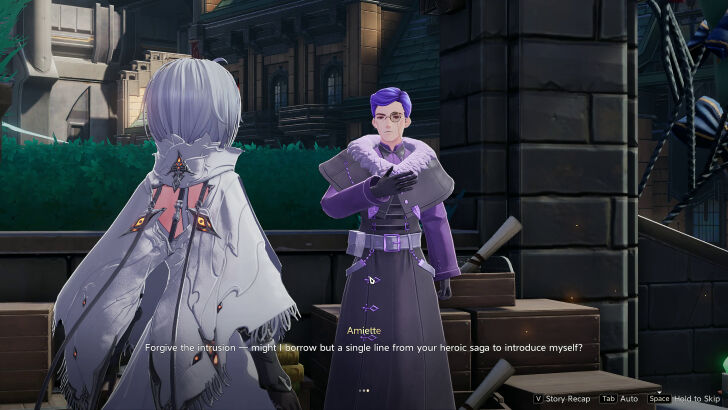
Dyes and recoloring are unlocked and can be used upon completing the Master of Atlasian Aesthetics special side quest. To begin the quest, talk to Amiette outside of Sanctuary after finishing the Prey VS Hunter main quest.
You will receive two dyes: Standard Dye: Timber and Standard Dye: Dune for finishing the quest.
Master of Atlasian Aesthetics Walkthrough
Where to Get Dyes
| Dye | Price | Shop |
|---|---|---|
 Standard Dye: Thunderstorm Standard Dye: Thunderstorm
|
Phoxene x60 | Items, Phoxene Exchange |
 Standard Dye: Rouge Standard Dye: Rouge
|
Phoxene x60 | Items, Phoxene Exchange |
 Standard Dye: Red Clay Standard Dye: Red Clay
|
Phoxene x60 | Items, Phoxene Exchange |
 Standard Dye: Dune Standard Dye: Dune
|
Phoxene x60 | Items, Phoxene Exchange |
 Standard Dye: Pea Standard Dye: Pea
|
Phoxene x60 | Items, Phoxene Exchange |
 Standard Dye: Timber Standard Dye: Timber
|
Phoxene x60 | Items, Phoxene Exchange |
 Standard Dye: Sea Salt Standard Dye: Sea Salt
|
Phoxene x60 | Items, Phoxene Exchange |
 Premium Dye: Crows Premium Dye: Crows
|
Lucent Prism x6 | Prism, Standard Exchange |
 Premium Dye: Lamenting Lake Premium Dye: Lamenting Lake
|
Lucent Prism x6 | Prism, Standard Exchange |
 Premium Hair Dye Premium Hair Dye
|
Iridescent Prism x1 | Prism, Limited-Time Exchange |
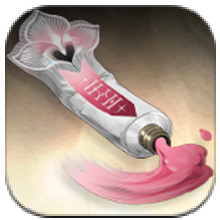 Premium Dye: Peach Glow Premium Dye: Peach Glow
|
Iridescent Prism x1 | Prism, Limited-Time Exchange |
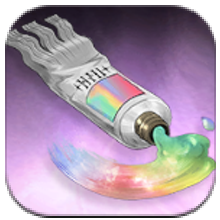 Standard Hair Dye Standard Hair Dye
|
Phoxene x100 | Items, Phoxene Exchange |
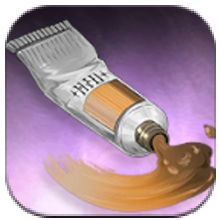 Intermediate Dye: Maple Syrup Intermediate Dye: Maple Syrup
|
Phoxene x60 | Items, Phoxene Exchange |
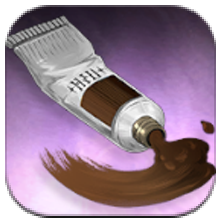 Intermediate Dye: Cocoa Intermediate Dye: Cocoa
|
Phoxene x60 | Items, Phoxene Exchange |
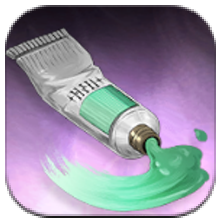 Intermediate Dye: Verdant Wave Intermediate Dye: Verdant Wave
|
Phoxene x60 | Items, Phoxene Exchange |
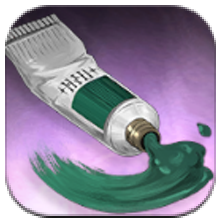 Intermediate Dye: Weathered Pine Intermediate Dye: Weathered Pine
|
Phoxene x60 | Items, Phoxene Exchange |
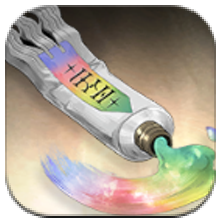 Iridescent Dye Iridescent Dye
|
- | Rewards, Reputation |
Get Dyes From the Shop
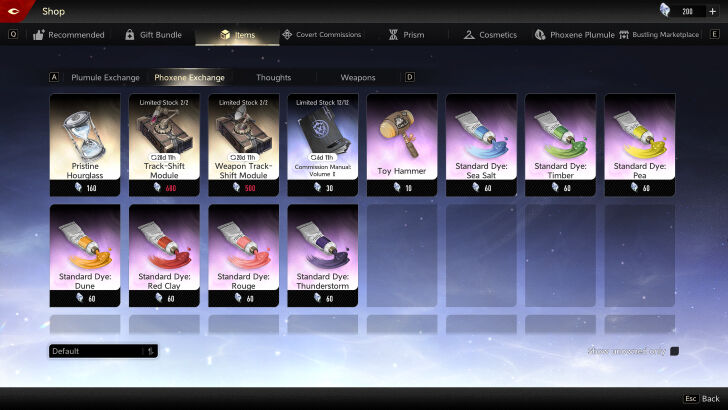
Standard Dyes can be bought from the Items tab in the Shop in exchange for Phoxene. These can be purchased for 60 Phoxene each.
Premium Dyes, on the other hand, can be purchased from the Prism tab in the Shop. One Premium Dye can be bought for 6 Lucent Prism.
Accomplish Beginner's Guide Achievements
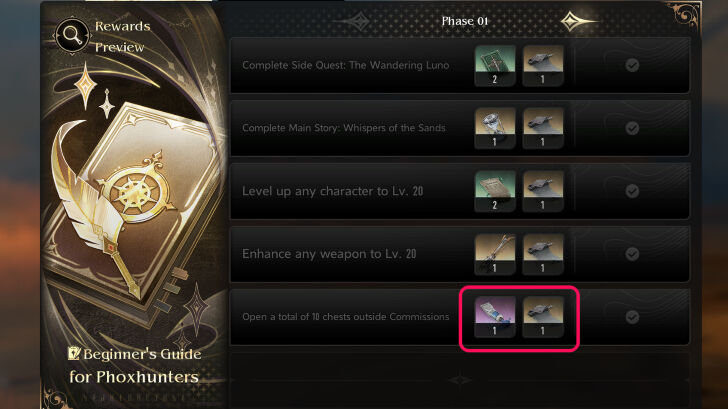
One of each Standard Dye can also be obtained from the Beginner's Guide. Phases 1 to 7 will feature one of the Standard Dyes as a reward. All your current phase's achievements must be completed before unlocking the next phase.
How to Use Dyes
Open the Cosmetics Menu
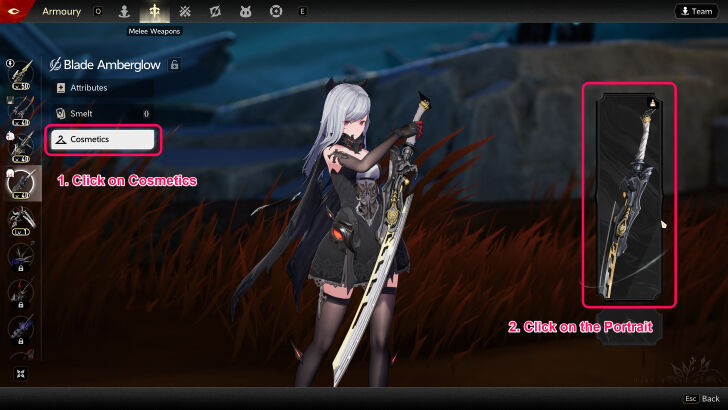
You can use dyes by opening the Cosmetics section first which you can can find in the Armoury in the menu.
Click on it, and then click on the portrait on the right side to select a skin to customize.
All characters and weapons have a Cosmetics section.
Select a Skin
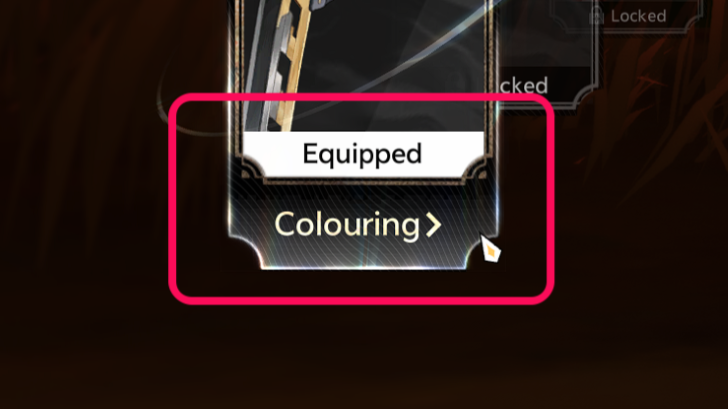
Select which skin you're choosing to customize. If it has the word Colouring
underneath its image, you can use dyes to change its color scheme.
Choose a Color to Use for Each Section
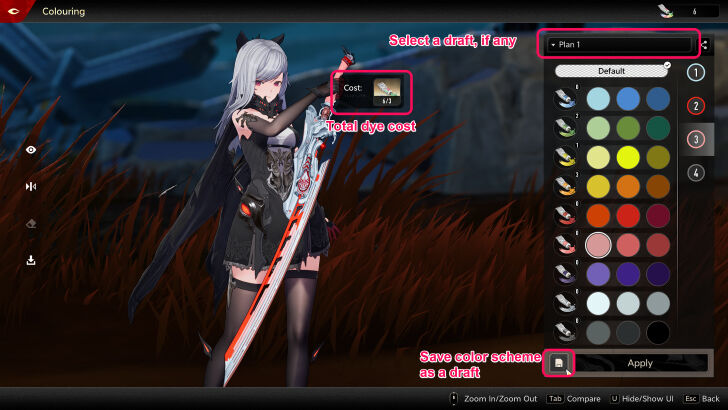
Character skins and weapons will each be differently divided into sections. Choose a color for each one. Before applying your final design, you'll be able to see the total amount of each dye you'll be consuming. Each dye is single-use only. Click on Apply
to finish.
Each player will start out with 6 Iridescent Dyes to use. These can be used in lieu of Standard Dyes. You can also save a color scheme as a draft if you lack the dyes you need or are unsure of your design. Each skin can have up to 3 drafts.
Hairstyle Dye
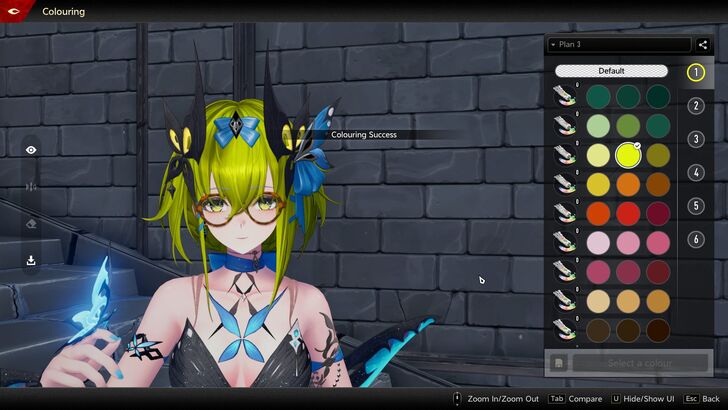
After the Version 1.2 update, some skins now have their top part (hair and accessories) moved to the Hairstyle section in the Cosmetics tab.
To dye them, simply go to the Hairstyle section. The dyeing process works the same way as dying the skin — you choose a color for each section — but these now use exclusive dyes: Premium Hair Dye and Standard Hair Dye.
What are Dyes?
Used for Customizing Color Schemes
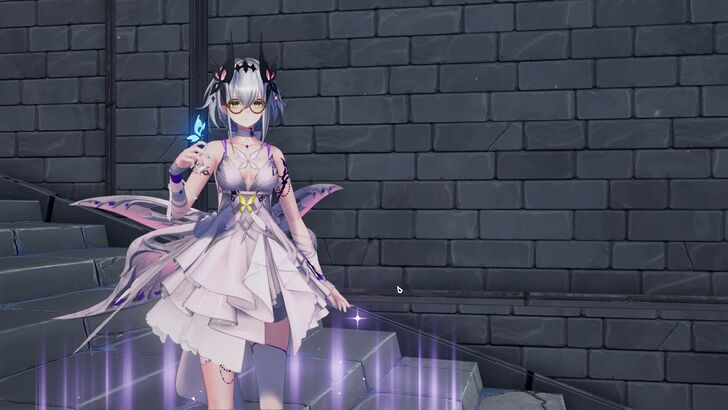
Dyes are consumable items you can use to customize your character's and weapon's skins. You can change the color of any weapon, but only unlockable character skins can be customized. You cannot re-color default character skins.
Duet Night Abyss Related Guides

Tips and Tricks: Beginner's Guide
All Tips and Tricks



Author
How to Get and Use Dyes
Rankings
Gaming News

![Forza Horizon 6 Review [Preview] | Beautiful Roads With a Whole Lot of Oversteer](https://img.game8.co/4460981/a7254c24945c43fbdf6ad9bea52b5ce9.png/thumb)
Popular Games

Genshin Impact Walkthrough & Guides Wiki
Crimson Desert Walkthrough & Guides Wiki
Umamusume: Pretty Derby Walkthrough & Guides Wiki
Honkai: Star Rail Walkthrough & Guides Wiki
Monster Hunter Stories 3: Twisted Reflection Walkthrough & Guides Wiki
Wuthering Waves Walkthrough & Guides Wiki
The Seven Deadly Sins: Origin Walkthrough & Guides Wiki
Pokemon TCG Pocket (PTCGP) Strategies & Guides Wiki
Pokemon Pokopia Walkthrough & Guides Wiki
Zenless Zone Zero Walkthrough & Guides Wiki










Recommended Games
Monster Hunter World Walkthrough & Guides Wiki
Fire Emblem Heroes (FEH) Walkthrough & Guides Wiki
Pokemon Brilliant Diamond and Shining Pearl (BDSP) Walkthrough & Guides Wiki
Super Smash Bros. Ultimate Walkthrough & Guides Wiki
Diablo 4: Vessel of Hatred Walkthrough & Guides Wiki
Cyberpunk 2077: Ultimate Edition Walkthrough & Guides Wiki
Yu-Gi-Oh! Master Duel Walkthrough & Guides Wiki
Elden Ring Shadow of the Erdtree Walkthrough & Guides Wiki
The Legend of Zelda: Tears of the Kingdom Walkthrough & Guides Wiki
Persona 3 Reload Walkthrough & Guides Wiki










All rights reserved
Game Copyright©Pan Studio All Rights Reserved.
The content we provide on this site were created personally by members of the Game8 editorial department.
We refuse the right to reuse or repost content taken without our permission such as data or images to other sites.
©Pan Studio (Provider)
ever heard of hair dyes?