
How to Invite Residents
☆ How to Unlock All 36 Characters
★ Tier Lists: Best Characters and Best Jobs
☆ Farming Guides: EXP, JP, Money
★ Forbidden Weapon Locations
☆ Battle-Tested Equipment Locations
★ Endings Guide | Post-Game Guide
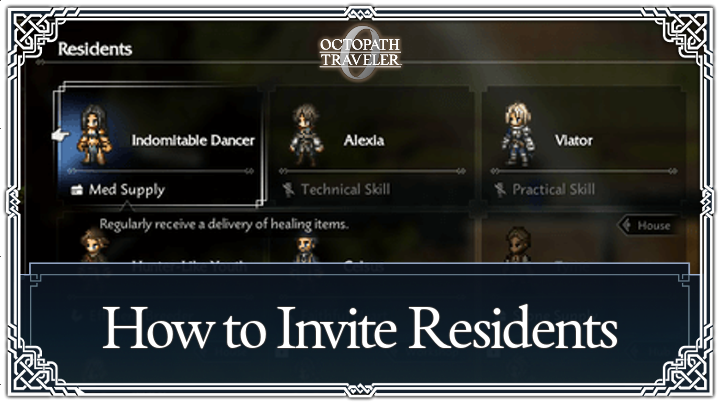
Invite residents to Wishvale after using the Inquire Path Action in Octopath Traveler 0 (Octopath 0). Read on to learn more about how to invite residents to your town and its benefits.
List of Contents
How to Invite Residents
Inquire Before Inviting
| Step 1 | 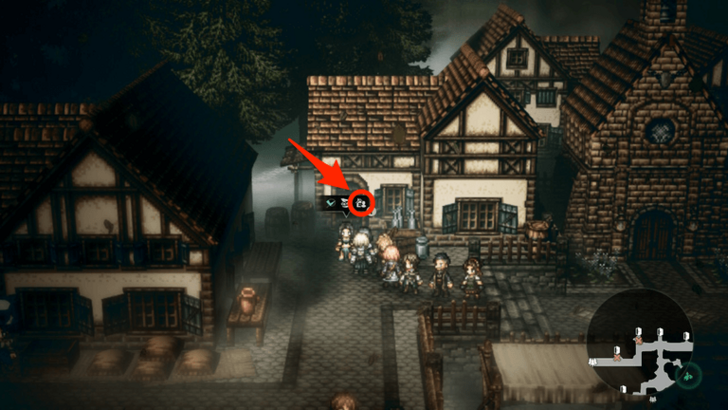 Approach a character and see if they have a house icon shown in their bubble. If they do, they can be invited to be a resident. |
|---|---|
| Step 2 | 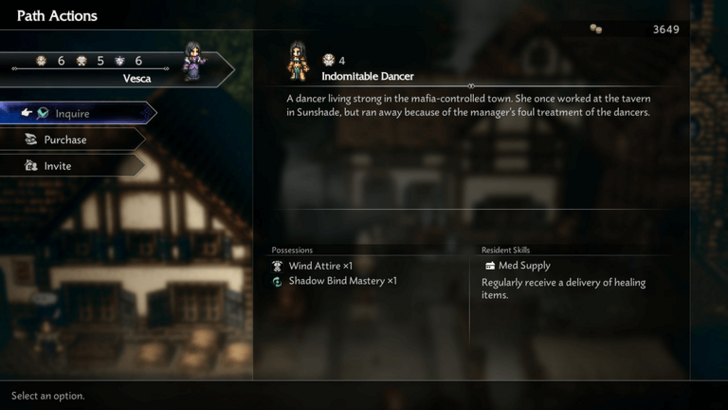 Initiate a Path Action and select Inquire. You will need to succeed in doing this before proceeding |
| Step 3 | 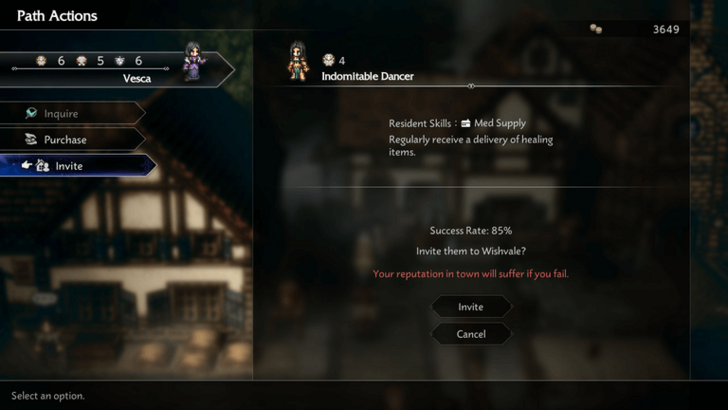 Once you have their information, you may select Invite. If you succeed, then they will become a resident of Wishvale. |
| Step 4 | 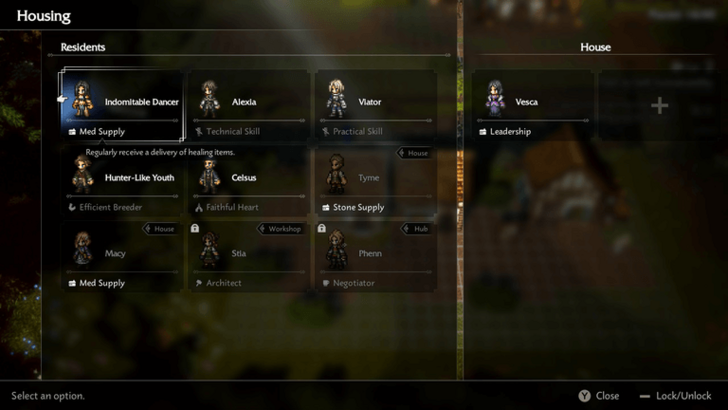 You may return to Wishvale and place them in any building or facility. This allows you to utilize their Resident Skill. |
What Do Residents Do?
| All Endings |
|---|
|
|

Use Resident Skills
Characters in Wishvale can utilize their Resident Skills once placed in the town. These can help in building a better town or in preparing yourself for battle.
You can view a potential resident's skill before inviting them.
Gather Items
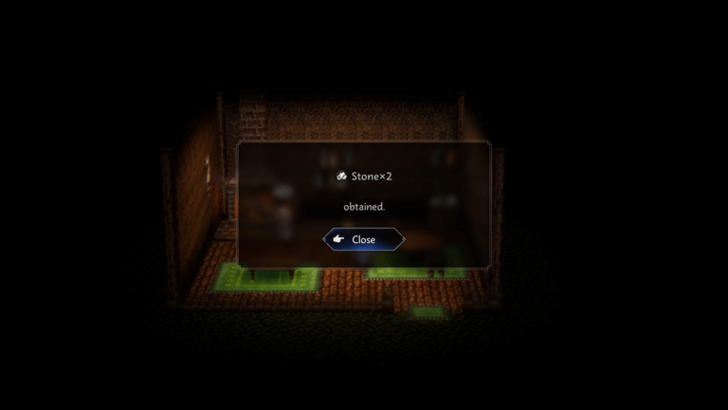
Some residents can regularly give you items. They may give you materials to construct buildings or items you can use in battle.
Facility Bonuses
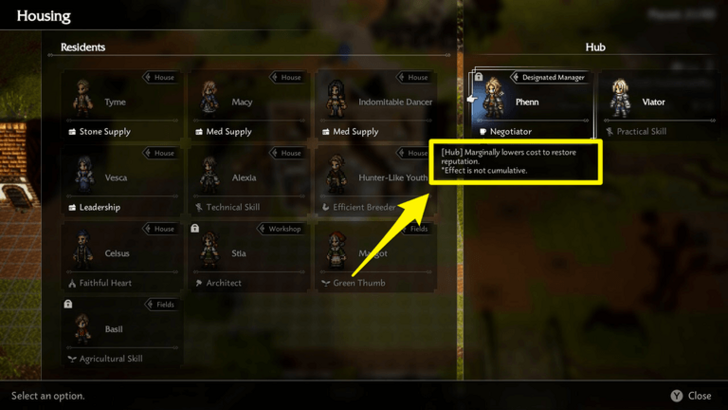
Some residents have perks when you place them in certain town facilities such as the Tavern or Church. Be sure to read each Resident Skill available to you so you can place residents where it is most beneficial.
Octopath Traveler 0 (Octopath 0) Related Guides

Beginner Tips for Octopath Traveler 0
All Octopath Traveler 0 Tips and Tricks
Comment



Author

How to Invite Residents

Rankings
- We could not find the message board you were looking for.
Gaming News

![The Seven Deadly Sins: Origin Review [First Impressions] | A Promising Start](https://img.game8.co/4440581/584e0bfb87908f12c4eab6e846eb1afd.png/show)

![Monster Hunter Stories 3 Review [First Impressions] | Simply Rejuvenating](https://img.game8.co/4438641/2a31b7702bd70e78ec8efd24661dacda.jpeg/thumb)
![The Seven Deadly Sins: Origin Review [First Impressions] | A Promising Start](https://img.game8.co/4440581/584e0bfb87908f12c4eab6e846eb1afd.png/thumb)
Popular Games

Genshin Impact Walkthrough & Guides Wiki
Umamusume: Pretty Derby Walkthrough & Guides Wiki
Pokemon Pokopia Walkthrough & Guides Wiki
Honkai: Star Rail Walkthrough & Guides Wiki
Monster Hunter Stories 3: Twisted Reflection Walkthrough & Guides Wiki
Arknights: Endfield Walkthrough & Guides Wiki
Wuthering Waves Walkthrough & Guides Wiki
Zenless Zone Zero Walkthrough & Guides Wiki
Pokemon TCG Pocket (PTCGP) Strategies & Guides Wiki
Monster Hunter Wilds Walkthrough & Guides Wiki










Recommended Games
Fire Emblem Heroes (FEH) Walkthrough & Guides Wiki
Diablo 4: Vessel of Hatred Walkthrough & Guides Wiki
Cyberpunk 2077: Ultimate Edition Walkthrough & Guides Wiki
Yu-Gi-Oh! Master Duel Walkthrough & Guides Wiki
Super Smash Bros. Ultimate Walkthrough & Guides Wiki
Pokemon Brilliant Diamond and Shining Pearl (BDSP) Walkthrough & Guides Wiki
Elden Ring Shadow of the Erdtree Walkthrough & Guides Wiki
Monster Hunter World Walkthrough & Guides Wiki
The Legend of Zelda: Tears of the Kingdom Walkthrough & Guides Wiki
Persona 3 Reload Walkthrough & Guides Wiki










All rights reserved
© SQUARE ENIX
The company names, product names and system names are trademarks or registered trademarks of their respective companies.
The copyrights of videos of games used in our content and other intellectual property rights belong to the provider of the game.
The contents we provide on this site were created personally by members of the Game8 editorial department.
We refuse the right to reuse or repost content taken without our permission such as data or images to other sites.