
DK Artist and Sculpting Guide
☽ DK Island and Emerald Rush DLC out now!
☽ Learn how to solve Banandiumtone's Puzzles.
☽ All Collectibles: Banandium Gems and Fossils
☽ Learn How to Skip Layers Entirely!
☽ How to Beat the Final Boss
☽ Post-Game: Rehearsal Halls | Secret Ending
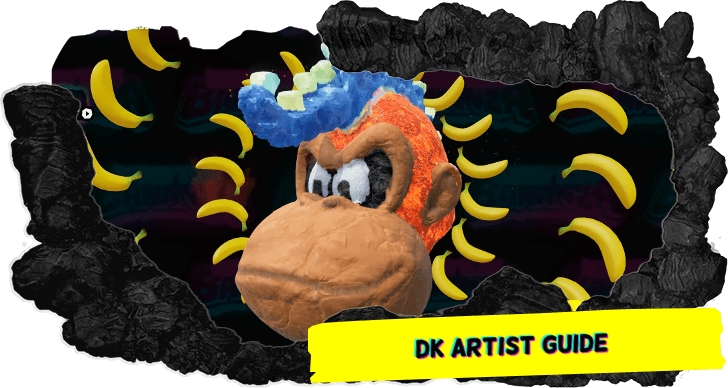
DK Artist mode in Donkey Kong Bananza allows you to make and sculpt your own stone figures. See how to access DK Artist, as well as how to sculpt and paint models.
List of Contents
How to Sculpt Models in DK Artist Mode
Use Mouse Controls to Carve
While playing DK Artist, you can use the Joy-Con's mouse controls to carve through the stone while the other controller, while held vertically, can be used to navigate through the menu.
To carve, make sure that the pickaxe icon is present on the left side of the screen. Once set, use the Joy-Con as a mouse and follow the cursor on the screen to mold the stone to your liking.
You can also add and extend the boulder you are working on using mouse controls if you want to sculpt additional parts to your stone. Cycle to the boulder icon to add parts to the boulder.
How to Paint Models in DK Artist Mode
Switch to Paint Mode and Use Mouse Controls
To apply paint across your sculpture, cycle to the paintbrush icon to start adding some color to the boulder. You can choose various colors to add to the sculpture, which will also give it textures like lava, crystals, and the like.
How to Access DK Artist
Press the Plus (+) Button on the Title Screen
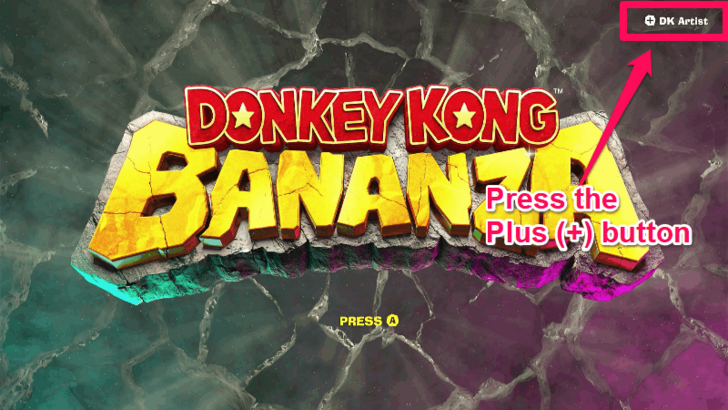
Access DK Artist by pressing the Plus (+) Button on the title screen.
Starts Tutorial Automatically When on the Title Screen for 1 Minute
The tutorial screens for DK Artist will play automatically if you are on the game's title screen for 1 minute. Holding the Plus (+) Button on this screen takes you to DK Artist.
All Easter Eggs and References
DK Artist Mode Controls
All DK Artist Controls
| Controls | Features |
|---|---|
 Hold Hold |
Change model |
 |
Menu |
 / /  |
Switch modes |
 / /  |
Change Paint Material |
|
Undo |
 |
Move figure |
 |
Zoom in |
 |
Zoom out |
 |
Rotate figure |
 Press Press |
Re-center figure |
 |
Preview figure |
 |
Change lighting |
 |
Enable banana effects |
What is DK Artist Mode?
Create Your Own Sculptures
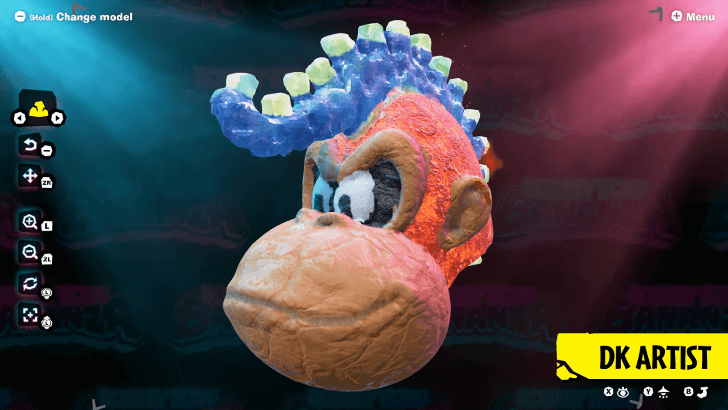
Donkey Kong Bananza's DK Artist mode allows you to make and sculpt your own stone figures. You can use the Nintendo Switch 2's mouse controls to carve through boulders and paint different textures on the stone.
You can even change the lighting and add special effects while viewing your own masterpiece!
Reference to Previous Games
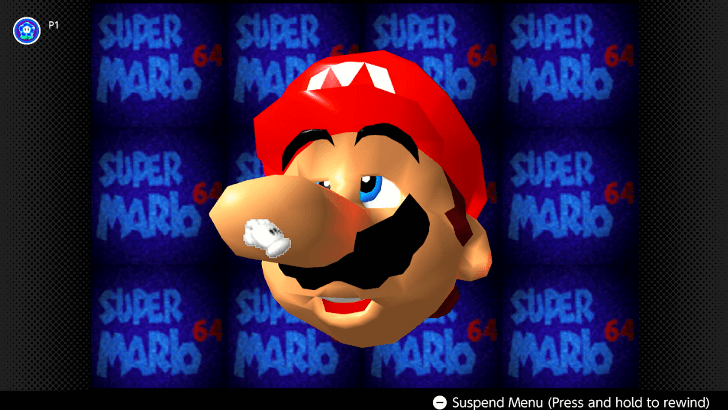
DK Artist is likely a reference to previous games which had similar modes. For example, the original Super Mario 64 DS for the Nintendo 64 had a title screen where you can play around Mario's face, while the Nintendo DS version of the game allows you to draw doodles that you can play around with.
Optional Art Mode
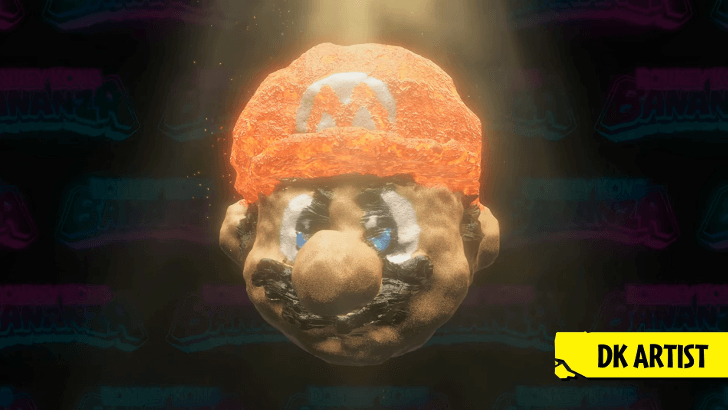
DK Artist is meant to be a mode that you can check out if you want to take a break from all the action of Donkey Kong Bananza. It is likely that you can access this mode in the title screen, just like with Super Mario 64.
Donkey Kong Bananza Related Guides
Beginner's Guide to Donkey Kong Bananza
All How-To Guides
Comment



Author
DK Artist and Sculpting Guide

Rankings
- We could not find the message board you were looking for.
Gaming News

![Death Stranding 2: On The Beach [PC] Review | A Port That Delivers](https://img.game8.co/4447392/15310a0c9aa1b6843bb713b2ea216930.jpeg/show)
Popular Games

Genshin Impact Walkthrough & Guides Wiki
Umamusume: Pretty Derby Walkthrough & Guides Wiki
Crimson Desert Walkthrough & Guides Wiki
Monster Hunter Stories 3: Twisted Reflection Walkthrough & Guides Wiki
Honkai: Star Rail Walkthrough & Guides Wiki
Pokemon Pokopia Walkthrough & Guides Wiki
The Seven Deadly Sins: Origin Walkthrough & Guides Wiki
Wuthering Waves Walkthrough & Guides Wiki
Zenless Zone Zero Walkthrough & Guides Wiki
Arknights: Endfield Walkthrough & Guides Wiki










Recommended Games
Fire Emblem Heroes (FEH) Walkthrough & Guides Wiki
Diablo 4: Vessel of Hatred Walkthrough & Guides Wiki
Cyberpunk 2077: Ultimate Edition Walkthrough & Guides Wiki
Yu-Gi-Oh! Master Duel Walkthrough & Guides Wiki
Super Smash Bros. Ultimate Walkthrough & Guides Wiki
Pokemon Brilliant Diamond and Shining Pearl (BDSP) Walkthrough & Guides Wiki
Elden Ring Shadow of the Erdtree Walkthrough & Guides Wiki
Monster Hunter World Walkthrough & Guides Wiki
The Legend of Zelda: Tears of the Kingdom Walkthrough & Guides Wiki
Persona 3 Reload Walkthrough & Guides Wiki










All rights reserved
© Nintendo. Games are property of their respective owners. Nintendo of America Inc.
The copyrights of videos of games used in our content and other intellectual property rights belong to the provider of the game.
The contents we provide on this site were created personally by members of the Game8 editorial department.
We refuse the right to reuse or repost content taken without our permission such as data or images to other sites.