
Policy Office Guide
NEW: Season 2 | Refinement | Arena
✪ Tiphera: Build | Cards | Banner
☆ Tiana: Partner Guide | Banner
✪ Nine: Build | Cards | Banner
See our Endgame Mode Tier List (Season 2 Updated!)
☆ Tier Lists: Character | Partner | Cards
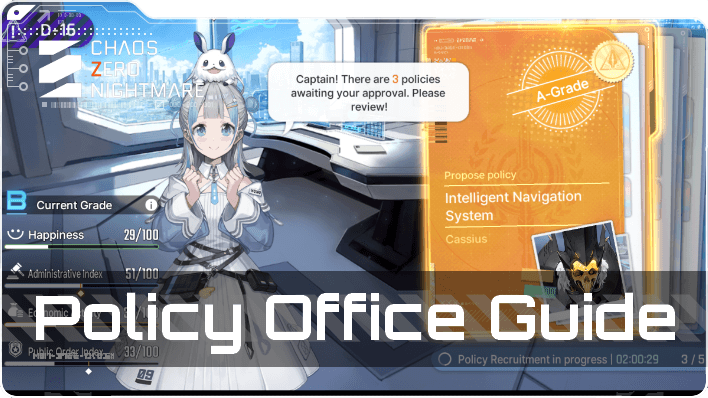
Implement Policies to obtain Policy Points in Chaos Zero Nightmare. Learn about the policy office mechanics, which policies to implement, and more in this guide.
List of Contents
Policy Office Explained
Choose a Project and Implement Policies
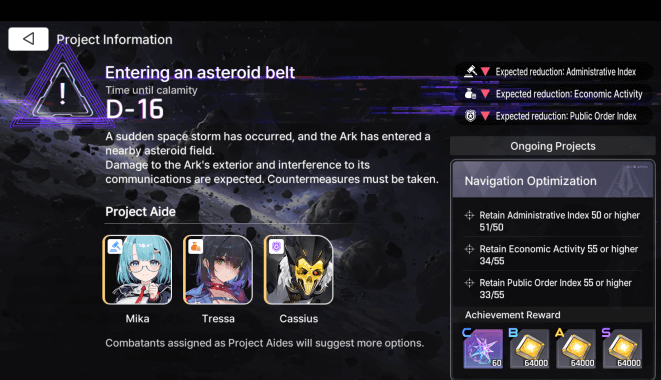
In the Policy Office, you implement policies to obtain policy points, which you can use to purchase research notes in Nono's Shop.
At the start, you will select a project to implement, with the objective of achieving the specified goal to acquire the completion rewards, while also accruing policy points for each policy that you approve until the project ends.
Assign Project Aides

You can assign combatants as project aides, which influences the policies that are generated when they become available. If you wish to prioritize a specific City Management Index stat, select Aides that align with your desired index objective.
A combatant's affinity for the City Management Index Stat appears in the upper-left corner of their character icon on the Project Aide selection screen.
List of All Characters
Project Aides Can Unlock Battle Missions
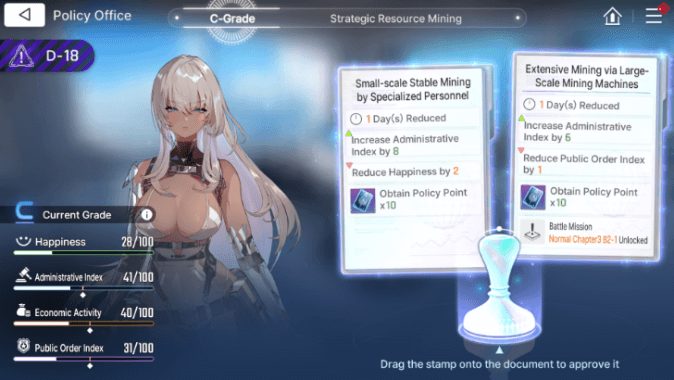
Project Aides can also introduce policies that have an associated Battle Mission, which becomes available when you choose to implement that policy. Rewards are also provided, similar to those offered in standard Battle Missions.
While the rewards may seem less substantial, they can still be valuable as they can aid your progression.
Complete Objectives to Increase Grade
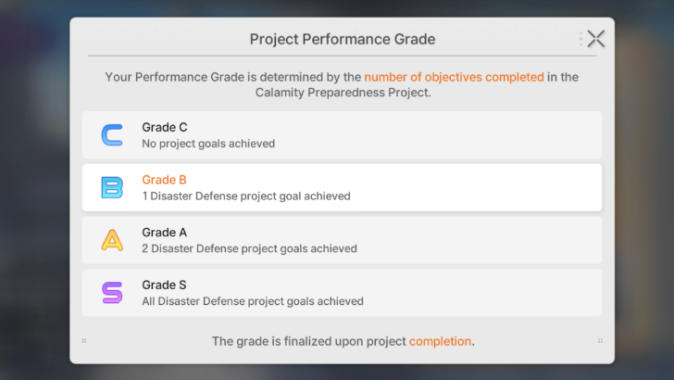
At the end of the project, your Project Performance Grade, will be determined by the number of objectives you successfully complete. To achieve a higher Project Performance Grade, ensure that you manage your City Management Index properly to hit the given objectives and receive all the rewards.
How to Get More Policies
|
|
 Policies Refresh Over Time
Policies Refresh Over Time
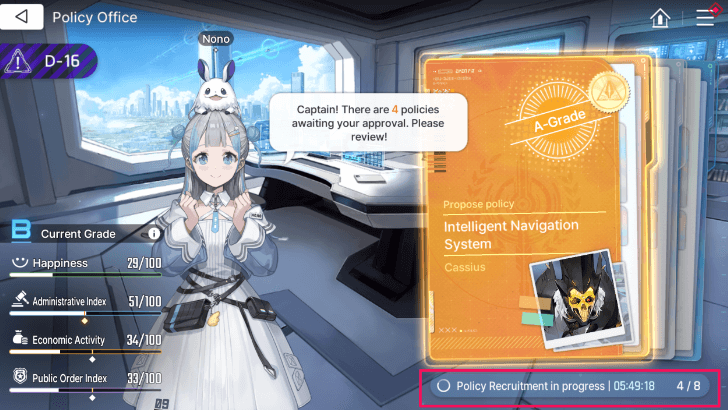
Policies refresh at set intervals, with a default cap of three. Once you reach the cap, you cannot earn more policies, so make sure to implement policies to avoid any overflow.
Lessen Policy Creation Time Through Research
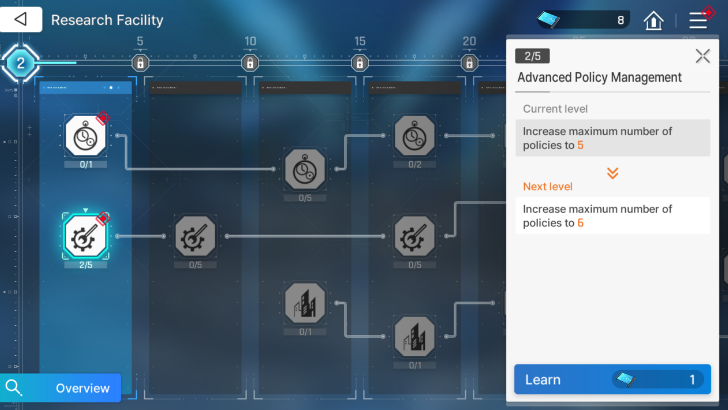
The Policy Management Efficiency Research node reduces the time it takes to create policies, allowing you to accumulate them more quickly. The research facility also has a node that will let you hold up to eight policies at a time, as well as other substantial upgrades.
Purchase From Nono’s Shop
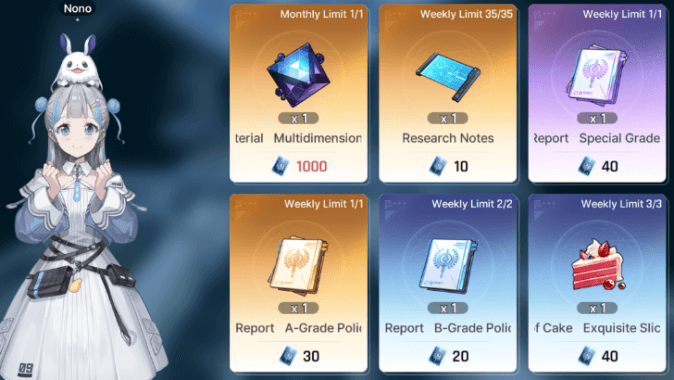
You can also purchase three policies, which can be rare, legendary, or mythic. Please note that these have a weekly limit and cost research notes, so we recommend purchasing these last if you have research notes to spare.
Policy Office Tips
|
|
Prioritize Multiple Day Policies
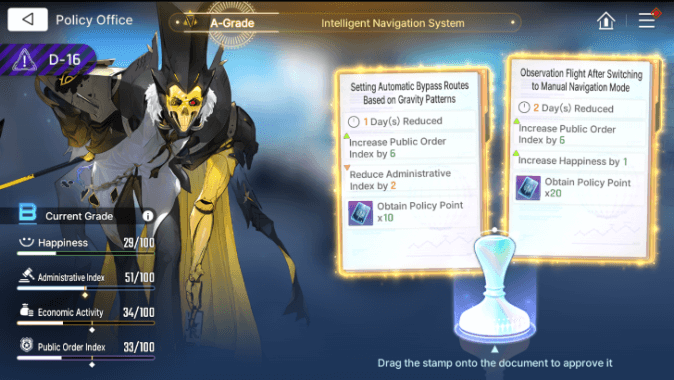
Selecting policies with more day reductions will make it more challenging to achieve secondary objectives but, will enable you to complete projects significantly more quickly.
Crystals are awarded at the lowest level grade, so you can still earn the most important reward if the higher grade rewards aren't as important to you.
Manage the City Management Index
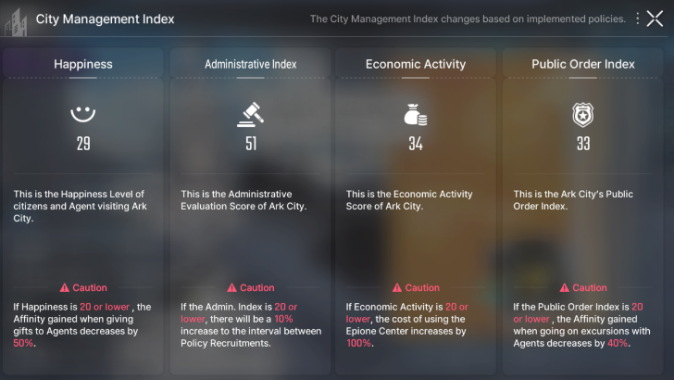
It is essential to exercise caution when selecting policies, ensuring that the values for the City Management Index do not decline to 20 or below. This will prevent the associated penalties that you might incur if the City Management Index values are too low.
Depending on your priorities, you may choose to forgo secondary objectives for your projects, provided you do not exceed the threshold penalties for the City Management Index.
Buy Research Nodes To Decrease Reductions
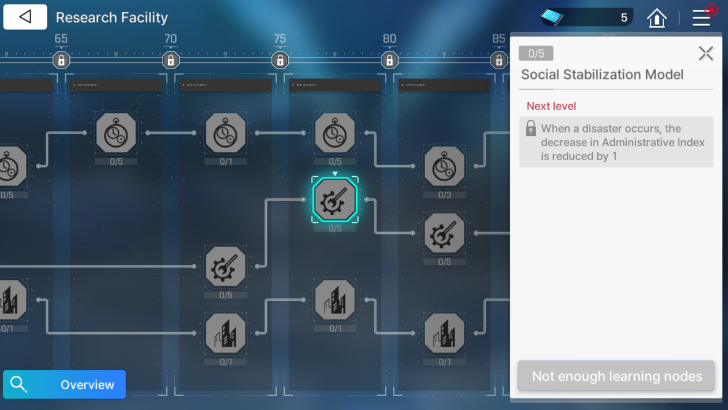
You can buy research nodes in the Research Facility to reduce losses from disasters or calamities. This significantly reduces any losses you might incur as you get more levels in to the research node.
Choose Aides With the Right Affinity
When starting a new project, make sure to choose the Aides with the City Management Index stat that you need, as they can influence the policies that appear. The right Aide will increase the chance of the policy with the right city Index Management stat to be generated, allowing you to manage the stats better.
Chaos Zero Nightmare (CZN) Related Guides

All Ark City Guides
| Research Facility Guide | Policy Office Guide |
| Epione Center Guide | Garden Cafe Guide |
| Starshine Diner Guide | All Nono's Shop Items |
Comment
 Anonymous 4 months
I'm towards the end of a countdown and I have a policy I don't need, is there a way to skip it or choose a different policy?



Author

Policy Office Guide

Premium Articles

Rankings

Gaming News

![The Liar Princess and the Blind Prince Review [PC] | Lovely to Look at but Tedious to Play](https://img.game8.co/4442586/8d95f5faf05780f1765ce7e0938bd825.jpeg/show)

![Monster Hunter Stories 3 Review [First Impressions] | Simply Rejuvenating](https://img.game8.co/4438641/2a31b7702bd70e78ec8efd24661dacda.jpeg/thumb)
![The Seven Deadly Sins: Origin [First Impressions] | A Promising Start](https://img.game8.co/4440581/584e0bfb87908f12c4eab6e846eb1afd.png/thumb)
Popular Games

Genshin Impact Walkthrough & Guides Wiki
Umamusume: Pretty Derby Walkthrough & Guides Wiki
Pokemon Pokopia Walkthrough & Guides Wiki
Honkai: Star Rail Walkthrough & Guides Wiki
Monster Hunter Stories 3: Twisted Reflection Walkthrough & Guides Wiki
Arknights: Endfield Walkthrough & Guides Wiki
Wuthering Waves Walkthrough & Guides Wiki
Zenless Zone Zero Walkthrough & Guides Wiki
Pokemon TCG Pocket (PTCGP) Strategies & Guides Wiki
Monster Hunter Wilds Walkthrough & Guides Wiki










Recommended Games
Fire Emblem Heroes (FEH) Walkthrough & Guides Wiki
Diablo 4: Vessel of Hatred Walkthrough & Guides Wiki
Cyberpunk 2077: Ultimate Edition Walkthrough & Guides Wiki
Yu-Gi-Oh! Master Duel Walkthrough & Guides Wiki
Super Smash Bros. Ultimate Walkthrough & Guides Wiki
Pokemon Brilliant Diamond and Shining Pearl (BDSP) Walkthrough & Guides Wiki
Elden Ring Shadow of the Erdtree Walkthrough & Guides Wiki
Monster Hunter World Walkthrough & Guides Wiki
The Legend of Zelda: Tears of the Kingdom Walkthrough & Guides Wiki
Persona 3 Reload Walkthrough & Guides Wiki










All rights reserved
© Smilegate. All Rights Reserved.
The copyrights of videos of games used in our content and other intellectual property rights belong to the provider of the game.
The contents we provide on this site were created personally by members of the Game8 editorial department.
We refuse the right to reuse or repost content taken without our permission such as data or images to other sites.
Hi! There is currently no way to skip or change a given Policy.