
Village Building Guide
★ Characters and Gifts Guide
☆ All 16 Romance Options
★ Boss Taming Guide and Best Items to Give
☆ Check our Daily Routine Guide for your daily tasks!
★ Walkthrough and Complete Story Guide
☆ Village Building Guide
Village Building allows you to customize villages in Rune Factory: Guardians of Azuma (RFGoA). Read on for a guide on the Village Builder Mode, the types of items you can use to customize your villages, and how to unlock village building.
List of Contents
Village Building Guide
How to Enter Village Builder Mode
| Village Builder Mode Requirements |
|---|
| |

Must Be in a Development Zone
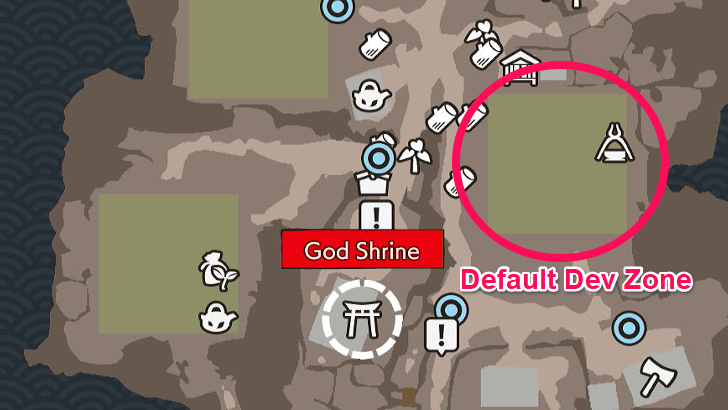
In order to enable Village Builder Mode, you must be at the village's designated development zone. This is the large, open space in a village that may have large rocks, wooden debris, and some tilled land.
Additional development zones in villages may be unlocked as you progress through the story and level up your villages.
How to Get More Development Zones
Must Have the Terra Tiller Equipped
While in the development zones, you must have the Terra Tiller equipped. This will automatically put you in the Village Builder Mode. You'll know you're in this mode when you see the village bonuses pop up on the left side and a grid emerge from the floor.
The Terra Tiller can be easily equipped in development zones by pressing the right trigger on controllers or the Z key on keyboards.
How to Enter Overhead View
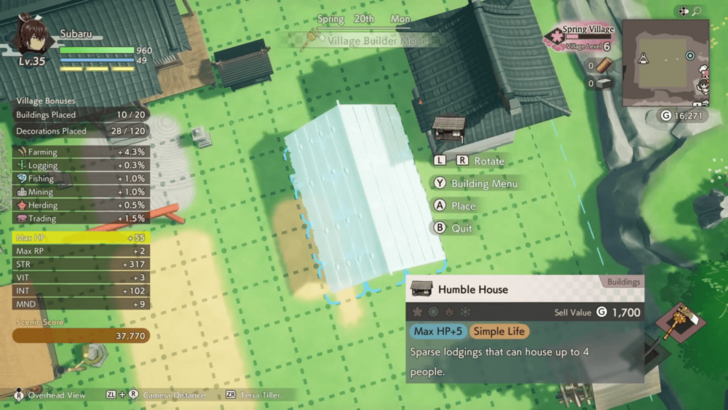
To make it easier for you to move and place buildings in the development zone, you have the option to change your view to the Overhead View. This is done by pressing the right stick on controllers or the T key on keyboards.
Overhead view also allows you to plant, water, and harvest crops quickly if you want to take care of your farm yourself.
How to Get Tiles and Buildings
Call Woolby to Craft Terrain Tiles

If you need more terrain tiles, you can ask Woolby to craft them for you. While you have the Terra Tiller equipped, press the assigned button to call Woolby (down on the controller D-pad, X on keyboard).
Woolby can only craft tiles that you've learned the recipe for, and you must provide the required materials for each recipe. Woolby can also craft some of the materials needed for tiles such as Rich Soil and Red Soil.
List of All Terrain Tiles and Soil
Craft Buildings and Decorations from Carpenters
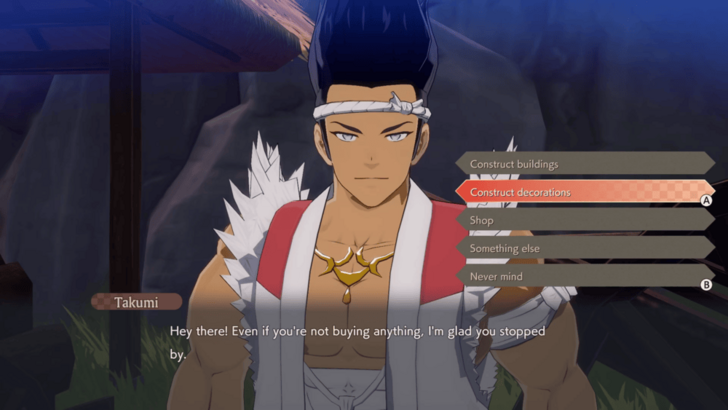
In order to add buildings and decorations in your Building Menu inventory, you must craft them from a Carpenter. You must have the recipe unlocked in order to have a carpenter make it for you, and you will also need to provide the required materials.
You can expand your carpenters' catalogues by leveling up your village.
Village Level Effects and How to Increase
How to Increase Building Limits
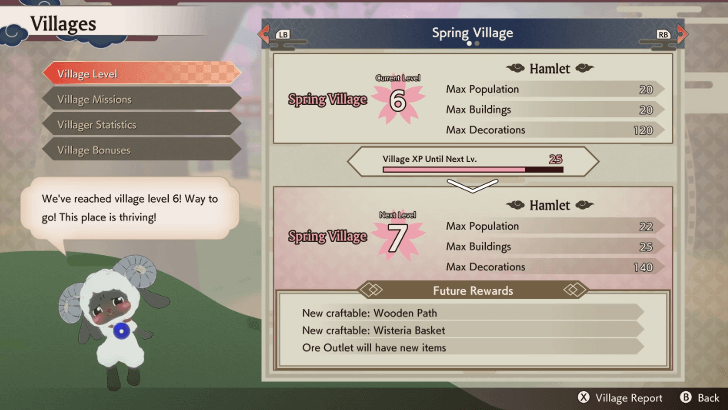
There are only a limited number of buildings and decorations that you can place in each village. You can expand this limit by leveling up your village, which also allows you to increase your maximum population.
Terrain tiles are only limited by the amount of space in your development zones. They have no specific limit listed down. The same goes for seeds, which are only limited by the number of Field tiles you have placed.
How to Increase Building and Decoration Limit
How to Assign Villagers to Help
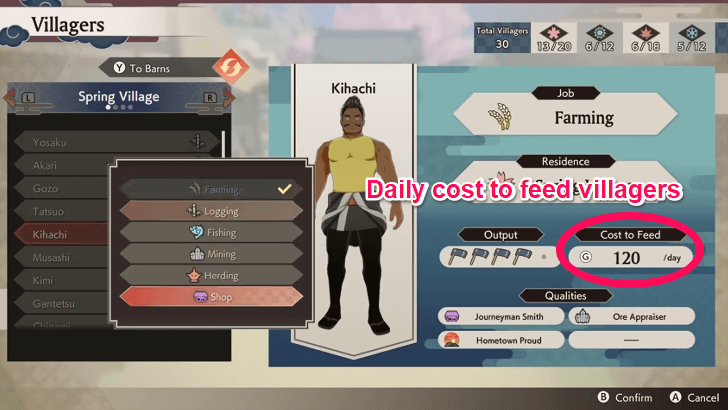
You can assign villagers to help out with the fields and establishments in the development zone by going to the Villagers menu. However, take note that these villagers won't work for free.
Villagers will have a daily cost, which will automatically be deducted from the shipping bin profits or from your own funds. If you have no money left to feed them, the village happiness may decrease and villagers may consider leaving the village. Villager happiness can be seen from the Villages menu (not to be confused with the Villagers menu).
Villager Qualities and How to Assign Jobs
Get More Villagers
You can increase the maximum number of villagers that can help you out by leveling up your village. You can then get more villagers to move in by defeating Blighted villagers or by simply going to sleep.
Keep Villagers Happy
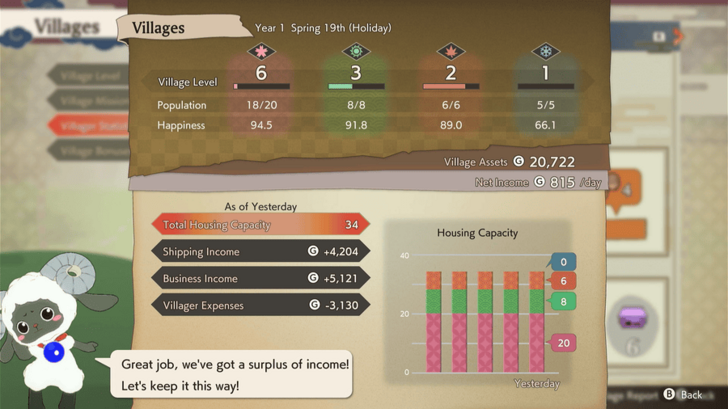
You can keep your villagers happy and increase village happiness by making sure all your villagers have a home and that you have enough money to pay them. Build enough houses in your development zones to accommodate your total population in order to prevent your village happiness from decreasing.
How to Increase Village Happiness
How to Farm
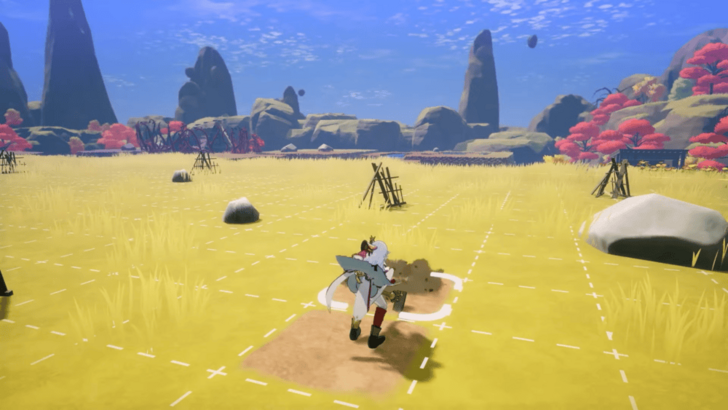
Farming can be done in development zones by placing Field tiles onto the ground. You can then place seeds on these field tiles.
Each crop will have its own growing time, which can be shortened by using the Sacred Drum. Seeds also tend to have preferred seasons, which increases the amount of that crop you get when harvesting it. Planting a seed in a season it doesn't like will reduce its yield.
Farming Guide: How to Manage Crops
Rice Must Be Planted on Rice Paddies
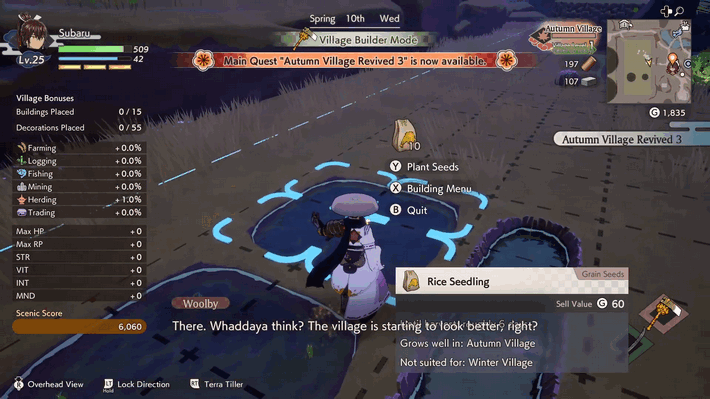
Rice is a special type of crop that needs to be grown in the Rice Paddy tile instead of the Field tile. Rice paddies can be watered by placing Waterway tiles or by watering them manually like Field tiles.
Villagers with the Farming job will also tend to rice paddies. If you have Sakuna in your village, she can take care of your rice paddies, harvest rice, and plant rice seedlings.
Chance for Giant Crops
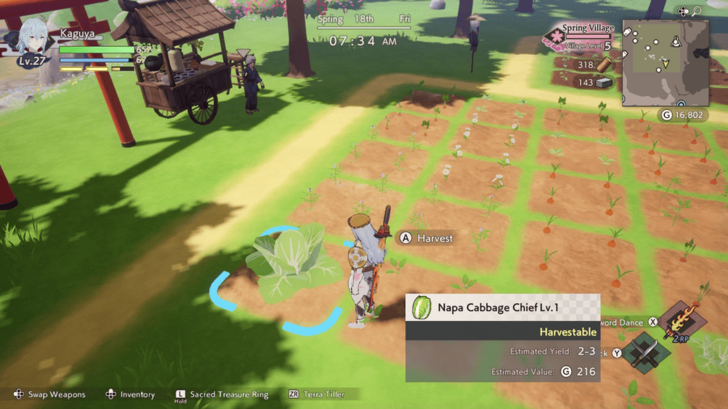
Any crops you plant have a chance to become giant crops once they're ready to harvest. Giant crops typically have a lower yield but a much higher value and stronger effects.
Building Menu Item Categories
| Category | Description |
|---|---|
| Seeds and Such | Contains seeds and tree saplings. Seeds can be placed on field tiles to grow crops. Saplings can be placed on bare ground to grow trees. |
| Terrain Tiles | These are placed on the ground to modify the terrain. They can be functional or decorative. |
| Buildings | These include shops and houses. Villagers can be assigned to work at shops, allowing you to use their services. |
| Decorations | Items that can be used to spruce up your village development zones. |
How to Unlock Village Building
Get the Terra Tiller

You can enter Village Builder Mode as soon as you get the Terra Tiller. This sacred treasure can be obtained early on in the game, right after reviving Ulalaka's sacred tree. You can only craft field and path tiles at first, as well as plant seeds you have on hand.
Buildings and decorations will not be available to craft until you progress the story more and rescue Takumi, the carpenter. You will also need to gather recipes for these building items first before a carpenter can make them.
Complete Walkthrough and Story Guide
Rune Factory: Guardians of Azuma Related Guides

Rune Factory: Guardians of Azuma Top Page
Guides by Category
| Rune Factory: Guardians of Azuma Guides | |
|---|---|
 News & Game Info News & Game Info |
 Tips and Tricks Tips and Tricks |
 Characters Characters |
 Walkthrough Walkthrough |
 Sacred Treasures Sacred Treasures |
 Village Building Village Building |
 Items Items |
 Weapons Weapons |
 Bosses Bosses |
 Armor Armor |
 Monsters Monsters |
 Tools Tools |
 Shops Shops |
 Festivals Festivals
|
 Contests Contests |
|
Recommended Guides
 Romance Options
 List of Voice Actors
 Cosmetic Guide
 Character Customization
 How to Increase Bond Levels
 All Wayside Shrine Recipes and Locations
 All Golden Seed Locations
 How to Get Recipes
 All Jizo Statue Rewards and Locations
 All Target Locations
 All Seals of Approval
 Best Crops to Grow
Comment



Author
Village Building Guide

Rankings
- We could not find the message board you were looking for.
Gaming News





Popular Games

Genshin Impact Walkthrough & Guides Wiki
Umamusume: Pretty Derby Walkthrough & Guides Wiki
Pokemon Pokopia Walkthrough & Guides Wiki
Honkai: Star Rail Walkthrough & Guides Wiki
Monster Hunter Stories 3: Twisted Reflection Walkthrough & Guides Wiki
Arknights: Endfield Walkthrough & Guides Wiki
Wuthering Waves Walkthrough & Guides Wiki
Zenless Zone Zero Walkthrough & Guides Wiki
Pokemon TCG Pocket (PTCGP) Strategies & Guides Wiki
Monster Hunter Wilds Walkthrough & Guides Wiki










Recommended Games
Fire Emblem Heroes (FEH) Walkthrough & Guides Wiki
Diablo 4: Vessel of Hatred Walkthrough & Guides Wiki
Cyberpunk 2077: Ultimate Edition Walkthrough & Guides Wiki
Yu-Gi-Oh! Master Duel Walkthrough & Guides Wiki
Super Smash Bros. Ultimate Walkthrough & Guides Wiki
Pokemon Brilliant Diamond and Shining Pearl (BDSP) Walkthrough & Guides Wiki
Elden Ring Shadow of the Erdtree Walkthrough & Guides Wiki
Monster Hunter World Walkthrough & Guides Wiki
The Legend of Zelda: Tears of the Kingdom Walkthrough & Guides Wiki
Persona 3 Reload Walkthrough & Guides Wiki










All rights reserved
©2025 Marvelous Inc.
The copyrights of videos of games used in our content and other intellectual property rights belong to the provider of the game.
The contents we provide on this site were created personally by members of the Game8 editorial department.
We refuse the right to reuse or repost content taken without our permission such as data or images to other sites.