
How to Charge Vehicles
★ Best Weapons | Best Backpack Component
☆ Outfits | Best Stats to Upgrade
★ Hats, Suits, Glasses, Waist & Chest Accessories
☆ Get all Unlockables and Upgrades
★ All Actors | Cameos
☆ List of Orders and Bosses
Vehicles can be charged via generators, repairing them, or the garage in Death Stranding 2 On the Beach (DS2). Learn how and when to use each method to charge your vehicles and how to let your vehicle stay powered up on deliveries.
How to Charge Vehicles
|
|
 Park Vehicle Near a Generator
Park Vehicle Near a Generator
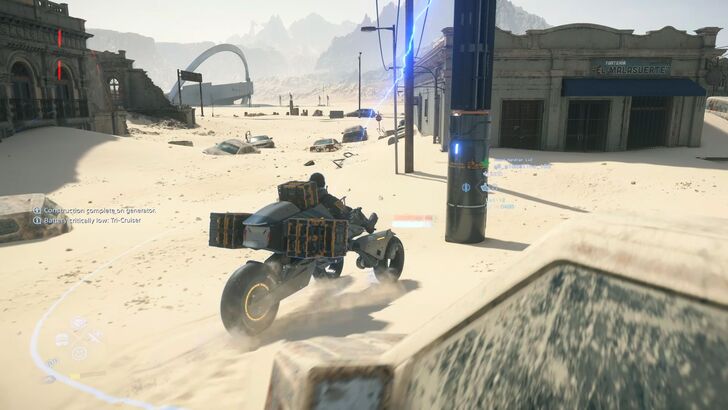
When facing a low battery in the field with no nearby facility, and your vehicle's battery has turned yellow or reached a critical red level, you can quickly charge your vehicle using a Generator.
To initiate generator charging, simply park your vehicle near the Generator's operational range.
Use PCC to Build Generators
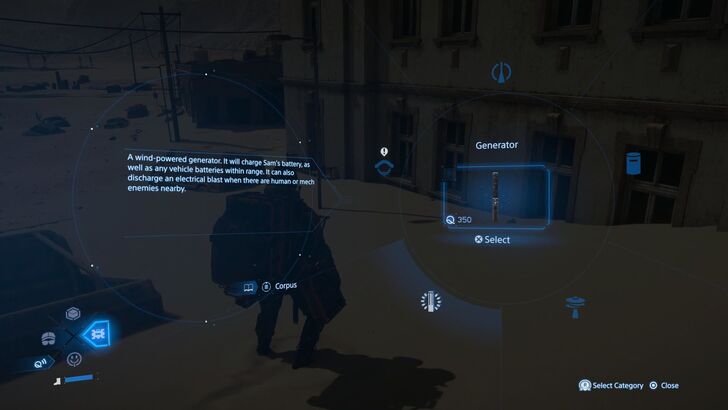
A Generator is one of the essential structures porters can build. When playing online, you will often find more generators throughout the world, built by other players, which can keep yourself topped up.
If you find no other players have constructed generators in your immediate surroundings, you can easily build one yourself. Other porters can also use and like your structures, contributing to your Bridge Link progression.
Just like other useful structures, you construct a Generator using a PCC. Therefore, always bring an extra PCC specifically for when you need to build a Generator on the go.
Store Vehicle in a Facility's Garage
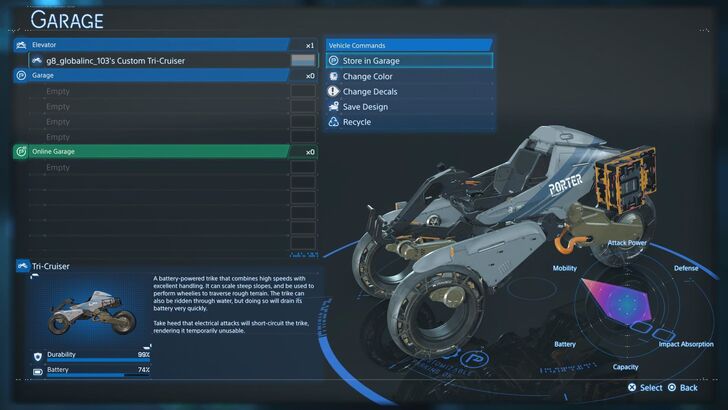
Storing vehicles in a facility's garage is one way to charge them. To do this, activate the Access Terminal and select Fabrication and Management.
From there, choose Garage, then click on your vehicle in the Elevator section to open its extended menu. Next, select Store in Garage. You'll know your vehicle is successfully stored once it appears in the Garage section.
Repair Vehicle in a Facility

Another way to restore your vehicle's battery is by repairing it in a facility. After parking your vehicle at the lift, dismount, then hold the circle button (O) to start the repair. Once the repair finishes, your vehicle's battery will be full again.
Note: Repairing and storing vehicles in a garage can also be done in the DHV Magellan.
Power Grids Stops Battery Drain
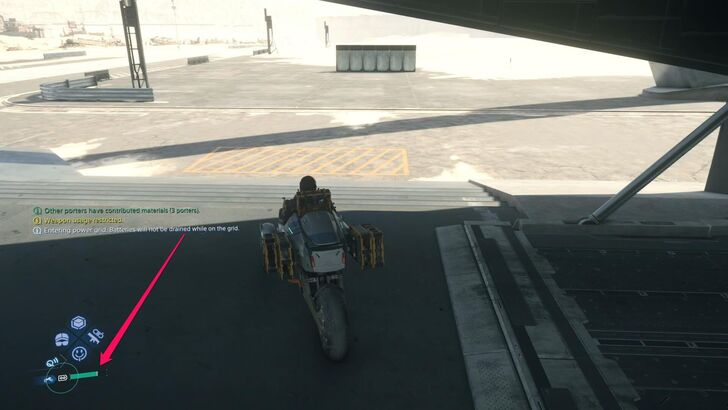
When you enter a facility or settlement, your vehicle's battery won't decrease—even while you're driving. This is because their power grids keep your vehicle topped up.
Roads have energy zones that also offer this convenient effect, helping you save on battery consumption.
Death Stranding 2 Related Guides
Beginner's Guide: Tips and Tricks
All Beginner's Guides
Comment



Author

Death Stranding 2: On the Beach (DS2) Walkthrough & Guides Wiki
How to Charge Vehicles

Rankings
- We could not find the message board you were looking for.
Gaming News



![Star Savior Review [First Impressions] | Engaging, Entertaining, and Expensive](https://img.game8.co/4447603/8f500e9bf666bdb8adb1af478e9dfdbd.png/thumb)
![Death Stranding 2: On The Beach [PC] Review | A Port That Delivers](https://img.game8.co/4447392/15310a0c9aa1b6843bb713b2ea216930.jpeg/thumb)
Popular Games

Genshin Impact Walkthrough & Guides Wiki
Umamusume: Pretty Derby Walkthrough & Guides Wiki
Pokemon Pokopia Walkthrough & Guides Wiki
Honkai: Star Rail Walkthrough & Guides Wiki
Monster Hunter Stories 3: Twisted Reflection Walkthrough & Guides Wiki
Arknights: Endfield Walkthrough & Guides Wiki
Wuthering Waves Walkthrough & Guides Wiki
Zenless Zone Zero Walkthrough & Guides Wiki
Pokemon TCG Pocket (PTCGP) Strategies & Guides Wiki
Monster Hunter Wilds Walkthrough & Guides Wiki










Recommended Games
Fire Emblem Heroes (FEH) Walkthrough & Guides Wiki
Diablo 4: Vessel of Hatred Walkthrough & Guides Wiki
Cyberpunk 2077: Ultimate Edition Walkthrough & Guides Wiki
Yu-Gi-Oh! Master Duel Walkthrough & Guides Wiki
Super Smash Bros. Ultimate Walkthrough & Guides Wiki
Pokemon Brilliant Diamond and Shining Pearl (BDSP) Walkthrough & Guides Wiki
Elden Ring Shadow of the Erdtree Walkthrough & Guides Wiki
Monster Hunter World Walkthrough & Guides Wiki
The Legend of Zelda: Tears of the Kingdom Walkthrough & Guides Wiki
Persona 3 Reload Walkthrough & Guides Wiki










All rights reserved
© KOJIMA PRODUCTIONS Co., Ltd. 2022 All Rights Reserved
The copyrights of videos of games used in our content and other intellectual property rights belong to the provider of the game.
The contents we provide on this site were created personally by members of the Game8 editorial department.
We refuse the right to reuse or repost content taken without our permission such as data or images to other sites.