
Civ 7 Best Settings
★ Start Here: How to Play | Early Game
★ See the Best Leaders and Civs
★ Tech, Civics, Buildings, Units, & Wonders
★ Economic, Military, Science, Culture Victories
★Recommended Guides: Treasure Fleets
┗ Map Types | Trade Routes | Migrants
This is an article explaining the best settings for starting a game in Civilization VII (Civ 7). Read on to learn the best ways to customize your settings for the best gameplay!
Civ 7 Best Settings For New Game
Governor Difficulty
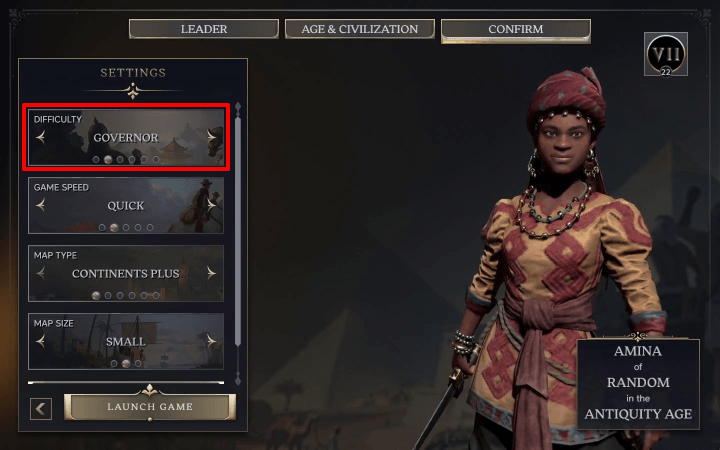
There are six difficulties in Civ 7, from easiest to hardest: Scribe, Governor, Viceroy, Sovereign, Immortal, and Deity.
Playing on harder difficulties will challenge you to maximize all of the game's systems. However, the AI will have the same behavior in each difficulty.
As such, Governor difficulty is a good balance between exploring the game's mechanics and facing the challenges it presents.
Quick Game Speed
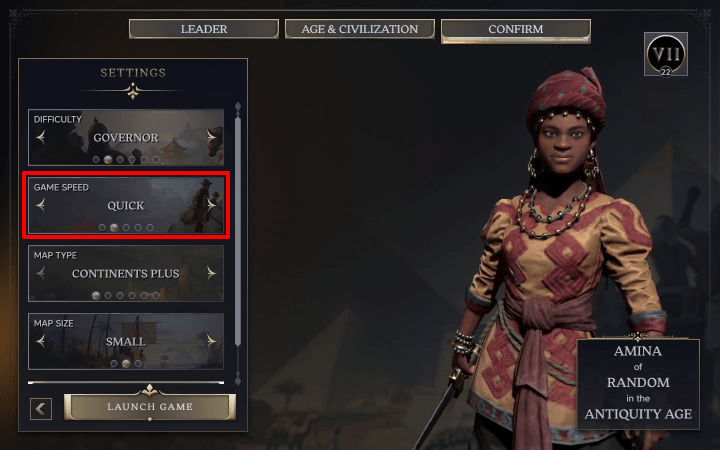
Game Speed will set how long it takes for settlements to progress. This includes population growth requirements, town upgrade costs, and building time.
For new players, we recommend a Quick game. It is an efficient way you can experience a full game of Civ 7 by expanding your Capital and working toward one of many Victories.
Also, the faster you progress, the earlier you can experience playing your chosen leader with three different civs.
Continents Plus Map Type
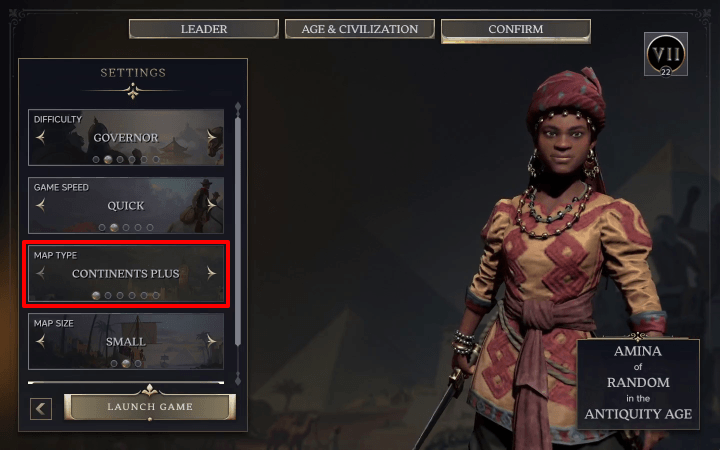
Currently, there are six map types available: Continents Plus, Continents, Archipelago, Fractal, Shuffle, and Terra Incognita.
For the standard Civ 7 experience, we recommend playing Continents Plus. The map is usually two large continents separated by small islands on deep ocean tiles.
This was designed for the Age of Exploration. You will be encouraged to explore the seas for new resources, lands for expansion, and other civilizations.
Small Map Size
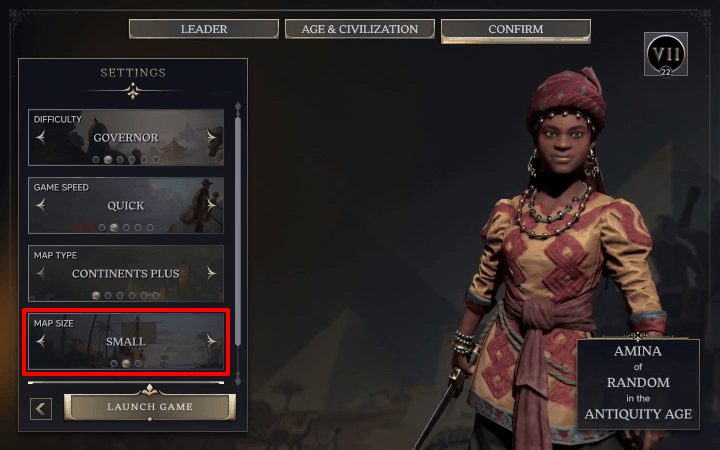
Map size will determine how many players will be in the game. Standard is 8 players, Small is 6 players, and Tiny is 4 players.
We recommend a Small Map Size. Having a medium player count will grant a variety of diplomatic interactions and trade opportunities without the overall game being overwhelming.
Best Game Options
Turn On Your Preferred Tutorial Level
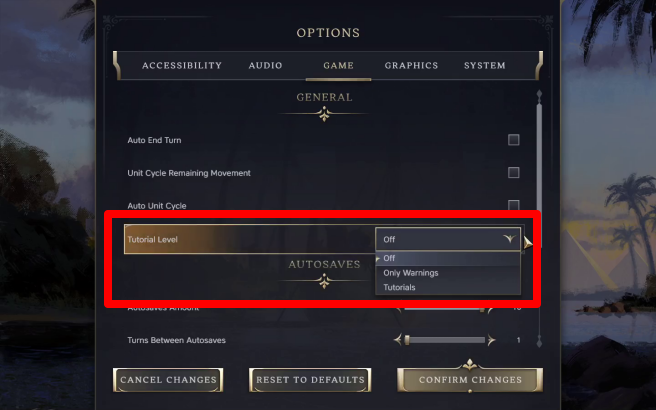
Tutorials will let the game instruct you on what to build, what each unit does, and what upgrades to prioritize through their tooltips: Advisors.
This is recommended for a first playthrough and new players to learn the various systems in the game and its new mechanics.
Experienced players can use the Only Warnings feature. This will allow Advisors to notify you if something will impact your civilization like a drop in yield or a rival civilization finishing a wonder.
Turn On Auto Unit Cycle
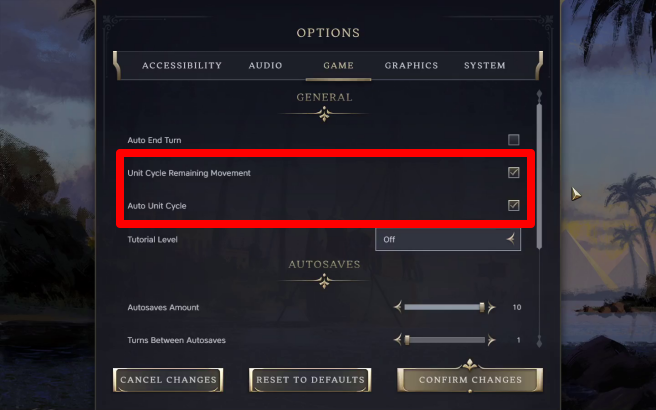
If you are forgetting to move all your units, you can turn on Auto Unit Cycle. After you finished using up a unit's movement points, another unit with remaining movement points will be selected.
Alternatively, you can turn on Unit Cycle Remaining Movement. This will select the nearest unit with movement points after you finish your turn blocking actions like building upgrades and diplomatic actions.
You can turn either of these functions off once you get used to moving units while going through a turn.
Best Advanced Options
Standard or Long Age Length
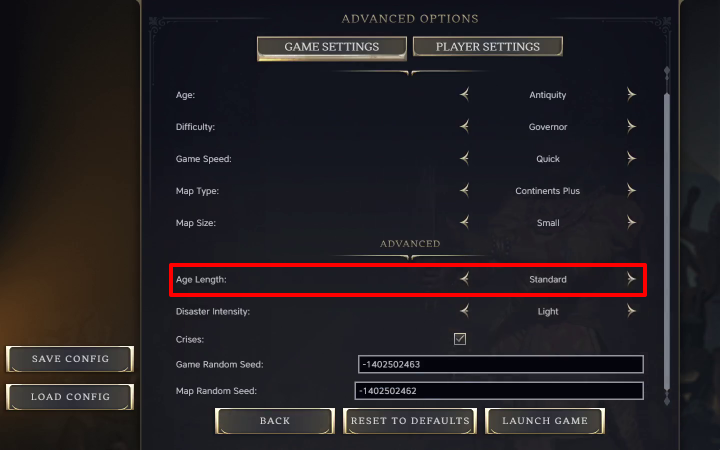
Age Length sets how long an Age lasts. If you want a game where you can complete your Legacy Path easier or work toward multiple paths, you should try Long Age Length.
What to Do Before and After Age Change
Disasters Light
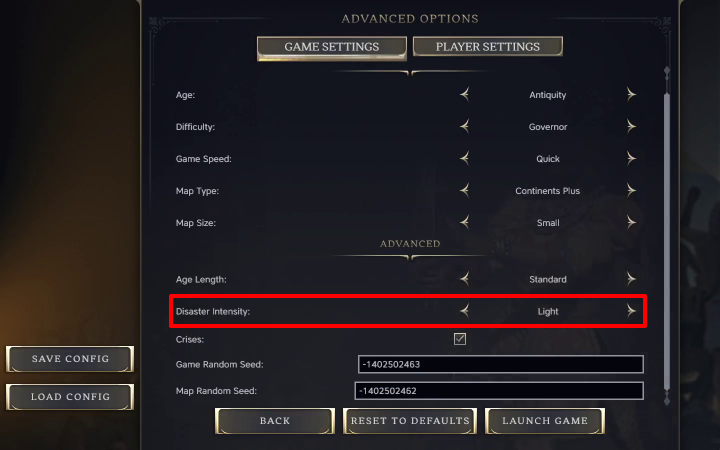
Disasters will occasionally damage your units or buildings if they are on tiles near natural geographic features like volcanoes and rivers. We recommend Light Disaster Intensity for a smoother and less taxing game experience.
Crisis On
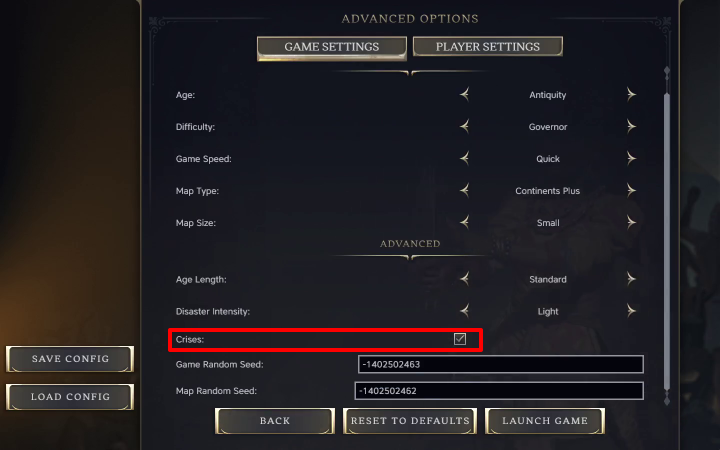
Crisis are a new mechanic that challenges you to choose negative Crisis Policies near the end of the Age. While some of them are negative, there are those that grant bonuses in exchange for debuffs.
If you want a classic Civ experience with less obstacles, you can turn it off.
How to Open Advanced Options
Scroll Settings to See Advanced Options
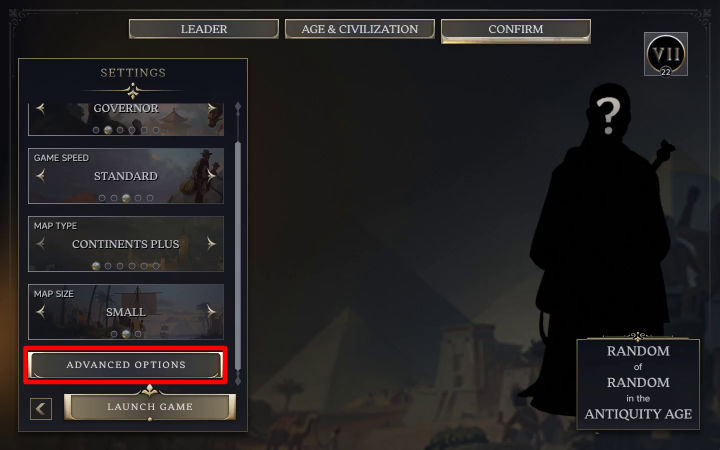
Before you launch the game, scroll the settings to see the Advanced Options button. Click it and you will see a simplified Game Settings menu as well as the Advanced Options
Civilization VII (Civ 7) Related Guides
All Recommended Guides
All Tips and Tricks
Comment



Author

Civ 7 Best Settings

Rankings
- We could not find the message board you were looking for.
Gaming News




![Nova Roma Review [Early Access] | Newer, Better, and More Confusing](https://img.game8.co/4455512/2cbf8926e9a1c72a3ff056088f801ef4.png/thumb)
Popular Games

Genshin Impact Walkthrough & Guides Wiki
Umamusume: Pretty Derby Walkthrough & Guides Wiki
Crimson Desert Walkthrough & Guides Wiki
Monster Hunter Stories 3: Twisted Reflection Walkthrough & Guides Wiki
Honkai: Star Rail Walkthrough & Guides Wiki
Pokemon Pokopia Walkthrough & Guides Wiki
The Seven Deadly Sins: Origin Walkthrough & Guides Wiki
Wuthering Waves Walkthrough & Guides Wiki
Zenless Zone Zero Walkthrough & Guides Wiki
Arknights: Endfield Walkthrough & Guides Wiki










Recommended Games
Fire Emblem Heroes (FEH) Walkthrough & Guides Wiki
Diablo 4: Vessel of Hatred Walkthrough & Guides Wiki
Cyberpunk 2077: Ultimate Edition Walkthrough & Guides Wiki
Yu-Gi-Oh! Master Duel Walkthrough & Guides Wiki
Super Smash Bros. Ultimate Walkthrough & Guides Wiki
Pokemon Brilliant Diamond and Shining Pearl (BDSP) Walkthrough & Guides Wiki
Elden Ring Shadow of the Erdtree Walkthrough & Guides Wiki
Monster Hunter World Walkthrough & Guides Wiki
The Legend of Zelda: Tears of the Kingdom Walkthrough & Guides Wiki
Persona 3 Reload Walkthrough & Guides Wiki










All rights reserved
©2024 Take-Two Interactive Software, Inc. Sid Meier’s Civilization, Civilization, Civ, 2K, Firaxis Games, Take-Two Interactive Software and their respective logos are all trademarks of Take-Two Interactive Software, Inc. All other marks and trademarks are the property of their respective owners. All rights reserved.
The copyrights of videos of games used in our content and other intellectual property rights belong to the provider of the game.
The contents we provide on this site were created personally by members of the Game8 editorial department.
We refuse the right to reuse or repost content taken without our permission such as data or images to other sites.