
How To Use Items
☆ Get 100,000 Haze with our Haze Farming Guide!
★ Story Walkthrough | Requests
☆ Gear up with our best Weapons | Partners | Blood Codes | Jails | Formae!
★ Obtain the best outcomes with our Choices Guide!
You can use items from the quick slot or via inventory in Code Vein 2. Check out our step-by-step instructions on how to use items and item shortcuts in this guide.
List of Contents
How To Use Items
|
|
 Using Item Shortcuts
Using Item Shortcuts
| 1 | 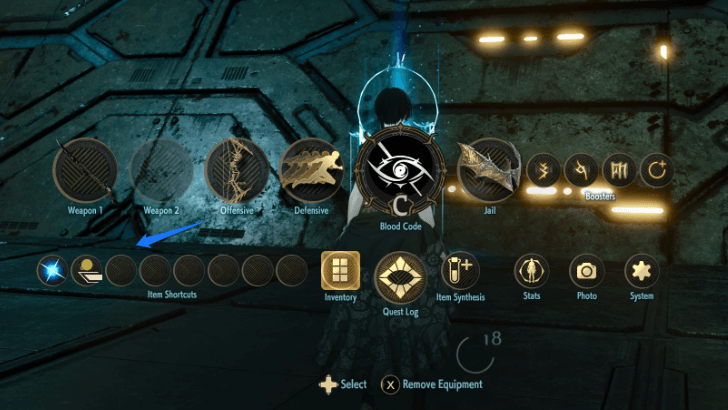 Open the menu screen and click on an open slot in the Item Shortcuts tab. |
|---|---|
| 2 | 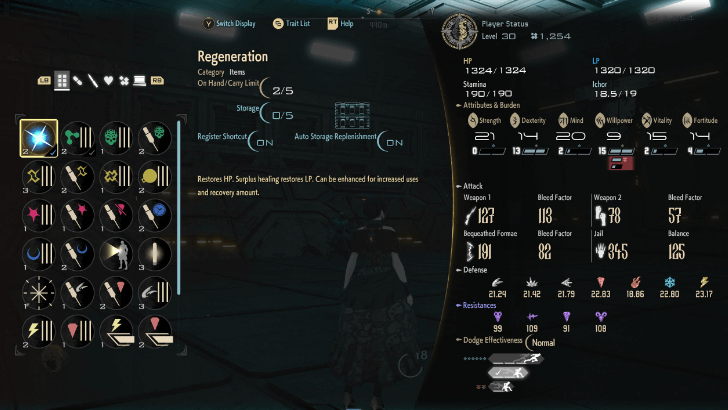 Select a consumable item to assign to one of the available quick slots. Hit the confirm button to assign it to that slot. |
| 3 | 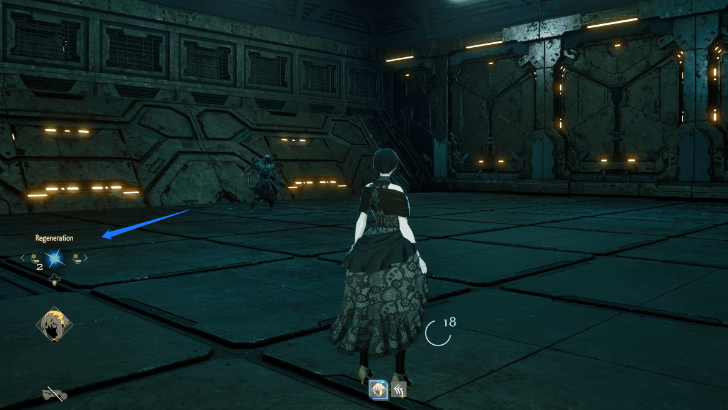 On controller, use the left or right directional buttons on the directional pad to choose any assigned consumable item from your item shortcuts. On PC, scroll your middle mouse up or down to do the same. |
| 4 | 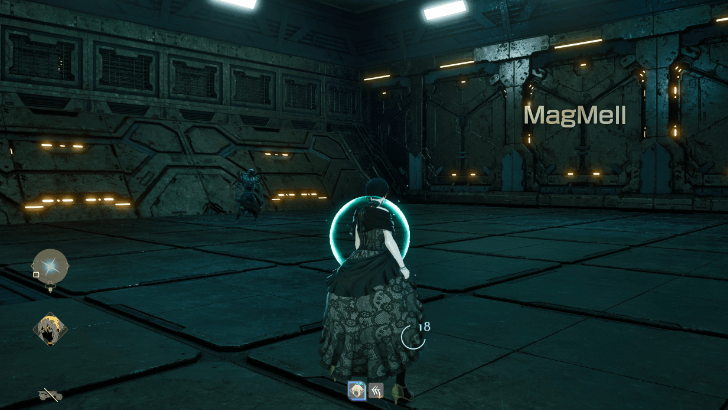 On controller, press the down arrow on the directional pad to use an item. On PC, press the E key and scroll down with the mouse wheel. |
Assigning consumables to the quick slot makes them much more accessible during combat. This lets you use the consumables you need in the heat of the moment, such as vaccines, regeneration items, and weapon salves.
List of All Items
Using the Quick Item Menu
| 1 | 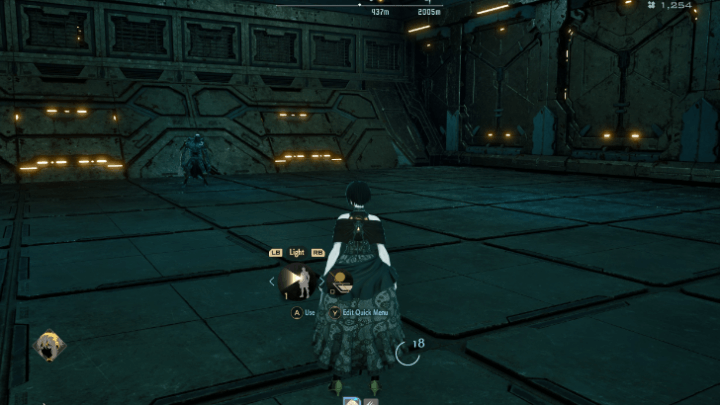 On console, press R1 or Right Bumper and the Right Directional Pad to open up the Quick Item Menu. For PC, press Tab. |
|---|---|
| 2 | 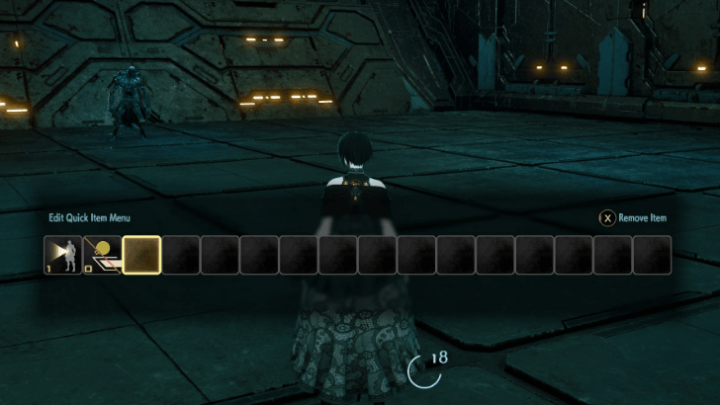 To assign items to the Quick Item Menu, press Y or Triangle on the controller, or R on the PC, to bring up the Quick Item Slots. Click on any slot and press use to assign a consumable to the item slot. |
Alternatively, you can also assign consumables in the Quick Items menu. The quick menu lets you see items a little bit better during combat, as it is positioned closer to the center of the screen, unlike the default position of the Items menu on the left.
Use Items From Inventory
| 1 | 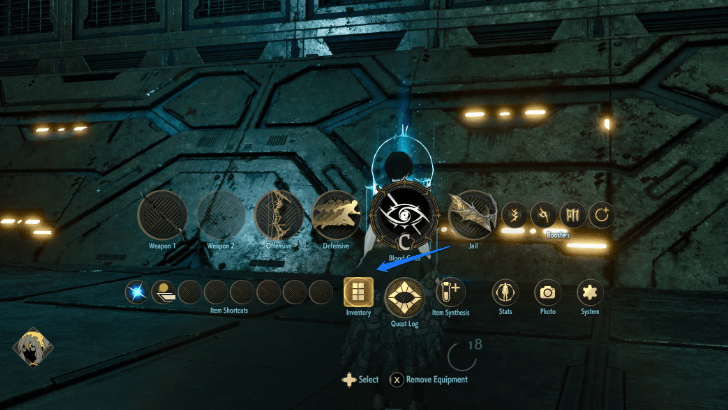 From the main menu, click on inventory. |
|---|---|
| 2 | 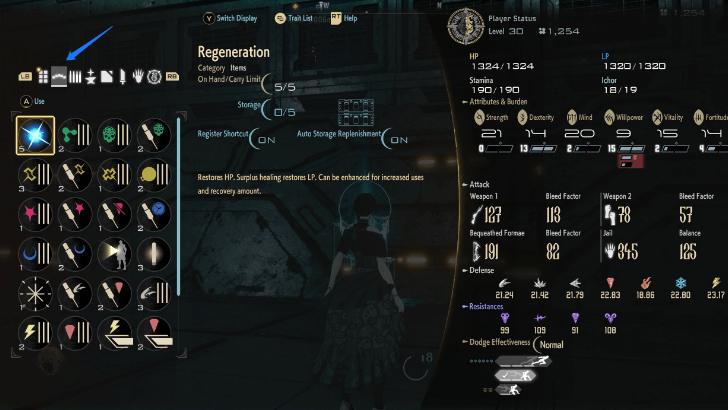 Navigate to the consumables tab. |
| 3 | 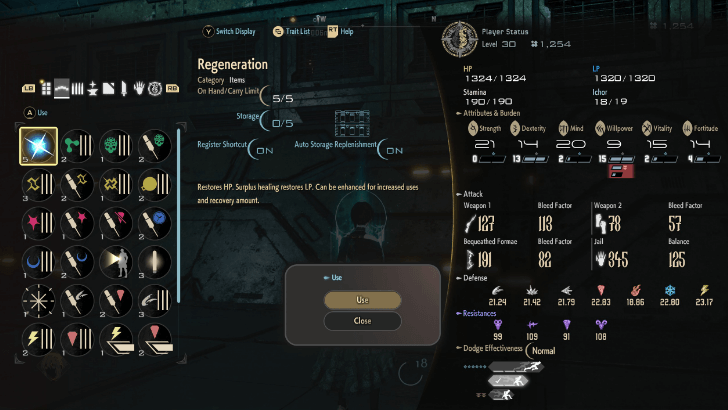 Click on use. |
You can consume items from the inventory manually if you're not in a particular hurry. This method is most commonly used for items that you don't usually need in a pinch, such as Glowing Haze.
Code Vein 2 Related Guides
Beginner's Guide: Tips and Tricks to Get Started
Character Guides
| Overburden Benefits and Penalty Guide | Attributes Guide: Status Explained |
| Link Traits and Partner Trait Bonus | - |
Combat Guides
Exploration and Location Guides
| How to Get to the Sunken City | How to Get to the Undead Forest |
| How to Get to the Corroded Scar | How to Get to Insula Carcere |
| Pioneer Castle Dungeon Guide | How to Get Motorcycle |
Miscellaneous Guides
| How to Change Difficulty | List of Controls |
| How To Change Time | How To Use Items |
Comment



Author
How To Use Items

Rankings
- We could not find the message board you were looking for.
Gaming News




![Nova Roma Review [Early Access] | Newer, Better, and More Confusing](https://img.game8.co/4455512/2cbf8926e9a1c72a3ff056088f801ef4.png/thumb)
Popular Games

Genshin Impact Walkthrough & Guides Wiki
Umamusume: Pretty Derby Walkthrough & Guides Wiki
Crimson Desert Walkthrough & Guides Wiki
Monster Hunter Stories 3: Twisted Reflection Walkthrough & Guides Wiki
Honkai: Star Rail Walkthrough & Guides Wiki
Pokemon Pokopia Walkthrough & Guides Wiki
The Seven Deadly Sins: Origin Walkthrough & Guides Wiki
Wuthering Waves Walkthrough & Guides Wiki
Zenless Zone Zero Walkthrough & Guides Wiki
Arknights: Endfield Walkthrough & Guides Wiki










Recommended Games
Fire Emblem Heroes (FEH) Walkthrough & Guides Wiki
Diablo 4: Vessel of Hatred Walkthrough & Guides Wiki
Cyberpunk 2077: Ultimate Edition Walkthrough & Guides Wiki
Yu-Gi-Oh! Master Duel Walkthrough & Guides Wiki
Super Smash Bros. Ultimate Walkthrough & Guides Wiki
Pokemon Brilliant Diamond and Shining Pearl (BDSP) Walkthrough & Guides Wiki
Elden Ring Shadow of the Erdtree Walkthrough & Guides Wiki
Monster Hunter World Walkthrough & Guides Wiki
The Legend of Zelda: Tears of the Kingdom Walkthrough & Guides Wiki
Persona 3 Reload Walkthrough & Guides Wiki










All rights reserved
© Bandai Namco Entertainment America Inc. All third party content, brands, names, and logos are used under license and remain property of their respective owners. All rights reserved.
The copyrights of videos of games used in our content and other intellectual property rights belong to the provider of the game.
The contents we provide on this site were created personally by members of the Game8 editorial department.
We refuse the right to reuse or repost content taken without our permission such as data or images to other sites.