
Character Creation Guide
☆ Get 100,000 Haze with our Haze Farming Guide!
★ Story Walkthrough | Requests
☆ Gear up with our best Weapons | Partners | Blood Codes | Jails | Formae!
★ Obtain the best outcomes with our Choices Guide!
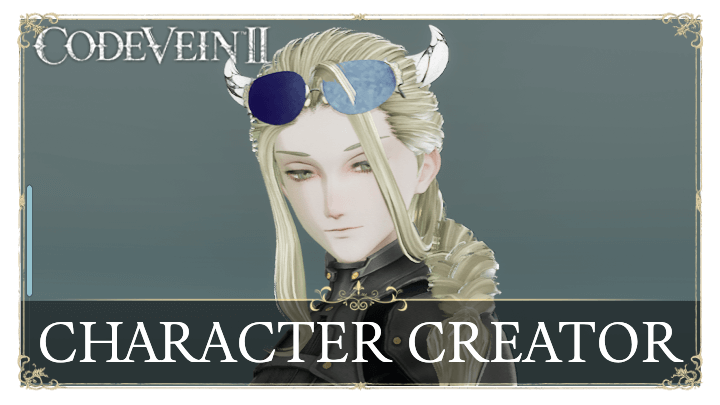
Customize your character's appearance however you like in Code Vein 2. Learn more about the character creation screen and its customization options, as well as info on how many custom characters you can save!
| All Character Creation Guides | |
|---|---|
| Character Sharing Board | Character Creation Guide |
List of Contents
Character Creation Guide
| # | How to Create Your Character |
|---|---|
| 1 | 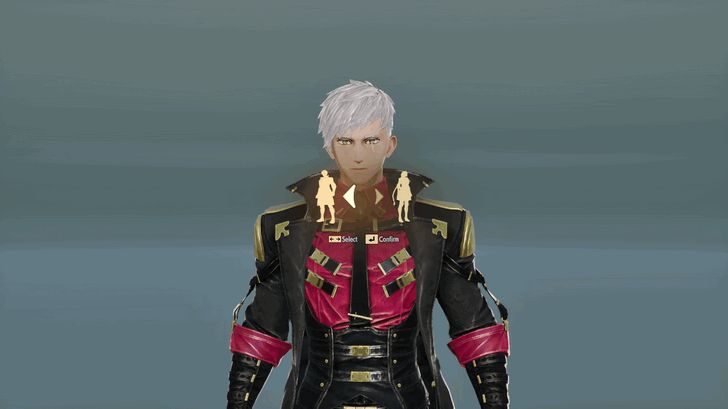 Select Your Character's Gender Character Creation begins with selecting a preferred gender. The character's appearance and customization options will greatly depend on the gender (Male or Female) that will be chosen. |
| 2 | 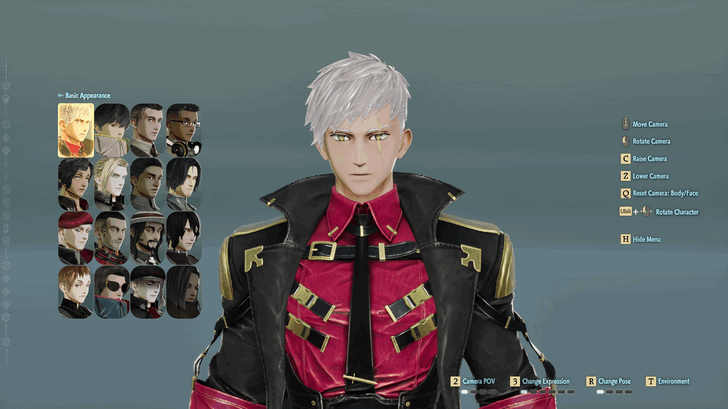 Choose a Preset After selecting the preferred gender, the game will offer a set of pre-built character designs that you can go with. After selecting a preset, you can then edit your character's Physique, Appearance, and Clothing in the next settings. |
| 2.1 | 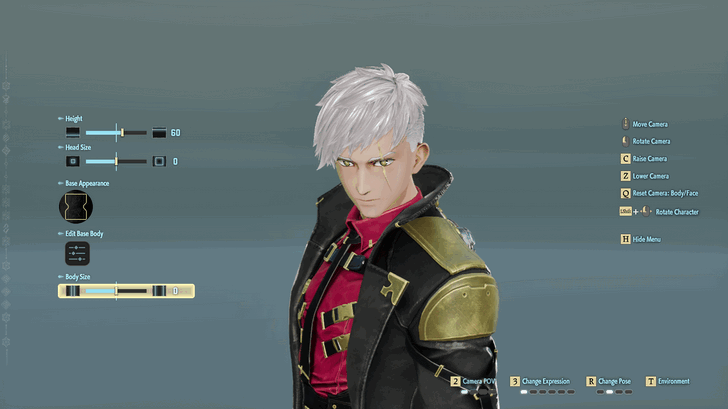 Fine Tune your Character's Physique You can edit your character's Physique, including his/her body shape, head size, body size, and more! You can also fine tune each part of the body such as the Shoulders, Chest, Waist, etc. This step is optional. |
| 2.2 | 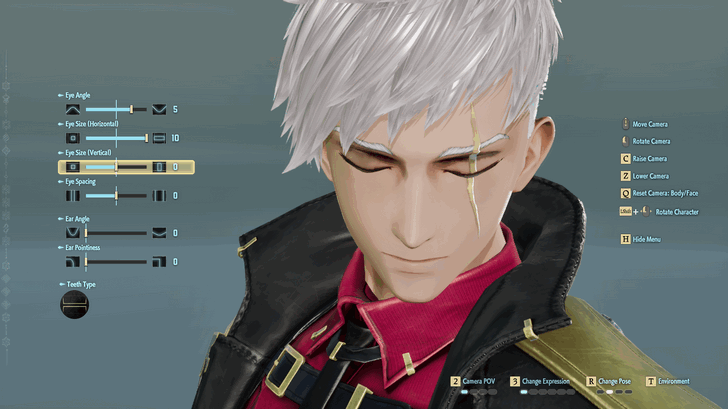 Customize Face and Add Makeup You can select from different face presets and choose to edit different parts, such as the eyes (you can choose how "open" each eye is), eyebrows, ear angle and pointiness, as well as teeth type! On the Makeup tab, you can choose to change the style and color of your character's eyelashes, nail polish, eyeshadow or lip color, as well as fine tuning their opacity and shine. This step is optional. |
| 2.3 | 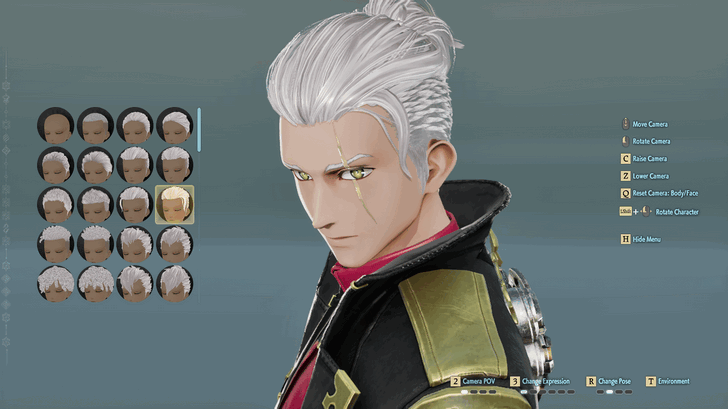 Changing Your Hairstyle Go to Hairstyle to set the desired hairstyle for the character. You can also edit the hair color, add curls, and hair shine. This step is optional. |
| 2.4 | 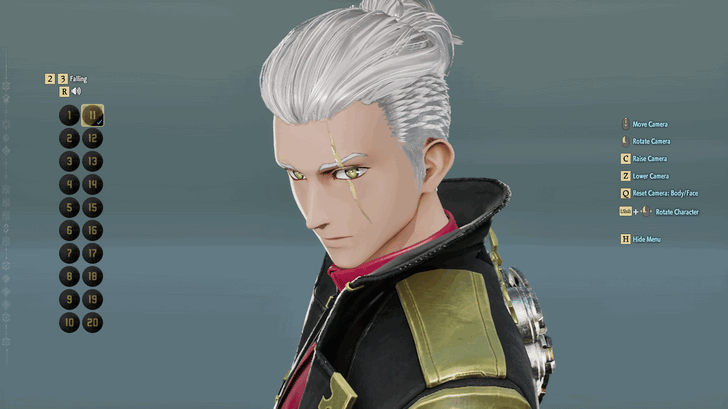 Voice Customization Go to the Voice tab and select from 20 different voice options, with 1-10 for Male voices, and 11-20 for Female voices. You can also cycle between different reactions such as Falling, Taking Damage, and Dying to check what the voices sound like. |
| 3 | 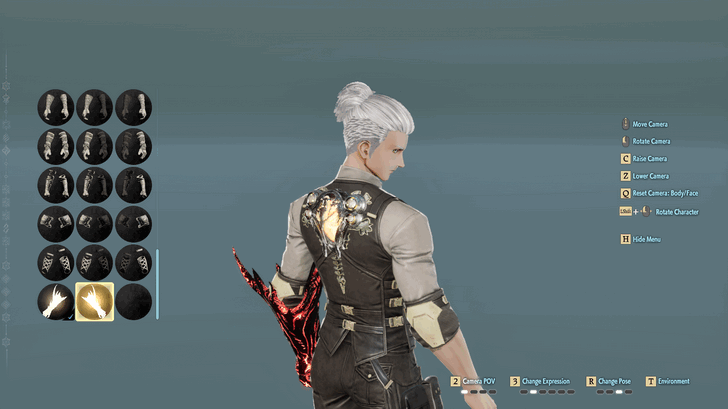 Change Outfits and Add Accessories After cuztomizing your character or choosing a preset, you can choose a pre-built outfit for your character. You can further customize each outfit such as the Gloves, Boots, Mask, and Cloak to change their style and color. You also have the option to add up to 8 accessories ranging from head wear, hair extensions, necklaces, bracelets, and more! |
| 4 | 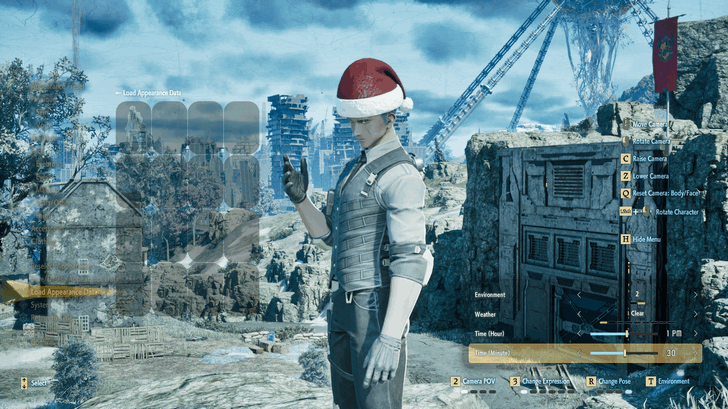 Character Profile Background and Pose Once your character is ready, you can then change the background's environment and pick a pose and expression to see how your character will look once you're in-game. |
The Character Creation guide offers preset designs for your characters, but you can also dive in to detailed customization. You may skip optional steps when necessary.
Detailed Customization is Optional
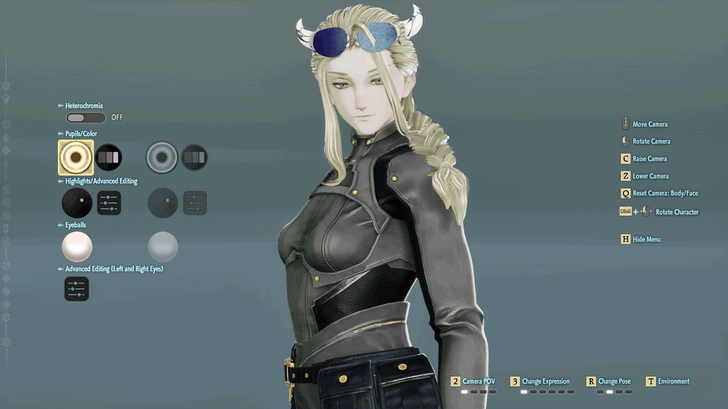
Starting with a preset that you picked, you can start designing your character down to every detail. This includes face customization and makeup, as well as your character's hairstyle.
No Significant Effects on Gameplay
Character customization is purely for aesthetics and holds no significant effects on the gameplay. If avoiding a lengthy character customization is preferred, it is recommended to choose any presets that are initially available. It is possible to skip the customization steps and proceed to the cosmetics selection instead.
Character Creation Demo
Available for Free
The Character Creation Demo is available for free on all platforms. This allows you to customize your character's appearance outside the main game.
Appearances are Transferrable to Code Vein 2
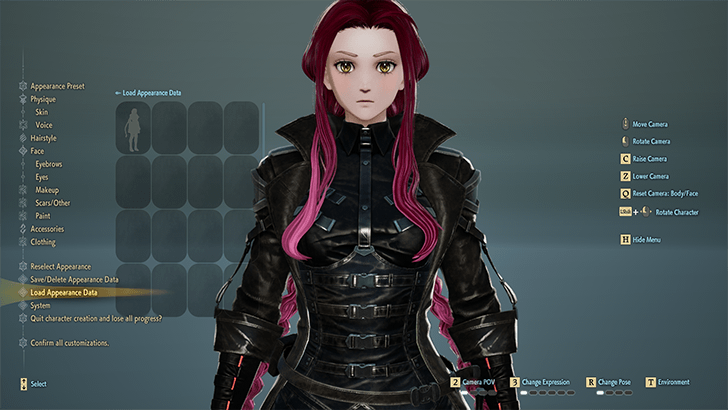
If you purchased a copy of Code Vein 2, you will be able to transfer your saved appearances from the demo to the main game. You can do this by accessing the Load Appearance Data option in the Character Creation menu at the start, or through the Adjust Appearance menu at the dresser near the hot springs.
Photo Mode Feature
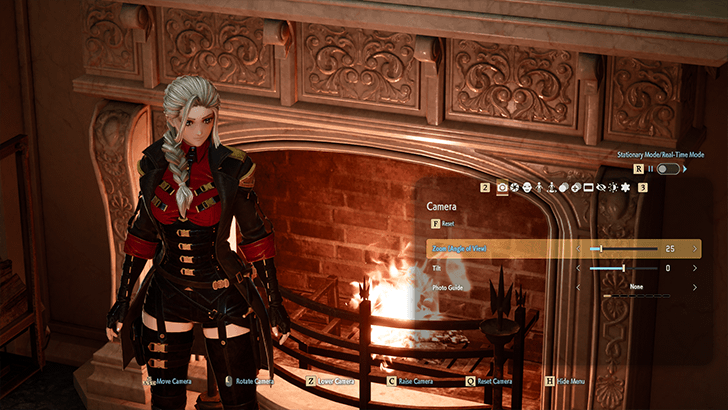
The Character Creation Demo comes with the Photo Mode feature where you can set adjust camera angles and toggle effects and features to showcase your created appearances.
Character Creation Disappearing Appearances Fix
Access Through the Dresser Near the Hot Springs
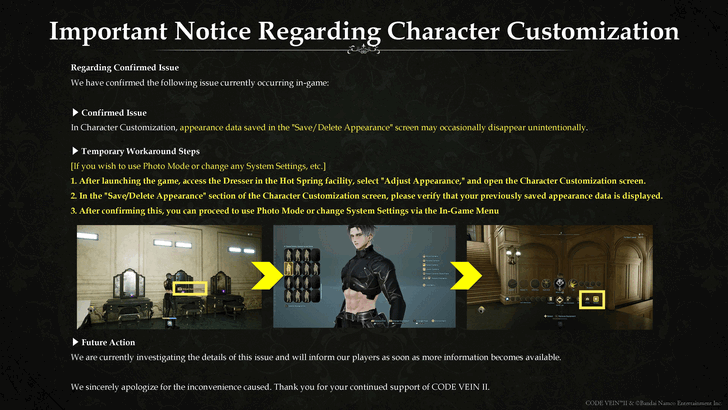
If your customized characters have disappeared, try checking them by accessing the Dresser near the Hot Springs area in Magmell Institute. The devs are currently working on a proper fix for this, so stay tuned if the steps above do not work.
Make Sure to Use the Same Profile on Consoles
On the PS5 and Xbox Series X|S, check if you're using the same profile when you made your custom character in the demo.
How to Share Character
Currently No Way to Share Custom Characters
There isn’t currently a way to share your custom characters with other players so they can copy your customizations and apply them to their own characters.
Can You Make Multiple Characters?
You Can Save Up to 64 Appearances
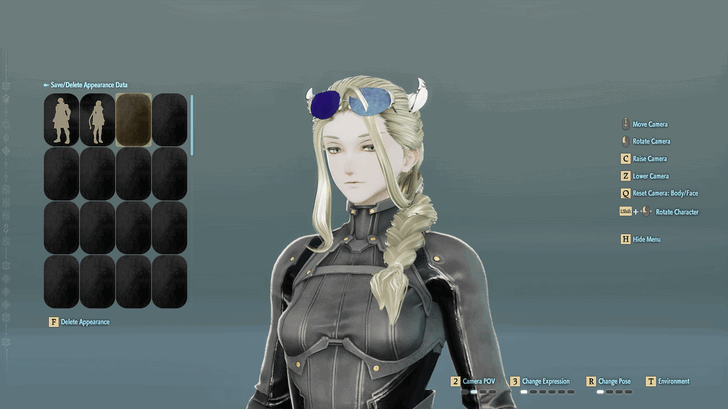
You can customize and save up to 64 appearances, and choose to change to them on interactable mirrors like the ones near the hotsprings in Magmell Institute.
Code Vein 2 Related Guides

| Code Vein 2 Contents | |
|---|---|
 Story Walkthrough Story Walkthrough |
 Weapons Weapons |
 Partners Partners |
 Bosses Bosses |
 Blood Codes Blood Codes |
 Jails Jails |
 Formae Formae |
 Boosters Boosters |
 Maps Maps |
 Items Items |
 NPCs NPCs |
 Tips and Tricks Tips and Tricks |
 Cosmetics Cosmetics |
 Builds Builds |
 Shops Shops |
 News and Game Info News and Game Info |
Recommended Guides
 Haze Farming Guide: How to Level Up Fast
 Best Early Game Build
 Best Weapons
 Best Blood Codes
 Best Jails
 Best Partners
 Best Weapon Formae
 Best Boosters
 How to Get the True Ending
 How to Access New Game Plus (NG+)
 Point of No Return
 Story and Timeline Explained
 Should You Save Noah?
 Repair Josee's Fading Bond
 Repair Lyle's Fading Bond
 Repair Holly's Fading Bond
 How to Increase Partner Affinity
 How to Unlock Partner Weapons
 How to Increase Booster Slots
 How to Increase Blood Code Proficiency
 Character Sharing Board
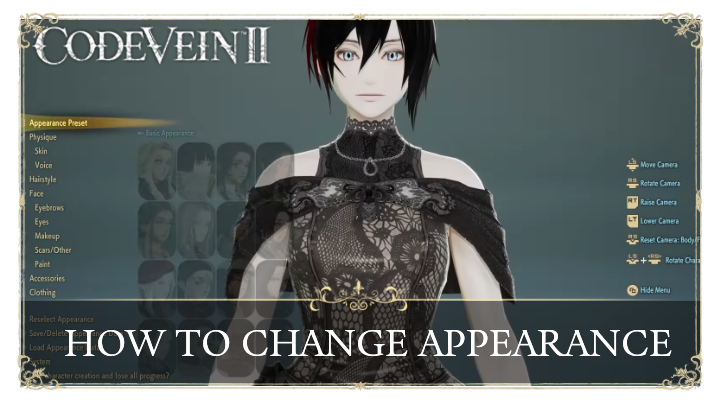 How To Change Appearance
 How to Get All Achievements
 Revival and Return Monument Explained
 How To Check Buffs
Comment



Author
Character Creation Guide

Rankings
- We could not find the message board you were looking for.
Gaming News

![Monster Hunter Stories 3 Review [First Impressions] | Simply Rejuvenating](https://img.game8.co/4438641/2a31b7702bd70e78ec8efd24661dacda.jpeg/show)


![Monster Hunter Stories 3 Review [First Impressions] | Simply Rejuvenating](https://img.game8.co/4438641/2a31b7702bd70e78ec8efd24661dacda.jpeg/thumb)
Popular Games

Genshin Impact Walkthrough & Guides Wiki
Umamusume: Pretty Derby Walkthrough & Guides Wiki
Pokemon Pokopia Walkthrough & Guides Wiki
Honkai: Star Rail Walkthrough & Guides Wiki
Monster Hunter Stories 3: Twisted Reflection Walkthrough & Guides Wiki
Arknights: Endfield Walkthrough & Guides Wiki
Wuthering Waves Walkthrough & Guides Wiki
Zenless Zone Zero Walkthrough & Guides Wiki
Pokemon TCG Pocket (PTCGP) Strategies & Guides Wiki
Monster Hunter Wilds Walkthrough & Guides Wiki










Recommended Games
Diablo 4: Vessel of Hatred Walkthrough & Guides Wiki
Cyberpunk 2077: Ultimate Edition Walkthrough & Guides Wiki
Fire Emblem Heroes (FEH) Walkthrough & Guides Wiki
Yu-Gi-Oh! Master Duel Walkthrough & Guides Wiki
Super Smash Bros. Ultimate Walkthrough & Guides Wiki
Pokemon Brilliant Diamond and Shining Pearl (BDSP) Walkthrough & Guides Wiki
Elden Ring Shadow of the Erdtree Walkthrough & Guides Wiki
Monster Hunter World Walkthrough & Guides Wiki
The Legend of Zelda: Tears of the Kingdom Walkthrough & Guides Wiki
Persona 3 Reload Walkthrough & Guides Wiki










All rights reserved
© Bandai Namco Entertainment America Inc. All third party content, brands, names, and logos are used under license and remain property of their respective owners. All rights reserved.
The copyrights of videos of games used in our content and other intellectual property rights belong to the provider of the game.
The contents we provide on this site were created personally by members of the Game8 editorial department.
We refuse the right to reuse or repost content taken without our permission such as data or images to other sites.