
System Requirements and Recommended Specs
☆ Best: Side Quests | Weapons | Armor | Skills
★ Controls | Best Items | What to Do First
☆ Characters: Damiane | Oongka | Kliff
★ Trending: Excavatron | Hornsplitter | Blix
┣ Dragon's Chamber | Azure Moon Labyrinth
┗ Bianca | Strongbox | How to Steal | Pets
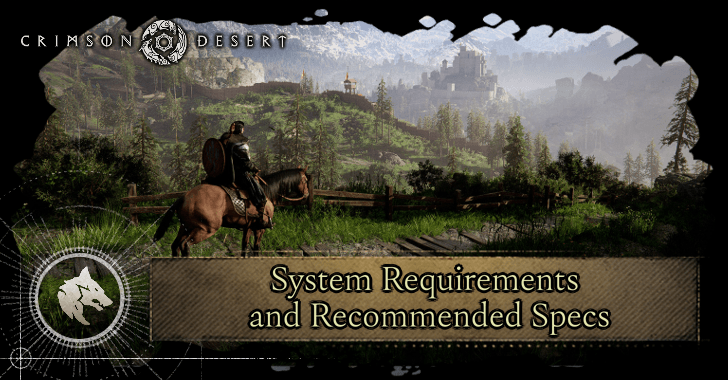
This lists the system requirements needed to play Crimson Desert on PC, Mac, console, and ROG Xbox Ally platforms. See here for a list of minimum and recommended specifications to run Crimson Desert!
List of Contents
PC System Requirements
| Jump to a Platform | |||
|---|---|---|---|
| PC | Mac | Console | ROG Xbox Ally |
Latest DirectX Required for All Specifications
To run Crimson Desert on PC, note that the latest DirectX 12 is required alongside all listed system requirements for listed below.
Minimum Requirements
- Graphics Preset: Minimum
- Performance Specs: Upscaled 1080p (from 900p) 30 FPS
- GPU: AMD Radeon RX 5500 XT / NVIDIA GeForce GTX 1060
- CPU: AMD Ryzen 5 2600X / Intel i5-8500
- RAM: 16 GB
- OS: Windows 10 64-bit 22H2 or newer
- Storage: 150 GB, SSD required
Low Requirements
- Graphics Preset: Low
- Performance Specs: 1080p 30 FPS
- GPU: AMD Radeon RX 6500 XT / NVIDIA GeForce GTX 1660
- CPU: AMD Ryzen 5 2600X / Intel i5-8500
- RAM: 16 GB
- OS: Windows 10 64-bit 22H2 or newer
- Storage: 150 GB, SSD required
Recommended Requirements
- Graphics Preset: Medium
- Performance Specs: 1080p 60 FPS / 4K 30 FPS
- GPU: AMD Radeon RX 6700 XT / NVIDIA GeForce GTX 2080
- CPU: AMD Ryzen 5 5600 / Intel i5-11600K
- RAM: 16 GB
- OS: Windows 10 64-bit 22H2 or newer
- Storage: 150 GB, SSD required
High Requirements
- Graphics Preset: High
- Performance Specs: 1440p 60 FPS
- GPU: AMD Radeon RX 7700 XT / NVIDIA GeForce RTX 4070
- CPU: AMD Ryzen 5 7600X / Intel i5-12600K
- RAM: 16 GB
- OS: Windows 10 64-bit 22H2 or newer
- Storage: 150 GB, SSD required
Ultra Requirements
- Graphics Preset: High
- Performance Specs: 4K 60 FPS
- GPU: AMD Radeon RX 9070 XT / NVIDIA GeForce RTX 5070 Ti
- CPU: AMD Ryzen 7 7700X / Intel i5-13600K
- RAM: 16 GB
- OS: Windows 10 64-bit 22H2 or newer
- Storage: 150 GB, SSD required
Back to PC System Requirements
Mac System Requirements
| Jump to a Platform | |||
|---|---|---|---|
| PC | Mac | Console | ROG Xbox Ally |
Set Graphics Preset to “For this Mac” for Optimal Quality and Performance
To run Crimson Desert on Mac systems, the graphics preset should be set to “For this Mac” to ensure optimal visual quality and performance determined by how powerful your Mac's hardware is.
Minimum Requirements
- Graphics Preset: For this Mac
- Performance Specs (for macOS 15 with MetalFX upscale): 720p - 30 FPS / 900p - 30 FPS
- Performance Specs (for macOS 26+ with MetalFX upscale or frame interpolation): 720p - 60 FPS / 900p - 60 FPS
- macOS: 15.0 or later
- Chip: M2 Pro / M3 / M4
- Raytracing: Off / On
- RAM: 16 GB
- Storage: 150 GB (on Steam and App Store)
While the minimum macOS necessary to run Crimson Desert is 15.0, it is recommended to run the game on macOS 26 Tahoe or later versions for stable performance.
Recommended Requirements
- Graphics Preset: For this Mac
- Performance Specs (for macOS 15 with MetalFX upscale): 1080p - 30 FPS
- Performance Specs (for macOS 26+ with MetalFX upscale or frame interpolation): 1080p - 60 FPS
- macOS: 15.0 or later
- Chip: M3 Pro / M4 Pro / M5
- Raytracing: On
- RAM: 16 GB
- Storage: 150 GB (on Steam and App Store)
High Requirements
- Graphics Preset: For this Mac
- Performance Specs (for macOS 15 with MetalFX upscale): 1440p - 30 FPS
- Performance Specs (for macOS 26+ with MetalFX upscale or frame interpolation): 1440p - 60 FPS
- macOS: 15.0 or later
- Chip: M2 Max / M3 Max
- Raytracing: Off / On
- RAM: 16 GB
- Storage: 150 GB (on Steam and App Store)
Ultra Requirements
- Graphics Preset: For this Mac
- Performance Specs (for macOS 15 with MetalFX upscale): 4K - 40 FPS
- Performance Specs (for macOS 26+ with MetalFX upscale or frame interpolation): 4K - 60 FPS
- macOS: 15.0 or later
- Chip: M3 Ultra / M4 Max
- Raytracing: On
- RAM: 16 GB
- Storage: 150 GB (on Steam and App Store)
Back to Mac System Requirements
Console Specifications
| Jump to a Platform | |||
|---|---|---|---|
| PC | Mac | Console | ROG Xbox Ally |
PS5 Specifications
| Performance | Balanced | Quality | |
|---|---|---|---|
| Resolution | 1080p | Upscaled 4K (from 1280p, FSR 3) | Upscaled 4K (from 1440p, FSR 3) |
| Target Performance | 60 FPS VSync / 60+ FPS VRR** | 40 FPS VSync* | 30 FPS VSync |
| Raytracing Quality | Low | High | |
*Requires compatible display (120/240 Hz) and HDMI 2.1 cable
**Requires VRR-compatible display and HDMI 2.1 cable
Specifications for PS5 as well as PS5 Pro consoles generally require compatible displays and HDMI 2.1 cables to run Crimson Desert optimally.
PS5 Pro Specifications
| Performance | Balanced | Quality | |
|---|---|---|---|
| Resolution | Upscaled 4K (from 1080p, Upgraded PSSR) | Upscaled 4K (from 1440p, Upgraded PSSR) | 4K |
| Target Performance | 60 FPS VSync / 60+ FPS VRR** | 40 FPS VSync* / 48+ FPS VRR** | 30 FPS VSync |
| Raytracing Quality | High | Ultra | |
*Requires compatible display (120/240 Hz) and HDMI 2.1 cable
**Requires VRR-compatible display and HDMI 2.1 cable
Xbox Series S Specifications
| Performance | Quality | |
|---|---|---|
| Resolution | 720p | 1080p |
| Target Performance | 40 FPS Vsync* | 30 FPS VSync |
| Raytracing Quality | Off | |
*Requires compatible display (120/240 Hz) and HDMI 2.1 cable
Like the PS5 and PS5 Pro, Xbox Series S and X generally require compatible displays and HDMI 2.1 cables to run Crimson Desert optimally. Note that Xbox Series S can only run Crimson Desert on Performance or Quality mode with raytracing turned off.
Xbox Series X Specifications
| Performance | Balanced | Quality | |
|---|---|---|---|
| Resolution | 1080p | Upscaled 4K (from 1280p, FSR 3) | Upscaled 4K (from 1440p, FSR 3) |
| Target Performance | 60 FPS VSync / 60+ FPS VRR** | 40 FPS VSync* | 30 FPS VSync |
| Raytracing Quality | Off | Low | High |
*Requires compatible display (120/240 Hz) and HDMI 2.1 cable
**Requires VRR-compatible display and HDMI 2.1 cable
Unlike the Xbox Series S, the Xbox Series X includes Balanced settings to run Crimson Desert and has the option to activate raytracing.
Back to Console Specifications
ROG Xbox Ally System Requirements
| Jump to a Platform | |||
|---|---|---|---|
| PC | Mac | Console | ROG Xbox Ally |
ROG Xbox Ally System Requirements
| Performance | |
|---|---|
| Resolution | 720p |
| Target Performance | 40 FPS |
| Storage | 150 GB |
The ROG Xbox Ally can only run Crimson Desert on Performance settings.
ROG Xbox Ally X System Requirements
| Performance | Balanced | Quality | |
|---|---|---|---|
| Resolution | Upscaled 1080p (from 720p, FSR 3 Super Resolution) | 1080p | |
| Target Performance | 60 FPS | 40 FPS | 30 FPS |
| Storage | 150 GB | ||
The ROG Xbox Ally X can run Crimson Desert on Performance, Balanced, and Quality settings.
Crimson Desert File Size Requirements
Needs 150 GB on PC, Mac, and ROG Xbox Ally Platforms
| Platforms | Required Storage Space |
|---|---|
| PC / Mac | 150 GB |
| ROG Xbox Ally | 150 GB |
| PS5 / PS5 Pro | TBD |
| Xbox Series X/S | TBD |
Crimson Desert generally requires 150 GB of available space to download and play on PC, Mac, and ROG Xbox Ally platforms. Although the file size on PS5 and Xbox consoles is speculated to match, there is no information regarding its specific size at the moment.
Crimson Desert Related News

All News and Game Information
-
![]()
Release Time and Countdown
Updated 3/19/2026
Learn when and where Crimson Desert will be released.
-
![]()
Gameplay Features and Everything We Know
Updated 3/6/2026
Explore Crimson Desert’s open world, free-form combat, and everything that you can do in this complete gameplay overview.
-
![]()
Available Platforms and Console Guide
Updated 3/7/2026
Learn more about platform availability and where to buy Crimson Desert.
-
![]()
All Edition Differences
Updated 3/7/2026
Learn the differences between the editions, the bonuses they include, and which one to pick.
-
![]()
Collector's Edition Items and Where to Buy
Updated 3/7/2026
Check where to buy and what else comes in this limited-edition bundle.
-
![]()
System Requirements and Recommended Specs
Updated 3/11/2026
Learn the minimum and recommended specifications to run Crimson Desert.
-
![]()
Pre-Order Bonuses
Updated 3/21/2026
Check out all the pre-order bonuses and how to pre-order them in this guide.
-
![]()
Preload Times and How to Pre-Download
Updated 3/17/2026
Learn more about the game's preload availability and how to pre-download it.
-
![]()
Twitch Drops Rewards and How to Claim
Updated 3/19/2026
Learn about the Twitch Drop Event and its rewards!





Frequently Asked Questions
Comment



Author

System Requirements and Recommended Specs

Rankings
- We could not find the message board you were looking for.
Gaming News



![Nova Roma Review [Early Access] | Newer, Better, and More Confusing](https://img.game8.co/4455512/2cbf8926e9a1c72a3ff056088f801ef4.png/thumb)

Popular Games

Genshin Impact Walkthrough & Guides Wiki
Umamusume: Pretty Derby Walkthrough & Guides Wiki
Crimson Desert Walkthrough & Guides Wiki
Monster Hunter Stories 3: Twisted Reflection Walkthrough & Guides Wiki
Honkai: Star Rail Walkthrough & Guides Wiki
Pokemon Pokopia Walkthrough & Guides Wiki
The Seven Deadly Sins: Origin Walkthrough & Guides Wiki
Wuthering Waves Walkthrough & Guides Wiki
Zenless Zone Zero Walkthrough & Guides Wiki
Arknights: Endfield Walkthrough & Guides Wiki









Recommended Games
Fire Emblem Heroes (FEH) Walkthrough & Guides Wiki
Diablo 4: Vessel of Hatred Walkthrough & Guides Wiki
Cyberpunk 2077: Ultimate Edition Walkthrough & Guides Wiki
Yu-Gi-Oh! Master Duel Walkthrough & Guides Wiki
Super Smash Bros. Ultimate Walkthrough & Guides Wiki
Pokemon Brilliant Diamond and Shining Pearl (BDSP) Walkthrough & Guides Wiki
Elden Ring Shadow of the Erdtree Walkthrough & Guides Wiki
Monster Hunter World Walkthrough & Guides Wiki
The Legend of Zelda: Tears of the Kingdom Walkthrough & Guides Wiki
Persona 3 Reload Walkthrough & Guides Wiki










All rights reserved
© Pearl Abyss Corp. All Rights Reserved.
The copyrights of videos of games used in our content and other intellectual property rights belong to the provider of the game.
The contents we provide on this site were created personally by members of the Game8 editorial department.
We refuse the right to reuse or repost content taken without our permission such as data or images to other sites.