
How to Change Controls
★ 394 P Switches | 150 ? Panels | 200 Medallions
☆ Unlockables Guide | Mirror Mode
★ How to Get Kamek Fast
☆ Best Characters | Best Karts | Best Combo
★ How to Unlock All Outfits with Food locations!
☆ Ver. 1.1.2 Patch Update released on 7/25/2025!
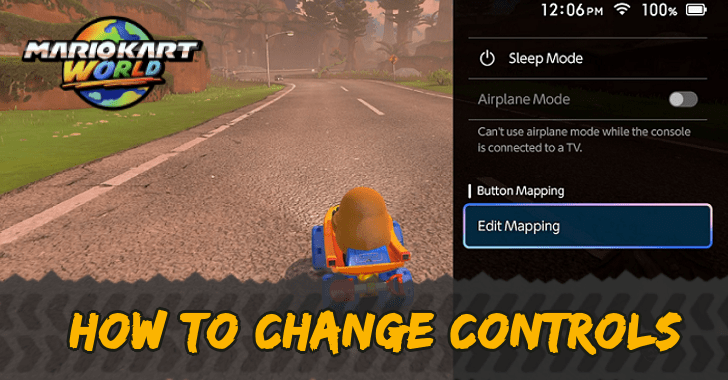
Change Controls by going to the Switch 2's Accessibility settings and edit the button mapping accordingly for Mario Kart World. Read on to learn more how to change controls and for the suggested controls!
List of Contents
How to Change Controls
Change Button Mapping in System Settings
| How to Change Controls | |
|---|---|
| 1 | 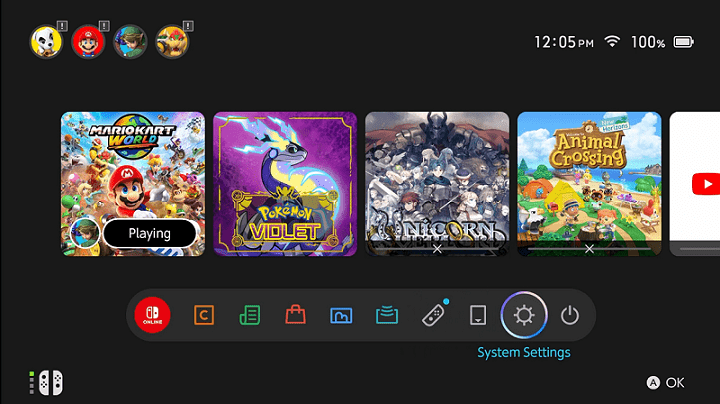 Go to the System Settings in the Home Page |
| 2 | 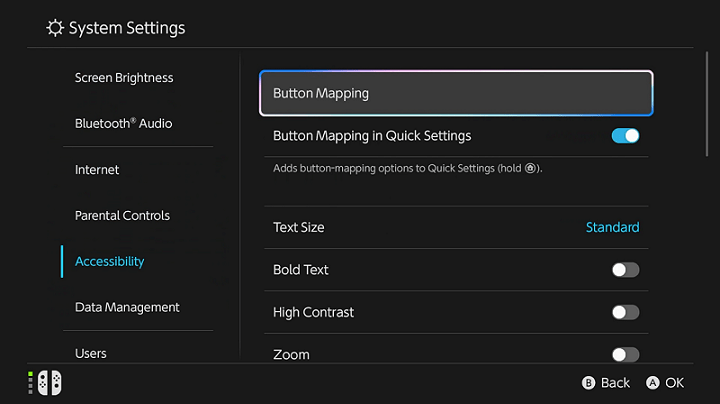 Go to Accessibility and select Button Mapping |
| 3 | 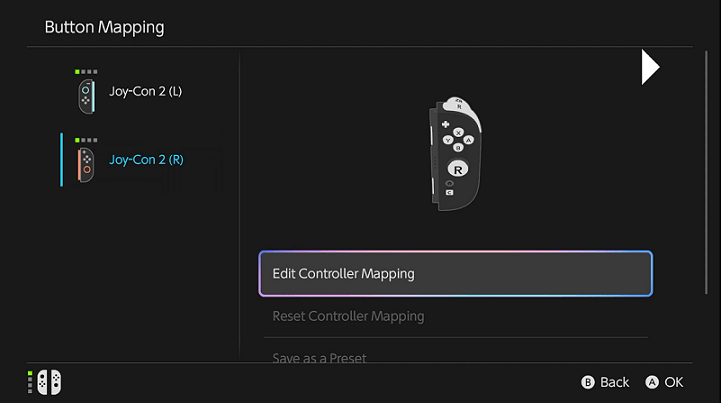 Choose a controller and edit its mapping |
| 4 | 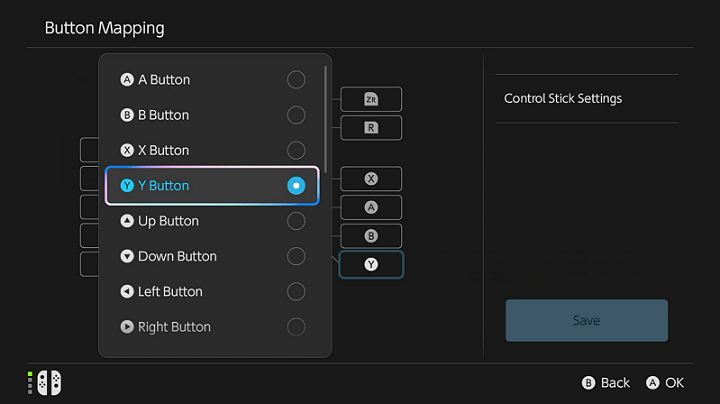 Select the button and edit accordingly |
| 5 | 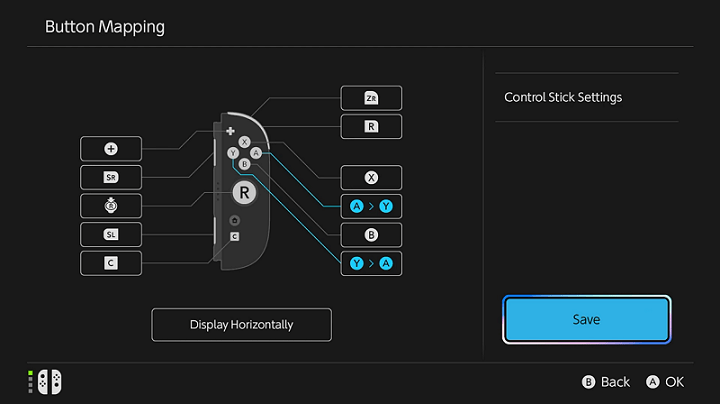 Tap Save to apply the changes |
| 6 | 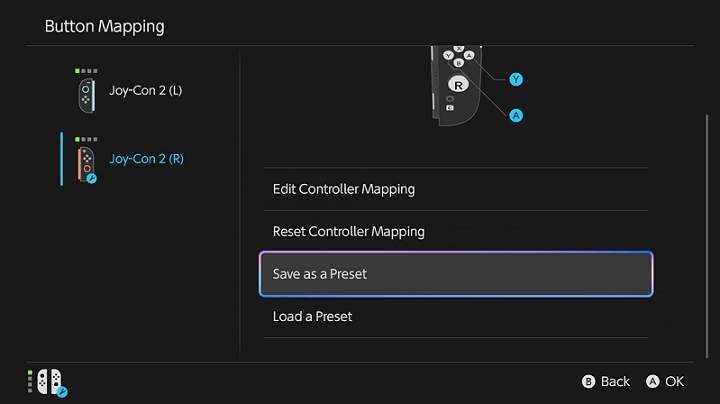 Save the button mapping as a preset to access it anytime in the Quick Settings. |
The only way to change the controls in Mario Kart World is by changing the button mapping of the Switch in the System Settings.
Also, you can change controls easier by holding the Home button anytime if Button Mapping in Quick Settings is turned on in Accessibility settings.
Button Changes Applies to Every Game
Take note that changing the the button mapping in the System Settings also apply that setting to your Switch 2's UI and every game in it.
Suggested Controls
Switch the Y and A Buttons
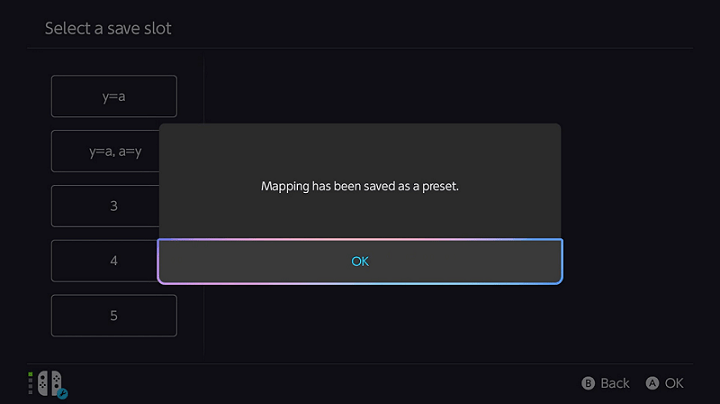
Changing Y button to function as A will help players that were used to this control setup from the previous games. Additionally, it makes looking back in races easier as it is near the X button.
However, applying this control will disable the map button in Free Roam.
Use Y as A and A as Y
Applying this setting will not disable the map button in Free Roam and apply the benefits above, but you will have to get used to pressing Y instead of A to confirm in menus.
Switch the A and B Buttons
This setting emulates the Xbox Controller layout, potentially making it useful for players either new to the genre or new to Nintendo consoles.
Mario Kart World Related Guides
All Tips and Tricks
Comment



Author

How to Change Controls

Rankings
- We could not find the message board you were looking for.
Gaming News




![Nova Roma Review [Early Access] | Newer, Better, and More Confusing](https://img.game8.co/4455512/2cbf8926e9a1c72a3ff056088f801ef4.png/thumb)
Popular Games

Genshin Impact Walkthrough & Guides Wiki
Umamusume: Pretty Derby Walkthrough & Guides Wiki
Crimson Desert Walkthrough & Guides Wiki
Monster Hunter Stories 3: Twisted Reflection Walkthrough & Guides Wiki
Honkai: Star Rail Walkthrough & Guides Wiki
Pokemon Pokopia Walkthrough & Guides Wiki
The Seven Deadly Sins: Origin Walkthrough & Guides Wiki
Wuthering Waves Walkthrough & Guides Wiki
Zenless Zone Zero Walkthrough & Guides Wiki
Arknights: Endfield Walkthrough & Guides Wiki










Recommended Games
Fire Emblem Heroes (FEH) Walkthrough & Guides Wiki
Diablo 4: Vessel of Hatred Walkthrough & Guides Wiki
Cyberpunk 2077: Ultimate Edition Walkthrough & Guides Wiki
Yu-Gi-Oh! Master Duel Walkthrough & Guides Wiki
Super Smash Bros. Ultimate Walkthrough & Guides Wiki
Pokemon Brilliant Diamond and Shining Pearl (BDSP) Walkthrough & Guides Wiki
Elden Ring Shadow of the Erdtree Walkthrough & Guides Wiki
Monster Hunter World Walkthrough & Guides Wiki
The Legend of Zelda: Tears of the Kingdom Walkthrough & Guides Wiki
Persona 3 Reload Walkthrough & Guides Wiki










All rights reserved
© Nintendo
The copyrights of videos of games used in our content and other intellectual property rights belong to the provider of the game.
The contents we provide on this site were created personally by members of the Game8 editorial department.
We refuse the right to reuse or repost content taken without our permission such as data or images to other sites.