
How to Delay Drift
★ 394 P Switches | 150 ? Panels | 200 Medallions
☆ Unlockables Guide | Mirror Mode
★ How to Get Kamek Fast
☆ Best Characters | Best Karts | Best Combo
★ How to Unlock All Outfits with Food locations!
☆ Ver. 1.1.2 Patch Update released on 7/25/2025!
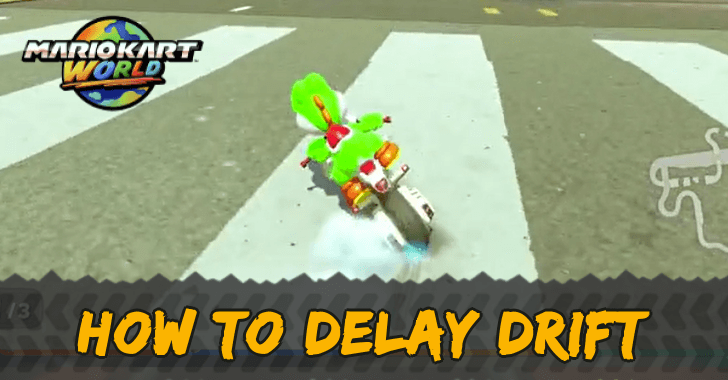
Delay Drifting charges your Mini Turbo faster, giving you a higher chance to win in Mario Kart World. See how to Delay Drift, its difference from normal Drifting, and more tips here!
List of Contents
How to Delay Drift
Drift While in Mid-Air
| Input |
|---|
Press
 to neutral hop ▶︎ Move to neutral hop ▶︎ Move  to the direction you wanna drift right before you hit the ground to the direction you wanna drift right before you hit the ground |
To Delay Drift, you have to press R to neutral hop. The difference this time is you only move your left joystick in the direction you want to turn the second before you hit the ground.
Delay Drifting may take some time to practice but doing it makes you reach Mini Turbo faster, which raises your chances of winning!
Delay Drift vs Normal Drift
| Ordinary Drift | Delay Drift |
|---|---|
Press at the same time. and move |
Press and move right before you hit the ground. |
Drifting normally is easier as you don't have to time your left joystick. All you have to do is press the R button and move your left joystick at the same time.
Delay Drifting, on the other hand, is when you have to move your left joystick the second before you hit the ground. Mastering the timing is the trickiest part.
Drifting Guide: How to Drift Like a Pro
Delay Drifting Charges Mini Turbo Faster
Delay Drifting lets you charge your Mini Turbo faster. Mini Turbos give you a mini speed boost and are usually indicated by the sparks at the bottom of your kart.
How to Drift
Hold R Button and Move the Joystick
| Input |
|---|
Press
to neutral hop ▶︎ Move to the direction you wanna drift at the same time |
You start by holding down the R button, then move the left joystick in the direction of the turn that you need to make. Your character will do a short hop then they will instantly start drifting as soon as you land. Keep holding the R button as releasing it will end the drift.
Do note though that you can tilt your joystick in the opposite direction first, while pressing and holding the R button, to create some leeway. Then, adjust your drift by tilting the joystick toward the turn. Finally, to continue the drift, change back to the original direction.
Drifting Guide: How to Drift Like a Pro
Drifting Charges Your Mini-Turbo
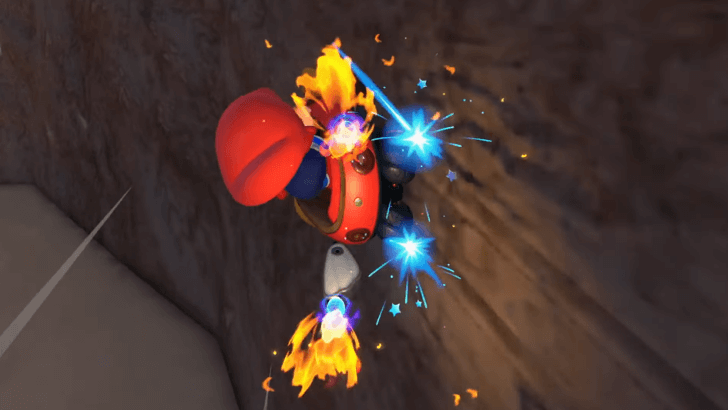
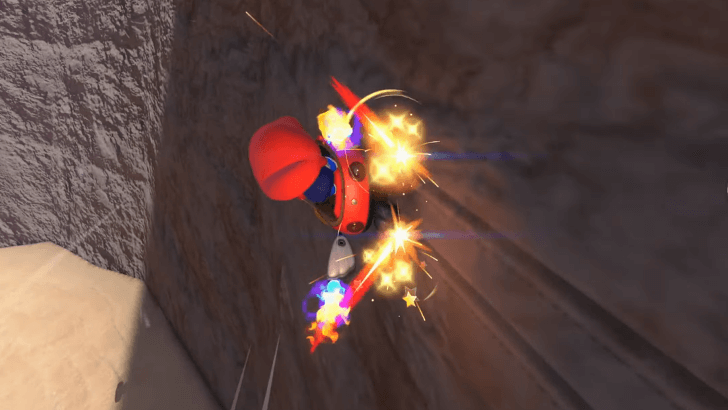
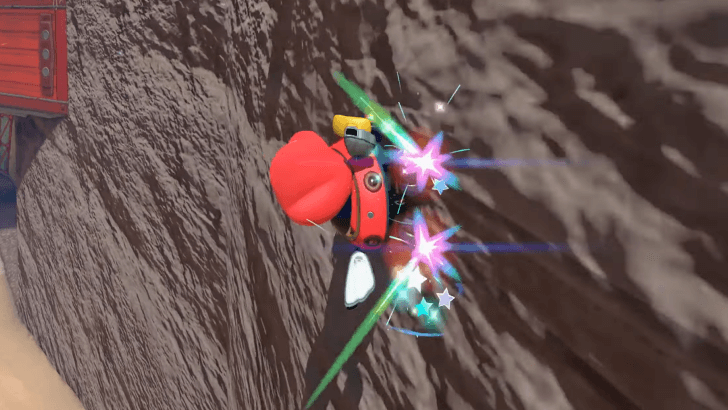
Mini-Turboes can also be charged via wall-riding!
Mini Turbos give you a speed boost and they only appear when you end your drift.
There are three levels of the Mini-Turbo, each with a different duration. Mini-Turbo levels increase in duration as the level increases. The Mini-Turbo has the shortest duration. The Super Mini-Turbo has a longer duration, and the Ultra-Mini Turbo has the longest.
If you have trouble charging your Mini Turbo, make sure you have Smart Steering off.
Mario Kart Related Guides

Other Technique Guides
Comment



Author

How to Delay Drift

Rankings
- We could not find the message board you were looking for.
Gaming News




![Nova Roma Review [Early Access] | Newer, Better, and More Confusing](https://img.game8.co/4455512/2cbf8926e9a1c72a3ff056088f801ef4.png/thumb)
Popular Games

Genshin Impact Walkthrough & Guides Wiki
Umamusume: Pretty Derby Walkthrough & Guides Wiki
Crimson Desert Walkthrough & Guides Wiki
Monster Hunter Stories 3: Twisted Reflection Walkthrough & Guides Wiki
Honkai: Star Rail Walkthrough & Guides Wiki
Pokemon Pokopia Walkthrough & Guides Wiki
The Seven Deadly Sins: Origin Walkthrough & Guides Wiki
Wuthering Waves Walkthrough & Guides Wiki
Zenless Zone Zero Walkthrough & Guides Wiki
Arknights: Endfield Walkthrough & Guides Wiki










Recommended Games
Fire Emblem Heroes (FEH) Walkthrough & Guides Wiki
Diablo 4: Vessel of Hatred Walkthrough & Guides Wiki
Cyberpunk 2077: Ultimate Edition Walkthrough & Guides Wiki
Yu-Gi-Oh! Master Duel Walkthrough & Guides Wiki
Super Smash Bros. Ultimate Walkthrough & Guides Wiki
Pokemon Brilliant Diamond and Shining Pearl (BDSP) Walkthrough & Guides Wiki
Elden Ring Shadow of the Erdtree Walkthrough & Guides Wiki
Monster Hunter World Walkthrough & Guides Wiki
The Legend of Zelda: Tears of the Kingdom Walkthrough & Guides Wiki
Persona 3 Reload Walkthrough & Guides Wiki










All rights reserved
© Nintendo
The copyrights of videos of games used in our content and other intellectual property rights belong to the provider of the game.
The contents we provide on this site were created personally by members of the Game8 editorial department.
We refuse the right to reuse or repost content taken without our permission such as data or images to other sites.