
How to Reroll Guide: Best Umamusume to Reroll For

Rerolls are advisable in Umamusume: Pretty Derby with SSR Support Cards being the recommended priority. Learn the best Support and Character cards to reroll, the steps to do it and how fast it is to reroll here!
List of Contents
Best Support Cards to Reroll
Kitasan Black (Fire at My Heels)
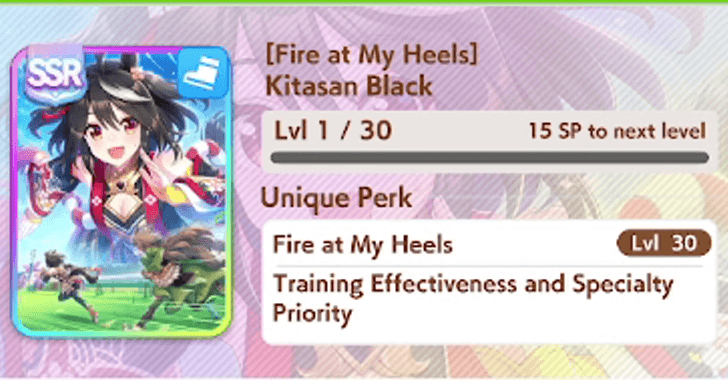
The SSR Kitasan Black Support Card is, by far, the best card for Speed. At LB3 or Level 45, she will frequently trigger Friendship Training on Speed, increase hint level gain, and train Power as well.
One of her Career Events can grant the Professor of Curvature skill to your trainee. A powerful skill that makes your character faster on corners.
Kitasan Black (Fire at My Heels) Support Card Effects and Skills
Super Creek (Piece of Mind)
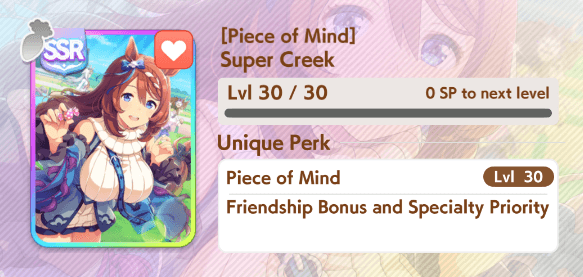
This SSR Super Creek Support Card is the best one for Stamina. It will greatly increase your chances of victory in Medium and Long races due to its Stamina gain.
Super Creek (Piece of Mind) Card Effects and Skills
Fine Motion (Wave of Gratitude)
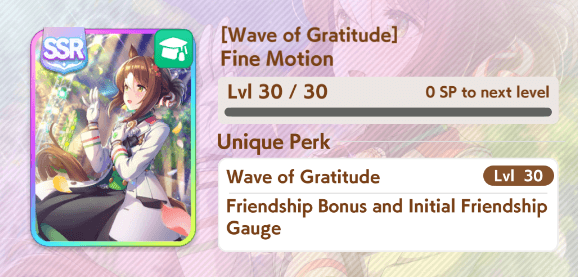
This SSR Fine Motion Support Card can help you gain Wit while conserving energy for other training.
Due to its Event Skills, it has synergy with other Speed Support Cards. By training Speed and Wit, your Umamusume will race ahead the competition!
Fine Motion (Wave of Gratitude) Support Card Effects and Skills
Best Characters to Reroll
Oguri Cap (Starlight Beat)
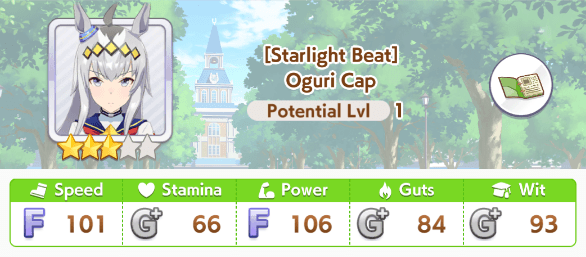
As of global release, Oguri Cap (Starlight Beat) is the best Umamusume to reroll. She has great aptitude for both surface types, every distance except Short, and Pace and Late strategies.
Her all-around aptitude also makes a flexible Legacy Umamusume who can boost a wide list of stats.
Oguri Cap (Starlight Beat) Build Guide and Character Info
Maruzensky (Formula R)
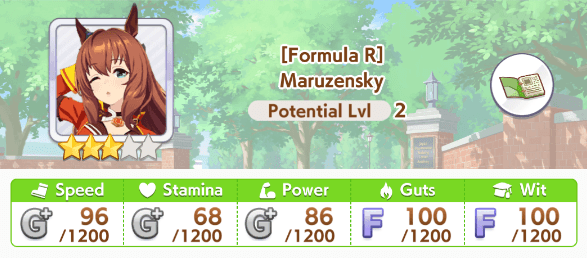
Maruzensky (Formula R) is another capable all-arounder. Compared to Oguri, her strategy aptitude is lacking aside for a Front strategy.
Nonetheless, she is still a force for most Turf races.
Maruzensky (Formula R) Build Guide
Taiki Shuttle (Wild Frontier)
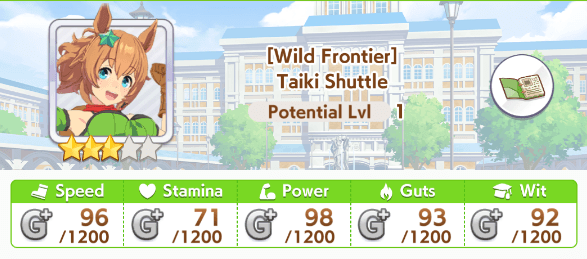
If you get at least one all-rounder, its best to also get one character who is good at Dirt races to round up your roster.
The best character with an A aptitude for Dirt, on global release, is Taiki Shuttle.
Taiki Shuttle (Wild Frontier) Build Guide
Steps on How to Reroll
Delete Save Data and Restart Game
| Mobile and PC Reroll Guide | |
|---|---|
| 1 | 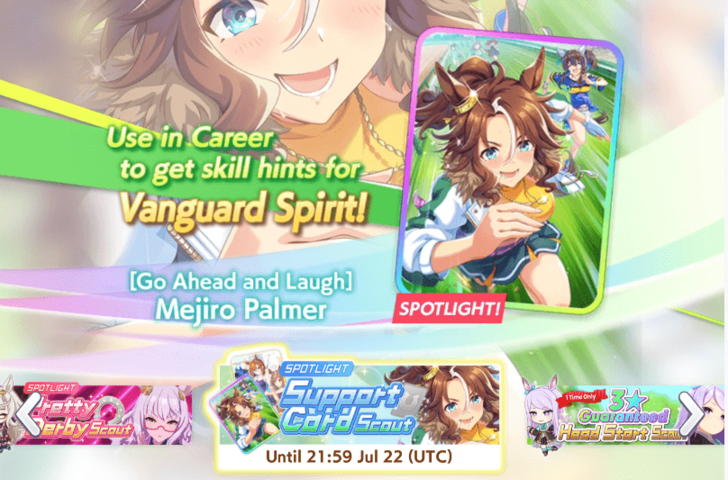 Before following these steps, make sure that you are 100% confident in your decision to reroll your account. Refer to the When to Reroll of this article and gauge first whether you want to reroll or not. Preferably, reroll only when your account is new and on the right support or character banner you want. Do not reroll an invested account to avoid losing major progress in the game. |
| 2 | 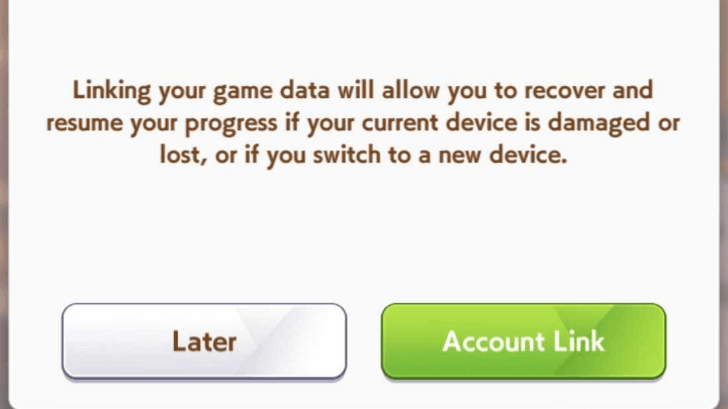 Before rerolling, make sure that you haven't linked your account just yet because the game features a guest account system that you can utilize to make rerolls faster. You will know when you're in a guest account when a notification pops up telling you to link your account every time you boot the game. Do not link your account yet until your reroll process is complete to make the account deletion faster if you are not satisfied with your rolls. |
| 3 | 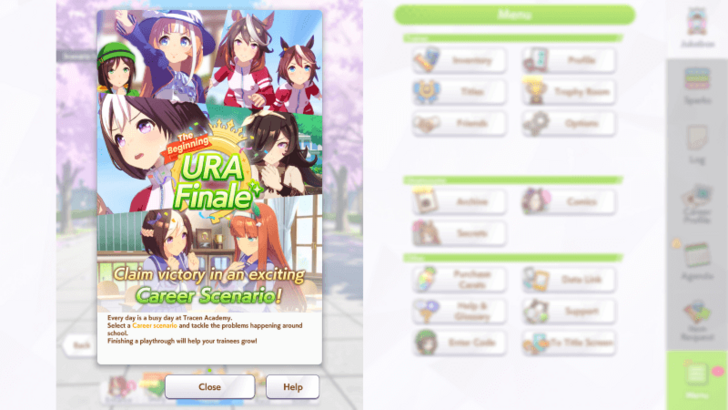 Start the game and get through the tutorial section and quickly skip the cutscenes and gameplay portions you can skip. You will be able to freely explore the game afterwards. |
| 4 | 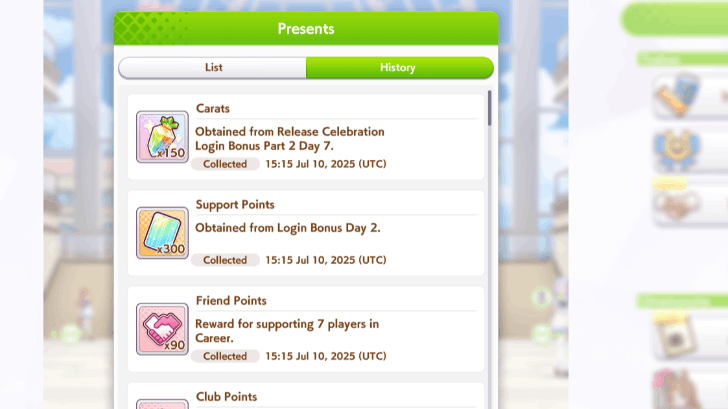 Go to the Home Screen and find the Gift Box on the lower right where Special Missions are also located. You will receive around ~7000 Carats (more if there are events coinciding) for your first few rolls. Do not roll this on Character Banners and do not use the Selectors they provide for now. Aside from this, collect any other free carat rewards you can receive in the game. Utilize most of the free carats that you can get! |
| 6 | 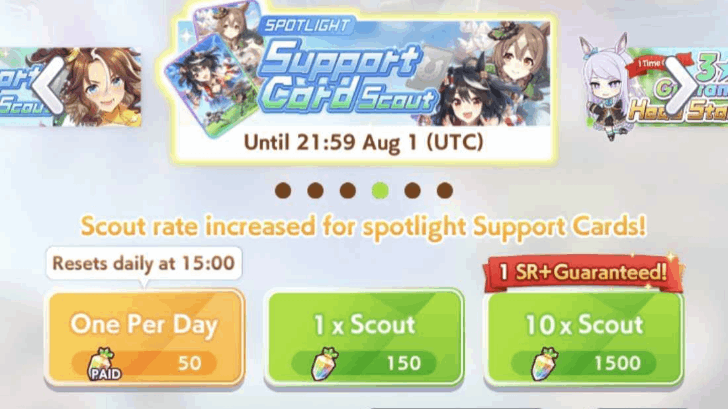 Go to the Scout Menu in the Home Screen and roll the banners that you need or want. Expend all your crystals on banners that have rate-ups and preferably, for support cards since Support Cards will carry the performance of your account. We recommend prioritizing the Spotlight Support Card Scout Banner as this will net you with the necessary Support Cards that you will use in Careers. Do not skimp on your Support Cards as characters can be rolled easier when you are satisfied with your account. ▶ List of All Banners |
| 7 | 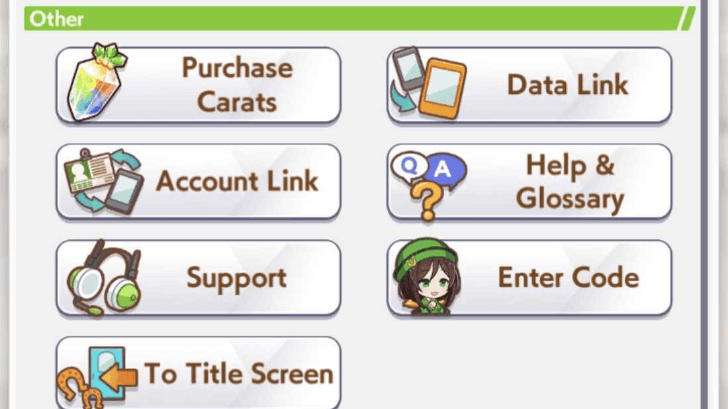 If you are satisfied with the rolls you received, you can save this account and hit the Account Link options in the Settings or when you boot the game to lock your progress with this account. This action cannot be reverted so be sure with your account rolls! Alternatively, you can continue using it as a Guest Account but if your device ever encounters an error which affects your save, it cannot be recovered. If you are not satisfied with the rolls, refer to Step 8. |
| 8 | 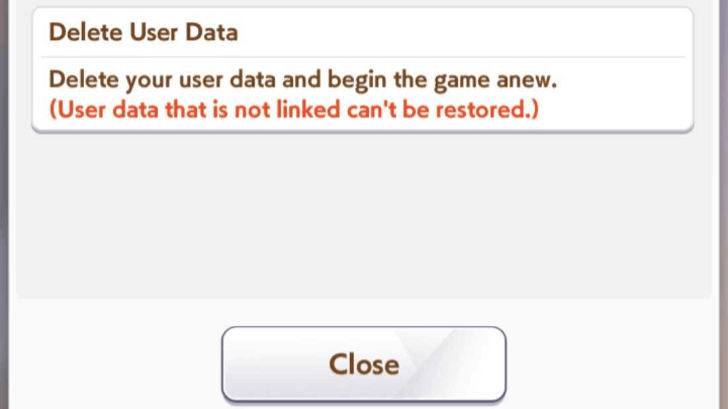 Should you fail to get the rolls you want, Delete your Data on the Start Menu Screen. Hit the Options Menu on the corner of your screen and find the Delete Data option. This will reset your game with a new Guest Account so you can try again. Go back to step 1 and repeat until you get the rewards you want. |
Should I Reroll in Umamusume: Pretty Derby?
Reroll For Support Cards First
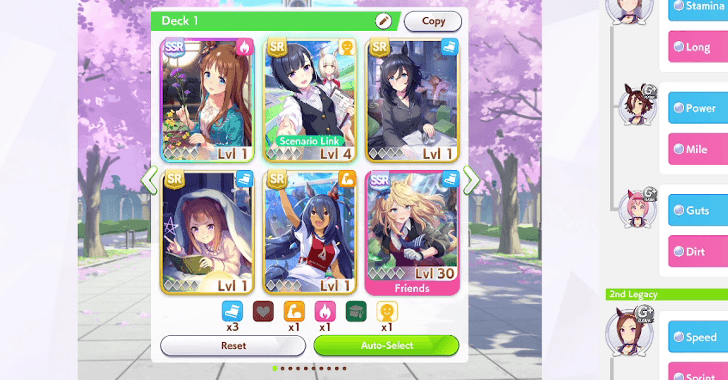
We recommend rerolling in the game if you are unsatisfied with your initial rolls, especially if you are a new player and you signed up within the time of an excellent banner period.
Preferably, roll for SSR Support Cards such as Kitasan Black (Fire at My Heels) to get the best performance out of your Characters! Here are other reasons why rerolling is recommended for this game:
- The game has a Guest Account system in place, making rerolls quick. This Guest Account can be used to scout repeatedly until you are satisfied with your rolls.
- The time to unlock the gacha system is relatively short, around ~15 minutes if you fast tap the training and initial gameplay segments.
- Support Cards are very important for your Trainee Uma's career as they motivate the buffs they will receive to their stats during their Career Runs.
- You can optimize your rolls depending on how patient you are with the process, which can save you Carats if you are lucky.
Reroll for Characters as a Secondary Priority
Characters are not recommended to be prioritized due to the game giving you two selectors at the start and you can just immediately choose who you want there. However, should you have spare carats, you can also roll for the limited characters.
List of All Characters (Trainee)
Do Not Reroll If Your Account Has Investment
We do not advise rerolling your account anymore if you have invested in it already. This will be a huge loss of progress for you and will not be worth the while when replaying the game again. Rerolling is best if your account is new and you have little to no investment in the game yet.
Umamusume: Pretty Derby Related Guides

Tips and Tricks



Author

How to Reroll Guide: Best Umamusume to Reroll For

Premium Articles


Rankings
- We could not find the message board you were looking for.

Gaming News





Popular Games

Genshin Impact Walkthrough & Guides Wiki
Umamusume: Pretty Derby Walkthrough & Guides Wiki
Crimson Desert Walkthrough & Guides Wiki
Monster Hunter Stories 3: Twisted Reflection Walkthrough & Guides Wiki
Honkai: Star Rail Walkthrough & Guides Wiki
Pokemon Pokopia Walkthrough & Guides Wiki
The Seven Deadly Sins: Origin Walkthrough & Guides Wiki
Wuthering Waves Walkthrough & Guides Wiki
Zenless Zone Zero Walkthrough & Guides Wiki
Arknights: Endfield Walkthrough & Guides Wiki









Recommended Games
Fire Emblem Heroes (FEH) Walkthrough & Guides Wiki
Diablo 4: Vessel of Hatred Walkthrough & Guides Wiki
Cyberpunk 2077: Ultimate Edition Walkthrough & Guides Wiki
Yu-Gi-Oh! Master Duel Walkthrough & Guides Wiki
Super Smash Bros. Ultimate Walkthrough & Guides Wiki
Pokemon Brilliant Diamond and Shining Pearl (BDSP) Walkthrough & Guides Wiki
Elden Ring Shadow of the Erdtree Walkthrough & Guides Wiki
Monster Hunter World Walkthrough & Guides Wiki
The Legend of Zelda: Tears of the Kingdom Walkthrough & Guides Wiki
Persona 3 Reload Walkthrough & Guides Wiki










All rights reserved
© Cygames, Inc.
The copyrights of videos of games used in our content and other intellectual property rights belong to the provider of the game.
The contents we provide on this site were created personally by members of the Game8 editorial department.
We refuse the right to reuse or repost content taken without our permission such as data or images to other sites.
Remember to take breaks.