
Available Platforms and Consoles Guide

Umamusume: Pretty Derby is available on Windows, iOS and Android! Find out the best platform to play on and if the game will be available on other devices here!
Umamusume: Pretty Derby Platforms
| Platform and Console Availability | |
|---|---|
| All Available Platforms | Steam Availability |
| Mobile Availability | Availability on Other Platforms |
All Available Platforms
| Platform | Availability |
|---|---|
| PC (Windows) | ✓ |
| iOS (App Store) | ✓ |
| Android (Play Store) | ✓ |
| Xbox (Microsoft) | ✗ |
| PlayStation (PSN) | ✗ |
| Switch (E-Shop) | ✗ |
Umamusume: Pretty Derby is only available for Android, iOS and PC via Windows through Steam! Cygames has yet to confirm whether it will release for other platforms.
Available on Steam for Windows PC
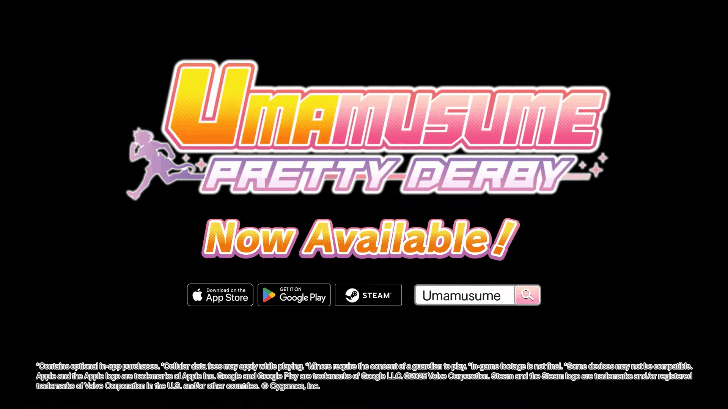
Umamusume: Pretty Derby is available on Windows PCs via the Steam Store. Create your Steam Account and get the game by clicking on the Play Game icon. The game is free-to-play and will not charge you for accessing it.
The game will then appear on your Steam Launcher as one of your games, do note that unless hidden or set to private, the game will appear on your friend's Steam notifications whenver you launch the game.
No External PC Client
The game does not feature any external or official clients and has no independent launchers which means Steam is the only way to play the game officially on PC.
Available on iOS and Android

The game is also available on Mobile iOS and Android for Global servers. This is the primary method of playing the game before the PC Version and aside from some changes in the user interface, is mostly similar without any major differences.
Not Available for Other Platforms

The game is currently unavailable for PlayStation, Xbox or Switch and Cygames has no official announcement for its availability on other platforms.
Which Version is Best to Play?
Both Versions are Good
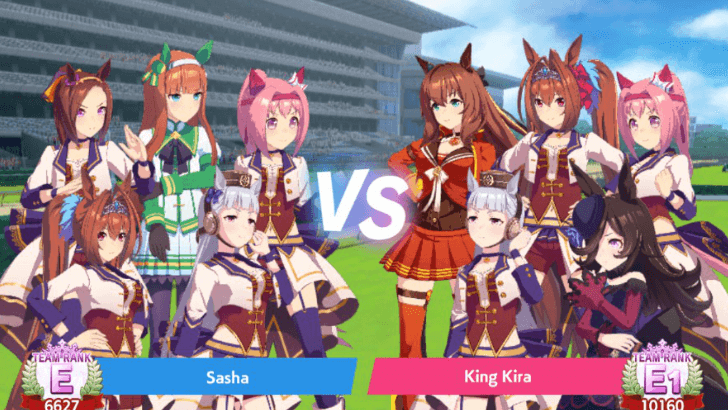
Playing the PC version grants you some higher resolution characters, a larger viewing area to befit the PC release of the game and some UI adjustments, but is mostly similar to the mobile version of the game, which can be installed and played on the go.
Both versions therefore can be chosen by the player as there are no major differences between the PC version and the Mobile version.
Paid Carats Discrepancy
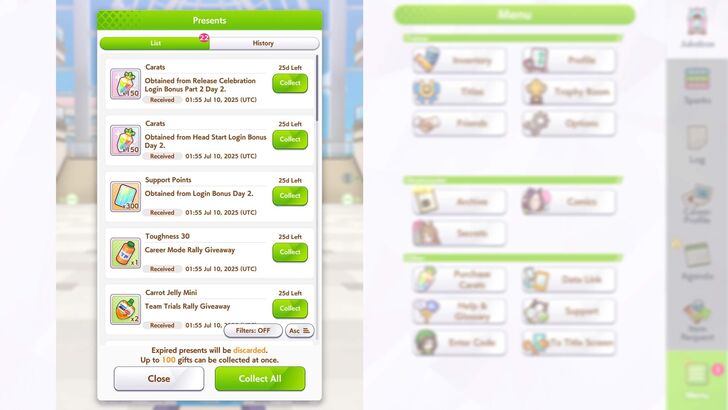
Do note that your paid carats will only stay on the Umamusume: Pretty Derby platform you bought them in. Don't worry as they will stay there, make sure to spend it on the same platform to avoid any issues!
Data Link Between PC and Mobile
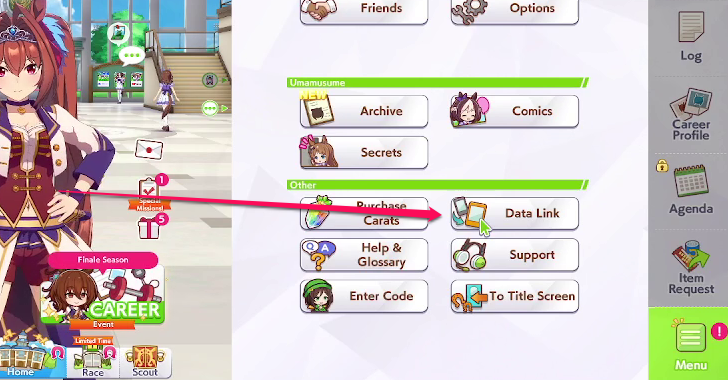
You can link and transfer your progress on another device and back by using the Data Link function. Have your main and secondary device ready with the game open and perform these quick steps:
- Open the Data Link feature on your main device and set a Link Password and remember your Trainer ID.
- Open the Data Link feature in the title screen on the 2nd device and choose the Link option. Enter the Link Password and Trainer ID from the main device.
- After confirming with the game, wait for a bit and your progress from the main account will be transferred to the secondary device. Your progress on the secondary device will be deleted.
Paid Carats Will Not Be Transferred
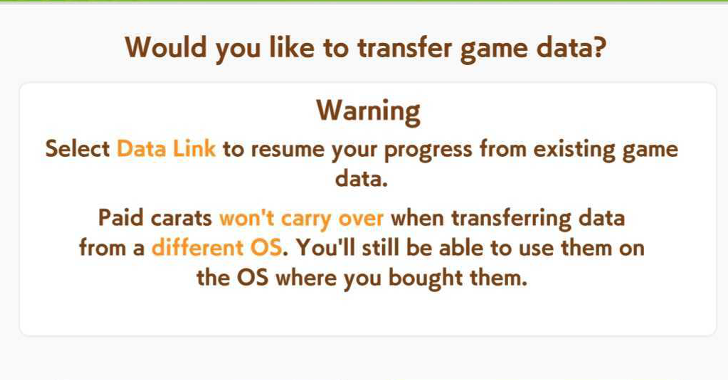
Paid carats will not carry over to the transfering platform. They will still be on the first platform where you made the account and bought the Paid Carats.
For a detailed list of instructions as well as other info about Data Link, refer to our Data Link guide below:
How to Link Steam and Mobile Account
Platform Release Dates
Global Will Catch Up to Japan
| Platform | JP Release Date | GB Release Date |
|---|---|---|
| Windows (Steam) | March 10, 2021 | June 26, 2025 |
| iOS | February 24, 2021 | June 26, 2025 |
| Android | February 24, 2021 | June 26, 2025 |
Umamusume: Pretty Derby was initially released by Cygames for Japan on February 24, 2021 for mobile devices and March 10, 2021 for Windows. The Global version of the game was only released nearly four years with a simultaneous launch for PC, iOS and Android on June 26, 2025.
This means the Global version of the game will catch up on content already released in the four-year period by Cygames, but no official catch-up window has been provided. You can refer to our Global Release updates for more info!
Umamusume: Pretty Derby Related Guides

Latest News and Events
-
![]()
March 3 Maintenance
Updated 3/2/2026
The game will undergo maintenance for 2 hours on March 3, 2026.
-
![]()
March Release Schedule
Updated 3/16/2026
Check out the upcoming events for March 2026.
-
![]()
1st Anniversary Event and Rewards
Updated 3/22/2026
Celebrate the 1st Anniversary with tons of rewards and free pulls.
-
![]()
November Balance Adjustments
Updated 11/13/2025
Check out the adjustments to the game's mechanics.


Comment



Author

Available Platforms and Consoles Guide

Premium Articles


Rankings

Gaming News




Popular Games

Genshin Impact Walkthrough & Guides Wiki
Umamusume: Pretty Derby Walkthrough & Guides Wiki
Crimson Desert Walkthrough & Guides Wiki
Monster Hunter Stories 3: Twisted Reflection Walkthrough & Guides Wiki
Honkai: Star Rail Walkthrough & Guides Wiki
Pokemon Pokopia Walkthrough & Guides Wiki
The Seven Deadly Sins: Origin Walkthrough & Guides Wiki
Wuthering Waves Walkthrough & Guides Wiki
Zenless Zone Zero Walkthrough & Guides Wiki
Arknights: Endfield Walkthrough & Guides Wiki









Recommended Games
Fire Emblem Heroes (FEH) Walkthrough & Guides Wiki
Diablo 4: Vessel of Hatred Walkthrough & Guides Wiki
Cyberpunk 2077: Ultimate Edition Walkthrough & Guides Wiki
Yu-Gi-Oh! Master Duel Walkthrough & Guides Wiki
Super Smash Bros. Ultimate Walkthrough & Guides Wiki
Pokemon Brilliant Diamond and Shining Pearl (BDSP) Walkthrough & Guides Wiki
Elden Ring Shadow of the Erdtree Walkthrough & Guides Wiki
Monster Hunter World Walkthrough & Guides Wiki
The Legend of Zelda: Tears of the Kingdom Walkthrough & Guides Wiki
Persona 3 Reload Walkthrough & Guides Wiki










All rights reserved
© Cygames, Inc.
The copyrights of videos of games used in our content and other intellectual property rights belong to the provider of the game.
The contents we provide on this site were created personally by members of the Game8 editorial department.
We refuse the right to reuse or repost content taken without our permission such as data or images to other sites.