
Link Data Guide: How to Play on Multiple Devices
In order to play Umamusume: Pretty Derby across multiple mobile devices, you need to save your data on Account Link or Data Link. Learn the steps on how to link your data in this guide below.
List of Contents
How to Link and Transfer Data
| There Are Four Ways to Link Your Data! |
|---|
|
|

Linking Your Data Through FaceBook Account
| No. | Step |
|---|---|
| 1 | 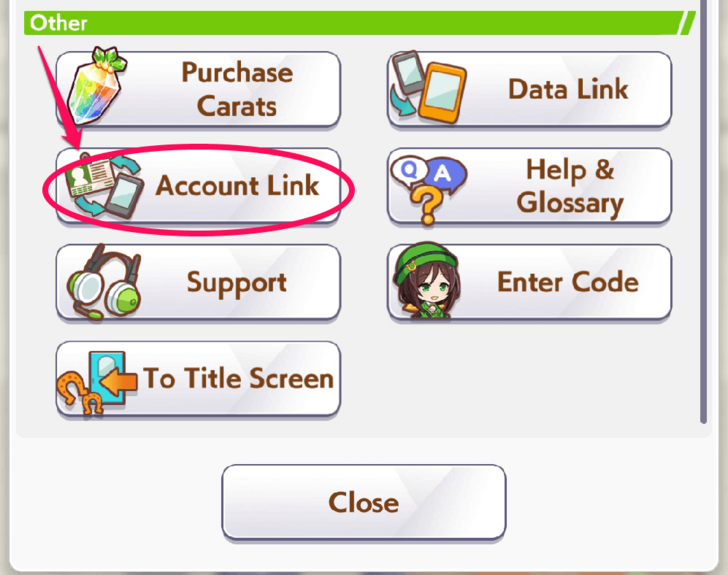 Select "Account Link" under the "Other" section. |
| 2 | 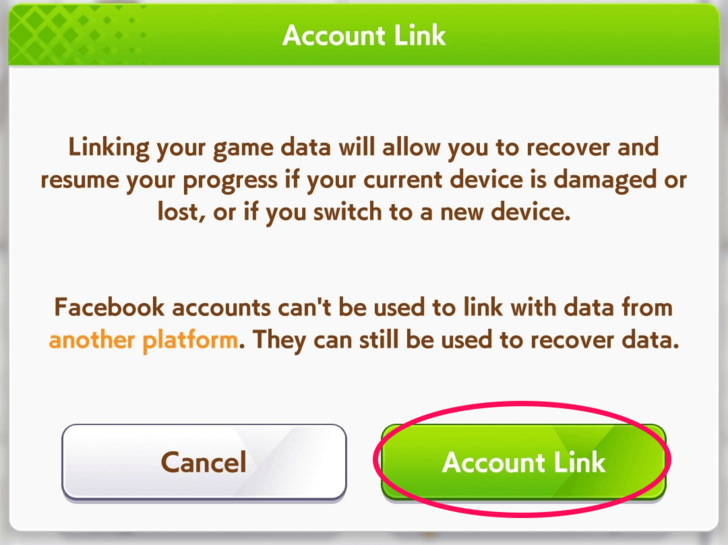 Tap on "Account Link." |
| 3 | 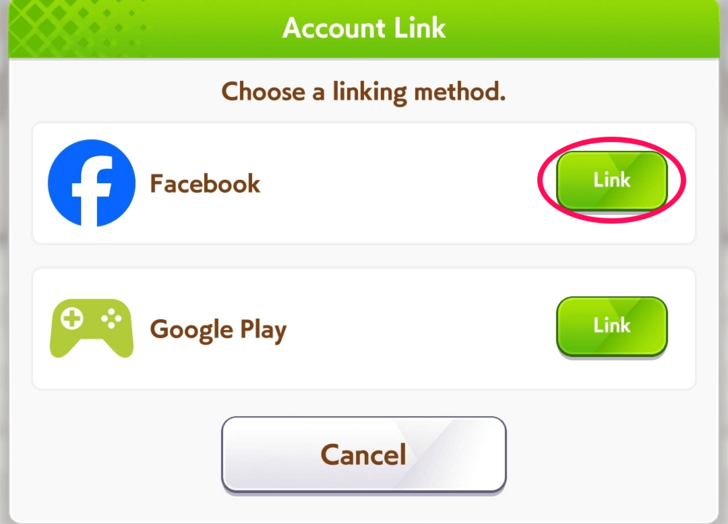 Choose "Link" beside FaceBook. |
| 4 | 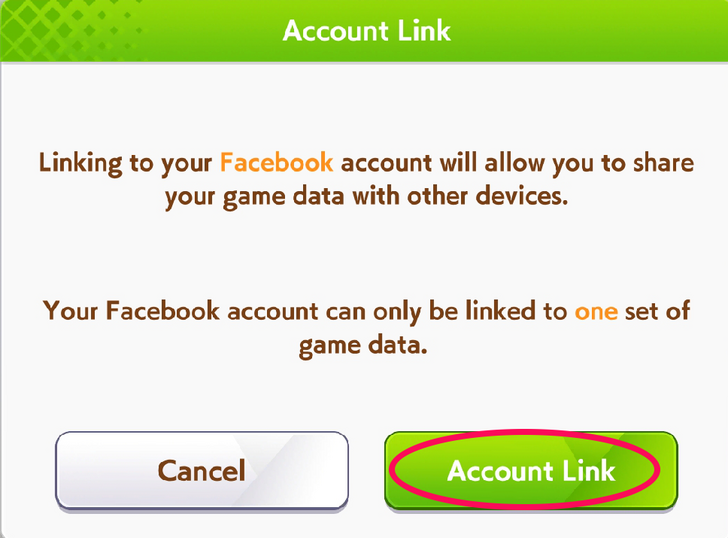 Tap on "Account Link." |
| 5 | 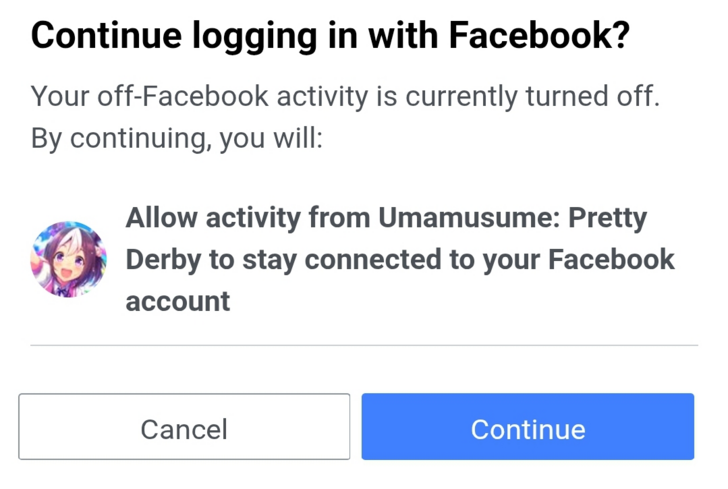 Select "Continue" once prompted by your FaceBook app. |
Linking Your Data With Google Play Account
| No. | Step |
|---|---|
| 1 | Select "Account Link." |
| 2 | 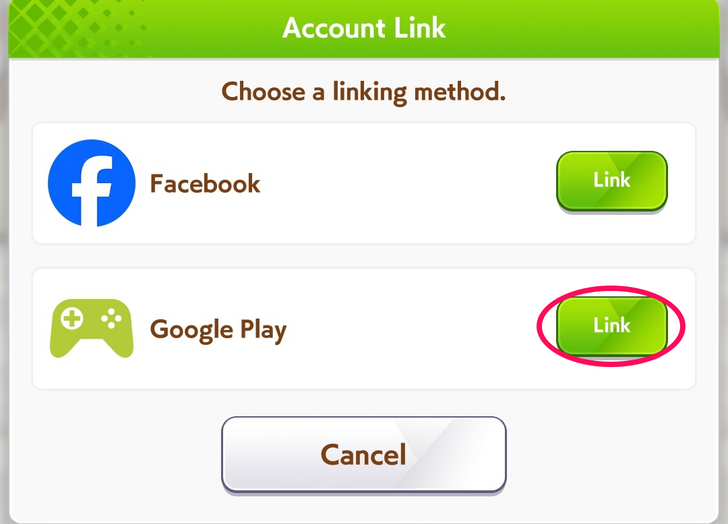 Tap on "Link" beside Google Play. Tap on "Link" beside Google Play. |
| 3 | 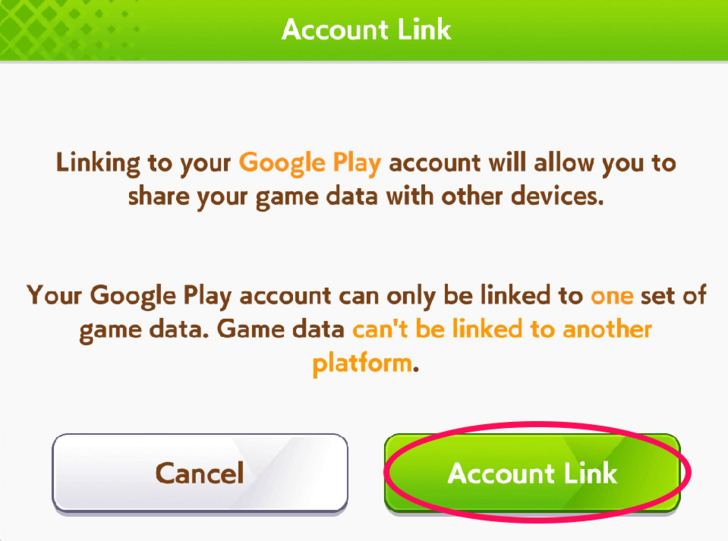 Press on "Account Link." |
| 4 | 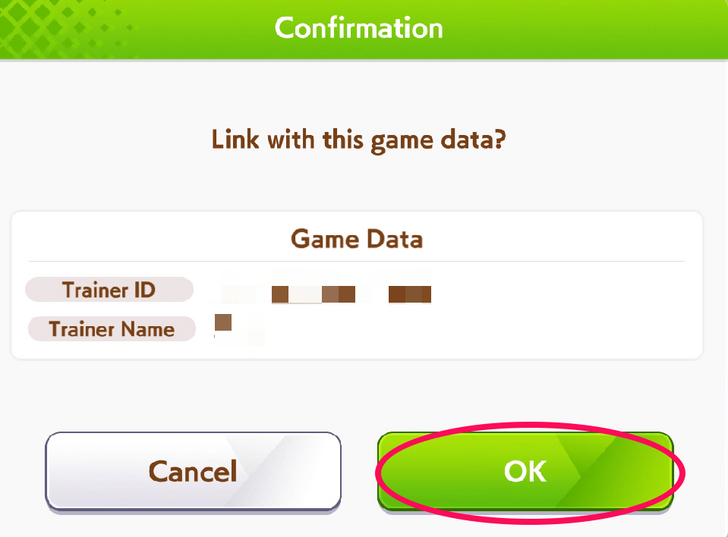 Press "OK" when prompted to link game data. Press "OK" when prompted to link game data. |
Linking Your Data With Apple ID
| No. | Step |
|---|---|
| 1 | Select "Account Link." |
| 2 | 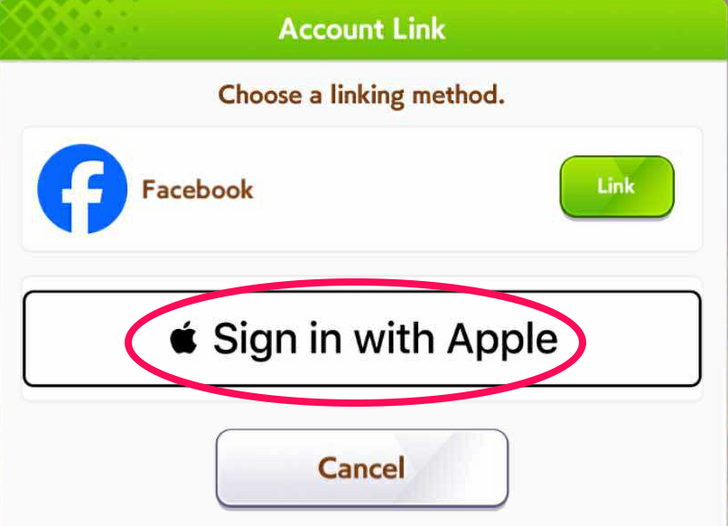 Tap on "Sign in with Apple." Tap on "Sign in with Apple." |
| 3 | 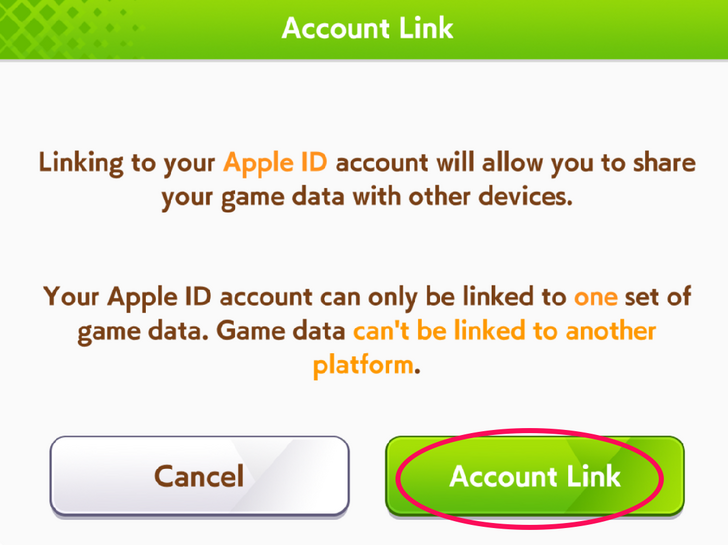 Press on "Account Link." Press on "Account Link." |
| 4 | 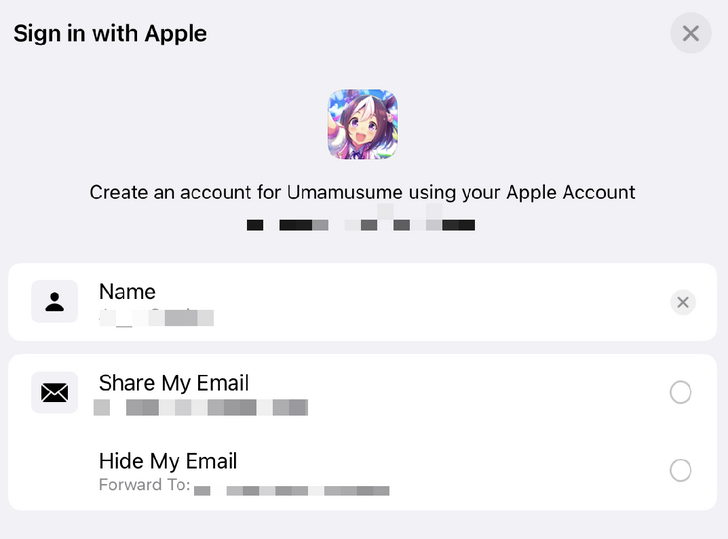 Provide your Apple ID credentials. Provide your Apple ID credentials. |
Linking Your Data With a Password
Data Link is an option accessible to both mobile and PC platforms. This will allow you to set up a password for your Trainer ID.
Deleting or Unlinking Data
Delete Your Data in the Title Screen Menu
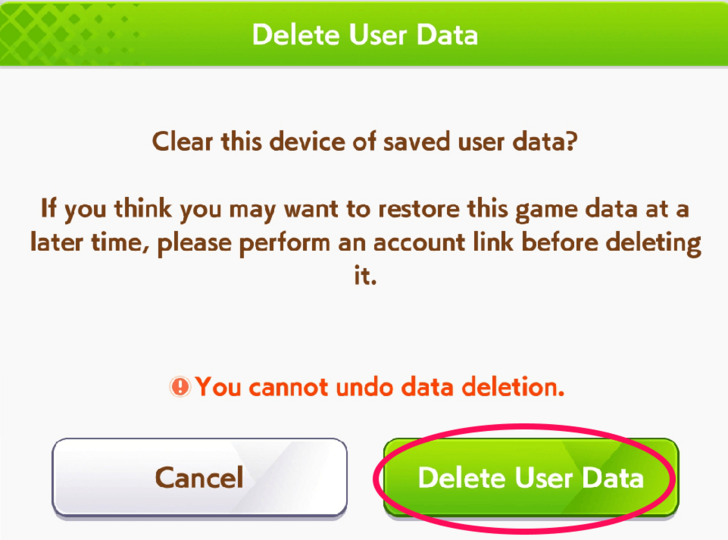
By pressing the icon in the lower right part of the title screen, a menu table will pop up. Select Delete User Data to remove your game data entirely. Take note that a deleted game data can no longer be restored if it was not linked via Data Link or Account Link.
Undo Link in Account Link
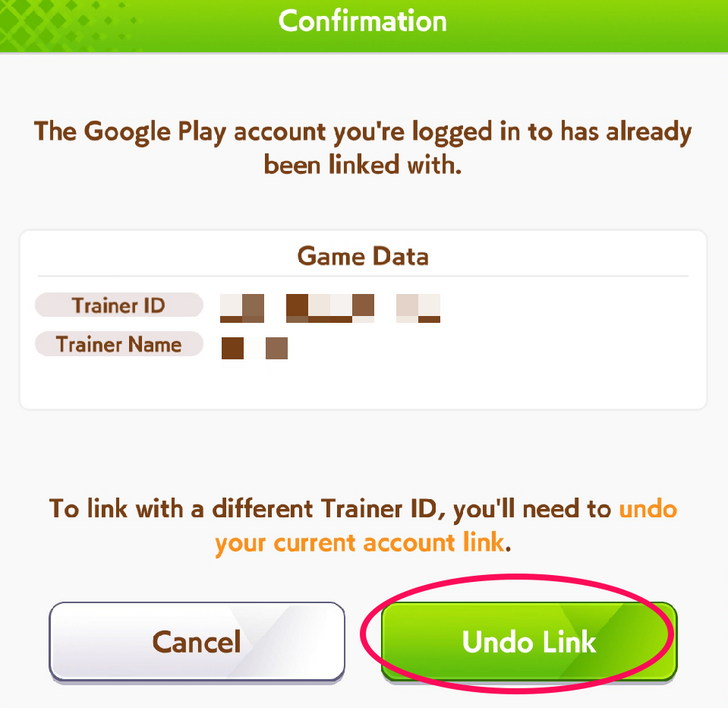
You can unlink your data in Account Link by pressing Undo Link
once you select the account that you've decided to connect your data to. By selecting one of these accounts, you will be notified of your existing linked data. Afterwards, you will be prompted if you wish to undo the link of your data in your account.
Paid Carats are Non-Transferable Between Different Devices
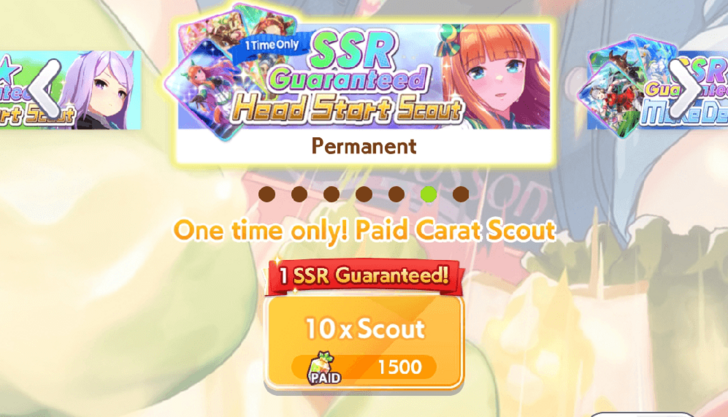
Take note that Paid Carats cannot be transferred along with your game data to a different device, regardless of linking through Data Link or Account Link. Previously Paid Carats can only be accessible in your initial device, so it is advisable to use up your Paid Carats before moving to another.
Difference Between Data Link and Account Link
Using External Accounts
| Link Options | Description |
|---|---|
| Data Link | Game data is saved through your Trainer ID and a password. |
| Account Link | Game data is saved by using external accounts. |
There are two types of options when linking your account: Data Link and Account Link. By choosing Data Link, you will provide a password under your Trainer ID in order to access and save your existing game data.
On the other hand, using Account Link will allow you to link your game data by choosing any of the following external accounts: FaceBook, Google Play, and Apple ID. Google Play or Apple ID automatically links your account depending on your device's OS.
Google Play and Apple ID Accounts
Keep in mind that Google Play is only available as an option in android devices. Likewise, Apple ID accounts are only available as an option in iOS devices.
Can I Play in Multiple Devices?
Playable Across Different Devices with Same Account
Having your Umamusume: Pretty Derby account linked can allow you to access your game data in any device that you wish to log this in. However, logging in your game data at the same time in different devices will log you out of the first device that you were using. Additionally, keep in mind that Paid Carats are non-transferable from one device to another.
Deleting Your Data Does Not Delete Your In-Game Account
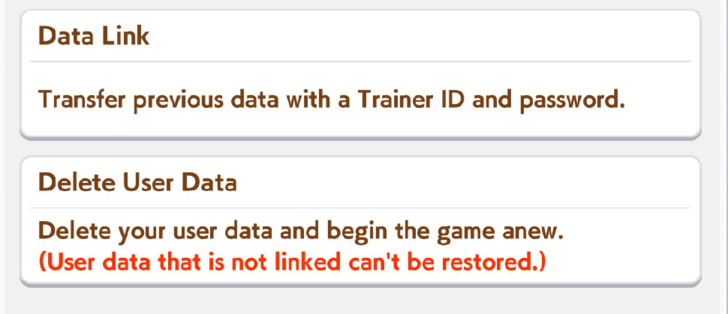
Should you choose to delete your data in your current device, this will not completely eradicate your game account if you were able to link this beforehand. This is still accessible once you log in on a different device and provide the needed link credentials in Data Link through the title screen menu.
Umamusume: Pretty Derby Related Guides
Tips and Tricks



Author

Link Data Guide: How to Play on Multiple Devices

Premium Articles


Rankings

Gaming News





Popular Games

Genshin Impact Walkthrough & Guides Wiki
Umamusume: Pretty Derby Walkthrough & Guides Wiki
Crimson Desert Walkthrough & Guides Wiki
Monster Hunter Stories 3: Twisted Reflection Walkthrough & Guides Wiki
Honkai: Star Rail Walkthrough & Guides Wiki
Pokemon Pokopia Walkthrough & Guides Wiki
The Seven Deadly Sins: Origin Walkthrough & Guides Wiki
Wuthering Waves Walkthrough & Guides Wiki
Zenless Zone Zero Walkthrough & Guides Wiki
Arknights: Endfield Walkthrough & Guides Wiki









Recommended Games
Fire Emblem Heroes (FEH) Walkthrough & Guides Wiki
Diablo 4: Vessel of Hatred Walkthrough & Guides Wiki
Cyberpunk 2077: Ultimate Edition Walkthrough & Guides Wiki
Yu-Gi-Oh! Master Duel Walkthrough & Guides Wiki
Super Smash Bros. Ultimate Walkthrough & Guides Wiki
Pokemon Brilliant Diamond and Shining Pearl (BDSP) Walkthrough & Guides Wiki
Elden Ring Shadow of the Erdtree Walkthrough & Guides Wiki
Monster Hunter World Walkthrough & Guides Wiki
The Legend of Zelda: Tears of the Kingdom Walkthrough & Guides Wiki
Persona 3 Reload Walkthrough & Guides Wiki










All rights reserved
© Cygames, Inc.
The copyrights of videos of games used in our content and other intellectual property rights belong to the provider of the game.
The contents we provide on this site were created personally by members of the Game8 editorial department.
We refuse the right to reuse or repost content taken without our permission such as data or images to other sites.
v useful, thx <3 <3 <3