
Transfer Request Guide
Transfer Request allows you to transfer your Veteran Umamusume for increased rewards in Umamusume: Pretty Derby. Learn more about the Transfer Request system, what rewards you can get, and if you can transfer Veterans to other players here!
List of Contents
What is Transfer Request?
Transfer Veteran Umamusume for Increased Rewards
The Transfer Request feature allows players to Transfer certain Veteran Umamusume in exchange for various rewards. Rewards include Monies, Support Points, and even Star Shards for the transferred Veteran.
In later versions of the game, players can also receive Dream Glimmer, as well as the upcoming Hint Book item. Hint Books can be used to provide Hints for an Umamusume's Innate and Potential Skills, making it cheaper to unlock them in runs.
Transfer Requests Have Different Requirements
Players will receive three Transfer Requests with increasing requirements. The more requirements a Transfer Request has, the better the reward is. Requirements normally include Stat or Aptitude requirements, specific Race wins, or specific Epithets.
For example, the most difficult Request may ask for a Veteran who has B or higher Sprint Aptitude, has won a major prize, and possesses a specific Epithet. The easier Requests, on the other hand, might ask for a Veteran that has D or higher Stamina.
Easier Requests Can Be Repeated
The easier requests, denoted by one or two medals in the menu, can be repeated multiple times, allowing the player to transfer multiple Veterans that meet the requirement. The number of times you can fulfill these requests can be seen on the left side of the request. Once the counter reaches zero, you cannot accept the Transfer Request anymore.
Transfer Requests Can Expire
Each Transfer Request has a time limit. Once the time limit is reached, the Transfer Request expires, and is replaced with a new Transfer Request. This happens even if you did not complete the Transfer Request. This will repeat throughout the event's duration.
You Do Not Transfer Veterans to Other Players
It is important to note that this is not a way to transfer Veteran Umamusume to other players. This is an upgraded version of the Transfer feature already implemented in the game that allows you to convert Veteran Umamusume into Support Points.
How To Perform a Transfer Request
| # | Transfer Request Steps |
|---|---|
| 1 | 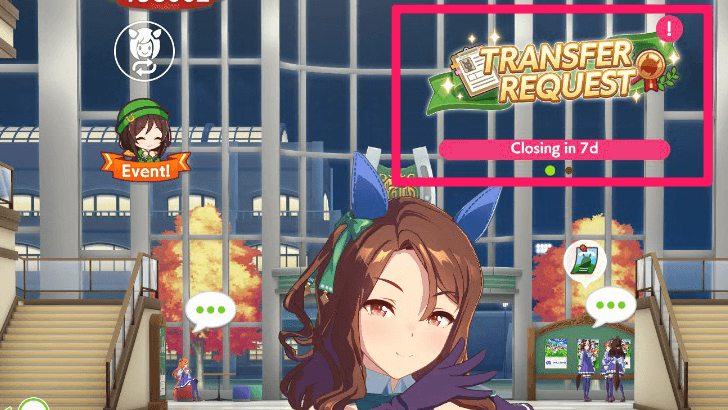 Press the Transfer Request event from the Home Screen |
| 2 | 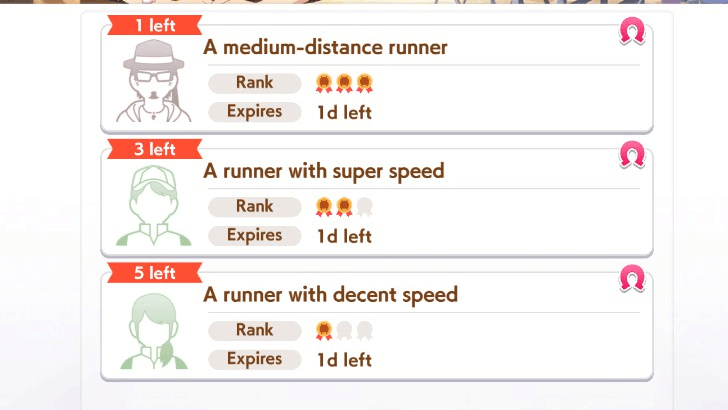 Select one of the three Transfer Requests. The more medals a request has, the more difficult the requirements are. Lower difficulty ones can be repeated a certain number of times. |
| 3 | 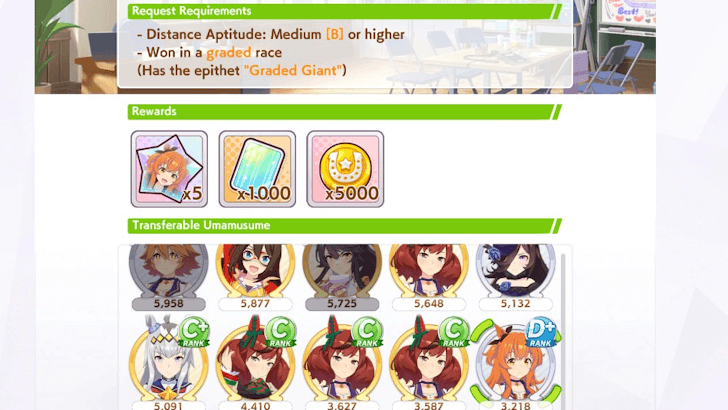 Select a Veteran Umamusume that meets the requirements of the Transfer Request. |
| 4 | 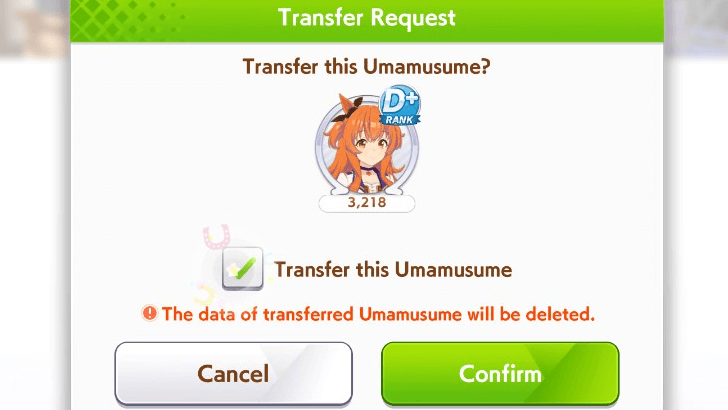 Click on the checkbox and press Confirm to complete the Transfer Request. It is important to remember that you cannot get this Veteran back once the transfer is complete. |
| 5 | 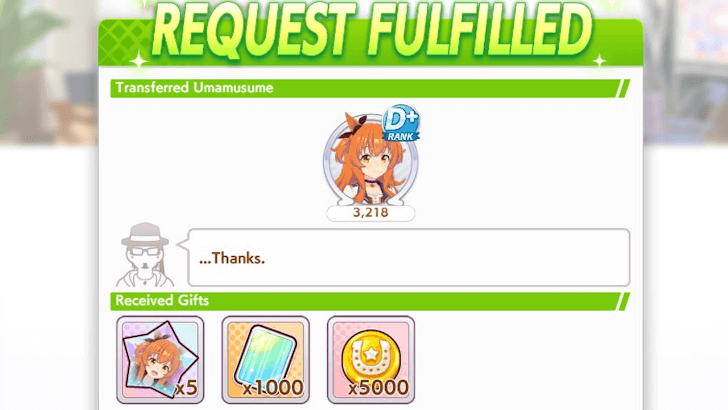 Accept the rewards from the Transfer Request. |
Umamusume: Pretty Derby Related Guides
Tips and Tricks
Comment
 Anonymous 6 months
will they update the quest regularly ? or once you finished them all its over



Author

Transfer Request Guide

Premium Articles


Rankings

Gaming News





Popular Games

Genshin Impact Walkthrough & Guides Wiki
Umamusume: Pretty Derby Walkthrough & Guides Wiki
Crimson Desert Walkthrough & Guides Wiki
Monster Hunter Stories 3: Twisted Reflection Walkthrough & Guides Wiki
Honkai: Star Rail Walkthrough & Guides Wiki
Pokemon Pokopia Walkthrough & Guides Wiki
The Seven Deadly Sins: Origin Walkthrough & Guides Wiki
Wuthering Waves Walkthrough & Guides Wiki
Zenless Zone Zero Walkthrough & Guides Wiki
Arknights: Endfield Walkthrough & Guides Wiki









Recommended Games
Fire Emblem Heroes (FEH) Walkthrough & Guides Wiki
Diablo 4: Vessel of Hatred Walkthrough & Guides Wiki
Cyberpunk 2077: Ultimate Edition Walkthrough & Guides Wiki
Yu-Gi-Oh! Master Duel Walkthrough & Guides Wiki
Super Smash Bros. Ultimate Walkthrough & Guides Wiki
Pokemon Brilliant Diamond and Shining Pearl (BDSP) Walkthrough & Guides Wiki
Elden Ring Shadow of the Erdtree Walkthrough & Guides Wiki
Monster Hunter World Walkthrough & Guides Wiki
The Legend of Zelda: Tears of the Kingdom Walkthrough & Guides Wiki
Persona 3 Reload Walkthrough & Guides Wiki










All rights reserved
© Cygames, Inc.
The copyrights of videos of games used in our content and other intellectual property rights belong to the provider of the game.
The contents we provide on this site were created personally by members of the Game8 editorial department.
We refuse the right to reuse or repost content taken without our permission such as data or images to other sites.
Good day! Thank you for using our guide. Each Transfer Request has a time limit. Once they expire, they will be replaced with a new one. This happens even if you did not complete them. The replacement of Transfer Requests will repeat throughout the event's duration. We hope this helps, and we hope you continue using our guides!