
Best Graphic Settings
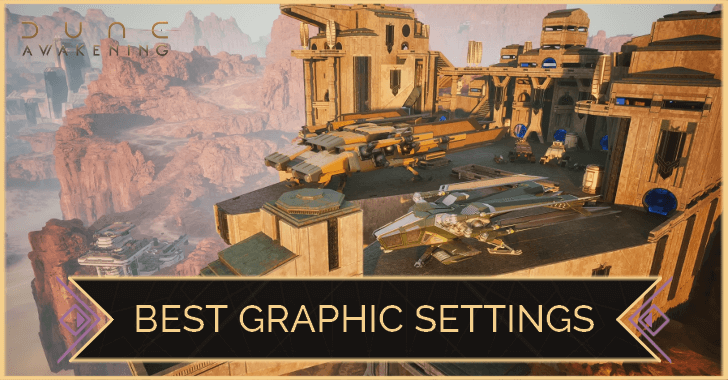
Here are the best and recommended graphic settings for great visuals or performance to play Dune: Awakening. Learn how to change your settings and the best settings for graphics and performance!
Best Settings
Best Settings for Graphics
Display Options
| Option | Setting |
|---|---|
| Window Mode | Fullscreen |
| Resolution | 1920x1080 |
| Resolution Scale | 100% |
| Override Upscaling Preset | Off |
| Frame Rate Cap | Unrestricted |
| Vertical Sync | On |
Post-Processing and Ray Tracing Options
| Option | Setting |
|---|---|
| Field of View | On |
| Motion Blur | Off |
| Ray Tracing | On |
| Upscaling Method | DLSS (For Nvidia RTX GPUs) TSR or FSR (For other GPUs) |
| Frame Generation Method | DLSS (Only available for RTX 40 and RTX 50 Series GPUs) FSR (AMD RX 5700 and above) |
Advanced Options
| Preset | High or Ultra |
|---|
Best Settings for Performance
Display Options
| Option | Setting |
|---|---|
| Window Mode | Fullscreen |
| Resolution | 1920x1080 (or native) |
| Resolution Scale | 100% |
| Override Upscaling Preset | On |
| Frame Rate Cap | 60 |
| Vertical Sync | Off |
Post-Processing and Ray Tracing Options
| Option | Setting |
|---|---|
| Field of View | Off |
| Motion Blur | Off |
| Ray Tracing | Off |
| Upscaling Method | DLSS (For Nvidia RTX GPUs) TSR or FSR (For other GPUs) |
| Frame Generation Method | DLSS (Only available for RTX 40 and RTX 50 Series GPUs) FSR (AMD RX 5700 and above) |
Advanced Options
| Preset | High or Ultra |
|---|
PC System Requirements
Recommended System Requirements
| Specs | Recommended |
|---|---|
| CPU |
・i7-10700K ・AMD Ryzen 5 2600X |
| GPU |
・NVIDIA GeForce RTX 3070 (8 GB) ・AMD Radeon 6700XT (12 GB) |
| Storage | ・75 GB SSD |
Tips to Increase Performance
Increase System Memory (RAM) or Virtual Memory
Increasing the RAM available for your device to use, can vastly improve your experience in the game.
Dune: Awakening requires at least 16 GB to allocate enough resources to its assets correctly, and having enough virtual memory will result in smoother gameplay.
Install the Game on an SSD
Installing Dune: Awakening on an SSD is recommended to ensure a quick boot up and swift loading screens.
Configure to Your GPU's Frame Gen Tech
NVIDIA and AMD both have two similar technologies, DLSS and FSR, respectively, that many games use to increase FPS while decreasing the load on the GPU by using AI technology
Ensuring that the Frame Generation is set to your corresponding GPU can increase your FPS significantly and reduce the workload placed on your GPU!
DLSS Frame Generation Only Available for RTX 40 and 50 Series GPUs
While DLSS boasts some incredible features, this technology is only available to RTX 40 Series and above.
FSR Available on Most GPUs
Since FSR does not use Machine Learning hardware, its capabilities are available on more GPUs. However, it will only use its upscaling method, not frame generation technology.
Dune: Awakening Related Guides

Best Guides for Beginners
 Best Class Tier List
 Best Base Locations
 Best Items to Craft Early
 Best Skills to Unlock
 Best Uniques to Craft
 Beginner's Guide
 How to Import Character
 Which Homeworld?
 How to Play with Friends
 How to Fast Travel
 How to Move Your Base
 Water Farming Guide
 Spice Farming Guide
 List of Controls
 Trophy Guide
 Best Graphic Settings
 Roadmap and DLCs
 How to Save
 Death Penalty: What Happens When You Die?
 How Do Coriolis Storms Work?
 What is the Max Level?
 How to Repair Items
 How to Pay Taxes
 How to Hide Your Helmet
 How to Delete a Character
 Salvage Guide: What to Do with Old Gear
 How to Increase Inventory Slots
 How to Unlock Skill Slot
 XP Farming Guide: How to Level Up Fast
 Solari (Money) Farming Guide
 How to Escape Quicksand
 Should You Lock or Unlock Research?
 Research Intel Farming Guide
 All Trainer Locations
 How to Activate Shield
 How to Unstuck Character
 How to Respec Skills
 How to Avoid Fall Damage
 What Does Radiation Do?
 Discord Launch Quest
 How to Emote
 Storage Circuits Guide
 Generator Not Working Fix
 Best Weapons to Equip
 Best Armor Type
Server Guides
 Server Status Server Status |
 Can You Change Servers? Can You Change Servers? |
 Private Server Guide Private Server Guide |
Core Game Mechanics
 Combat Guide and Tips Combat Guide and Tips |
 Base Building Guide Base Building Guide |
 Crafting Guide Crafting Guide |
 Difficulty Guide Difficulty Guide |
 PVP Guide PVP Guide |
 PvE Content Guide PvE Content Guide |
 Landsraad Guide Landsraad Guide |
 Hydration Guide Hydration Guide |
 Respawn Timers Respawn Timers |
 Upcoming Changes Upcoming Changes |
- | - |
Message Boards
 Character Creation Sharing Board Character Creation Sharing Board |
 Steam Friend Code Board Steam Friend Code Board |
 Guild Recruitment Board Guild Recruitment Board |
 Base Design Sharing Board Base Design Sharing Board |
- | - |
Contests
 First Building Contest First Building Contest |
- | - |
| - | - | - |
Comment



Author
Best Graphic Settings

Rankings
- We could not find the message board you were looking for.
Gaming News





Popular Games

Genshin Impact Walkthrough & Guides Wiki
Umamusume: Pretty Derby Walkthrough & Guides Wiki
Crimson Desert Walkthrough & Guides Wiki
Monster Hunter Stories 3: Twisted Reflection Walkthrough & Guides Wiki
Honkai: Star Rail Walkthrough & Guides Wiki
Pokemon Pokopia Walkthrough & Guides Wiki
The Seven Deadly Sins: Origin Walkthrough & Guides Wiki
Wuthering Waves Walkthrough & Guides Wiki
Zenless Zone Zero Walkthrough & Guides Wiki
Arknights: Endfield Walkthrough & Guides Wiki










Recommended Games
Fire Emblem Heroes (FEH) Walkthrough & Guides Wiki
Diablo 4: Vessel of Hatred Walkthrough & Guides Wiki
Cyberpunk 2077: Ultimate Edition Walkthrough & Guides Wiki
Yu-Gi-Oh! Master Duel Walkthrough & Guides Wiki
Super Smash Bros. Ultimate Walkthrough & Guides Wiki
Pokemon Brilliant Diamond and Shining Pearl (BDSP) Walkthrough & Guides Wiki
Elden Ring Shadow of the Erdtree Walkthrough & Guides Wiki
Monster Hunter World Walkthrough & Guides Wiki
The Legend of Zelda: Tears of the Kingdom Walkthrough & Guides Wiki
Persona 3 Reload Walkthrough & Guides Wiki










All rights reserved
© 2025 Funcom. All Rights Reserved.
The copyrights of videos of games used in our content and other intellectual property rights belong to the provider of the game.
The contents we provide on this site were created personally by members of the Game8 editorial department.
We refuse the right to reuse or repost content taken without our permission such as data or images to other sites.