
How to Change Outfits and Costumes
☆ 100% Walkthrough Guide
★ Best Vocations | Best Party | Best Characters
☆ Find all Mini Medals and Tablet Fragments!
★ Farm Guides: EXP | Gold | Vocation Prof.
☆ List of Missables and Cut Content
★ Post-Game Guide
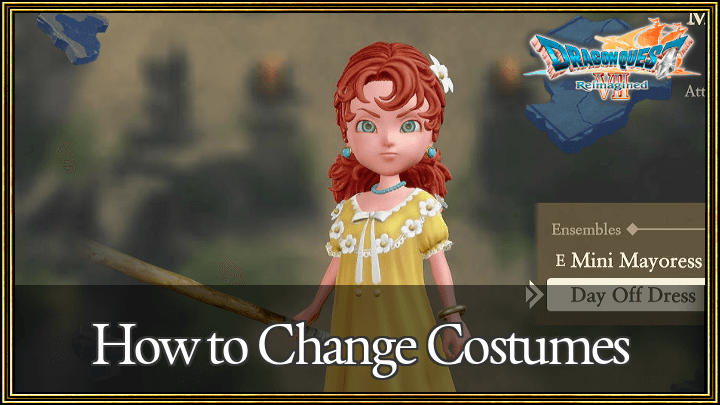
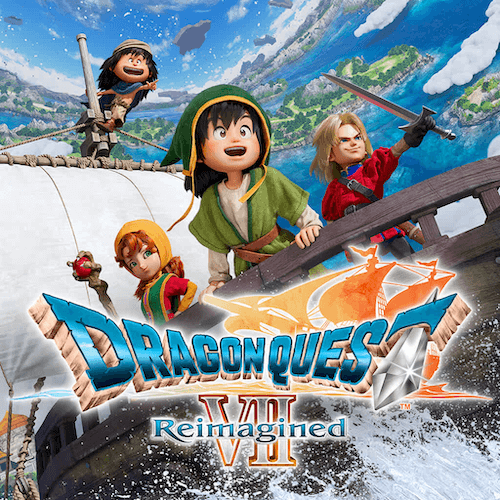
Use the Party menu to change a character's appearance and costumes Dragon Quest 7 Reimagined (DQ7). Read on instructions on how to change your characters' costumes, as well as a list of costumes and how to get them!
List of Costumes
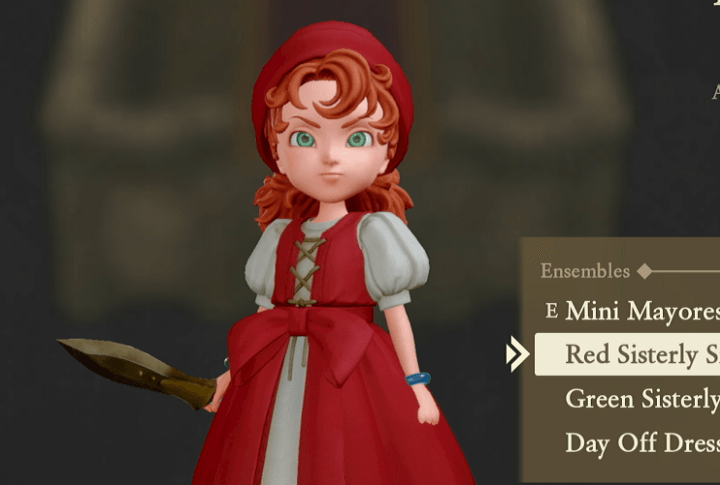
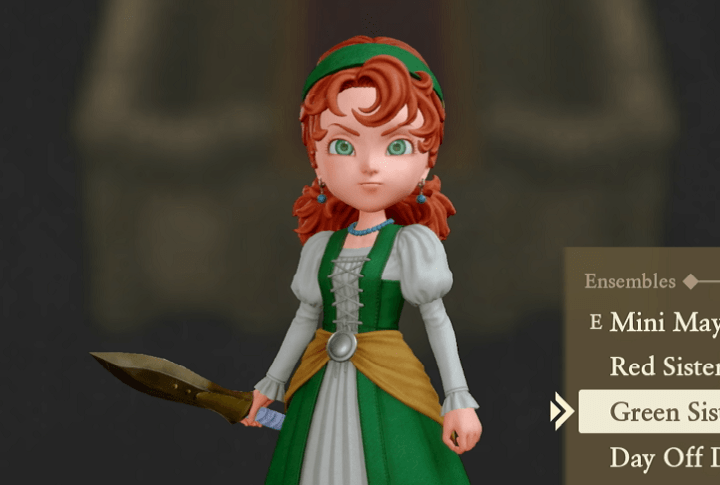
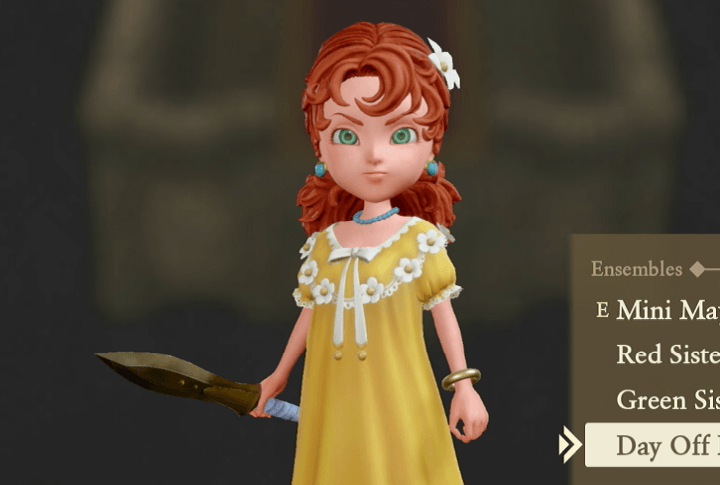
Day Off Dress
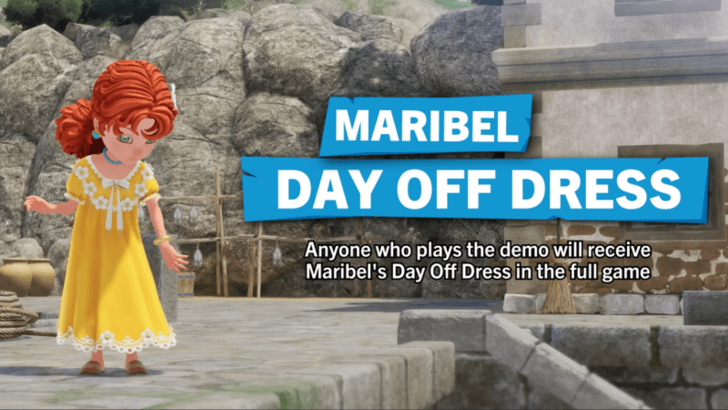
Maribel's Day Off Dress is unlocked by completing the Dragon Quest 7 Reimagined Demo.
Demo Guide: Demo Length and Features
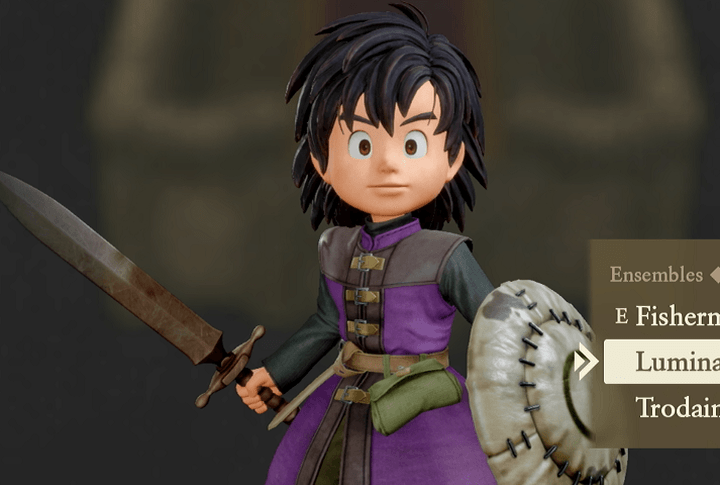
Luminary's Livery Set
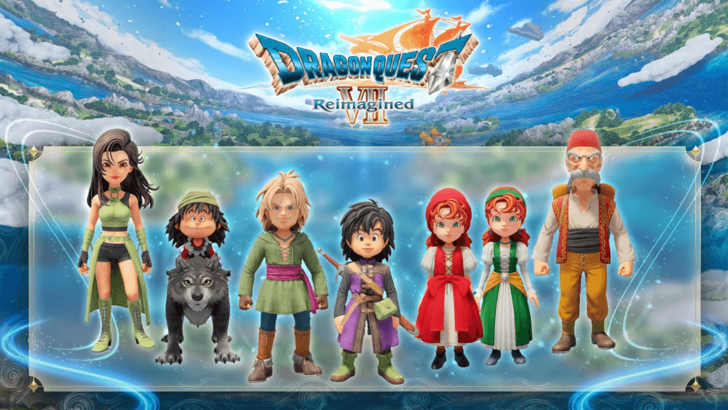
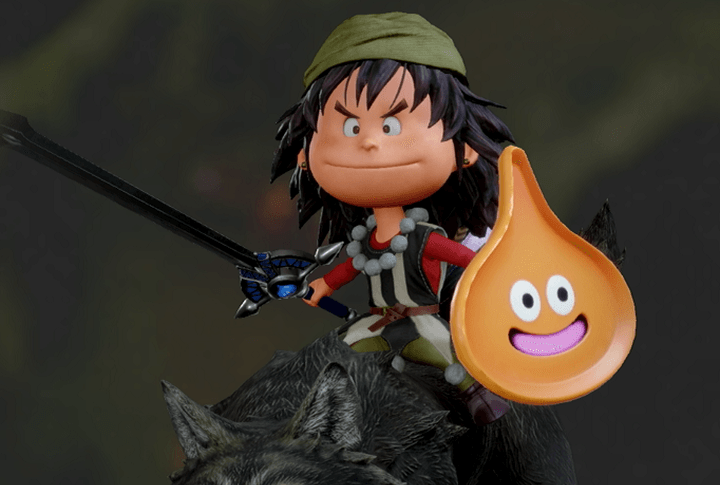
- Luminary's Livery - Hero
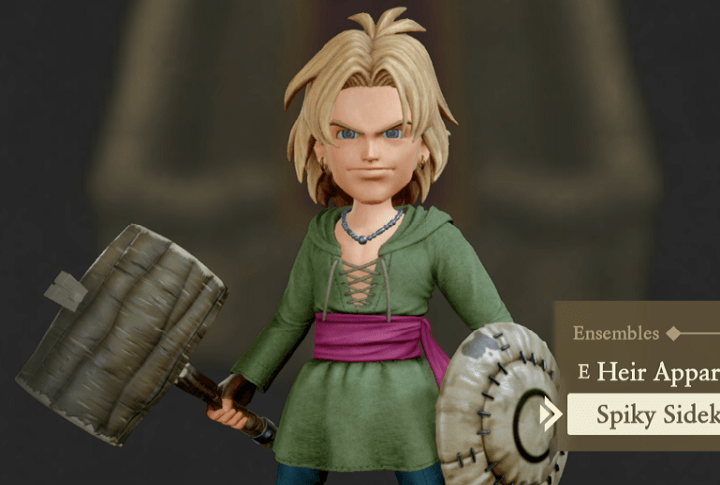
- Spiky Sidekick's Costume - Kiefer
- Red Sisterly Smock - Maribel
- Green Sisterly Smock - Maribel
- Fully Fabulous Finery - Ruff
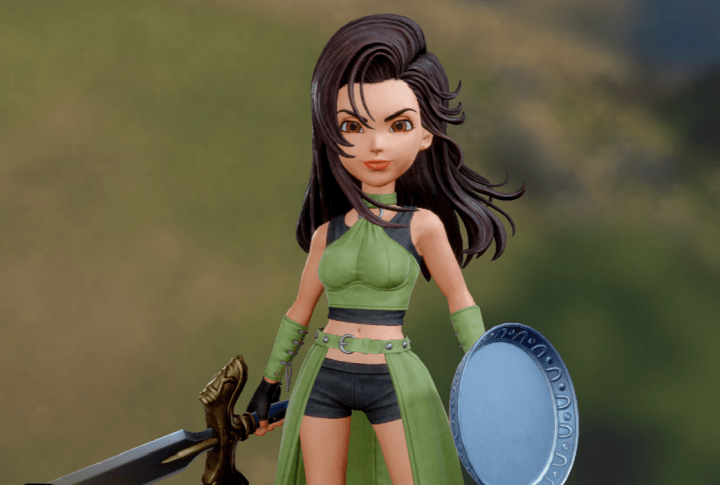
- Warrior Princess Wardrobe - Aishe
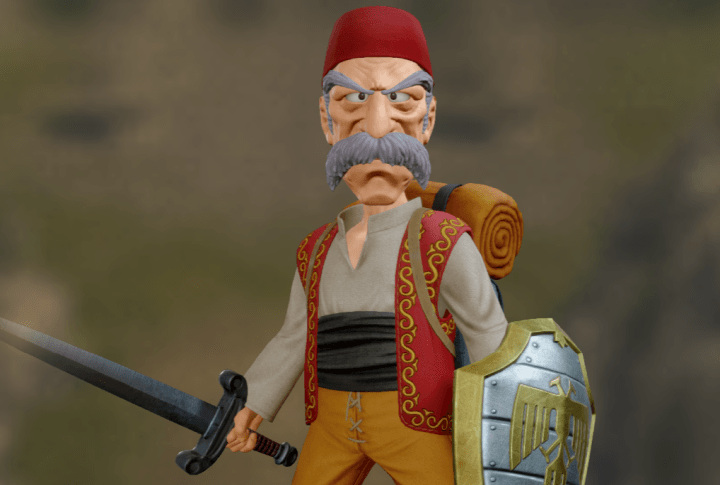
- Auld Rogue's Outfit - Sir Mervyn
The Luminary's Livery Set is a paid DLC pack that unlocks a set of costumes based on characters from Dragon Quest 11: Echoes of an Elusive Age.
The pack is sold separately, but is also included in the Digital Deluxe Edition of the game.
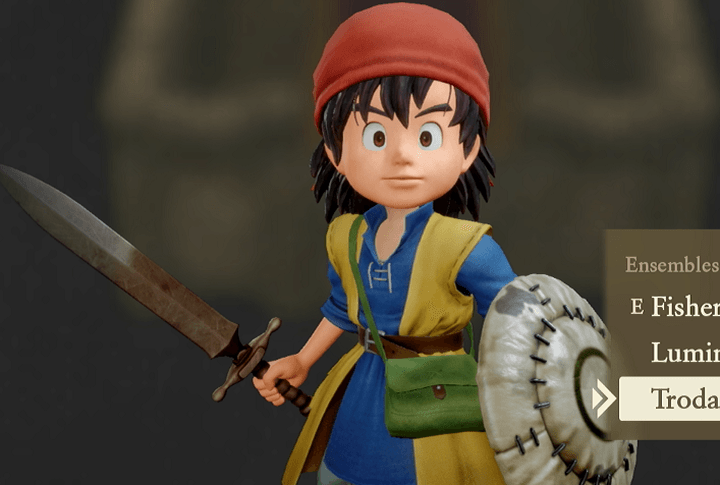
Trodain Togs
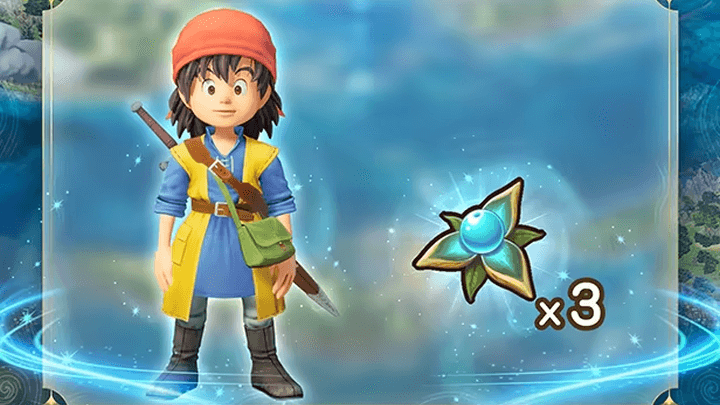
The Trodain Togs set for the Hero recalls the costume worn by the Hero of Dragon Quest 8: Journey of the Cursed King. It is unlocked as a Pre-Order Bonus for Dragon Quest 7 Reimagined, but is also included in the Digital Deluxe Edition.
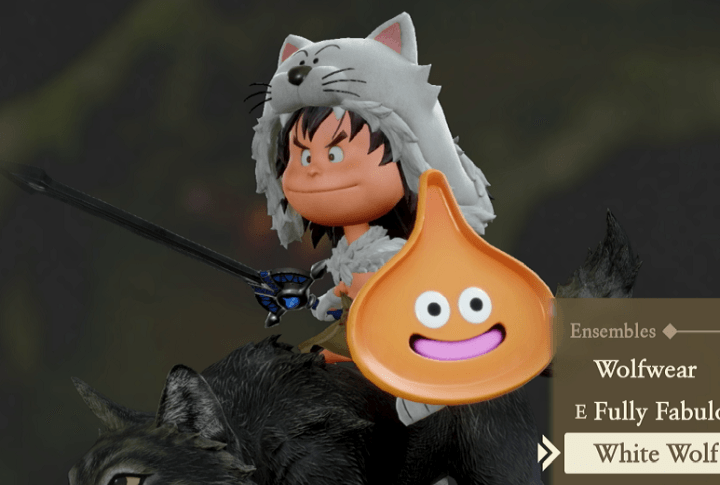
White Wolf
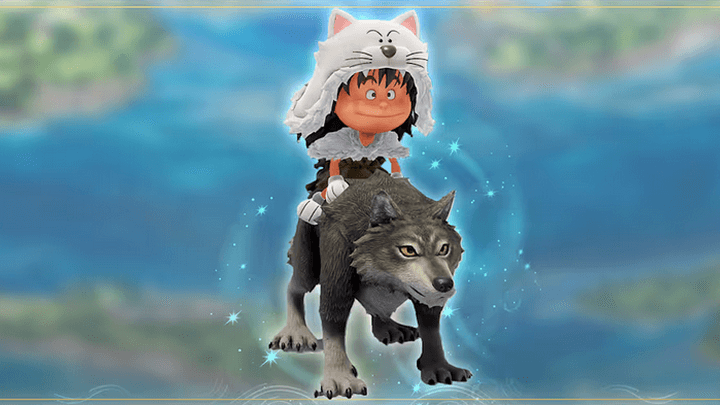
The wintry White Wolf costume for Ruff is exclusive to the Digital Deluxe edition of Dragon Quest 7 Reimagined.
How to Get Costumes
Demo Unlock
Completing the Dragon Quest 7 Reimagined demo unlocks Maribel’s Day Off Dress, which carries over to the full game when using the same account.
Pre-Order Bonus
Pre-ordering the game unlocks the Trodain Togs costume for the Hero, with no extra in-game requirements needed.
DLC Unlock
Additional costumes are available through DLC. The Luminary’s Livery Set can be purchased separately or obtained via the Digital Deluxe Edition, while Ruff’s White Wolf costume is exclusive to the Digital Deluxe Edition.
New costumes in Dragon Quest 7 Reimagined are mainly unlocked via DLC, and claimable via the Special Items tab in the options screen.
How to Change Costumes
Use the Party Menu
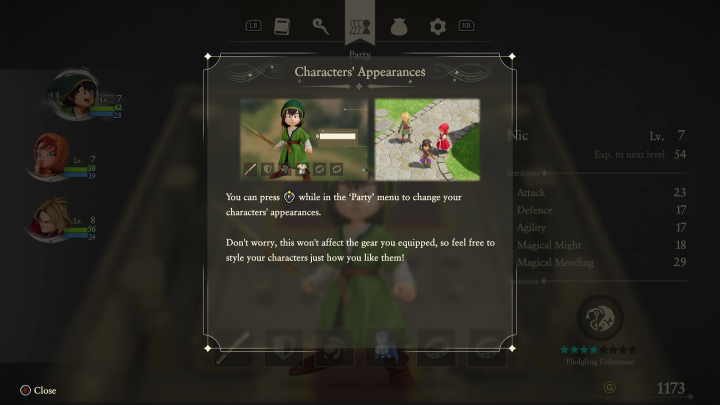
After unlocking a costume, you can change the costumes worn by your party members from the Party Menu by pressing Right Stick on consoles or its equivalent key on PC keyboard (default: C).
This will bring up the Ensembles sub-menu, where you can switch between any unlocked costumes for your characters. These costumes will appear in battle, exploration, and in-engine cutscenes.
Ensembles Are Cosmetic Only
Don't worry about costume choices affecting your party in combat: Any earned Ensembles are purely cosmetic and only change a character's appearance.
To change a character's combat performance, upgrade their equipment and level!
Dragon Quest 7 Reimagined (DQ7) Related Guides

Tips and Tricks: Beginner's Guide to DQ7
All Tips and Tricks Guides
Comment



Author
How to Change Outfits and Costumes

Rankings
- We could not find the message board you were looking for.
Gaming News

![Death Stranding 2: On The Beach [PC] Review | A Port That Delivers](https://img.game8.co/4447392/15310a0c9aa1b6843bb713b2ea216930.jpeg/show)



Popular Games

Genshin Impact Walkthrough & Guides Wiki
Umamusume: Pretty Derby Walkthrough & Guides Wiki
Crimson Desert Walkthrough & Guides Wiki
Monster Hunter Stories 3: Twisted Reflection Walkthrough & Guides Wiki
Honkai: Star Rail Walkthrough & Guides Wiki
Pokemon Pokopia Walkthrough & Guides Wiki
The Seven Deadly Sins: Origin Walkthrough & Guides Wiki
Wuthering Waves Walkthrough & Guides Wiki
Zenless Zone Zero Walkthrough & Guides Wiki
Arknights: Endfield Walkthrough & Guides Wiki










Recommended Games
Fire Emblem Heroes (FEH) Walkthrough & Guides Wiki
Diablo 4: Vessel of Hatred Walkthrough & Guides Wiki
Cyberpunk 2077: Ultimate Edition Walkthrough & Guides Wiki
Yu-Gi-Oh! Master Duel Walkthrough & Guides Wiki
Super Smash Bros. Ultimate Walkthrough & Guides Wiki
Pokemon Brilliant Diamond and Shining Pearl (BDSP) Walkthrough & Guides Wiki
Elden Ring Shadow of the Erdtree Walkthrough & Guides Wiki
Monster Hunter World Walkthrough & Guides Wiki
The Legend of Zelda: Tears of the Kingdom Walkthrough & Guides Wiki
Persona 3 Reload Walkthrough & Guides Wiki










All rights reserved
© ARMOR PROJECT/BIRD STUDIO/SQUARE ENIX
© SUGIYAMA KOBO ℗ SUGIYAMA KOBO
The copyrights of videos of games used in our content and other intellectual property rights belong to the provider of the game.
The contents we provide on this site were created personally by members of the Game8 editorial department.
We refuse the right to reuse or repost content taken without our permission such as data or images to other sites.