
 Walkthrough
 Missions
 Tips and Tricks
 Characters
 Classes
 Arts
Arts Skills
 Bosses
 Enemies
 Weapons
 Augments
 Armor
Armor Skells
 Skell Armor
 Skell Weapons
 Maps
Maps Fashion Gear
 Builds
 FN Sites
 Heart to Heart
 Collectopedia
 News and Updates
 List of All Achievements
 Soul Voices Guide
 Best Division to Join
 Online Multiplayer Guide
 Private Squad Message Board
 Best Arts
 List of Buffs, Debuffs, and Statuses
 Best Skills
 All Lobster Locations
 Best Classes Tier List
 Best Characters Tier List and Party Members
 Best Skells Tier List
 Best Weapons Tier List


This survey will take about 1 minute.
Your answers will help us to improve our website.
Xenoblade Chronicles X: Definitive Edition
World Map and All Locations
★ Missions: Normal | Basic | Affinity
☆ Tier List: Characters, Classes, Skells
★ Best Divisions | How to Change Divisions
☆ Character Customization and Fashion Gear
★ 104 FN Site Locations | 99 Lobster Locations
☆ All Heart to Heart Locations
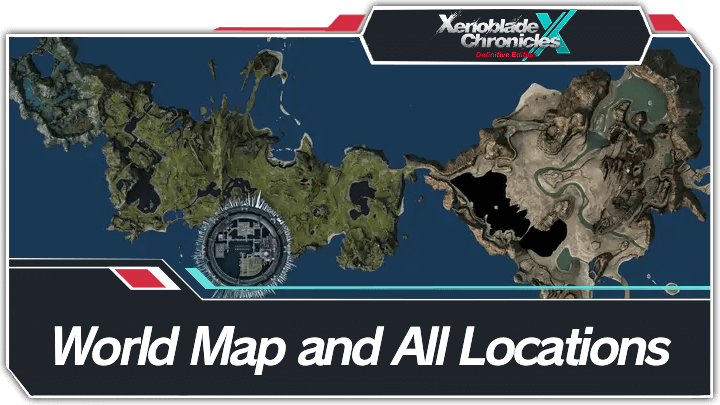
Explore Mira, the world of Xenoblade Chronicles X, with our maps guide. Read on to view the complete map of Mira, see the list of maps for every region, and learn what you can get by exploring this rich world!
Mira Interactive World Map
The Interactive Map both shows the location of key points on the map, and doubles as a collectible checker.
- Click an icon on the right side to show all the pins of a specific type, or click the magnifying glass button to search for a specific pin by name.
- Click a pin on the map to see its name and description, and a relevant picture or video if available.
- From here, click Mark as Acquired to indicate that you've gotten a collectible already. This will change its icon on the map to show that it has been collected, and add 1 to that pin type's Counter.
- To undo this, click on the same pin and click Restore to unclaimed.
- To check how many pins you have marked so far, check the Counter in the bottom left, and click the icon that looks like a checklist to see counters for all pin types.
- If the collected pins start to get in the way, you can hide them all by clicking the green Show Pins button on the left side.
| Icon | How to Use |
|---|---|
 | Show Names This button reveals the Name of every icon currently shown. |
 | Show Pins This button will toggle between showing and hiding all the pins which you have already marked as acquired. |
 | Fullscreen This button will change the map display to fill the screen. |
 | Search Mode Toggle This button will display a searchbar which you can use to search for an individual pin by its name. |
 | Icon Mode Toggle In Search Mode, this button will toggle you back to Icon Mode, removing the search bar and displaying the icons again. |
 | All Pins This button is shown along with the Icons on the right when there are over 6 types of pins. Click it for a full selection of all available pin types. |
 | Counter Tracks the number of pins you have of a certain type. The pin type shown is set to the page and currently cannot be changed; however, all pin type counters can be viewed by clicking the checklist icon on the right side. |
 | View All Counters This icon is found on the right side of the Counter. When a map has more than one pin type, click this icon to see Counters for all pin types. |
 | Zoom In / Zoom Out This icon is found on the top left side of the map. You can press these buttons, or use your scroll wheel while hovering, to Zoom In and Out of the interactive map. |
Mira, the main world where the game is set, consists of five distinct continents surrounded by an ocean. The White Whale, carrying New Los Angeles, crashes onto the surface of Mira after being attacked by the Ghosts.
New Los Angeles is located in the middle of Primordia which is connected to Noctilum and Oblivia. Cauldros and Sylvalum can be found north of Primordia. The seas can be traversed on foot or by Skell.
List of All Map Locations
| Regions in Mira | ||
|---|---|---|
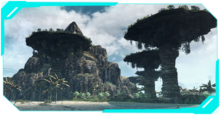 Primordia Primordia |
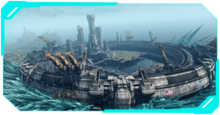 New Los Angeles New Los Angeles |
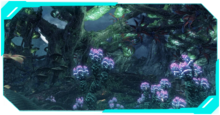 Noctilum Noctilum |
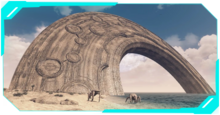 Oblivia Oblivia |
 Sylvalum Sylvalum |
 Cauldros Cauldros |
Primordia
Region Map
FN Sites
| Primordia Full Map |
|---|
 ▶ Click Here to See the Full Image |
| All Primordia FN Site Locations |
|---|
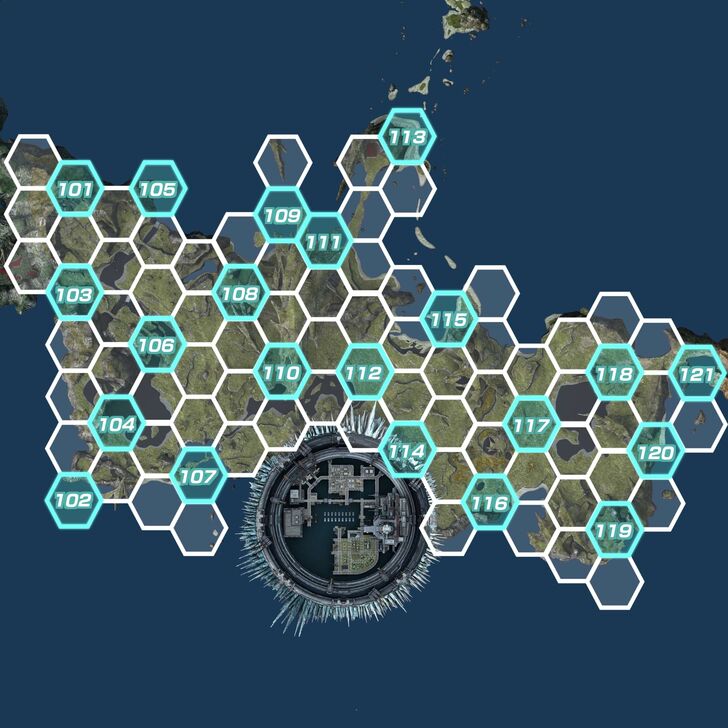 ▶ Click Here to See the Full Image |
Primordia is the first continent you visit. This is where the main character, Cross, awakens after New Los Angeles crashes. This region features grassy plains, big bodies of water, and multiple rock formations.
New Los Angeles
| New Los Angeles Full Map |
|---|
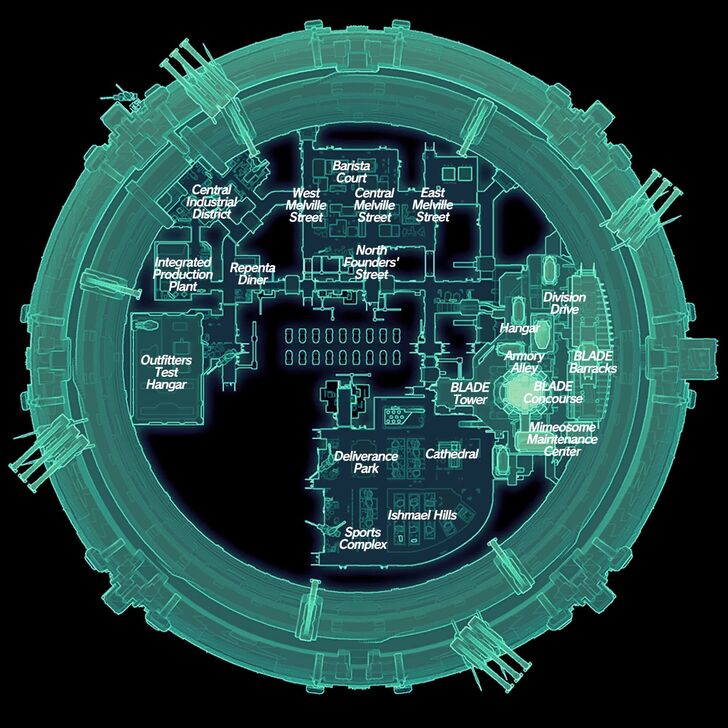 ▶ Click Here to See the Full Image |
New Los Angeles is what's left of the White Whale after crash landing. It is comprised of four districts and is the primary city where the humans live in Mira.
New Los Angeles (NLA) Map Guide
Noctilum
Region Map
FN Sites
| Noctilum Full Map |
|---|
 ▶ Click Here to See the Full Image |
| All Noctilum FN Site Locations |
|---|
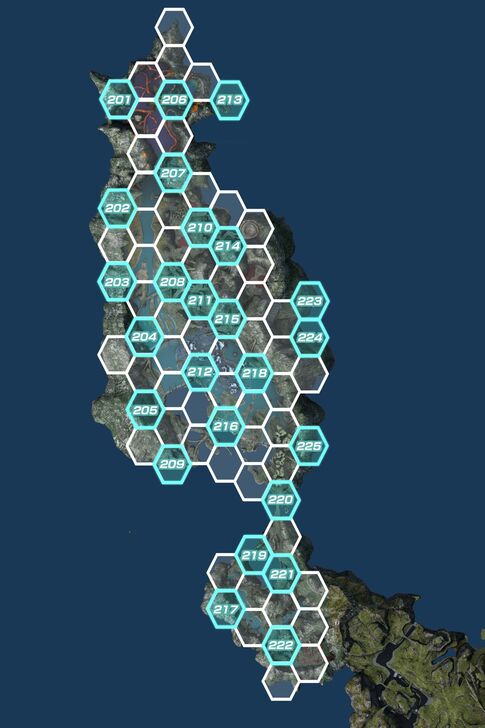 ▶ Click Here to See the Full Image |
Noctilum is known for having multiple forests and as a murky swampland. It is surrounded by mountains which separate it from the nearby oceans.
Oblivia
Region Map
FN Sites
| Oblivia Full Map |
|---|
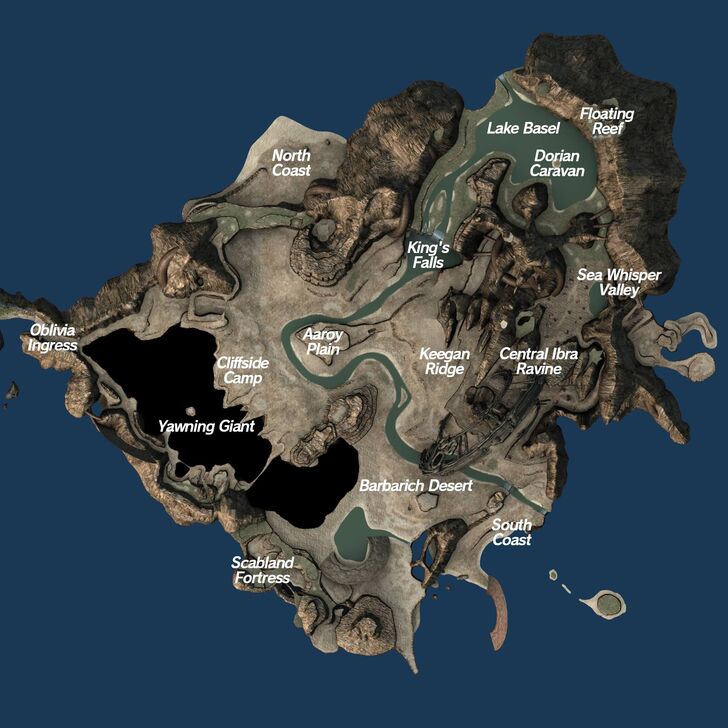 ▶ Click Here to See the Full Image |
| All Oblivia FN Site Locations |
|---|
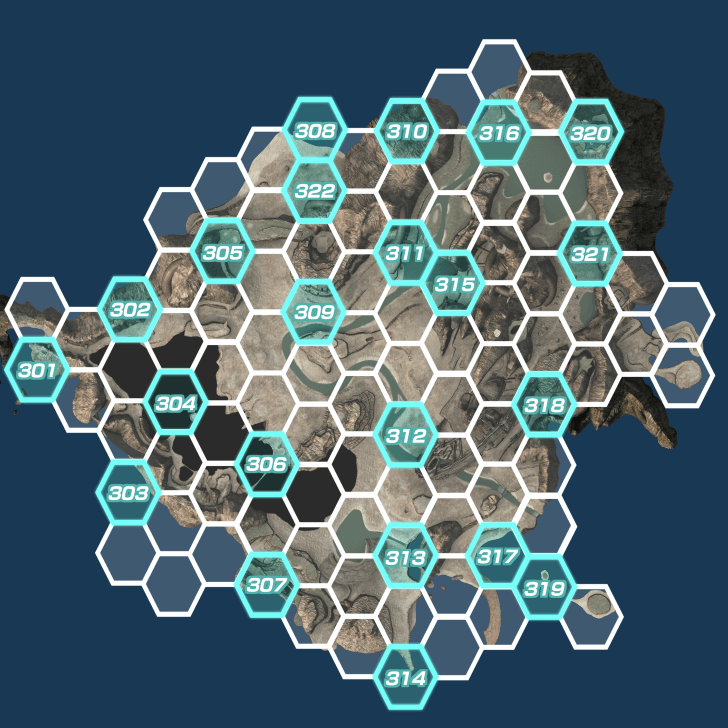 ▶ Click Here to See the Full Image |
Known as the Sandy Bum Canyon to the Nopon, Oblivia is the desert region. This region also features multiple gigantic water pipes and structures left over from those who used to live in Mira.
Sylvalum
Region Map
FN Sites
| Sylvalum Full Map |
|---|
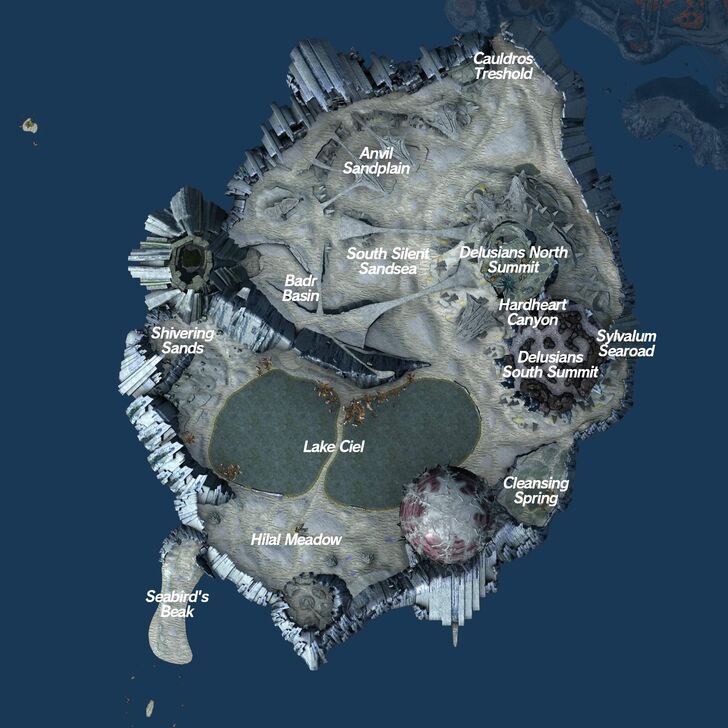 ▶ Click Here to See the Full Image |
| All Sylvalum FN Site Locations |
|---|
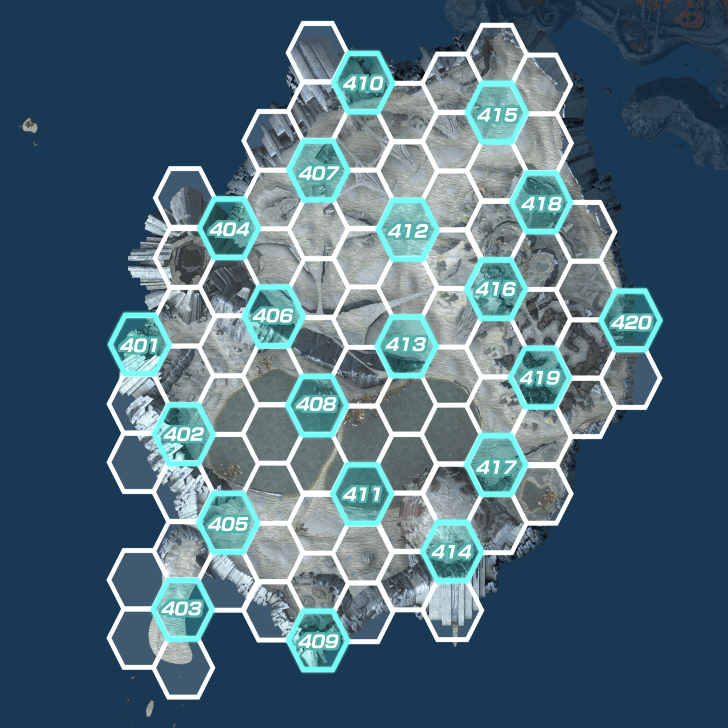 ▶ Click Here to See the Full Image |
Sylvalum is mostly known for the Noctilucent Sphere, which is filled with vicious monsters and glows at night. The regions features sandy terrain and strange spherical trees.
Cauldros
Region Map
FN Sites
| Cauldros Full Map |
|---|
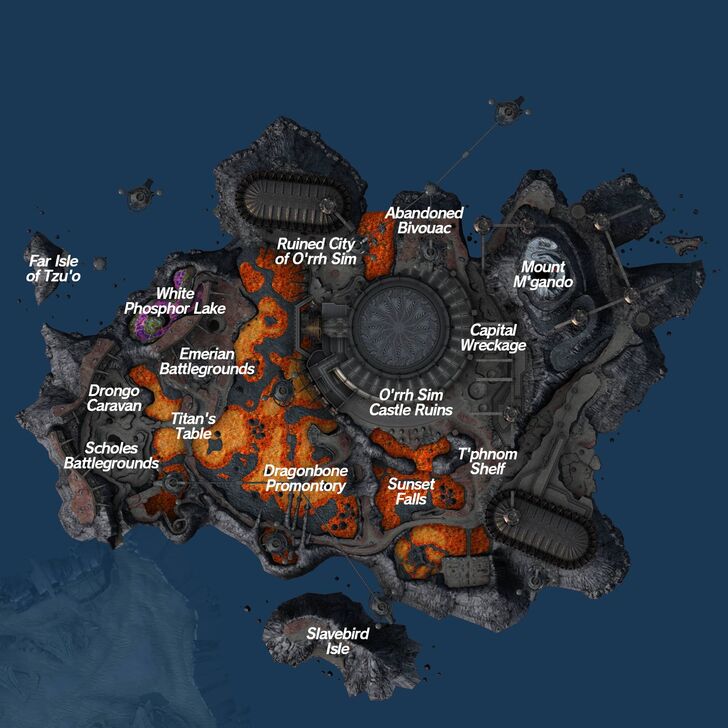 ▶ Click Here to See the Full Image |
| All Cauldros FN Site Locations |
|---|
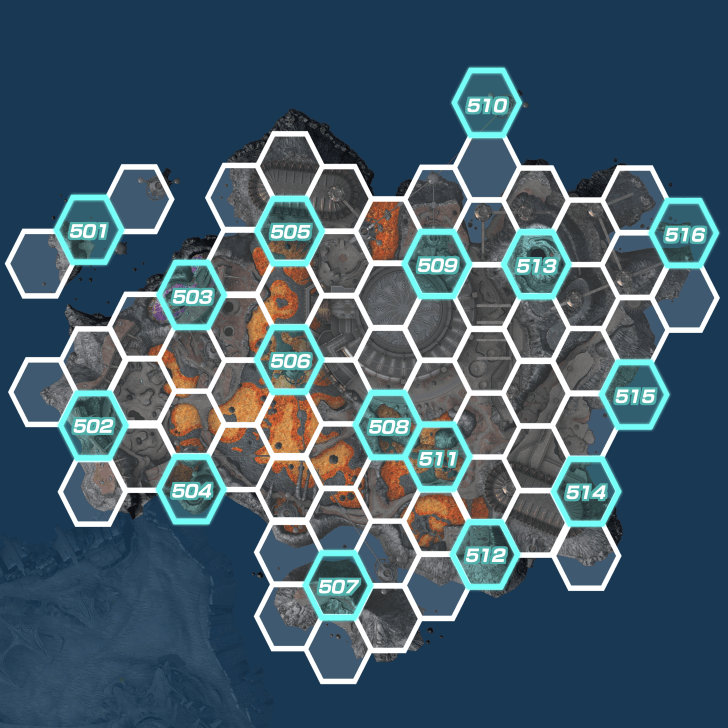 ▶ Click Here to See the Full Image |
Known as the Ouchy Hot Lava Land to the Nopon, Cauldros is the volcano region. This region is known for its hostile terrain and is where the Ganglion Headquarters is located at.
Map Exploration
Earn Achievements By Exploring Mira
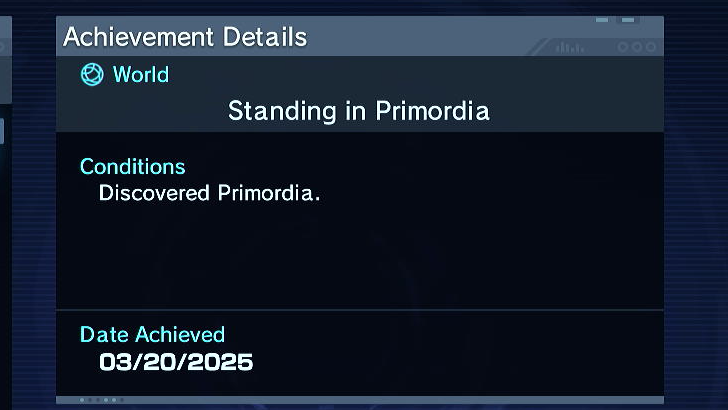
You can earn achievements by exploring the world of Mira! Try to fill up and complete your map by installing Data Probes, defeating Tyrants, or completing missions around the map.
List of All Achievements and Rewards
Installing Data Probes at FN Sites
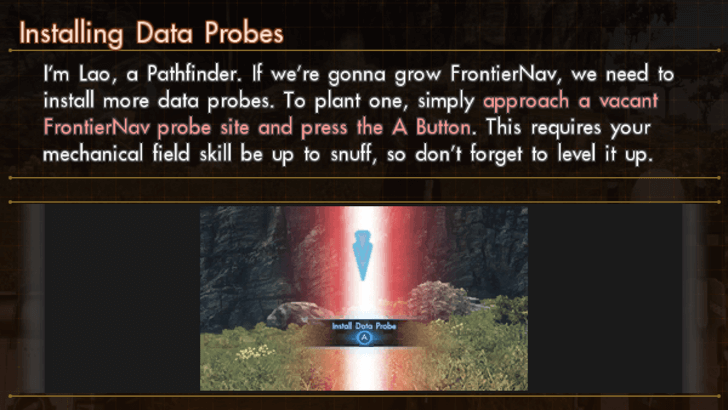
Data Probes are research devices that retrieve data in the surrounding area. Installing certain Data Probes in FrontierNav Sites can help you earn minerals and Precious Resources.
Find Unexplored Territories
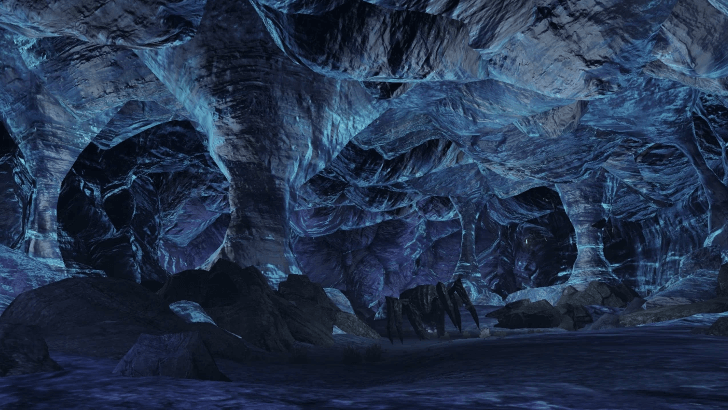
Unexplored Territories are special Sightseeing Spots can generate more Credits revenue when used with a Research Probe.
Xenoblade Chronicles X: Definitive Edition Related Guides
Xenoblade Chronicles X: Definitive Edition Wiki
Guides by Category
Recommended Guides
Comment
Author
Xenoblade Chronicles X: Definitive Edition Walkthrough & Guides Wiki
World Map and All Locations

Please participate in our site
improvement survey
03/2026
improvement survey
03/2026
Would you assist in
improving Game8's site?
improving Game8's site?

×
We are listening to our users' valuable opinions and discussing how to act on them.
The information collected through this survey will be used for the purpose of improving our services. In addition, the information will only be disclosed a part of a statistic in a format that will not allow identification of personal information.
Begin Survey
Not Now
×
Please rate each item regarding Game8.co's Advertisements.
Amount of Ads
Very Dissatisfied
Somewhat Dissatisfied
Fine
Somewhat Satisfied
Highly Satisfied
Placement of Ads
Timing of Ad Display
Ad Loading Speed
Safeness of Ads
Content of Ads
×
Please rate each item regarding Game8.co's Quality of Articles.
Amount of information
Very Dissatisfied
Somewhat Dissatisfied
Fine
Somewhat Satisfied
Highly Satisfied
Frequency of updates
Speed of new information
Accuracy of articles
Understandibility of articles
Readability of sentences
×
Please rate each item regarding Game8.co's Usability of the Site.
Ease of finding information
Very Dissatisfied
Somewhat Dissatisfied
Fine
Somewhat Satisfied
Highly Satisfied
Loading Speed
Use of Color
Font Size
Visibility of Images
Easy to Understand Layout
×
Please rate each item regarding Game8.co's Message Boards, Comments.
Ease of Writing
Very Dissatisfied
Somewhat Dissatisfied
Fine
Somewhat Satisfied
Highly Satisfied
Readability
Ease in Finding Information
Comment Quality
Comment Quantity
Admin Response
×
Please rate each item regarding Game8.co's Site's new design.
Please rate our site's new design
Very Dissatisfied
Somewhat Dissatisfied
Fine
Somewhat Satisfied
Highly Satisfied
Do you think that the website's design change makes the site easier to use?
Has the new design made it easier for you to find information on the site?
Has the new design improved the overall visual appeal of the site?
How would you rate your overall satisfaction with the new design of the site?
×
How likely are you to recommend Game8 to someone you know?
Very Unlikely
0
1
2
3
4
5
6
7
8
9
10
Very Likely
If you have other opinions regarding potential improvement to the website, please share them with us. We would appreciate your honest opinion.
Note: This is a free response section, so you can proceed without entering anything.
Note: Please be sure not to enter any kind of personal information into your response.
Note: Please be sure not to enter any kind of personal information into your response.
×
Thank You
×
Thank you for participating in our survey! Your answers will help us to improve the quality of our website and services.
We hope you continue to make use of Game8.
We hope you continue to make use of Game8.
Close
Rankings
- We could not find the message board you were looking for.
Gaming News




![Monster Hunter Stories 3 Review [First Impressions] | Simply Rejuvenating](https://img.game8.co/4438641/2a31b7702bd70e78ec8efd24661dacda.jpeg/thumb)
Popular Games

Genshin Impact Walkthrough & Guides Wiki
Honkai: Star Rail Walkthrough & Guides Wiki
Umamusume: Pretty Derby Walkthrough & Guides Wiki
Pokemon Pokopia Walkthrough & Guides Wiki
Resident Evil Requiem (RE9) Walkthrough & Guides Wiki
Monster Hunter Wilds Walkthrough & Guides Wiki
Wuthering Waves Walkthrough & Guides Wiki
Arknights: Endfield Walkthrough & Guides Wiki
Pokemon FireRed and LeafGreen (FRLG) Walkthrough & Guides Wiki
Pokemon TCG Pocket (PTCGP) Strategies & Guides Wiki










Recommended Games
Diablo 4: Vessel of Hatred Walkthrough & Guides Wiki
Cyberpunk 2077: Ultimate Edition Walkthrough & Guides Wiki
Fire Emblem Heroes (FEH) Walkthrough & Guides Wiki
Yu-Gi-Oh! Master Duel Walkthrough & Guides Wiki
Super Smash Bros. Ultimate Walkthrough & Guides Wiki
Pokemon Brilliant Diamond and Shining Pearl (BDSP) Walkthrough & Guides Wiki
Elden Ring Shadow of the Erdtree Walkthrough & Guides Wiki
Monster Hunter World Walkthrough & Guides Wiki
The Legend of Zelda: Tears of the Kingdom Walkthrough & Guides Wiki
Persona 3 Reload Walkthrough & Guides Wiki










All rights reserved
© Nintendo / MONOLITHSOFT. Xenoblade Chronicles and Nintendo Switch are trademarks of Nintendo.
The copyrights of videos of games used in our content and other intellectual property rights belong to the provider of the game.
The contents we provide on this site were created personally by members of the Game8 editorial department.
We refuse the right to reuse or repost content taken without our permission such as data or images to other sites.