




This survey will take about 1 minute.
Your answers will help us to improve our website.
inZOI
How to Fix Out of Video Memory Error
★ Latest: April 15 (Ver. 0.1.5) Update | Roadmap
☆ Share Zois and Builds in our Canvas Sharing Board!
★ Start Here: Beginner's Guide | Build Mode | Controls
┗ Money Cheat | Best Cities to Live In | Best Jobs
★ Careers, Skills, Traits, Desired Lives, Ambitions
☆ All Cities: Dowon & Bliss Bay
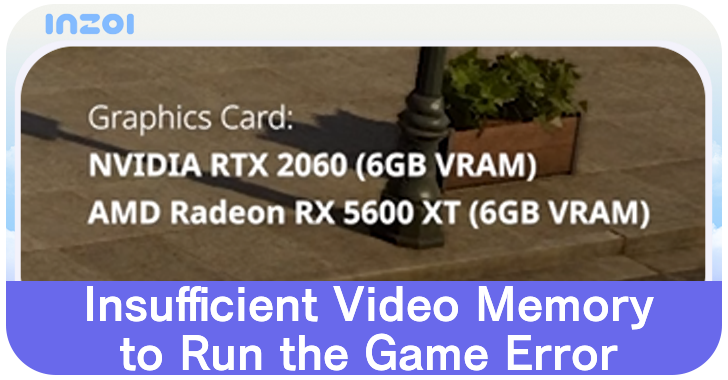
The Insufficient Video Memory to Run the Game and Out of Memory Errors occur when attempting to play inZOI at below minimum specs. See why the error occurs and how to fix it in here!
List of Contents
How to Fix Out of Video Memory Error
- Lower Graphics Settings
- Close Programs and Other Background Applications
- Disable Steam, GeForce Experience, and Discord Overlays
- Update BIOS of Your Computer
- Update Your Video Card Driver
- Upgrade GPU
Lower Graphics Settings
inZOI requires high system requirements and lowering them in the Options menu can help reduce the amount of video memory needed to run the game. In particular, choose the Low or Very Low preset and see if the error still occurs even at these settings.
Best Settings for Graphics and Performance
Close Programs and Other Background Applications
Before playing inZOI, make sure to close any programs and other background applications as some of these use video memory to run. Open Task Manager and click the GPU column to see which programs use video memory the most.
In particular, it is recommended to close programs that use hardware acceleration such as Firefox, Chrome, Photoshop, Discord, OBS Studio, among others.
Hardware acceleration uses video memory to improve the performance of these programs, which means they are not being allocated to inZOI if you have them open at the same time.
Disable Steam, GeForce Experience, and Discord Overlays
Game overlays such as the ones used by Steam, Discord, and GeForce Experience may cause unneccessary load in your video memory, causing instability and crashes. Disabling these may help free up video memory that can be used to run inZOI.
Update BIOS of Your Computer
The first thing to consider is to update the BIOS version of your computer. You can check the manufacturer's name of your motherboard by typing System Information on the search bar of the desktop.
Find the BaseBoard Manufacturer and BaseBoard Product to see the name of your motherboard.
Update Your Video Card Driver
If you are still encountering this issue despite having a computer that runs the game, you can update the drivers of your video card.
Go to the official Nvidia or AMD driver download website and choose the driver that matches your video card.
It is recommended to perform a clean installation when installing an updated video card. This eliminates issue of the old drivers still appearing in your computer.
Recommended Nvidia Video Card Drivers
The Version 0.1.2 Hotfix Details post on the official inZOI website has shared a list of recommended graphics driver versions for each of the Nvidia RTX series of video cards.
| Video Card Series | Driver Version |
|---|---|
| RTX 50 Series | Driver version 572.83 (latest) |
| RTX 40 Series | Driver version 566.36 (released December 2024)
Using driver versions 572.xx or later may result in occasional frame drops or stuttering |
| RTX 30 Series or earlier | Driver version 572.83 (latest)
If issues persist, install version 566.36 |
You can check the current version of your Nvidia graphics card driver by opening Nvidia Control Panel. Press Help and click System Information to find the driver version below the Details column.
Upgrade GPU
Players may need to upgrade their GPU to meet the game's minimum requirements. Aim to purchase an NVIDIA RTX 2060 or AMD Radeon RX 5600 XT graphics card to meet the minimum system requirements needed to run the game.
Out of Video Memory Error Explanation
Occurs When the Computer Runs of Out Video Memory When Playing
The Out of Video Memory error appears when the computer runs of video memory as it attempts to run inZOI. This happens when you have programs that are open at the same time as inZOI as the computer cannot allocate enough memory to run the game.
Occurs When Running the Game at Below Minimum Specs
| Minimum Specs | |
|---|---|
| OS | Windows 10/11 64-bit |
| Processor | Intel i5 10400 AMD Ryzen 5 3600 |
| Memory | 12 GB RAM |
| Graphics | NVIDIA RTX 2060 (6G VRAM) AMD Radeon RX 5600 XT (6G VRAM) |
| DirectX | Version 12 |
| Network | Broadband Internet connection |
| Storage | 40 GB available space |
The "Insufficient Video Memory to Run the Game" error appears when attempting to play inZOI with below minimum specs. If your computer does not meet the game's mininum system requirement, the game will show that error.
The game requires a dedicated video memory of 6GB for video cards at minimum, and running the game may not be possible even at lowest settings if your PC does not meet the system requirements. Computers and laptops that do not have a GPU and integrated GPUs such as the Intel Iris Xe are not supported.
PC Requirements and Recommended Specs
RAM vs VRAM
RAM and VRAM are different, wherein RAM is used for all of the PC's processes, while VRAM is solely for generating graphics. A PC with 16GB of RAM is unable to play a game requiring 8GB of VRAM if their GPU has below minimum to no dedicated VRAM.
Use GeForce NOW
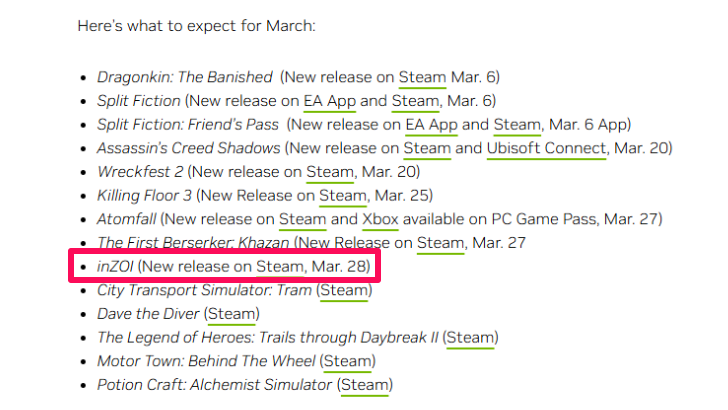
Players whose PC does not meet the minimum requirements may opt to use GeForce NOW. GeForce NOW allow users to stream games from its app or supported browser to bypass the game's system requirements, but will require a fast internet connection to do so.
Will inZOI Be Available on GeForce NOW?
inZOI Related Guides
All Bugs and Troubleshooting Guides
| All Bugs and Troubleshooting | |
|---|---|
| How to Fix Out of Video Memory Error | How to Fix Crashing Issue |
| How to Fix Blurry Graphics | How to Fix Stuck Zoi |
| You Cannot Use This Bug Fix | How to Fix Furniture Workbench Bug |
Comment
1  Anonymous 12 months
Anonymous 12 monthsGuide is useless, does not give any solutions when the PC is above minimum specs and is still getting this error
Author

How to Fix Out of Video Memory Error

Please participate in our site
improvement survey
03/2026
improvement survey
03/2026
Would you assist in
improving Game8's site?
improving Game8's site?

×
We are listening to our users' valuable opinions and discussing how to act on them.
The information collected through this survey will be used for the purpose of improving our services. In addition, the information will only be disclosed a part of a statistic in a format that will not allow identification of personal information.
Begin Survey
Not Now
×
Please rate each item regarding Game8.co's Advertisements.
Amount of Ads
Very Dissatisfied
Somewhat Dissatisfied
Fine
Somewhat Satisfied
Highly Satisfied
Placement of Ads
Timing of Ad Display
Ad Loading Speed
Safeness of Ads
Content of Ads
×
Please rate each item regarding Game8.co's Quality of Articles.
Amount of information
Very Dissatisfied
Somewhat Dissatisfied
Fine
Somewhat Satisfied
Highly Satisfied
Frequency of updates
Speed of new information
Accuracy of articles
Understandibility of articles
Readability of sentences
×
Please rate each item regarding Game8.co's Usability of the Site.
Ease of finding information
Very Dissatisfied
Somewhat Dissatisfied
Fine
Somewhat Satisfied
Highly Satisfied
Loading Speed
Use of Color
Font Size
Visibility of Images
Easy to Understand Layout
×
Please rate each item regarding Game8.co's Message Boards, Comments.
Ease of Writing
Very Dissatisfied
Somewhat Dissatisfied
Fine
Somewhat Satisfied
Highly Satisfied
Readability
Ease in Finding Information
Comment Quality
Comment Quantity
Admin Response
×
Please rate each item regarding Game8.co's Site's new design.
Please rate our site's new design
Very Dissatisfied
Somewhat Dissatisfied
Fine
Somewhat Satisfied
Highly Satisfied
Do you think that the website's design change makes the site easier to use?
Has the new design made it easier for you to find information on the site?
Has the new design improved the overall visual appeal of the site?
How would you rate your overall satisfaction with the new design of the site?
×
How likely are you to recommend Game8 to someone you know?
Very Unlikely
0
1
2
3
4
5
6
7
8
9
10
Very Likely
If you have other opinions regarding potential improvement to the website, please share them with us. We would appreciate your honest opinion.
Note: This is a free response section, so you can proceed without entering anything.
Note: Please be sure not to enter any kind of personal information into your response.
Note: Please be sure not to enter any kind of personal information into your response.
×
Thank You
×
Thank you for participating in our survey! Your answers will help us to improve the quality of our website and services.
We hope you continue to make use of Game8.
We hope you continue to make use of Game8.
Close
Rankings
- We could not find the message board you were looking for.
Gaming News


![Everwind Review [Early Access] | The Shaky First Step to A Very Long Journey](https://img.game8.co/4440226/ab079b1153298a042633dd1ef51e878e.png/thumb)

![Monster Hunter Stories 3 Review [First Impressions] | Simply Rejuvenating](https://img.game8.co/4438641/2a31b7702bd70e78ec8efd24661dacda.jpeg/thumb)
Popular Games

Genshin Impact Walkthrough & Guides Wiki
Honkai: Star Rail Walkthrough & Guides Wiki
Umamusume: Pretty Derby Walkthrough & Guides Wiki
Pokemon Pokopia Walkthrough & Guides Wiki
Resident Evil Requiem (RE9) Walkthrough & Guides Wiki
Monster Hunter Wilds Walkthrough & Guides Wiki
Wuthering Waves Walkthrough & Guides Wiki
Arknights: Endfield Walkthrough & Guides Wiki
Pokemon FireRed and LeafGreen (FRLG) Walkthrough & Guides Wiki
Pokemon TCG Pocket (PTCGP) Strategies & Guides Wiki










Recommended Games
Diablo 4: Vessel of Hatred Walkthrough & Guides Wiki
Fire Emblem Heroes (FEH) Walkthrough & Guides Wiki
Yu-Gi-Oh! Master Duel Walkthrough & Guides Wiki
Super Smash Bros. Ultimate Walkthrough & Guides Wiki
Pokemon Brilliant Diamond and Shining Pearl (BDSP) Walkthrough & Guides Wiki
Elden Ring Shadow of the Erdtree Walkthrough & Guides Wiki
Monster Hunter World Walkthrough & Guides Wiki
The Legend of Zelda: Tears of the Kingdom Walkthrough & Guides Wiki
Persona 3 Reload Walkthrough & Guides Wiki
Cyberpunk 2077: Ultimate Edition Walkthrough & Guides Wiki










All rights reserved
© Krafton ALL RIGHTS RESERVED
The copyrights of videos of games used in our content and other intellectual property rights belong to the provider of the game.
The contents we provide on this site were created personally by members of the Game8 editorial department.
We refuse the right to reuse or repost content taken without our permission such as data or images to other sites.
The copyrights of videos of games used in our content and other intellectual property rights belong to the provider of the game.
The contents we provide on this site were created personally by members of the Game8 editorial department.
We refuse the right to reuse or repost content taken without our permission such as data or images to other sites.
кал игра