
How to Build a House from Scratch
★ Latest: April 15 (Ver. 0.1.5) Update | Roadmap
☆ Share Zois and Builds in our Canvas Sharing Board!
★ Start Here: Beginner's Guide | Build Mode | Controls
┗ Money Cheat | Best Cities to Live In | Best Jobs
★ Careers, Skills, Traits, Desired Lives, Ambitions
☆ All Cities: Dowon & Bliss Bay
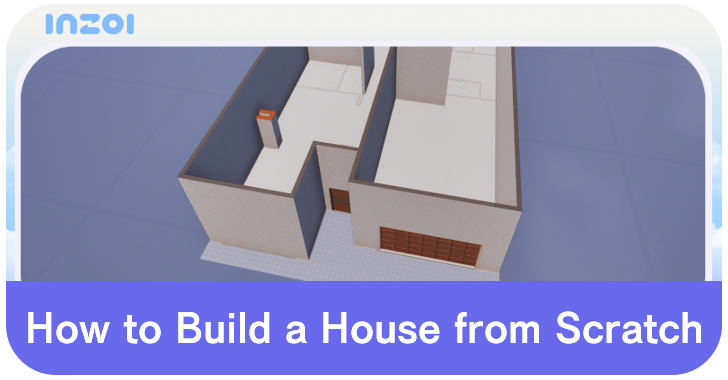
In inZOI, players can build their own house from scratch using Build Mode. See the steps, and some tips, for building your very own dream home.
List of Contents
How to Build a House
| Steps to Build a House from Scratch |
|---|
|
|

Go Into Build Mode
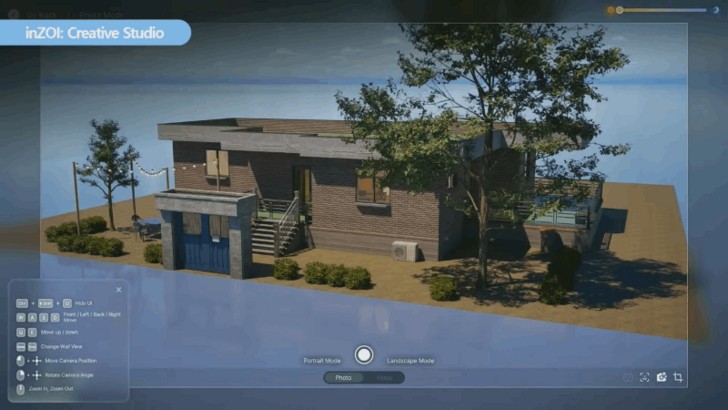
Before you can even start building out a house, you'll need to enter Build Mode first. This is the screen that lets you edit a structure by placing down walls, floors, furniture, etc.
Plot Out the Layout
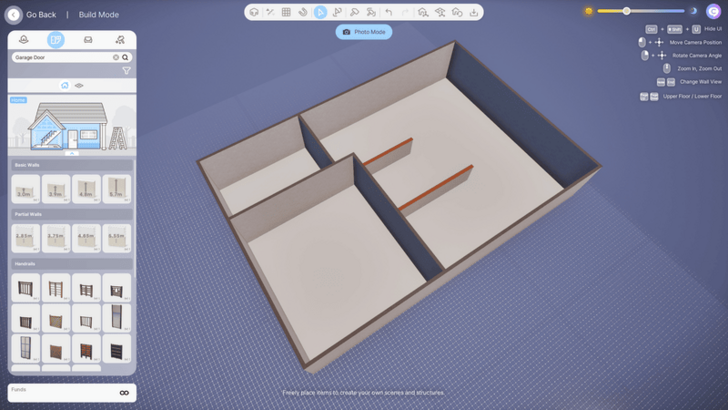
Once you're in build mode, you can start plotting out the layout of your home. You can do this by putting up walls so that you can easily visualize the size and layout of your rooms.
Just be careful because, unless you have infinite Meow, you can use up a lot of money putting down walls randomly, especially if you're building a really large house.
Use Blueprints and Presets
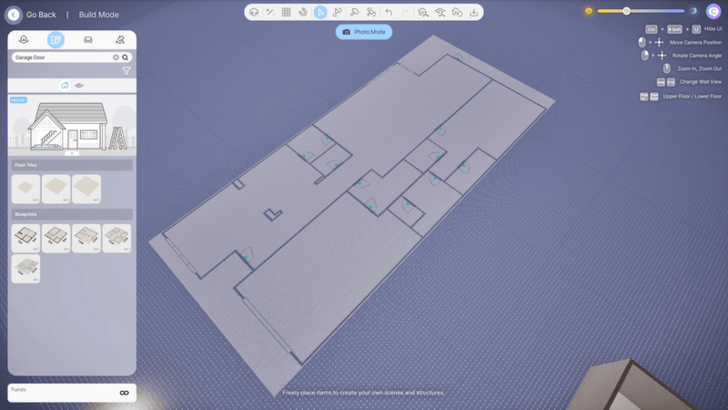
If you don't want to spend time figuring out your room layouts, you can always put down blueprints first so that you have something to visualize and work with. This only costs 1 Meow, so there's no harm in putting them down if you're struggling to come up with ideas.
Also, there are Room Presets that you can use. If you have a ton of Meow, you can put these rooms down first and build the house's walls around them instead.
Start Filling Out the Rooms
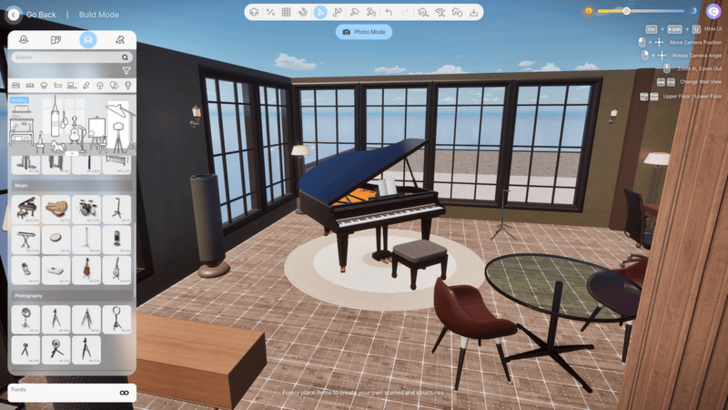
After you're done setting up the walls and layout of your home, you can start filling out your rooms with furniture. This is normally the expensive part of building a home from scratch so make sure that you have a lot of Meow saved up.
Save Once You're Done
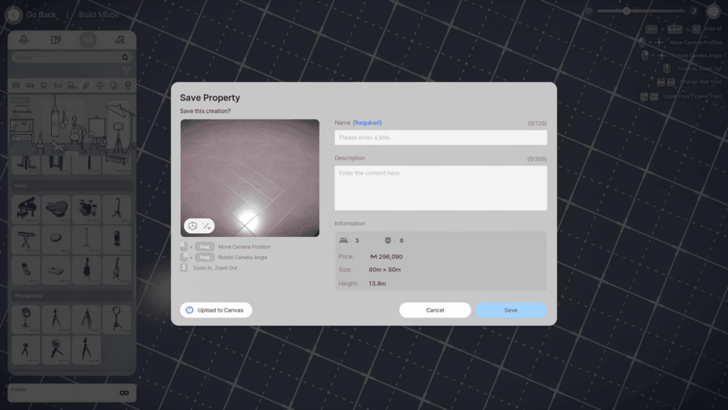
When you're done building your home and you're happy with what you've made, you can save to finalize your house. After saving, you can go back in-game and enjoy your new home!
Upload to Canvas
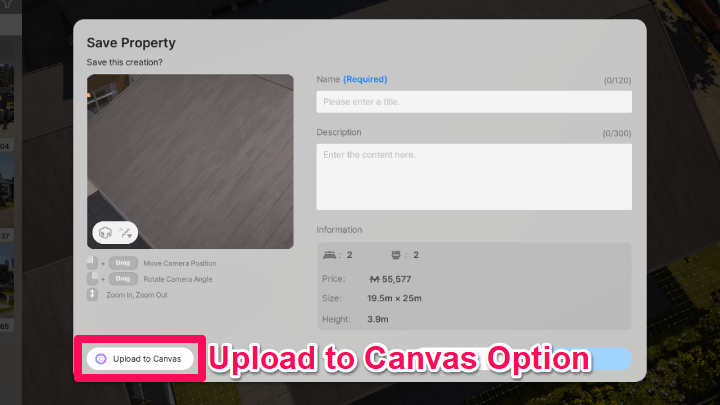
You can also try uploading the home you've build to Canvas, enabling you to share your personal home to other players in the Canvas Sharing Board.
Do note that you will need a KRAFTON account to upload your work and share your designs to other players.
inZOI Related Guides
Build Mode Guide
## All Build Mode Guides
| All Build Mode Guides | |
|---|---|
| Are There Apartments? | Are There Swimming Pools? |
| What is the Max Number of Floors? | Are There Curved Walls? |
| Can You Build Community Lots? | Are There Basements? |
| How to Build a House from Scratch | How to Create Custom Furniture |
| How to Add Custom Images in Picture Frames | - |
Comment



Author

How to Build a House from Scratch

Rankings
- We could not find the message board you were looking for.
Gaming News
![Animal Crossing: New Horizons Review [Switch 2] | Needlessly Crossing Over to a New Generation](https://img.game8.co/4391759/47d0408b0b8a892e453a0b90f54beb8a.png/show)



Popular Games

Genshin Impact Walkthrough & Guides Wiki
Honkai: Star Rail Walkthrough & Guides Wiki
Arknights: Endfield Walkthrough & Guides Wiki
Umamusume: Pretty Derby Walkthrough & Guides Wiki
Wuthering Waves Walkthrough & Guides Wiki
Pokemon TCG Pocket (PTCGP) Strategies & Guides Wiki
Abyss Walkthrough & Guides Wiki
Zenless Zone Zero Walkthrough & Guides Wiki
Digimon Story: Time Stranger Walkthrough & Guides Wiki
Clair Obscur: Expedition 33 Walkthrough & Guides Wiki









Recommended Games
Fire Emblem Heroes (FEH) Walkthrough & Guides Wiki
Pokemon Brilliant Diamond and Shining Pearl (BDSP) Walkthrough & Guides Wiki
Diablo 4: Vessel of Hatred Walkthrough & Guides Wiki
Super Smash Bros. Ultimate Walkthrough & Guides Wiki
Yu-Gi-Oh! Master Duel Walkthrough & Guides Wiki
Elden Ring Shadow of the Erdtree Walkthrough & Guides Wiki
Monster Hunter World Walkthrough & Guides Wiki
The Legend of Zelda: Tears of the Kingdom Walkthrough & Guides Wiki
Persona 3 Reload Walkthrough & Guides Wiki
Cyberpunk 2077: Ultimate Edition Walkthrough & Guides Wiki










All rights reserved
© Krafton ALL RIGHTS RESERVED
The copyrights of videos of games used in our content and other intellectual property rights belong to the provider of the game.
The contents we provide on this site were created personally by members of the Game8 editorial department.
We refuse the right to reuse or repost content taken without our permission such as data or images to other sites.
The copyrights of videos of games used in our content and other intellectual property rights belong to the provider of the game.
The contents we provide on this site were created personally by members of the Game8 editorial department.
We refuse the right to reuse or repost content taken without our permission such as data or images to other sites.