
How to Customize Machines
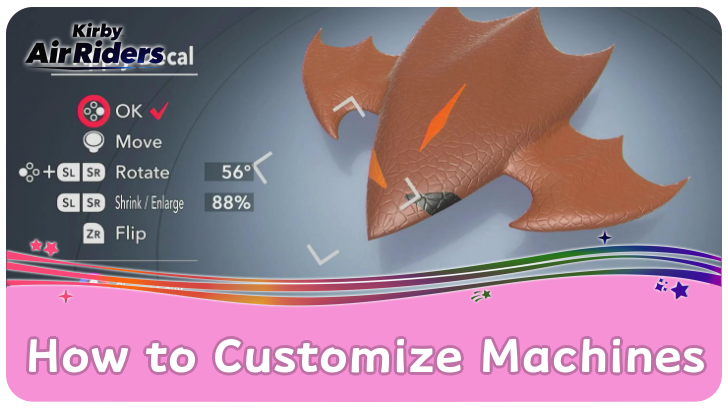
Open My Machine and select a vehicle to begin decorating it in Kirby Air Riders. See how to customize machines, how to sell, and how to buy them in this guide!
List of Contents
How to Customize Machines
Go to My Machine in Extras
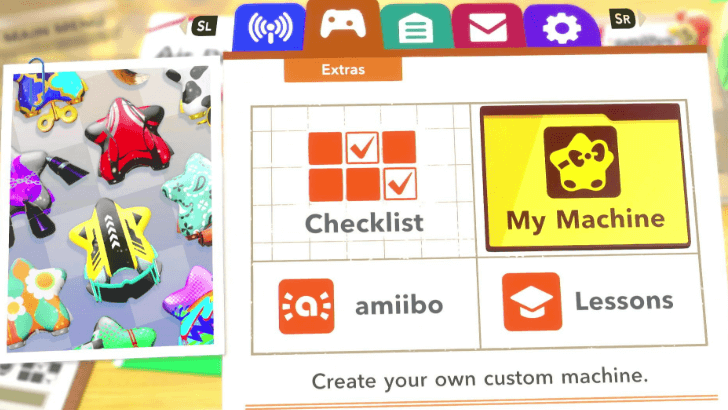
From the Main Menu, open the Extras tab and go to My Machine to start customizing.
Select A Machine Type
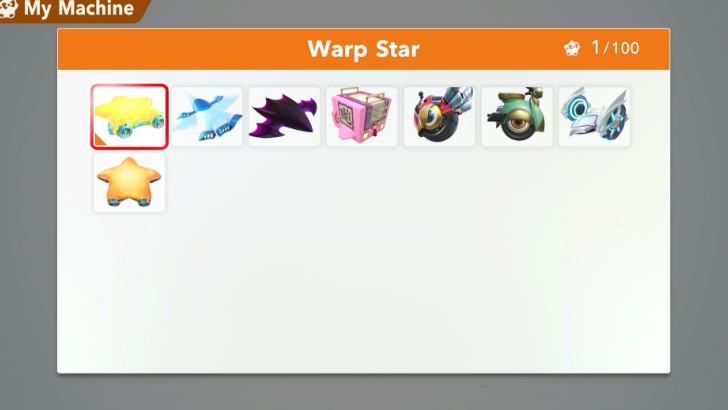
When you open My Machine, it will automatically ask you to pick a machine type to act as the base for your design.
Note that you have to have unlocked the machine to be able to decorate it. If you want to create more than one custom design for a specific machine, you will need duplicates of the machine from either the Checklist or Miles Shop.
Add Customization
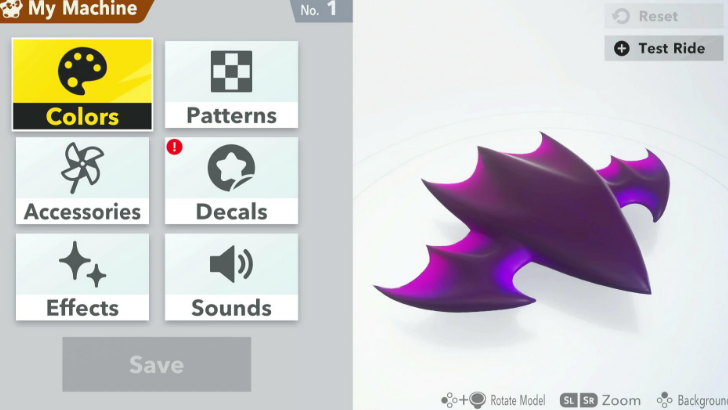
After selecting a machine, you can start decorating! You can change your machine's colors, add patterns, accessories, decals, and effects. You can even customize the sound effects it makes during races!
List of All Skins and Cosmetics
Get Cosmetics From Checklist and Miles Shop
A set number of machine parts and cosmetics are unlocked by default, while the rest are rewards from the Checklist or bought from the Miles Shop.
Go to the Garage to Display Custom Machines
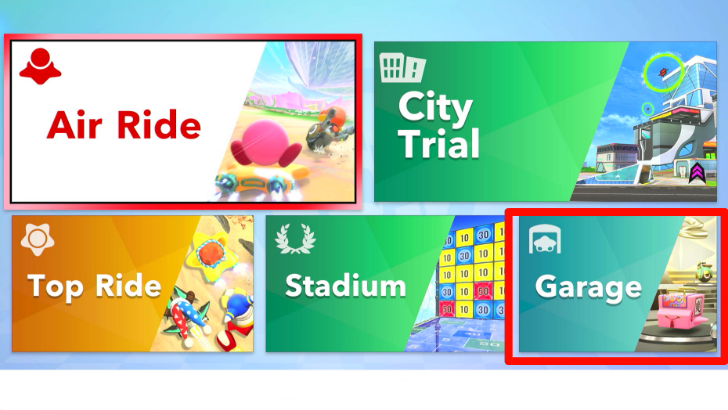
You can view and display your custom machines by going to the Garage, which can be found in the Collection tab of the Main Menu.
How to Sell and Buy Machines
Go to Machine Market in Connect
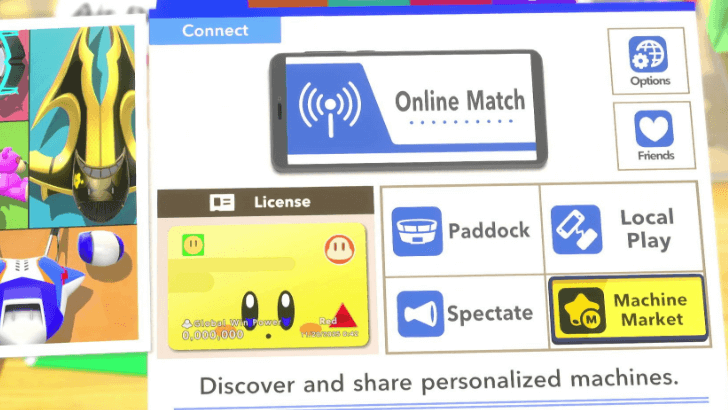
You can sell your customized machine in the Machine Market, found in the Connect tab of the Main Menu.
Nintendo Switch Online Required
Note that to access the Machine Market and other online features, you need a Nintendo Switch Online subscription.
Do You Need Nintendo Switch Online?
Select List to Sell Your Machine
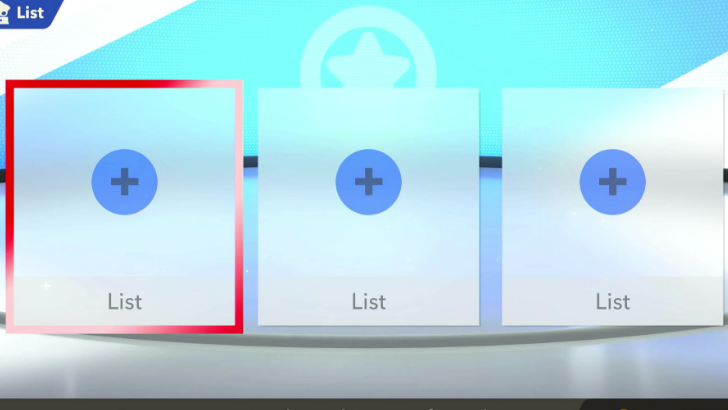
Opening the Machine Market will give you options to either Buy or List Select the List option to sell your custom machine! This will generate a price in Miles and a Machine ID for your machine.
Can List Up to Three Machines at a Time
You can list up to three custom machines at a time. Note that you will not earn Miles from selling your machine, as this is primarily meant for sharing your creations with other players.
Select Buy to Browse Other Machines
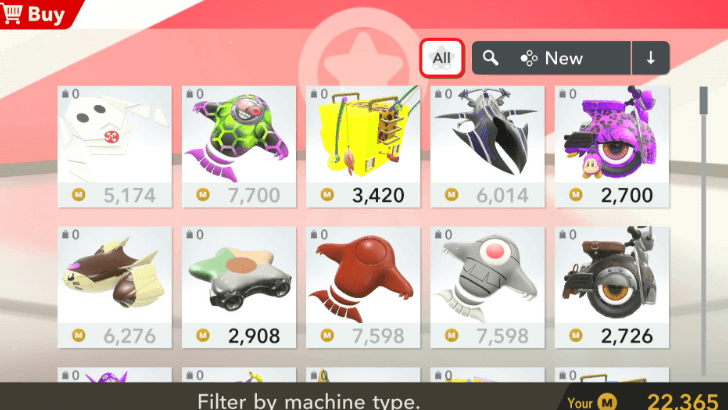
Selecting the Buy option will bring you to a list of custom machines listed by other players. You can filter the machines by type, arrange them by price, popularity, what's made by your friends, or what's new!
Search Machine ID for A Specific Machine
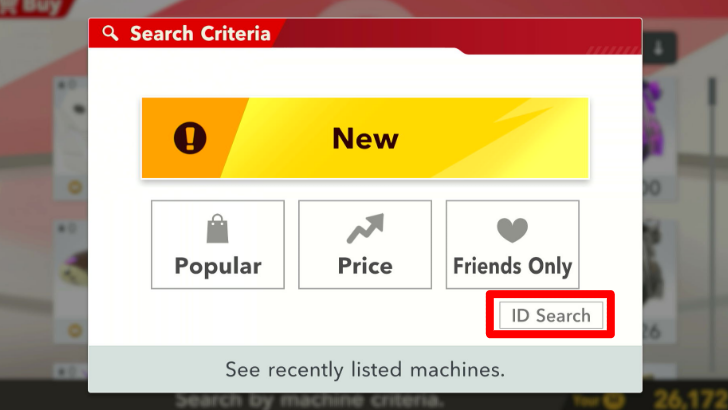
You can also search for a specific machine's ID in the filter options. Check out our Custom Machine Designs page for some cool machines, and comment with your own:
Kirby Air Riders Related Guides

Guides by Category
 Characters
 Machines
 Road Trip
 City Trial
 Air Ride
 Top Ride
 Checklist
 Bosses
 Power-Ups and Stats
 Cosmetics and Skins
 Stadium Challenges
 Copy Abilities
 Items
Items Courses
 Tips and Tricks
 News
News Online Events
All Recommended Guides
 Best Characters Tier List
 Best Machines Tier List
 Best Game Mode
 Best Copy Ability Tier List
 Best Controls
 Best Settings
 Best Power-Ups and Stats
 Best Combo Setup for Rider and Machine
 How to Unlock All Characters
 How to Unlock All Vehicles
 How to Get Alternative Rider Colors
 Multiplayer Guide
 All amiibo Rewards and Unlocks
 Do You Need Nintendo Switch Online?
 How to Earn Miles Fast
 Collectibles and Unlockables
 List of All Game Modes
 Split Screen Guide
 Time Attack Guide
 Free Run Guide
 How to Get Gummies
 Ranking System Explained
 How to Increase Global Win Power
 How to Prevent Motion Sickness
 Global Test Ride Times
 Main Menu Guide
 Compatible Controllers
 Can You Play on Switch 1?
 Paddock Guide
 Changes from Kirby Air Ride
 Is Kirby Air Riders Open World?
 Is GameShare Supported?
 How to Get Open Block
 How to Unlock Movies and Cutscenes
 Announcer Voice Actors
 How to Hit a Rider with Course Quaker
 Update and Patch Notes
 How to Win without Boosting
 How to Play Team Relay
 How to Become the Total Champion
 Zorah Lore Explained
 Plot and Story Explained
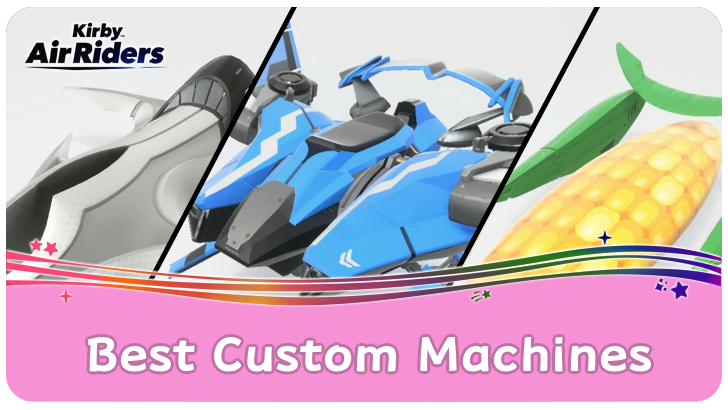 Best Custom Machines Sharing Board
 Add Friends Sharing Board
 Rider Quiz: Who Should You Main?
Comment



Author

How to Customize Machines

Rankings
- We could not find the message board you were looking for.
Gaming News

![Monster Hunter Stories 3 Review [First Impressions] | Simply Rejuvenating](https://img.game8.co/4438641/2a31b7702bd70e78ec8efd24661dacda.jpeg/show)
![Monster Hunter Stories 3 Review [First Impressions] | Simply Rejuvenating](https://img.game8.co/4438641/2a31b7702bd70e78ec8efd24661dacda.jpeg/thumb)
![The Seven Deadly Sins: Origin [First Impressions] | A Promising Start](https://img.game8.co/4440581/584e0bfb87908f12c4eab6e846eb1afd.png/thumb)

Popular Games

Genshin Impact Walkthrough & Guides Wiki
Umamusume: Pretty Derby Walkthrough & Guides Wiki
Pokemon Pokopia Walkthrough & Guides Wiki
Honkai: Star Rail Walkthrough & Guides Wiki
Monster Hunter Stories 3: Twisted Reflection Walkthrough & Guides Wiki
Arknights: Endfield Walkthrough & Guides Wiki
Wuthering Waves Walkthrough & Guides Wiki
Zenless Zone Zero Walkthrough & Guides Wiki
Pokemon TCG Pocket (PTCGP) Strategies & Guides Wiki
Monster Hunter Wilds Walkthrough & Guides Wiki










Recommended Games
Diablo 4: Vessel of Hatred Walkthrough & Guides Wiki
Cyberpunk 2077: Ultimate Edition Walkthrough & Guides Wiki
Fire Emblem Heroes (FEH) Walkthrough & Guides Wiki
Yu-Gi-Oh! Master Duel Walkthrough & Guides Wiki
Super Smash Bros. Ultimate Walkthrough & Guides Wiki
Pokemon Brilliant Diamond and Shining Pearl (BDSP) Walkthrough & Guides Wiki
Elden Ring Shadow of the Erdtree Walkthrough & Guides Wiki
Monster Hunter World Walkthrough & Guides Wiki
The Legend of Zelda: Tears of the Kingdom Walkthrough & Guides Wiki
Persona 3 Reload Walkthrough & Guides Wiki










All rights reserved
© Nintendo
The copyrights of videos of games used in our content and other intellectual property rights belong to the provider of the game.
The contents we provide on this site were created personally by members of the Game8 editorial department.
We refuse the right to reuse or repost content taken without our permission such as data or images to other sites.