
How to Contact Support
★ New Events: Bonus Battle (Until 3/16), Encirclement Breakthrough Battles (Until 3/18), Blitz Mission (Until 3/22) Total War (Until 3/27), Battle Rush EX (Until 3/27)
★ New MS and Pilot: Gerbera Tetra and Cima Garahau || Gundam Unit 5 (Bst) and Fold Romfellow
★ Tier Lists: MS (PvE / PvP) and Pilots (PvE / PvP)
★ Check out our Arena Strategy Guide!
★ Answer our survey for Gundam UCE or try our gacha simulators!
Contacting Gundam U.C. Engage’s support can be very helpful when an in-game issue is too difficult to handle alone. Read on to learn how to contact support, why they should be contacted, and some reminders when interacting with support.
How to Contact Gundam U.C. Engage Support
Access The Customer Support Page From The Game
| 1 | 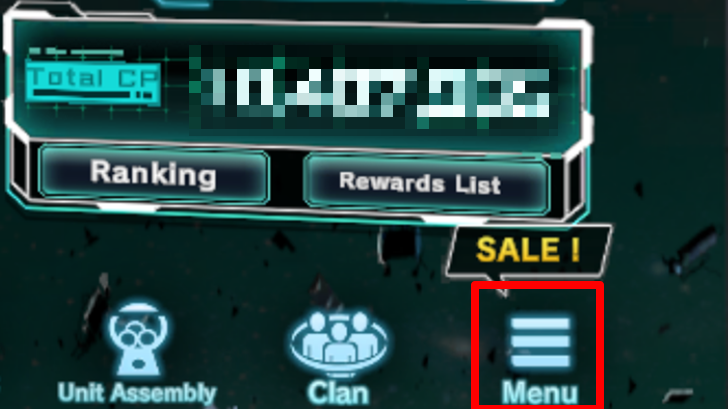 Tap the hamburger button in the bottom right corner of the home screen to open the menu. |
|---|---|
| 2 |  Press the support button within the menu. |
| 3 | 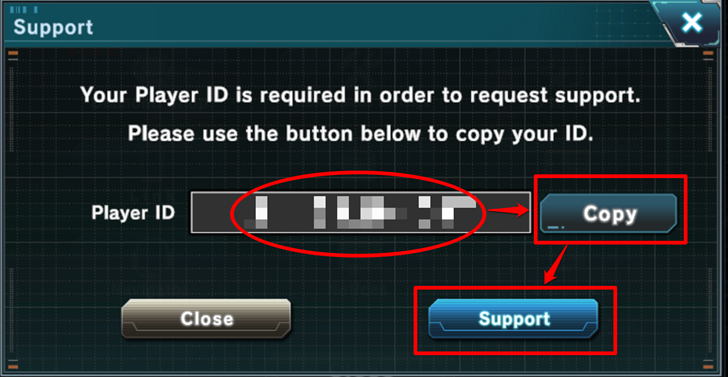 Take note or copy the account’s player ID, as this is required for contacting support. Then, tap the button labeled "Support". |
| 4 |  A webpage of FAQs and notices will open. If the issue can be resolved by opening this page, there is no need to proceed with the next steps. |
| 5 | 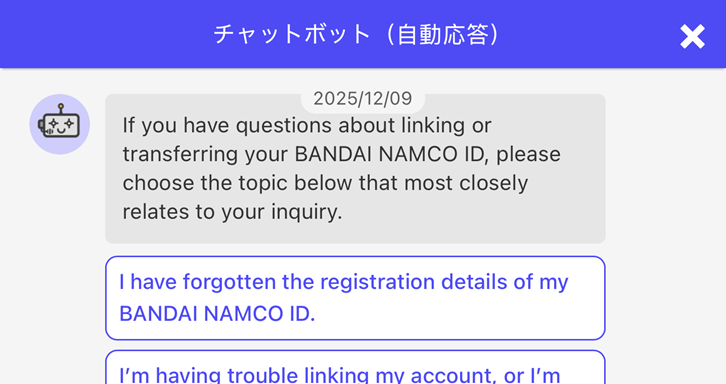 Tap the speech bubble icon in the bottom right corner of the screen to open Bandai Namco’s chatbot. Check if the issue can be resolved by the chatbot’s built-in responses. If it can be fixed, there is no need to proceed with the next steps. |
| 6 | 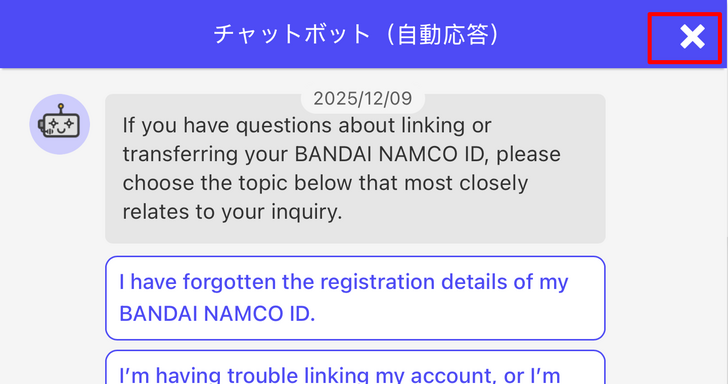 Then, close the chatbot by pressing the X button on the top right corner of the window. |
| 7 | 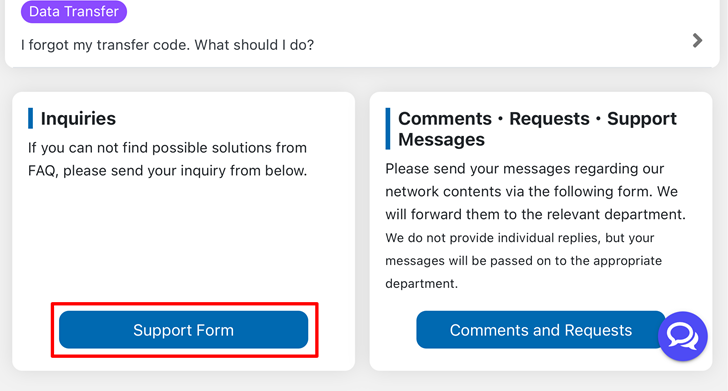 Scroll down until a section labeled "Inquiries" is reached. Then press the Support Form button. |
| 8 | 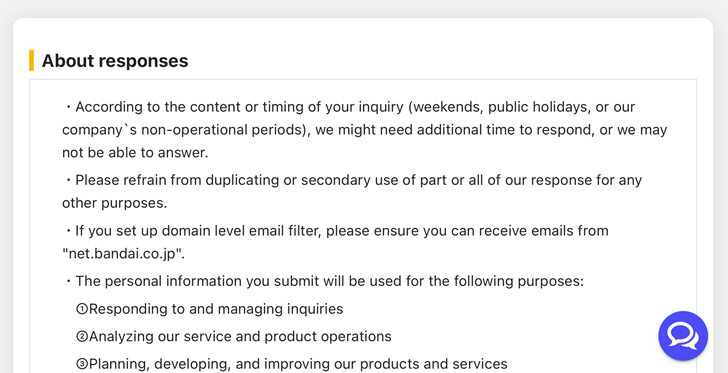 Read and accept the "About responses" conditions and then tap the now blue button labeled "Support Form" |
| 9 | 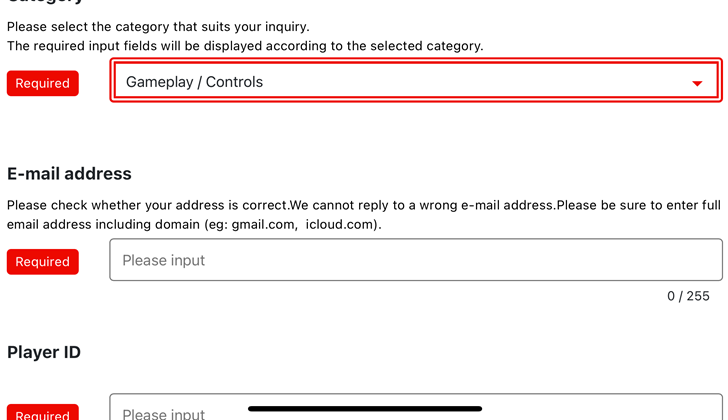 Follow the instructions and fill in the necessary blanks when answering the support form. |
Why Contact Gundam U.C. Engage Support
To Get Help for Account Recovery
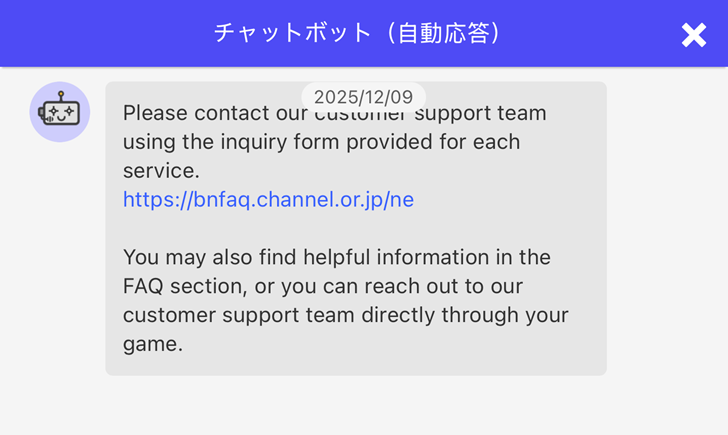
Contacting Gundam U.C. Engage support can be a good way to get assistance for account recovery. Through contacting support, players are given the opportunity to go through the FAQs and chatbot, which has several prompts for account recovery.
If these options do not work, the player always has the opportunity to file a support form to gain assistance for lost accounts.
To Report Cheaters
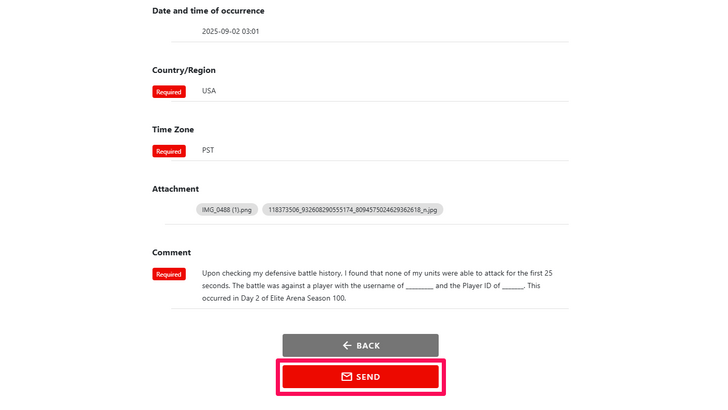
Cheaters ruin the game for everyone by gaining illegitimate wins. They can be reported to Gundam U.C. Engage support, which will lessen their impact on the game as a whole. Do not hesitate to report a player who is clearly playing with an unfair advantage.
How To Spot Cheaters? (And What To Do)
To Send Any Feedback and Comments About the Game
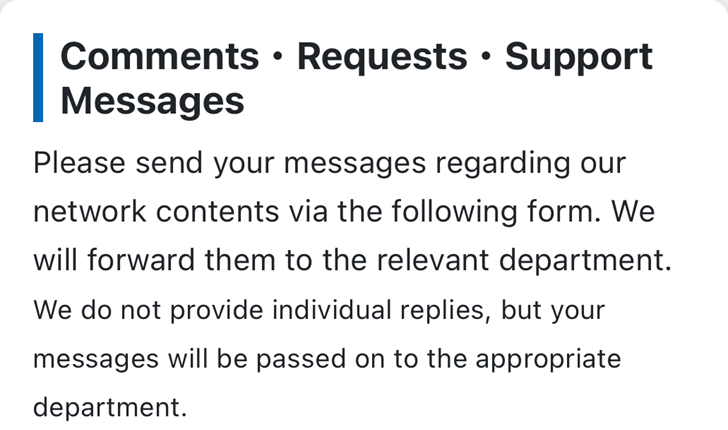
The game can be significantly improved by leaving constructive criticism regarding areas for improvement. Help the developers make Gundam U.C. Engage a better game!
Gundam U.C. Engage Support Reminders
| All Gundam U.C. Engage Support Reminders |
|---|
| ・The timing of the inquiry might affect the support team's response time, as they have weekends, holidays, and other non-operational periods. ・Players are advised to avoid making copies of the support team's response for other purposes. ・Players should only submit personal information if the support team deems it necessary ・Excessive demands or malicious complaints may cause the support team to refuse response and may even lead to an appropriate response from lawyers and authorities. |
Gundam U.C. Engage Related Guides

All Tips and Tricks Guides
 Arena Beginner's Guide (PvP)
 Arena Guide
 How to Get Started With the Arena?
 Beginner's Guide: Tips and Tricks
 Beginner Mistakes to Avoid
 Dailies Checklist
 Intermediate Guide
 How To Pair Pilots and Mobile Suits
 Team Building Guide


Author

How to Contact Support
Rankings
- We could not find the message board you were looking for.
Gaming News





Popular Games

Genshin Impact Walkthrough & Guides Wiki
Honkai: Star Rail Walkthrough & Guides Wiki
Umamusume: Pretty Derby Walkthrough & Guides Wiki
Pokemon Pokopia Walkthrough & Guides Wiki
Resident Evil Requiem (RE9) Walkthrough & Guides Wiki
Monster Hunter Wilds Walkthrough & Guides Wiki
Wuthering Waves Walkthrough & Guides Wiki
Arknights: Endfield Walkthrough & Guides Wiki
Pokemon FireRed and LeafGreen (FRLG) Walkthrough & Guides Wiki
Pokemon TCG Pocket (PTCGP) Strategies & Guides Wiki










Recommended Games
Diablo 4: Vessel of Hatred Walkthrough & Guides Wiki
Fire Emblem Heroes (FEH) Walkthrough & Guides Wiki
Yu-Gi-Oh! Master Duel Walkthrough & Guides Wiki
Super Smash Bros. Ultimate Walkthrough & Guides Wiki
Pokemon Brilliant Diamond and Shining Pearl (BDSP) Walkthrough & Guides Wiki
Elden Ring Shadow of the Erdtree Walkthrough & Guides Wiki
Monster Hunter World Walkthrough & Guides Wiki
The Legend of Zelda: Tears of the Kingdom Walkthrough & Guides Wiki
Persona 3 Reload Walkthrough & Guides Wiki
Cyberpunk 2077: Ultimate Edition Walkthrough & Guides Wiki










All rights reserved
Game Copyright© SOTSU・SUNRISE All rights reserved.
The content we provide on this site were created personally by members of the Game8 editorial department.
We refuse the right to reuse or repost content taken without our permission such as data or images to other sites.
© SOTSU・SUNRISE (Provider)
Really helpful guide! I've had to reach out to support a couple times and the chatbot actually solved my issue once before I even needed to fill out the form. One thing worth mentioning - if you're a developer or running any kind of game service, having solid outsourced customer support https://supportyourapp.com/ makes a huge difference in response times. Anyway, good to know there's a clear path when things go wrong in-game!