
Glossary of Terms
★ New Events: Bonus Battle (Until 3/16), Encirclement Breakthrough Battles (Until 3/18), Blitz Mission (Until 3/22) Total War (Until 3/27), Battle Rush EX (Until 3/27)
★ New MS and Pilot: Gerbera Tetra and Cima Garahau || Gundam Unit 5 (Bst) and Fold Romfellow
★ Tier Lists: MS (PvE / PvP) and Pilots (PvE / PvP)
★ Check out our Arena Strategy Guide!
★ Answer our survey for Gundam UCE or try our gacha simulators!
Gundam U.C. Engage has volumes of terminology that will help ease the process of understanding the game. Read on to learn all the terms that can be encountered in different parts of the game.
List of Contents
Glossary of Terms
| Gundam U.C. Engage Glossary |
|---|
|
|

Home and Player Terms
| Term | Definition |
|---|---|
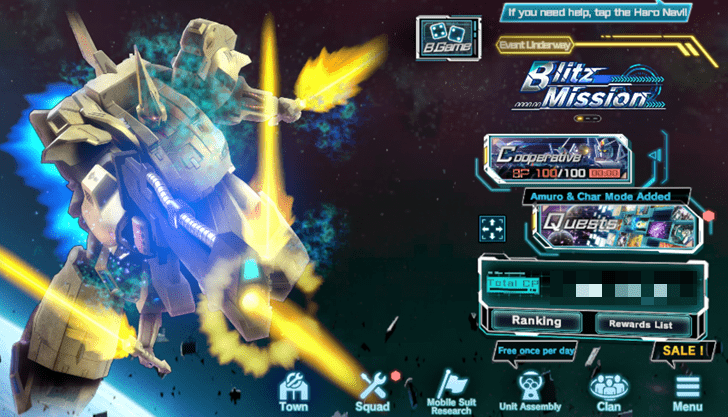
| Total Combat Power | The value of the combined combat power of all owned characters and mobile suits. When reaching certain thresholds of Total Combat Power, the player will be given rewards. |
| Haro Navi | A function that gives the player hints of what to do next when they are unsure of their next action. |
| Menus | Functions that allow players to access different settings, gamemodes, and hints for Gundam U.C. Engage. |
| Miscellaneous Settings | Game settings such as graphics, sound, and more. |
| Go to Title | A button that sends the player back to the title screen. |
| Link | Allows the transferring of data settings. It is important to note that transferring to a different OS will cause all diamonds to be lost.. However, unclaimed diamonds in the gift box will carry over. To add, the effects of the 7 Day AP Pack and Haro Pass are also non-transferable. |
| Item List | A list of all items in possession. Owned Items can also be used directly by opening the "Item Details" section of the item list. |
| Profiles and Entries | The "Profiles" screen allows players to view their Player ID and the entries of their favorite players. Pressing "Edit Entry" will allow further customization of the profile, such as configuring support formations, titles, and battle results. |
| Navigator | A button that allows players to change their chosen Navigator. This will not affect gameplay. |
| Notices | Allows players to be informed of the latest Gundam U.C. Engage news, events, and notifications. |
| Unit Assembly History | Allows players to view the dates and times they have used Unit Assembly. In addition, they can also see the units they have obtained. |
| Inquiries | If any issues are encountered while playing, the team can be contacted via "Inquiries" to help resolve the issue. Depending on the problem and its circumstances, the team may not be able to respond to the issue. |
| Game Help | Players can check this section for help about the game or any new features and updates. |
| Other | This part of the menu allows players to review info like the Terms of Use and Privacy Policy. |
| Player Gowth | This is represented by a rank that indicates their EXP gained from battles. The more EXP a player gains, the more their rank will go up, which means an increase in the level cap of mobile suits and characters, along with other bonuses such as increased AP. |
| Friends | Becoming friends with another player provides several benefits, such as Squad Formation options, acquisition of friend medals, and the ability to send an SOS to friends. The limit to the amount of friends possible can be increased by reaching certain ranks. |
| Support Formation | A way for players to lend their mobile suits to other players to assist each other. Support Formations may only be configured with one mobile suit of each type. Finally, Mobile suits that are in support formations are considered the same as regular mobile suits, so all upgrades will apply to support formations. |
| Friends List | A list of all the friends a player currently has. This can be viewed by pressing the "Friend’s List" button on the "Friends" screen. |
| Player Search and Friend Requests | Searching for and making friends with other players is possible through the "Player Search" function on the "Friends" screen. The "ID Search" function can find specific players. |
| Awaiting Approval | Submitting a friend request and having it accepted is necessary to become friends. Players who received a friend request can approve the request by selecting the player from the "Friend Approval Waiting List" on the "Friends" screen. |
| Remove Friend | Friends can be removed from the "Friends List" through the "Remove" button. |
| Class | A measure of a player’s strength over a certain period of time. Class is decided by getting the total amount of class points, which is based on the rank for the four most recent Arena seasons and the previous clan battle. Class is updated at 4:00 AM JST Every Monday. |
| Class Tiers | Classes have seven tiers: Bronze, Silver, Gold, Emerald, Master, Legend, and Engage. Apart from Bronze and Engage, each tier has five separate divisions fom one star to five stars. |
| Class Points | Players can earn Class Points based on their rankings in the Arena and Clan Battles. To check how many points have been acquired for each event, go to each event screen and tap "Class Points". |
Mobile Suit Terms
| Term | Definition |
|---|---|
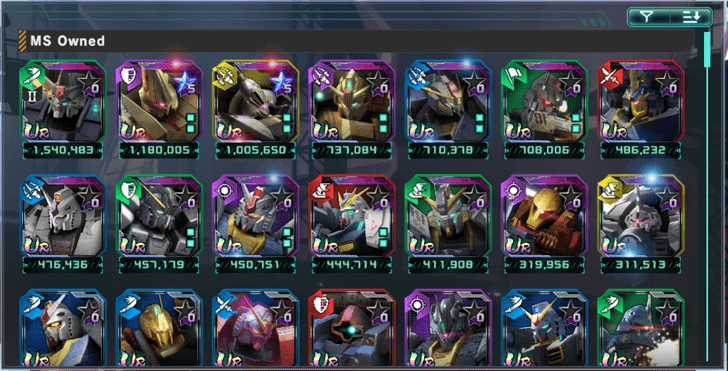
| Mobile Suit | A humanoid mobile weapon that was introduced and mass-produced during the Universal Century. |
| Unit Category | A way of classifying what type of unit the mobile suit is. |
| Combat Power | A measure of a mobile suit’s overall strength. The higher the Combat Power, the stronger a mobile suit. |
| HP | A stat representing the durability of a mobile suit. HP is reduced by enemy attacks and some skills. When reduced to zero HP, a mobile suit will be unable to continue the battle. |
| ATK | A stat representing the offensive capability of a mobile suit. The higher the ATK of a mobile suit, the greater damage it will deal to the enemy. |
| DEF | This stat is a measure of the defensive capabilities of a mobile suit. The higher a mobile suit’s DEF, the less damage it will take from enemy attacks. |
| Level | A way of increasing the following mobile suit stats: Combat Power, HP, ATK, DEF. Levels are mainly raised through special EXP items or through being sortied. Levels can only be increased up to the player’s current level cap. |
| Level cap | The maximum level a mobile suit can reach. It is the same as the value of the player’s Player Rank. A mobile suit’s level cap will increase along with Player Rank. |
| Type | Each mobile suit has one type of color assigned to it. Each type has a type it is strong against and a type it is weak against. Purple and Yellow Types follow a special way of determining the damage dealt against enemies they are advantageous against. |
| Mobile Suit Categories | Each mobile suit has one category assigned to it. Each category has an Optimal Deployment where it excels and a relationship that determines if it has an advantage or disadvantage against opponents. |
| Mobile Suit Category (Raid) | A mobile suit category that is extremely good at close-ranged and point-blank combat. Its optimal deployment is in the front row. It has advantages over sniper, bombardment, and close combat mobile suits while having disadvantages against armored category mobile suits. |
| Mobile Suit Category (Armored) | A mobile suit category that is good at close-ranged combat. This category can take on multiple opponents at once and can protect more vulnerable mobile suits. Its optimal deployment is in the front row. It has advantages over raid mobile suits while having disadvantages against bombardment, sniper, and close combat category mobile suits. |
| Mobile Suit Category (Generic) | A mobile suit category that is good at mid-range guerrilla combat. This category is a jack-of-all-trades that holds no advantage or disadvantage over other categories of mobile suits. Its optimal deployment is in the middle row. |
| Mobile Suit Category (Bombardment) | This category of mobile suit specializes in mid-range to long-range combat. Bombardment mobile suits have an advantage over Armored mobile suits, and have disadvantages against raid mobile suits. Its optimal deployment is in the back row, while being deployed to the front row is suboptimal. |
| Mobile Suit Category (Sniper) | The mobile suit category that concentrates on dealing long-range damage to enemies. Sniper mobile suits have an advantage over heavy firepower unit category mobile suits, and have disadvantages against raid mobile suits. Its optimal deployment is in the back row, while being deployed to the front row is suboptimal. |
| Mobile Suit Category (Close Combat) | The mobile suit category that is good at close-quarters and close-range combat. This category of mobile suit can perform successive close-range attacks and has an advantage against armored category mobile suits. However, it is disadvantaged against raid mobile suits. Its optimal deployment is in the front row, while being deployed to the back row is suboptimal. |
| Mobile Suit Category (Support) | The mobile suit category that is used for supporting allies at close-quarters to medium range. Support mobile suits are capable of creating advantages for the squad due to their different abilities. It can fight against any other mobile suit with no advantages or disadvantages. Its optimal deployment is in the middle row, and it has no suboptimal deployment. |
| Skill Rate | A stat that measures how much a mobile suit has been used. Increasing skill rate also increases HP, ATK, and DEF. Skill rate can be increased by accumulating skill rate EXP, which is earned through: clearing quests, performing certain actions with a mobile suit, and using items. Skill rate can only be earned by sortied mobile suits, and a quot;!quot; icon will appear when they earn skill rate EXP. Quests that cost zero AP or have been cleared using skip tickets will not earn Skill rate EXP. |
| Terrain Capability | A stat that indicates how suited a mobile suit is for the type of terrain found on the quest map. The three types of maps are: Land, Space, and Underwater, and each has a type of suitability. The three kinds of suitability are: 〇, ✖, and △. 〇 means that the mobile suit will not suffer any debuffs while ✖ and △ means the mobile suit will suffer reduced stats in the battle. |
| Increase Projectile | A stat that increases the amount of damage dealt with projectile weapons |
| Increase Beam | A stat that increases the amount of damage dealt with beam weapons. |
| Reduce projectiles | A stat that reduces the amount of damage taken from projectile weapons. |
| Reduce Beam | A stat that reduces the amount of damage taken from Beam weapons. |
| Critical Value | A stat that increases the chance of landing a critical hit while attacking. |
| Increase Critical | Increases the damage dealt when landing a critical hit. |
| Skills | Effects possessed by the mobile suit that trigger under specific circumstances. |
| Sub Skills | Skills from sub pilots that apply to the main formation. UR mobile suits can acquire sub skills once their potential is unleashed. |
| Weapons | Arms equipped by each mobile suit. There are three kinds of weapons: main weapons, additional weapons, and third weapons. Which weapon is used will depend on the situation and mobile suit category. |
| Classification | Weapons have two classifications: the first is Ranged Weapon, and the second is Proximity Weapon. Ranged weapons excel from mid to long range, while proximity weapons can only attack at close-range combat. Some mobile suits do not have proximity weapons. |
| Power | The strength of a weapon offensively. The more power, the higher the damage it deals. |
| Damage Type | Weapons deal either beam damage or projectile damage. Projectile weapons refer to firearms with bullets, such as machine guns and bazookas. Beam weapons are energy blasts dealt with beam rifles and beam sabers. |
Character and Squad Formation Terms
| Term | Definition |
|---|---|
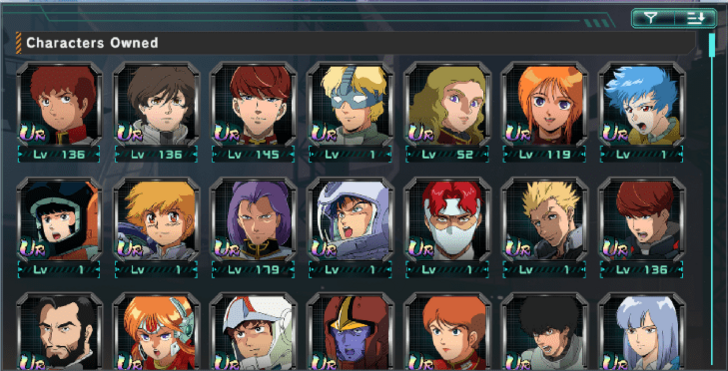
| Character | A pilot assigned to a mobile suit to improve its performance in battle. |
| Character Level | Like mobile suits, characters also have levels that increase their: combat power, ranged sense, melee sense, Reaction, and Resistance. Levels can be gained by using special EXP boost materials, using the pilot in battle, and more. Character levels are limited to the player’s current level cap. |
| Combat Power | A value that shows how strong a character is. The higher the combat power, the better the character will do in Combat as a pilot. |
| Ranged Sense | A representation of how good a character is at ranged combat. The higher the value, the more damage a character’s ranged attacks will deal to enemies. This does not affect damage dealt by EX skills. |
| Melee sense | A value representing a character’s melee combat potential. The higher the value, the more damage melee attacks will do. This does not affect damage dealt by EX skills. |
| Reaction | A character’s ability to react to attacks with a guard or evasion. The higher the value, the more likely a character is to react. |
| Resistance | A character’s resistance to damage. The higher the value, the less damage taken from enemies. This does not affect damage dealt by EX skills. |
| Squads | A combat group composed of up to six mobile suits with six characters piloting them. |
| Squad Formation | The four ways to change a squad’s formation are: Individual Formation, Form All, Auto Formation, and Previously Cleared Formation. Individual Formation involves manually inspecting each mobile suit and pilot. Form all simply displays a list of all owned mobile suits and characters. Auto Formation will automatically make a formation based on set parameters. Meanwhile, Previously Cleared Formations will recreate the last formation used to clear a battle. |
| Sub-Formations | Each main mobile suit in a formation can be given a maximum of 2 mobile suits of the same type in a sub formation. A mobile suit utilizing this will gain the following: 5%% of the HP, ATK, and DEF (plus an additional 5% if the categories are the same), the sub skills of the mobile suits in the Sub-Formation. For a mobile suit to be eligible for Sub-Formation, it must have a rarity equal to or lower than the main mobile suit. |
| Total Combat Power | In the context of squad formation, Total Combat Power refers to the combined Combat Power of all mobile suits and characters in a squad formation. |
Alterations and Upgrades Terms

| Term | Definition |
|---|---|
| Mobile Suit Alteration | The process of attaching alteration parts to a mobile suit to increase its stats. Alteration can be accessed in the "Alteration" section of the "Upgrade Mobile Suit" screen. Attaching more parts and using Custom Up on a mobile will increase its Customization level. |
| Custom Up | A special alteration that happens when all required Alteration parts have been attached and the level requirement for a Customization level has been met. Performing Custom Up will increase the customization level of a mobile suit as well as increase its stats. Furthermore, some customization levels unlock skills, upgrades, module slots, and even a third weapon. |
| Custom Tickets | Items that can be used in place of the required alteration materials and coins when performing Custom Up to a mobile suit. |
| Mobile Suit Potential Unleashed | After collecting enough blueprints, performing Potential Unleashed on a mobile suit becomes possible. Performing this action increases a mobile suit’s stats and EX skill level. In addition. UR mobile suits that have reached maximum Potential Unleashed will have a special animation play when set as the home screen mobile suit. |
| Character Potential Unleashed | After collecting enough character pieces, performing Potential Unleashed on a character becomes possible. Performing Potential Unleashed on a character will increase their stats. |
| Transcendent | A function that enhances the capability of specific mobile suits. As time progresses, the number of mobile suits that are Transcendent-capable will increase. Performing Transcendent on mobile suits will unlock the Transcendent Skill and also increase Combat Power. Once Transcendent is level 5, the mobile suit will have special effects in the "Mobile Suit Details" Screen and in battle. |
| Grade | This stat indicates the strength of mobile suit categories. Grade Up increases stats according to category and rarity, and unlocks Grade Skills. Grade Up can be performed with coins and materials called gear. |
| Modules | Special parts that may be attached to a mobile suit to enhance it. Modules can give mobile suits a plethora of skills, and are acquired mainly through Cooperative Battle rewards. |
| Engage Links | A function that increases the stats of mobile suits by collecting mobile suits of the same record. Each mobile suit belongs to one record, and this record can be opened on the "Mobile Suit Details" screen. |
| Research | A feature that allows players to acquire items by using research request forms to research owned mobile suits. Players must wait a certain amount of time before getting the item unless diamonds are used to skip the wait. The higher the rarity of a research request form, the higher the amount and quality of items that can be acquired. Sometimes, research can result in Great Success, which results in more rewards. Mobile suits can be sortied out as normal, even when being researched. |
Town Terms
| Term | Definition |
|---|---|
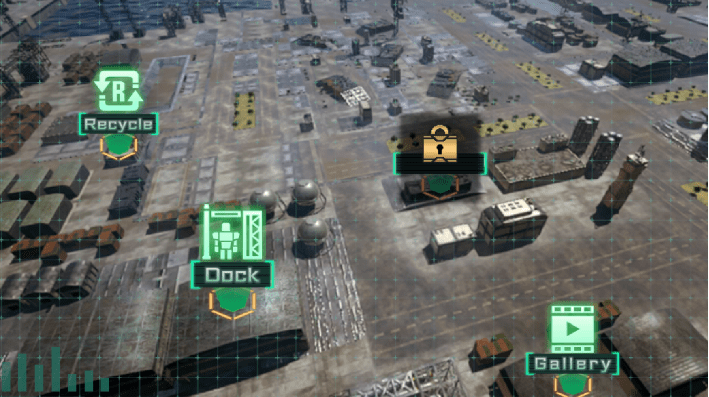
| Town | A location with different features that players can use. |
| Custom Up | A special alteration that happens when all required Alteration parts have been attached and the level requirement for a Customization level has been met. Performing Custom Up will increase the customization level of a mobile suit as well as increase its stats. Furthermore, some customization levels unlock skills, upgrades, module slots, and even a third weapon. |
| Dock | A place in the town where players can upgrade the stats of their mobile suits by performing Unit Enhancement. |
| Unit Enhancement | A feature that allows the upgrading of certain stats on favorite mobile suits. Unit Enhancement Pts are used to upgrade units. Unit Enhancement Pts can be acquired by converting owned modules at the dock through the "Convert Unit Enhancement Pts". Upgraded stats can be reset back to level 1, returning all points and chips used in the process. |
| Recycle | A feature that allows players to gain alteration materials and modules by spending Recycle Pts. To acquire Recycle Pts, tap the "Convert" button on the Recycle screen and consume unwanted Alteration materials to gain the Recycle Pts. |
Quests and Battle Terms

| Term | Definition |
|---|---|
| Town | A location with different features that players can use. |
| Quests | Modes accessible to the player by tapping the Quest Mode Selection Screen button in the Home screen. AP must be spent to go on Quests. AP refreshes at a rate of 1 point every three minutes, is restored by increasing Player Rank, using items, or other methods. |
| Recommended Combat Power | The estimated combat power a player needs to complete a Quest. |
| Quest Type | Story Mode allows the player to relive famous events in the Universal Century. Fragment Quests are limited per day, but allow players to acquire blueprints and character pieces. Finally, material quests allow players to acquire upgrade materials for mobile suits and characters. |
| Battle | A fight against an enemy squad where players can acquire rewards such as drops and EXP. |
| Target | The mobile suit that will be the focus of the deployed mobile suit in combat. It is best to target mobile suits that are weaker than owned mobile suits. |
| Ace | Exceptionally strong enemies that have higher stats than regular enemy mobile suits. |
| Criticals | Occurs when a critical hit is landed. Damage is increased. The opponent cannot guard against the attack. The opponent's DEF is ignored, and the max damage for that attack is increased. |
| Checking Status Effects | Current status effects are displayed as icons above a mobile suit’s portrait during battle. |
| Auto Mode | A mode that automatically activates EX skills when the EX Skill Gauge reaches 100%. Some EX skills will not automatically activate even in Auto Mode. |
| Skip Tickets | Tickets that allow the player to skip battles they have already cleared. The rewards acquired are identical, except that Skill Rate EXP will not be rewarded. |
| Damage Report | A screen that shows the total damage dealt by each allied and enemy mobile suit in battle. |
| Field Gimmicks | Certain battles have field gimmicks like Atmosphere, where all mobile suits on the field take damage at fixed intervals. |
| EX Skills | Special abilities that can be activated when the EX Skill Gauge reaches 100%. The EX Skill Gauge fills up as the mobile suit attacks or is attacked, and it is important to note that EX skills do not possess damage types like Beam or Projectile. |
| Lethal EX | One-time EX skill that can only be activated once certain conditions are met. |
| Status Effects | Different effects that can turn the tide of battle as mobile suits get them. Some are buffs while some are debuffs. |
Beginner's Trial, Arena, Phantom Ace, and Mock Battle Terms
| Term | Definition |
|---|---|
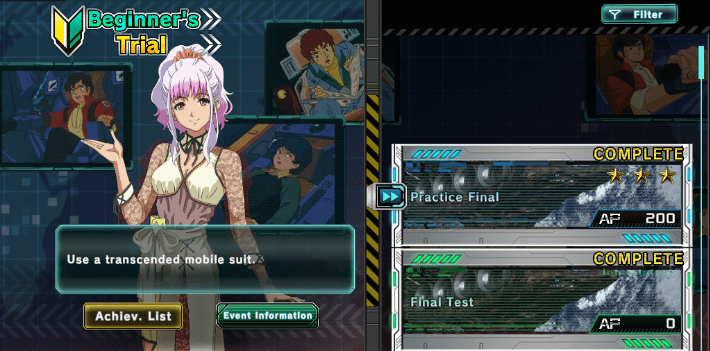
| Beginner’s Trial | A game mode where new players can learn about the basic battle strategies while progressing through quests highlighting these strategies. These trials are only available for accounts created past July 4, 2025, at 11:00 AM. The quests come in two types. "Trial" teaches the strategic concepts that will be focused on. Practice, on the other hand, applies the concepts that were taught. |
| Arena | A game mode where the player takes on defensive formations created by other players. A defensive formation can be registered and then used to compete against other players as they fight for the top rank in the game mode. When a match ends, participants can acquire Arena Medals and Season Points. |
| Arena Rank | Consecutive victories against opponents in Rank Change Battles will result in a promotion to a higher rank. Consecutive losses will result in a demotion. |
| Affiliated Arena | There are two types of Arenas: The Standard Arena and the Elite Arena. Players who rank between 1-300 in Standard Arena will move to Elite Arena while 301-600 ranked players in Elite Arena will move to Standard Arena. |
| Arena Attempt Count | Players are limited to six Arena Attempts per day. The counter of attempts resets at 12:00 AM JST. |
| Defensive Formation | A squad that automatically fights battles initiated by another player. Season points are not affected by a defense’s failure or success. |
| Season | A period of one week that ends on Sundays at 11:59 PM JST. Season Rank will change based on the number of Season points acquired. |
| Phantom Ace | A game mode that lets players battle defensive formations of other players based on their previous season’s Arena results. Opponents are separated into Tiers, and each Tier represents an approximation of an opponent’s strength. The same rewards can be earned from battling opponents of any tier, and there is no AP cost or challenge limit for Phantom Ace. |
| Mock Battle | Mock Battles allow players to play against friends, Clan members, and specific player IDs. It is also possible to sortie against one’s own defensive formations. This feature is unlocked at Player Rank 40. |
| Defensive Formations for Mock Battles | Defensive Formations used in Mock Battles are different from Arena Defensive Formations. To conduct Mock Battles, a separate Defensive Formation must be set first. |
Clan and Cooperative Battle Terms
| Term | Definition |
|---|---|
| Clan | A team or organization consisting of different players. Clans can be joined at Player Rank 25. Joining a clan allows special achievements, the exchange of modules, and more. If a player leaves or wants to join another clan, they must wait for a period of 24 hours before joining a new clan. |
| Sub Leaders | A member who only has authority over a certain number of actions. If the Clan Leader has not logged in for two weeks, the Sub Leader can become the new Clan Leader. The only action they can do is Approve Clan Requests. |
| Clan Level | The Clan Level will increase based on Clan activity. As Clan Level increases, the maximum number of Clan members and the number of items that can be listed on Module Exchange increase. |
| Module Exchange | It is possible to exchange modules with other Clan members. The highest rarity that can be exchanged. The highest rarity that can be exchanged is SR. If a module is not exchanged within a certain period of time, the exchange will be marked as canceled. |
| Clan Achievements | Clan-specific challenges that are available after joining a Clan. There are individual clan achievements that carry over when joining or changing clans and shared achievements that are tied to the clan that the player is a part of. |
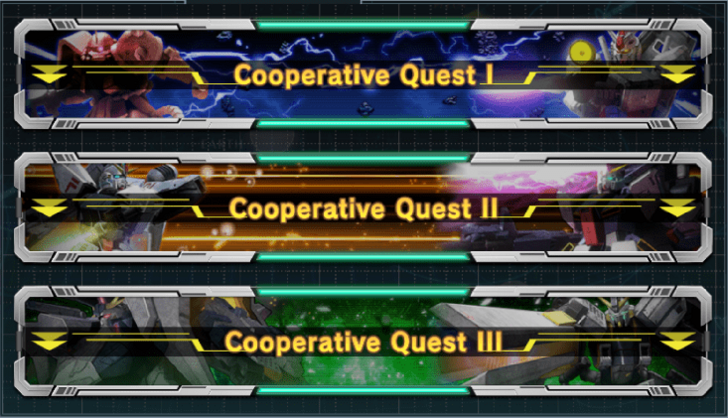
| Cooperative Battles | Battles in which players join forces to take down powerful opponents. If a player has sent an SOS, other players can participate and assist them. |
| BP | A resource used to join cooperative battles. It is restored at the rate of one point every ten minutes. |
| Uncomfirmed Battles | Allows the player to view details of cooperative battles in which the results are not yet confirmed. The deadline for viewing unconfirmed battles is one week after the battle ends, and if the deadline is missed, the rewards will become unclaimable. If there are five or more unconfirmed battles, the player will not be able to join or participate in cooperative battles. |
| SOS | A request for assistance from other players. After sending one, sending another cannot be done until five minutes have passed. |
| Reward Boost Function | A function where increasing the amount of BP spent increases the rewards gotten from a cooperative battle. To activate, tap the "Reward Boost" button on the Sortied squad Formation screen and then tap the desired multiplier boost. |
Events and Shop Terms
| Term | Definition |
|---|---|
| Events | Special quests and battles that take place over certain periods of time. Great rewards are available for those who join events. |
| New Productions Story Extra Events | These events take place over specific timeframes, and let the player enjoy event-exclusive stories and battles. Special items obtained during the event can be used to redeem event-exclusive rewards. Only players 29 ranks below the max player rank can participate. |
| Battle Rush EX | An event where the player clears several stages while battling enemy squads that appear. Rewards can be obtained from event achievements. Only players 29 ranks below the max player rank can participate. |
| Mission Battle EX | An event where the player must eliminate waves of enemies in special missions. Clearing missions will give the player rewards. Only players 29 ranks below the max player rank can participate. |
| Raid Battles | An event where players join forces to defeat even stronger enemies than those found in cooperative battles. |
| Clan Battle | A limited-time event where players and clans compete to see who can deal the most damage in a single battle. |
| Total War | An event where enemy squads should be defeated on a 5x5 grid. Rewards are given whenever a line of destroyed spaces is formed. Only players 29 ranks below the max player rank can participate. |
| Combat Power Augmentation Operation | Events where AP can be spent to obtain large amounts of upgrade materials. A score rank is given based on the number of enemy units destroyed. The amount of rewards depends on the Score Rank Acquired. |
| Special Operation | An event where mobile suits and characters are assigned costs, and the goal is to clear stages with the lowest cost possible. Players can earn rewards by clearing stages under the specified cost. Only players 29 ranks below the max player rank can participate. |
| Blitz Mission | An event where the goal is to clear stages as quickly as possible. Players can earn rewards by achieving time records under the specified target. Only players 29 ranks below the max player rank can participate. |
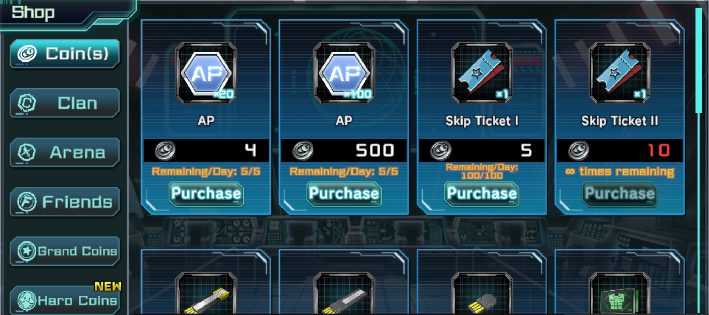
| Coin Shop | A shop where the primary currency used is coins. |
| Event Shop | A shop where the primary currency used is Event Medals. Each shop will have a different type of event medal, while some events will not have an event shop. |
| Clan Shop | A shop where members of a Clan can exchange modules with other Clan Members. Clan Members can also purchase items with Clan Medals. |
| Arena Shop | A shop where Arena Medals are the main currency. |
| Friend Shop | A shop where Friend Medals are the main currency. |
| Grand Coin Shop | A shop where Grand Coins are the main currency. Grand Coins are awarded based on the amount of AP and BP consumed when Player EXP is acquired while at the maximum player rank. The maximum amount of Grand coins acquired per week is 21,000. |
| Haro Coin Shop | A shop where Silver, Gold, and Rainbow Haro Coins are the main currency. |
| Total War Shop | A shop where Total War Medals are the main currency. |
| VIP | A feature that provides the player with a variety of benefits and has its own level, known as VIP levels. |
Unit Assembly and Achievements Terms
| Term | Definition |
|---|---|
| Unit Assembly | Spending Diamonds or Unit Assembly Tickets to acquire mobile suits and characters. Getting duplicates will give the player blueprints and character pieces instead. Additionally, players can save up exchange points to acquire the featured mobile suit in the banner. |
| Rental Quests | A way for the player to test out the performance of the featured mobile suit and characters that are available to try. Any battles fought as part of a rental quest do not consume AP, but using this feature will cause the quest to not be considered cleared. |
| Achievements | Challenges that have specific timeframes to complete. Players can earn rewards from completing achievements. |
| Daily | Achievements that are completed and updated on a daily basis. |
| Weekly | Achievements that are completed and updated on a weekly basis. |
| Events | Challenges that are exclusive to an event. |
| Cumulative | Achievements that are always available to complete. |
Mobile Suit Gundam U.C. Engage Related Guides
All Tips and Tricks Guides
 Arena Beginner's Guide (PvP)
 Arena Guide
 How to Get Started With the Arena?
 Beginner's Guide: Tips and Tricks
 Beginner Mistakes to Avoid
 Dailies Checklist
 Intermediate Guide
 How To Pair Pilots and Mobile Suits
 Team Building Guide
Comment



Author
Glossary of Terms
Rankings
- We could not find the message board you were looking for.
Gaming News





Popular Games

Genshin Impact Walkthrough & Guides Wiki
Honkai: Star Rail Walkthrough & Guides Wiki
Umamusume: Pretty Derby Walkthrough & Guides Wiki
Pokemon Pokopia Walkthrough & Guides Wiki
Resident Evil Requiem (RE9) Walkthrough & Guides Wiki
Monster Hunter Wilds Walkthrough & Guides Wiki
Wuthering Waves Walkthrough & Guides Wiki
Arknights: Endfield Walkthrough & Guides Wiki
Pokemon FireRed and LeafGreen (FRLG) Walkthrough & Guides Wiki
Pokemon TCG Pocket (PTCGP) Strategies & Guides Wiki










Recommended Games
Diablo 4: Vessel of Hatred Walkthrough & Guides Wiki
Fire Emblem Heroes (FEH) Walkthrough & Guides Wiki
Yu-Gi-Oh! Master Duel Walkthrough & Guides Wiki
Super Smash Bros. Ultimate Walkthrough & Guides Wiki
Pokemon Brilliant Diamond and Shining Pearl (BDSP) Walkthrough & Guides Wiki
Elden Ring Shadow of the Erdtree Walkthrough & Guides Wiki
Monster Hunter World Walkthrough & Guides Wiki
The Legend of Zelda: Tears of the Kingdom Walkthrough & Guides Wiki
Persona 3 Reload Walkthrough & Guides Wiki
Cyberpunk 2077: Ultimate Edition Walkthrough & Guides Wiki










All rights reserved
Game Copyright© SOTSU・SUNRISE All rights reserved.
The content we provide on this site were created personally by members of the Game8 editorial department.
We refuse the right to reuse or repost content taken without our permission such as data or images to other sites.
© SOTSU・SUNRISE (Provider)