
How to Customize Your Player Profile
★ New Events: Bonus Battle (Until 3/16), Encirclement Breakthrough Battles (Until 3/18), Blitz Mission (Until 3/22) Total War (Until 3/27), Battle Rush EX (Until 3/27)
★ New MS and Pilot: Gerbera Tetra and Cima Garahau || Gundam Unit 5 (Bst) and Fold Romfellow
★ Tier Lists: MS (PvE / PvP) and Pilots (PvE / PvP)
★ Check out our Arena Strategy Guide!
★ Answer our survey for Gundam UCE or try our gacha simulators!
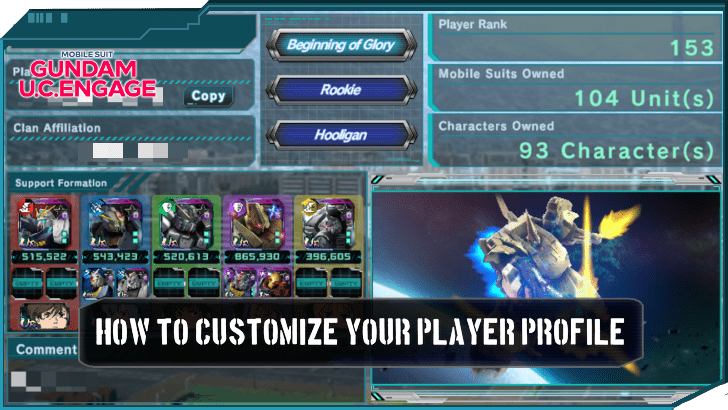
Gundam U.C. Engage’s player profile or entry allows players to express and customise how they appear to other players. Read on to learn how to customize your player profile, such as how to change information, title, and mobile suits, as well as how to set up a support formation.
List of Contents
How to Customize Your Player Profile
| How To Customize the Player Profile |
|---|
|
|

How to Change Profile Information
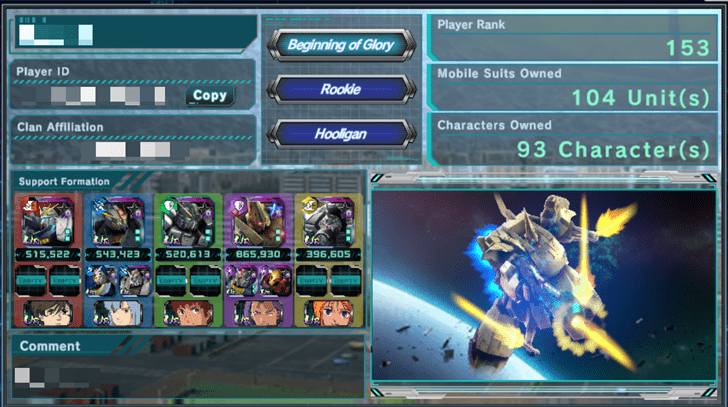
A player’s profile can display basic information about the user, such as their player name, player ID, clan affiliation, and some of their battle results.
While the player ID and clan affiliation cannot be changed from the player profile, the player’s player name and displayed battle results can be changed.
Player Name
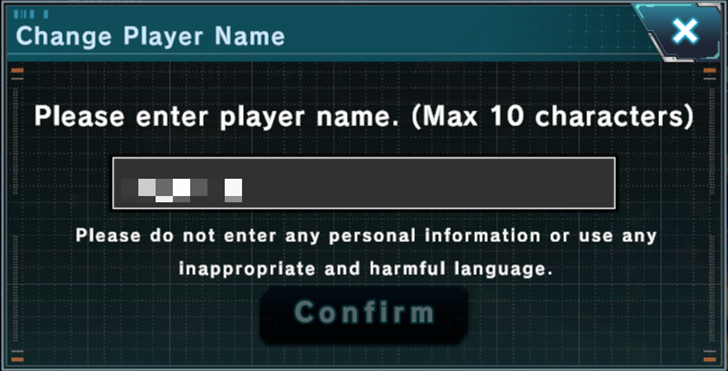
To change the player name, simply tap it, and a window with a text box will appear. Enter the desired name within the text box, and tap confirm to change the player name. It is important to note that names must be within ten characters and must not contain personal information or inappropriate and harmful language.
Battle Results
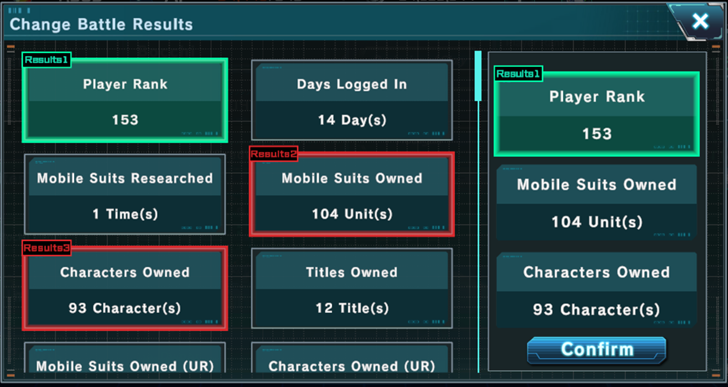
Battle results are feats accomplished by the player. To change which battle results are displayed, tap on them like with the player name. A window containing all available battle results will appear. On the right side of the window are the currently displayed battle results.
Tapping one of the currently displayed battle results will select it. After this, they can be replaced by any of the battle results on the left side by tapping on the desired battle result. Tapping confirm will enable the changes made.
How to Change Profile Title, Mobile Suit, and Comment
Profile Title
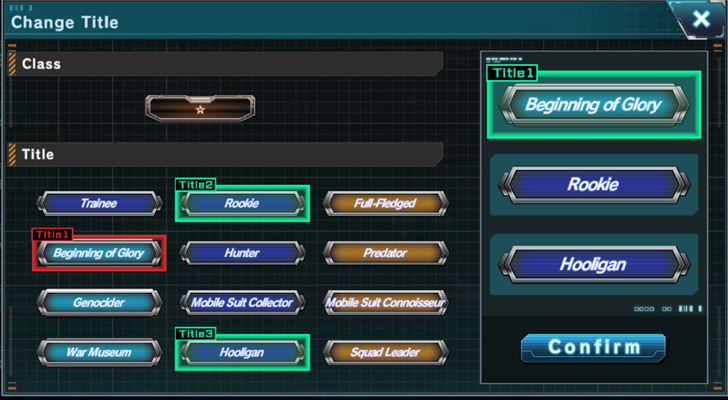
The player’s displayed title can be changed at any time by tapping the currently selected titles. This will make a window containing all classes and titles available to appear.
Like with the battle results, simply select a currently displayed title on the right side of the window, and replace it with the desired title or class by tapping on it. Hit the confirm button to enable the changes.
Profile Mobile Suit
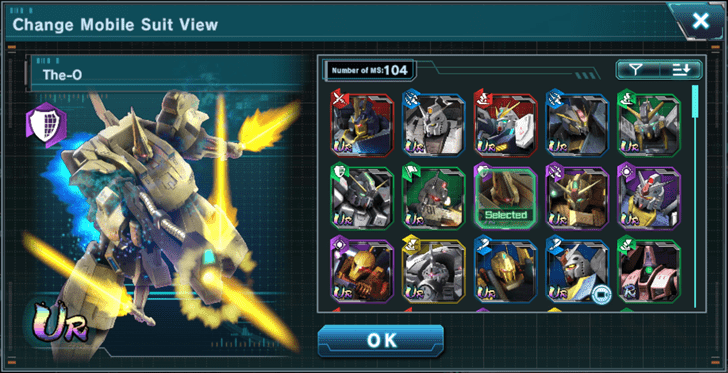
The displayed mobile suit can also be changed. Selecting the image in the bottom-right corner of the profile will bring up a window with all available mobile suits currently owned. Pick the desired mobile suit, and tap the "OK" button to see the changes in the profile’s appearance.
As a reward for fully performing the potential unleashed on a mobile suit, a special animation will play when the fully unleashed mobile suit is selected.
Profile Comment
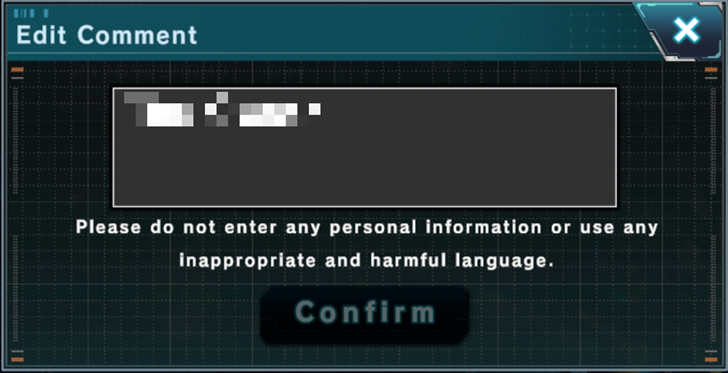
Like the player name, the profile’s comment can be changed as well. Tap on the comment and edit the text in the text box to change the profile comment. Note that personal information, inappropriate, and harmful language are not allowed.
How to Set Up Support Formation
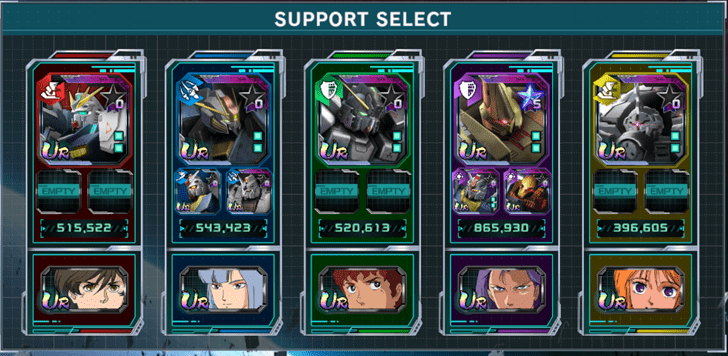
Setting up a support formation will allow the player to loan their mobile suits to other players to support them. One mobile suit per colour can be set up in a support formation.
To set up a support formation, tap the slot and select the desired mobile suit and character to put them into a support formation.
Gundam U.C. Engage Related Guides
All Tips and Tricks Guides
 Arena Beginner's Guide (PvP)
 Arena Guide
 How to Get Started With the Arena?
 Beginner's Guide: Tips and Tricks
 Beginner Mistakes to Avoid
 Dailies Checklist
 Intermediate Guide
 How To Pair Pilots and Mobile Suits
 Team Building Guide
Comment



Author
How to Customize Your Player Profile
Rankings
- We could not find the message board you were looking for.
Gaming News




Popular Games

Genshin Impact Walkthrough & Guides Wiki
Honkai: Star Rail Walkthrough & Guides Wiki
Umamusume: Pretty Derby Walkthrough & Guides Wiki
Pokemon Pokopia Walkthrough & Guides Wiki
Resident Evil Requiem (RE9) Walkthrough & Guides Wiki
Monster Hunter Wilds Walkthrough & Guides Wiki
Wuthering Waves Walkthrough & Guides Wiki
Arknights: Endfield Walkthrough & Guides Wiki
Pokemon FireRed and LeafGreen (FRLG) Walkthrough & Guides Wiki
Pokemon TCG Pocket (PTCGP) Strategies & Guides Wiki










Recommended Games
Diablo 4: Vessel of Hatred Walkthrough & Guides Wiki
Fire Emblem Heroes (FEH) Walkthrough & Guides Wiki
Yu-Gi-Oh! Master Duel Walkthrough & Guides Wiki
Super Smash Bros. Ultimate Walkthrough & Guides Wiki
Pokemon Brilliant Diamond and Shining Pearl (BDSP) Walkthrough & Guides Wiki
Elden Ring Shadow of the Erdtree Walkthrough & Guides Wiki
Monster Hunter World Walkthrough & Guides Wiki
The Legend of Zelda: Tears of the Kingdom Walkthrough & Guides Wiki
Persona 3 Reload Walkthrough & Guides Wiki
Cyberpunk 2077: Ultimate Edition Walkthrough & Guides Wiki










All rights reserved
Game Copyright© SOTSU・SUNRISE All rights reserved.
The content we provide on this site were created personally by members of the Game8 editorial department.
We refuse the right to reuse or repost content taken without our permission such as data or images to other sites.
© SOTSU・SUNRISE (Provider)