
What to Do if Gundam UCE Is Not Loading
★ New Events: Battle Rush EX, Encirclement Breakthrough Battles, Total War
★ New MS and Pilot: Gundam Unit 5 (Bst) and Fold Romfellow
★ Tier Lists: Mobile Suits (PvE / PvP) and Pilots (PvE / PvP)
★ Check out our Arena Strategy Guide!
★ Answer our survey for Gundam UCE or try our gacha simulators!
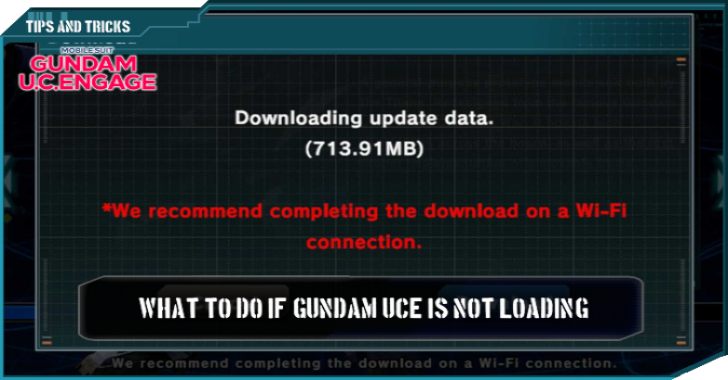
Sometimes, Gundam UCE may find itself stuck at a loading screen when players try to play a game. Read to find out what to do if Gundam UCE is not loading.
List of Contents
What to Do if Gundam UCE Is Not Loading
| How to Fix Gundam UCE Loading Issues |
|---|
|
|

Find a Better Internet Connection
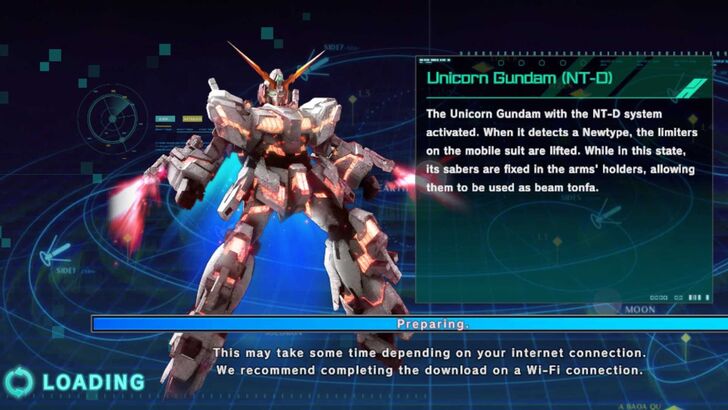
After downloading the game for the first time (or when updating it), there may be a case where the game will stay stuck on one screen, where it keeps saying "Loading" on the bottom-right corner.
In most cases, finding a stable WIFI connection will resolve the issue and allow players to access the game.
Clear Gundam UCE's Cache
There are cases, however, where looking for a better internet connection will not work. In these situations, the official Bandai Namco website suggests that players do the following after looking for a better internet connection:
| 1 | 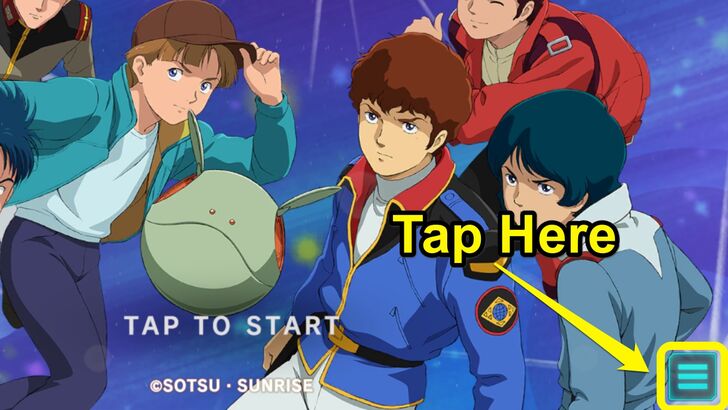 At the Title Screen, look for the sandwich icon on the lower right-hand side of the screen. |
|---|---|
| 2 | 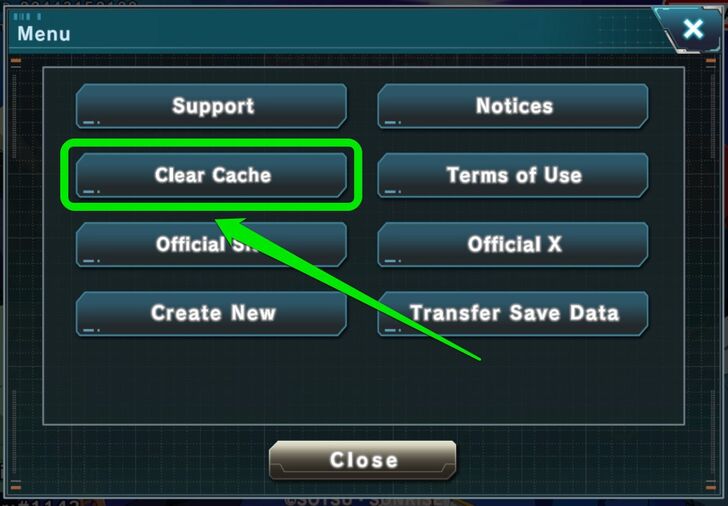 The Title Screen menu will pop up. Here, tap "Clear Cache". |
| 3 | 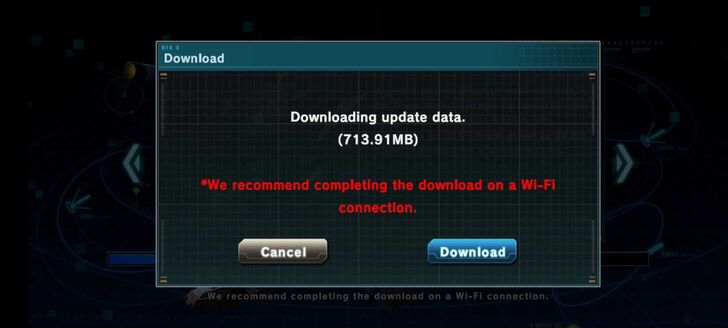 Once the cache has been cleared, the game will ask to redownload any game data. The game should stop being stuck at the loading screen after this. |
Turn Off the Phone’s Auto-Blocker
Certain types of Android phones (such as Samsung Galaxy phones) sometimes have an "Auto-Block" feature that automatically blocks any app that was not downloaded from the Google Play Store and other official app stores.
To disable the Auto-Blocker, players should go to their phone's Settings, then Security and Privacy. The settings for the Auto-Blocker feature should be in this menu.
Restart the Device
Sometimes, cases of Gundam U.C. Engage being stuck at the loading screen can be fixed by restarting the phone or device it is being played on.
Once players have restarted their phone, they only need to follow the instructions on how to fix the loading screen issue if they have a bad internet connection.
Mobile Suit Gundam U.C. Engage Related Guides
All Tips and Tricks Guides
 Arena Beginner's Guide (PvP)
 Arena Guide
 How to Get Started With the Arena?
 Beginner's Guide: Tips and Tricks
 Beginner Mistakes to Avoid
 Daily Tasks Checklist
 Intermediate Guide
 How To Pair Pilots and Mobile Suits
 Team Building Guide
Comment



Author

What to Do if Gundam UCE Is Not Loading
Rankings
- We could not find the message board you were looking for.
Gaming News


![Resident Evil Village Review [Switch 2] | Almost Flawless Port](https://img.game8.co/4432790/e1859f64830960ce4248d898f8cd38d9.jpeg/thumb)


Popular Games

Genshin Impact Walkthrough & Guides Wiki
Resident Evil Requiem (RE9) Walkthrough & Guides Wiki
Honkai: Star Rail Walkthrough & Guides Wiki
Monster Hunter Wilds Walkthrough & Guides Wiki
Umamusume: Pretty Derby Walkthrough & Guides Wiki
Pokemon TCG Pocket (PTCGP) Strategies & Guides Wiki
Arknights: Endfield Walkthrough & Guides Wiki
Wuthering Waves Walkthrough & Guides Wiki
Zenless Zone Zero Walkthrough & Guides Wiki
Digimon Story: Time Stranger Walkthrough & Guides Wiki









Recommended Games
Fire Emblem Heroes (FEH) Walkthrough & Guides Wiki
Yu-Gi-Oh! Master Duel Walkthrough & Guides Wiki
Super Smash Bros. Ultimate Walkthrough & Guides Wiki
Diablo 4: Vessel of Hatred Walkthrough & Guides Wiki
Pokemon Brilliant Diamond and Shining Pearl (BDSP) Walkthrough & Guides Wiki
Elden Ring Shadow of the Erdtree Walkthrough & Guides Wiki
Monster Hunter World Walkthrough & Guides Wiki
The Legend of Zelda: Tears of the Kingdom Walkthrough & Guides Wiki
Persona 3 Reload Walkthrough & Guides Wiki
Cyberpunk 2077: Ultimate Edition Walkthrough & Guides Wiki










All rights reserved
Game Copyright© SOTSU・SUNRISE All rights reserved.
The content we provide on this site were created personally by members of the Game8 editorial department.
We refuse the right to reuse or repost content taken without our permission such as data or images to other sites.
© SOTSU・SUNRISE (Provider)