
How to Get and Use Palico Paintballs
We regret to announce that we will no longer cover Monster Hunter Now as of Season 4. Redeem Codes will continue to be updated and you may keep sharing Referral Codes and Friend Codes, but other pages may be outdated. Thank you for your support!
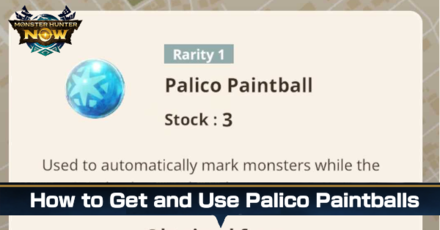
Palico Paintballs can help you mark any monsters in Monster Hunter Now, even if you don't have the game open. Learn more about how to use Palico Paintballs and where to obtain them here.
List of Contents
How to Use Palico Paintballs
Enable Adventure Sync
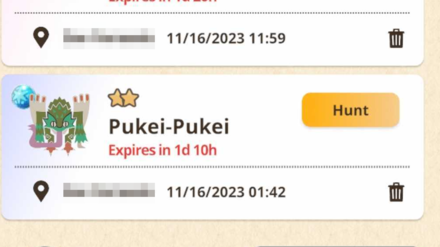
To use Palico Paintballs, make sure that the Adventure Sync mode is turned on. With this feature active, your Palico will gather materials for you and mark monsters along the way with Palico Paintballs, even when the game is closed.
Only Works on Large Monsters
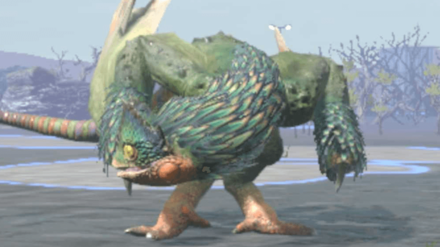
No need to worry about your Palico marking small monsters! Palico Paintballs exclusively target large monsters, so feel free to activate this feature while you travel to hunt the monsters you missed along the way.
Open the Paintball Screen
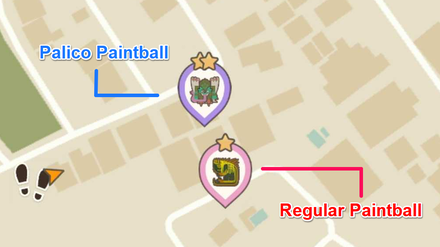
After enabling Adventure Sync, the next time you open your app, you'll see all the monsters that your Palico marked along the way. Monsters with purple icons are marked using Palico Paintballs, while those with pink icons are marked using regular paintballs.
Invite Nearby Players for Tough Hunts
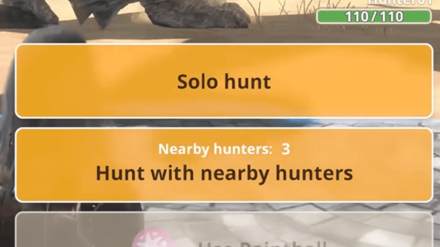
If your Palico somehow marked a high level monster, you can invite nearby players to join the hunt using the multiplayer mode. Simply press the button below the solo hunt to generate a QR code for nearby players to scan.
Multiplayer Guide: How to Join a Party
Where to Get Palico Paintballs
Daily Check-Ins
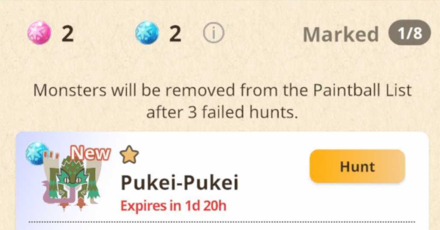
To get extra Palico Paintballs, make sure to check-in everyday to get three free Palico Paintballs. Remember, any unused Palico Paintballs won't carry over to the next day. So, if you've got one left today, you'll only get two more tomorrow.
Get the Prime Hunter Pass
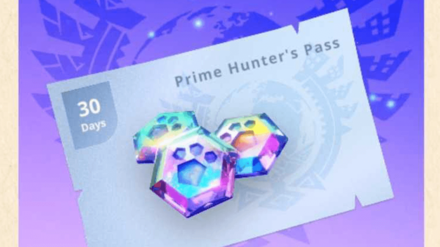
Additionally, by purchasing the Prime Hunter Pass, you can maximize your daily limit to five, instead of the usual three. With this pass, your daily Palico Paintballs will be expanded to five for a duration of 30 days.
Once your pass expires, your free daily Palico Paintballs, along with your limit, will revert back to three.
Monster Hunter Now Related Guides

List of All Items
| All Items | |
|---|---|
 Potion Potion |
 First-Aid Med First-Aid Med |
 Paintball Paintball |
 Palico Paintball Palico Paintball |
 Wander Droplet Wander Droplet |
 Wander Orb Wander Orb |
 Special Carving Knife Special Carving Knife |
- |
List of All Materials
| All Materials | |
|---|---|
 Ore Ore |
 Bones Bones |
 Vegetation Vegetation |
 Monster Materials Monster Materials |
 Weapon Refining Parts Weapon Refining Parts |
 Armor Refining Parts Armor Refining Parts |
Comment



Author
How to Get and Use Palico Paintballs

Rankings
- We could not find the message board you were looking for.
Gaming News



Popular Games

Genshin Impact Walkthrough & Guides Wiki
Honkai: Star Rail Walkthrough & Guides Wiki
Arknights: Endfield Walkthrough & Guides Wiki
Umamusume: Pretty Derby Walkthrough & Guides Wiki
Wuthering Waves Walkthrough & Guides Wiki
Pokemon TCG Pocket (PTCGP) Strategies & Guides Wiki
Abyss Walkthrough & Guides Wiki
Zenless Zone Zero Walkthrough & Guides Wiki
Digimon Story: Time Stranger Walkthrough & Guides Wiki
Clair Obscur: Expedition 33 Walkthrough & Guides Wiki









Recommended Games
Fire Emblem Heroes (FEH) Walkthrough & Guides Wiki
Pokemon Brilliant Diamond and Shining Pearl (BDSP) Walkthrough & Guides Wiki
Diablo 4: Vessel of Hatred Walkthrough & Guides Wiki
Super Smash Bros. Ultimate Walkthrough & Guides Wiki
Yu-Gi-Oh! Master Duel Walkthrough & Guides Wiki
Elden Ring Shadow of the Erdtree Walkthrough & Guides Wiki
Monster Hunter World Walkthrough & Guides Wiki
The Legend of Zelda: Tears of the Kingdom Walkthrough & Guides Wiki
Persona 3 Reload Walkthrough & Guides Wiki
Cyberpunk 2077: Ultimate Edition Walkthrough & Guides Wiki










All rights reserved
©Niantic. ©CAPCOM CO., LTD. All Rights Reserved.
The copyrights of videos of games used in our content and other intellectual property rights belong to the provider of the game.
The contents we provide on this site were created personally by members of the Game8 editorial department.
We refuse the right to reuse or repost content taken without our permission such as data or images to other sites.