
Switch 1 and Switch 2 Edition Differences
★ Story Walkthrough | Upgrades and Abilities
☆ Characters | Bosses | Puzzles
★ Viewros Map: Energy Tank | Missile Expansion | Shot Expansion
★ Game Details: amiibo Unlocks | How Long to Beat | Switch Edition Differences
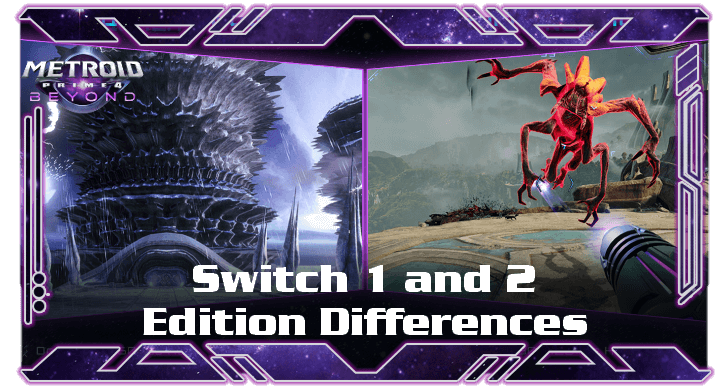
Metroid Prime 4: Beyond is released in two editions, namely the Switch 1 edition and the Switch 2 edition. Learn the differences between the frame rates, resolution, features, and controls in this guide.
Switch 1 and Switch 2 Edition Differences
| Aspect | Switch 1 | Switch 2 |
|---|---|---|
| Load Times | Shows slower load times | Has faster load times |
| Frame Rates | Max 60 FPS | Up to 120 FPS (with Performance Mode) |
| Resolution | 1080p | 4K Resolution (with Quality Mode) |
| Graphic Features | No additional graphic features. | Offers Performance and Quality Modes |
| Controls | Uses Dual Sticks | Can use Mouse Mode |
Although the game's content will be the same regardless of the edition, the Switch 1 and Switch 2 editions offer differences in terms of graphics quality, features, and brand-new control schemes.
Load Time Difference
As shown above, with the Switch 1 on the left and the Switch 2 on the right, the Switch 2 boast faster loading times. Players will have a more comfortable and seamless experience with Switch 2's higher framerate and faster loading times.
Frame Rate Difference
The Switch 1 reaches a maximum 60 FPS during gameplay, while the Switch 2 reaches up to 120 FPS—making for a smoother gaming experience.
Resolution Difference
While the Switch 1 offers a decent 1080p quality, the Switch 2 provides a 4K resolution in graphics quality when the device is docked. Giving players a chance to see Viewros in crisp, high quality detail.
Do note that the Switch 2's 4K resolution uses a high number of pixels, therefore not all monitors are capable of supporting it. Ensure that your monitor supports this resolution.
Graphic Features Difference
Switch 2 offers the Performance and Quality Modes for Metroid Prime 4: Beyond.
Performance Mode allows players to experience a smoother and faster gameplay with 120FPS. While Quality Mode let players enjoy Samus's adventures in high quality 4K Resolution.
Quality and Performance Mode Differences
Controls Difference
Navigate planet Viewros using Switch 1's dual sticks, or with the Switch 2's brand new Mouse Mode. With Switch 2's Mouse Mode, players can aim the Arm Cannon in a controlled and more precise gameplay.
How to Use Mouse Mode and Controls
Which Edition Should You Buy?
Get the One for Your Console
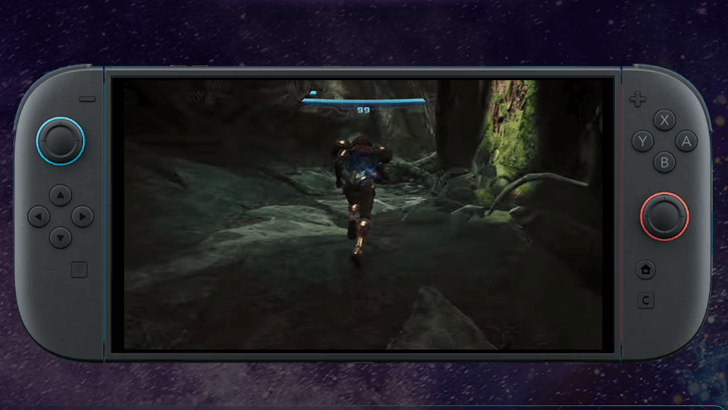
Choose the edition based on the console you own. However, if you have both consoles, the Nintendo Switch 2 edition offers faster load times and smoother gameplay.
Do note that the extra features will only work on the Switch 2, so just purchase the regular Nintendo Switch edition if you only have the base console to save $10.
Metroid Prime 4: Beyond Related Guides
All Version Updates
| All Patch Updates |
|---|
| 1.1.0 |
All Latest News
-
![]()
Release Time and Countdown
Updated 12/4/2025
Check out Metroid Prime 4: Beyond's release time and countdown timer here!
-
![]()
Preload Date and How to Pre-Download
Updated 11/28/2025
Preload Metroid Prime 4 on Nintendo Switch 1 and Switch 2 until December 4, 2025!
-
![]()
Available Platforms and Consoles
Updated 11/28/2025
Find out which platforms and consoles you can play Metroid Prime 4: Beyond on!
-
![]()
Preorder Bonuses and How to Claim
Updated 11/28/2025
See the different preorder bonuses you can get in Metroid Prime 4: Beyond!
-
![]()
Switch 1 and Switch 2 Edition Differences
Updated 12/4/2025
Find out the different editions Metroid Prime 4: Beyond is available on and how they perform!
-
![]()
Switch 2 Upgrade Pack Cost and Details
Updated 12/4/2025
See what Upgrade Packs are and how they can affect your game version here!




FAQs
| Is There Fast Travel? | Fast travel is not available in Metroid Prime 4: Beyond. The game focuses on fully exploring Viewros using Vi-O-La. |
|---|---|
| Is It Beyond Open World? | Metroid Prime 4: Beyond is semi-open world with its expansive desert called Sol Valley. |
| Is There a Multiplayer or Co-op Mode? | Metroid Prime 4: Beyond is a single player game, focused on exploration and story progression. |
| How Long to Beat | It takes about 10 to 15 hours to complete the full story. |
Comment



Author

Switch 1 and Switch 2 Edition Differences

Rankings
- We could not find the message board you were looking for.
Gaming News


![Monster Hunter Stories 3 Review [First Impressions] | Simply Rejuvenating](https://img.game8.co/4438641/2a31b7702bd70e78ec8efd24661dacda.jpeg/thumb)
![The Seven Deadly Sins: Origin [First Impressions] | A Promising Start](https://img.game8.co/4440581/584e0bfb87908f12c4eab6e846eb1afd.png/thumb)

Popular Games

Genshin Impact Walkthrough & Guides Wiki
Umamusume: Pretty Derby Walkthrough & Guides Wiki
Pokemon Pokopia Walkthrough & Guides Wiki
Honkai: Star Rail Walkthrough & Guides Wiki
Monster Hunter Stories 3: Twisted Reflection Walkthrough & Guides Wiki
Arknights: Endfield Walkthrough & Guides Wiki
Wuthering Waves Walkthrough & Guides Wiki
Zenless Zone Zero Walkthrough & Guides Wiki
Pokemon TCG Pocket (PTCGP) Strategies & Guides Wiki
Monster Hunter Wilds Walkthrough & Guides Wiki










Recommended Games
Diablo 4: Vessel of Hatred Walkthrough & Guides Wiki
Cyberpunk 2077: Ultimate Edition Walkthrough & Guides Wiki
Fire Emblem Heroes (FEH) Walkthrough & Guides Wiki
Yu-Gi-Oh! Master Duel Walkthrough & Guides Wiki
Super Smash Bros. Ultimate Walkthrough & Guides Wiki
Pokemon Brilliant Diamond and Shining Pearl (BDSP) Walkthrough & Guides Wiki
Elden Ring Shadow of the Erdtree Walkthrough & Guides Wiki
Monster Hunter World Walkthrough & Guides Wiki
The Legend of Zelda: Tears of the Kingdom Walkthrough & Guides Wiki
Persona 3 Reload Walkthrough & Guides Wiki










All rights reserved
© Nintendo. Metroid and Nintendo Switch are trademarks of Nintendo.
The copyrights of videos of games used in our content and other intellectual property rights belong to the provider of the game.
The contents we provide on this site were created personally by members of the Game8 editorial department.
We refuse the right to reuse or repost content taken without our permission such as data or images to other sites.