
How to Start and Leave Packs
★ New Characters: Helhest | Rossi-11
☆ New Bow Weapons and Axion Artifacts
★ Tier Lists: Characters | Weapons | Artifacts
☆ Best Builds: Helhest | Rossi-11 | Estela
★ Weapon Guides: Exotics | Mythics
☆ Redeem Codes for November 2025
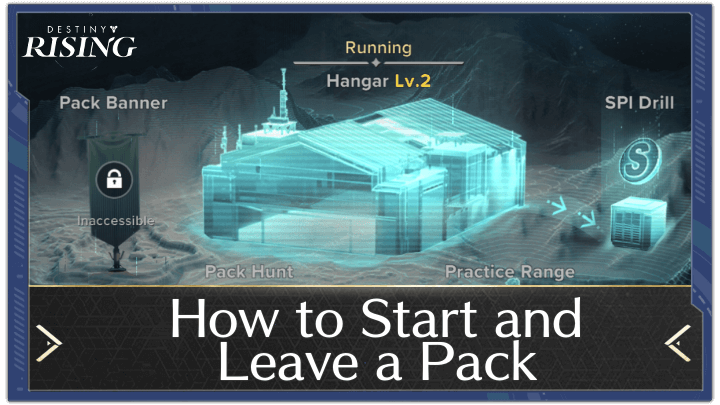
You can start a Clan by selecting the Create Pack option under the Pack menu in Destiny: Rising. Learn how to create a Clan and how to unlock the option for Packs here.
List of Contents
How to Start a Pack
Open the Ghost Menu
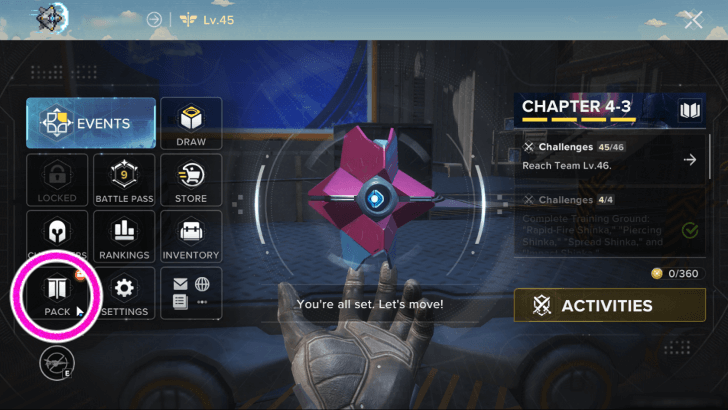
To create a Clan, or Pack as it's called in-game, you will first need 30,000 Glimmer. Once you have enough, open the Ghost Menu (the main hub menu), and then at the bottom left, you can go to the Pack menu and open the Create Pack tab.
Select the Pack Menu Create a Pack
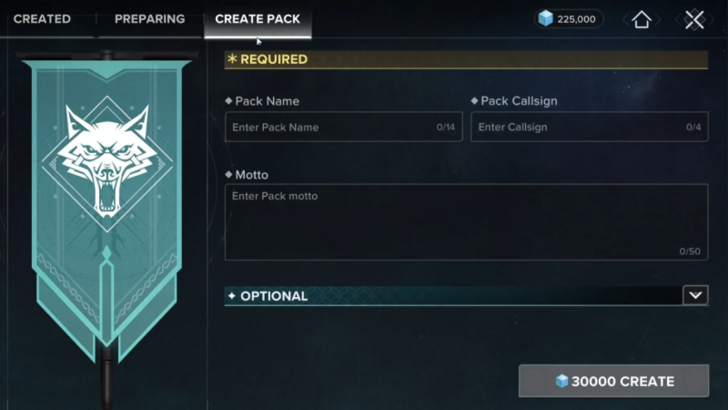
Head to the Pack Menu and this is where you can select the details for your Clan, such as its name and tag that appears under your character's name, as well as extra details like the Clan's description, playstyle, and operating hours.
Have 5 Other Members Join
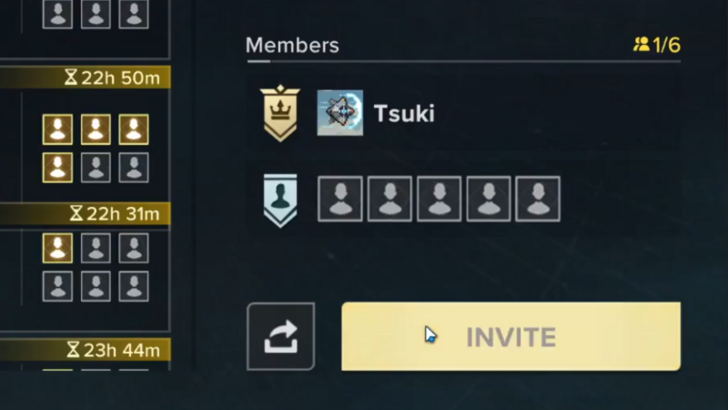
Once you've finalised the Clan details and clicked Create, you will be taken to the Preparing tab, where you'll need to recruit 5 more members within 24 hours. Once the extra member count has been met, your Clan will officially be founded, and you'll now be able to access your Clan's Wolf Den.
How to Leave a Pack
Open the Ghost Menu
To leave a pack, open the Ghost Menu (the main hub menu), and then at the bottom left, you can go to the Pack menu.
Head to the Member Tab and You Can Leave From There
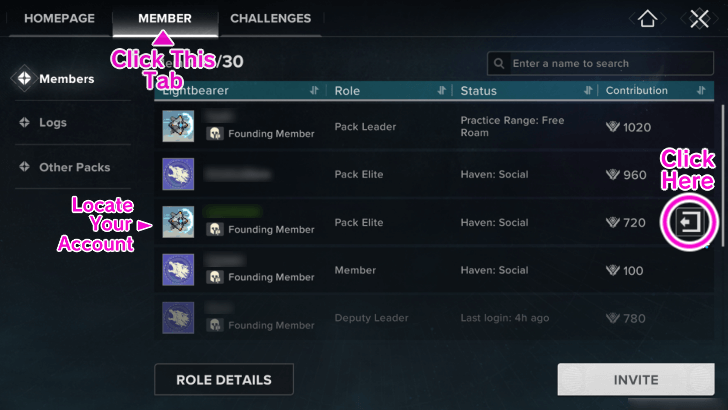
Once open, this is where you can head to the Member tab and find yourself among the members. Your name should be highlighted in green. Click the exit button (the three-sided square with the arrow pointing outwards).
Note that you will be prompted if you want to leave the pack. You will keep all your SPI Coins though.
How to Unlock Clans (Packs)
Complete Hero's Trial I
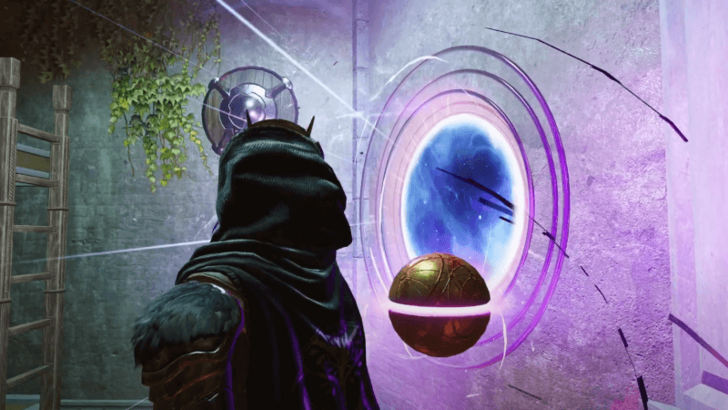
To unlock Clans, you will need to progress through the story until you've completed Hero's Trial I, which happens to be the tutorial for the Realm of the IX gamemode. Once that's done, the option for Packs will be automatically unlocked in the main menu.
Destiny: Rising Related Guides
Beginner's Guide to Destiny: Rising
All Tips and Tricks



Author
How to Start and Leave Packs

Rankings
- We could not find the message board you were looking for.
Gaming News

![Monster Hunter Stories 3 Review [First Impressions] | Simply Rejuvenating](https://img.game8.co/4438641/2a31b7702bd70e78ec8efd24661dacda.jpeg/show)
![Monster Hunter Stories 3 Review [First Impressions] | Simply Rejuvenating](https://img.game8.co/4438641/2a31b7702bd70e78ec8efd24661dacda.jpeg/thumb)
![The Seven Deadly Sins: Origin [First Impressions] | A Promising Start](https://img.game8.co/4440581/584e0bfb87908f12c4eab6e846eb1afd.png/thumb)

Popular Games

Genshin Impact Walkthrough & Guides Wiki
Umamusume: Pretty Derby Walkthrough & Guides Wiki
Pokemon Pokopia Walkthrough & Guides Wiki
Honkai: Star Rail Walkthrough & Guides Wiki
Monster Hunter Stories 3: Twisted Reflection Walkthrough & Guides Wiki
Arknights: Endfield Walkthrough & Guides Wiki
Wuthering Waves Walkthrough & Guides Wiki
Zenless Zone Zero Walkthrough & Guides Wiki
Pokemon TCG Pocket (PTCGP) Strategies & Guides Wiki
Monster Hunter Wilds Walkthrough & Guides Wiki










Recommended Games
Diablo 4: Vessel of Hatred Walkthrough & Guides Wiki
Cyberpunk 2077: Ultimate Edition Walkthrough & Guides Wiki
Fire Emblem Heroes (FEH) Walkthrough & Guides Wiki
Yu-Gi-Oh! Master Duel Walkthrough & Guides Wiki
Super Smash Bros. Ultimate Walkthrough & Guides Wiki
Pokemon Brilliant Diamond and Shining Pearl (BDSP) Walkthrough & Guides Wiki
Elden Ring Shadow of the Erdtree Walkthrough & Guides Wiki
Monster Hunter World Walkthrough & Guides Wiki
The Legend of Zelda: Tears of the Kingdom Walkthrough & Guides Wiki
Persona 3 Reload Walkthrough & Guides Wiki










All rights reserved
©2024 Bungie
©1997-2024 NetEase.Inc.
The copyrights of videos of games used in our content and other intellectual property rights belong to the provider of the game.
The contents we provide on this site were created personally by members of the Game8 editorial department.
We refuse the right to reuse or repost content taken without our permission such as data or images to other sites.