
Best Settings Guide
★ New Characters: Helhest | Rossi-11
☆ New Bow Weapons and Axion Artifacts
★ Tier Lists: Characters | Weapons | Artifacts
☆ Best Builds: Helhest | Rossi-11 | Estela
★ Weapon Guides: Exotics | Mythics
☆ Redeem Codes for November 2025
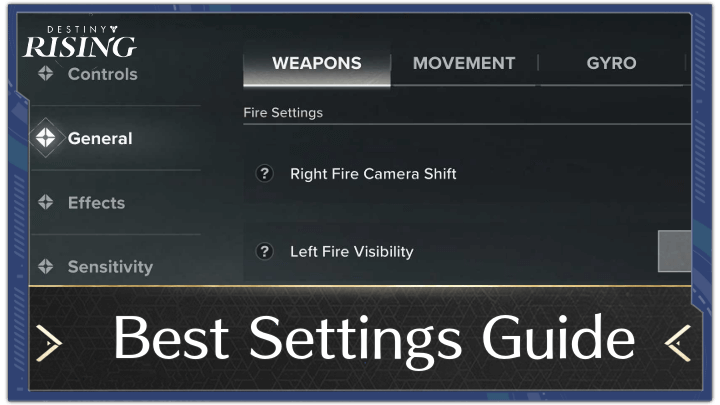
These are the best and recommended settings for Destiny: Rising. Read on to see the best settings to use in game, along with the list of available settings you can change!
List of Contents
Best and Recommended Settings for Destiny: Rising
| Jump to a Setting! | |||||
|---|---|---|---|---|---|
| Controls | General | ||||
| Effects | Audio & Graphics | Other | |||
Best Controls Settings
| Game Settings | |
|---|---|
| Firing Mode | Tap to ADS and Fire |
| TPP | Mixed |
We recommend setting Firing Mode to Tap to ADS and Fire, to allow you to choose exactly when to shoot, instead of automatically shooting at enemies.
For the TPP setting, we recommend setting it to Mixed, which allows you to switch between ADS and OTS firing modes, depending on your weapon and situation.
Best General Settings
| Assisted Combat Settings | |
|---|---|
| Aim Assist | User Preference |
| Auto-Fire at Barricades | On |
| Out-of-Ammo Auto-Swap | On |
| Defensive Interaction Mode | User Preference |
| Sword Guard Interaction | Tap to Switch |
| Fire Settings | |
| Right Fire Camera Shift | On |
| Left Fire Visibility | User Preference |
| Left Fire Button | User Preference |
| Melee Weapon Attack Direction | Follow Camera |
| Super Melee Attack Mode | Attack When Targets Available |
| Shot Interval Hint | User Preference |
| ADS Settings | |
| Simultaneous Aim and Fire | On |
| ADS | User Preference |
| Semi-Transparent UI when ADS | On |
| ADS Button Camera Shift | Off |
| ADS after Reload | Off |
| Sniper Rifle ADS Settings | |
| Iron Bar | 30 |
| Instances | 30 |
| Shifting Gates | 30 |
For the assisted settings, we leave most of it to user preference, except for Auto-Fire at Barricades and Out-of-Ammo Auto-Swap, which we recommend turning on, as these are nice Quality of Life features.
Fire Settings and ADS settings are mostly up to user preference. We recommend setting Melee Weapon Attack Direction to Follow Camera instead of movement, which should be helpful in instances where you are being swarmed by enemies.
Best Effects Settings
| Camera FOV Settings | |
|---|---|
| Field of View | User Preference |
| Notification Settings | 2D |
| Camera Settings | User Preference |
Having Notification Settings to 2D allows you to get a general idea of where attacks are coming from, but not to the extent where you need to pay attention to the arrows on the ground, which can be distracting.
Damage Text Opacity is recommended to be set at 80, to allow you to see the damage text clearly, but not at the expense of you losing screen visibility.
Best Audio & Graphics Settings
| Graphics Settings | |
|---|---|
| Graphics Mode | Performance |
| Graphics Adjust on Overheat | On |
We recommend setting the Graphics Mode to Performance, as this allows for the Highest FPS regardless of your device. If you have a higher-end device, you can opt for Balanced or Quality instead, if you prefer higher graphics over higher frame counts.
Having Graphics Adjust on Overheat turned on should also be considered, especially if you plan to play the game for prolonged periods of time to not put too much strain on your device.
Best Other Settings
| Other Settings | |
|---|---|
| Mini-Map Mode | Fixed |
| Login Scene | User Preference |
Setting Mini-Map Mode to Fixed should allow you to get a better view of the terrain and where you are currently.
The Login Scene is entirely up to your preference, as this does not affect gameplay, and only changes the Login Screen of the game.
Destiny: Rising Related Guides
Beginner's Guide to Destiny: Rising
All Tips and Tricks
Comment



Author
Best Settings Guide

Rankings
- We could not find the message board you were looking for.
Gaming News

![Monster Hunter Stories 3 Review [First Impressions] | Simply Rejuvenating](https://img.game8.co/4438641/2a31b7702bd70e78ec8efd24661dacda.jpeg/show)
![Monster Hunter Stories 3 Review [First Impressions] | Simply Rejuvenating](https://img.game8.co/4438641/2a31b7702bd70e78ec8efd24661dacda.jpeg/thumb)
![The Seven Deadly Sins: Origin [First Impressions] | A Promising Start](https://img.game8.co/4440581/584e0bfb87908f12c4eab6e846eb1afd.png/thumb)

Popular Games

Genshin Impact Walkthrough & Guides Wiki
Umamusume: Pretty Derby Walkthrough & Guides Wiki
Pokemon Pokopia Walkthrough & Guides Wiki
Honkai: Star Rail Walkthrough & Guides Wiki
Monster Hunter Stories 3: Twisted Reflection Walkthrough & Guides Wiki
Arknights: Endfield Walkthrough & Guides Wiki
Wuthering Waves Walkthrough & Guides Wiki
Zenless Zone Zero Walkthrough & Guides Wiki
Pokemon TCG Pocket (PTCGP) Strategies & Guides Wiki
Monster Hunter Wilds Walkthrough & Guides Wiki










Recommended Games
Diablo 4: Vessel of Hatred Walkthrough & Guides Wiki
Cyberpunk 2077: Ultimate Edition Walkthrough & Guides Wiki
Fire Emblem Heroes (FEH) Walkthrough & Guides Wiki
Yu-Gi-Oh! Master Duel Walkthrough & Guides Wiki
Super Smash Bros. Ultimate Walkthrough & Guides Wiki
Pokemon Brilliant Diamond and Shining Pearl (BDSP) Walkthrough & Guides Wiki
Elden Ring Shadow of the Erdtree Walkthrough & Guides Wiki
Monster Hunter World Walkthrough & Guides Wiki
The Legend of Zelda: Tears of the Kingdom Walkthrough & Guides Wiki
Persona 3 Reload Walkthrough & Guides Wiki










All rights reserved
©2024 Bungie
©1997-2024 NetEase.Inc.
The copyrights of videos of games used in our content and other intellectual property rights belong to the provider of the game.
The contents we provide on this site were created personally by members of the Game8 editorial department.
We refuse the right to reuse or repost content taken without our permission such as data or images to other sites.