
Emote Guide: How to Greet Fellow Lightbearers
★ New Characters: Helhest | Rossi-11
☆ New Bow Weapons and Axion Artifacts
★ Tier Lists: Characters | Weapons | Artifacts
☆ Best Builds: Helhest | Rossi-11 | Estela
★ Weapon Guides: Exotics | Mythics
☆ Redeem Codes for November 2025
Greet other players in Destiny: Rising by tapping their profile. Learn how to greet other players here and see a guide on how to emote.
List of Contents
How to Greet Fellow Lightbearers
Tap on a Lightbearer's Profile
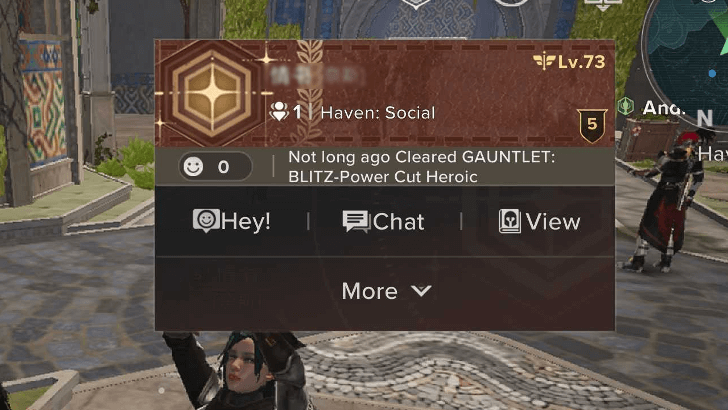
To greet other players, tap on their profile first. This will open a set of interaction options where you can add them as a friend, request to join their fireteam, or report them if they’re being unruly.
Multiplayer Guide: How to Play With Friends
Select Hey
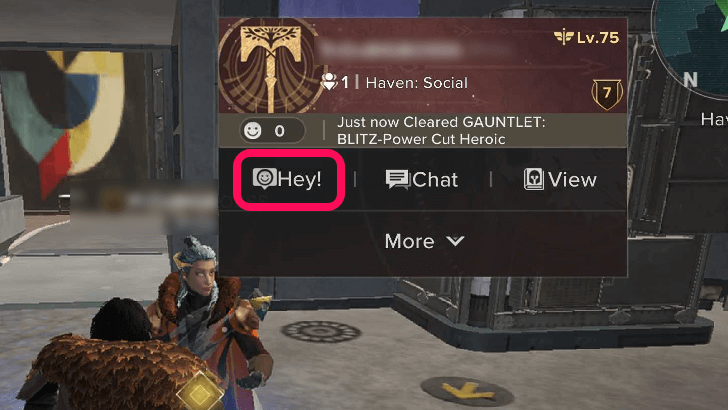
Next, tap on the Hey button to greet other players. This will open a small chat between you and the other player, and you can confirm the greeting at the bottom of the screen.
Wait for a Response
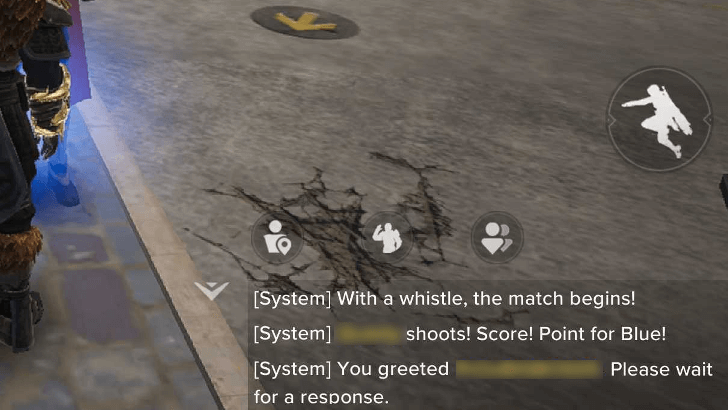
After greeting other players, simply wait for their response. Since this opens a chat between you two, you can also try messaging them in case they don’t reply right away.
How to Emote
Find the Emote Button
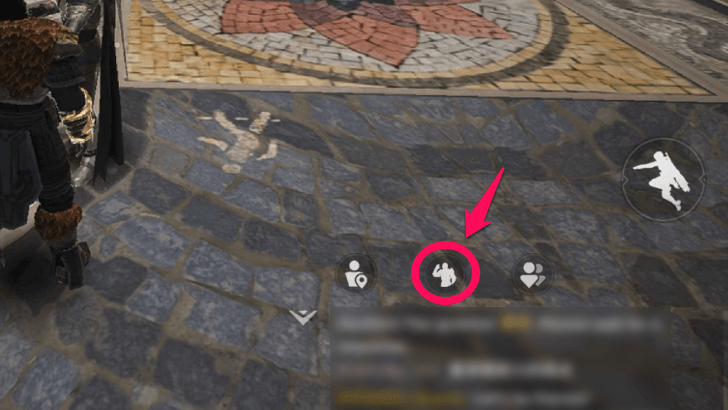
If you just want to emote in front of another player, don’t open their profile to greet them. Instead, tap the emote button to see all available emotes.
Placed at the Top for in Multiplayer Modes
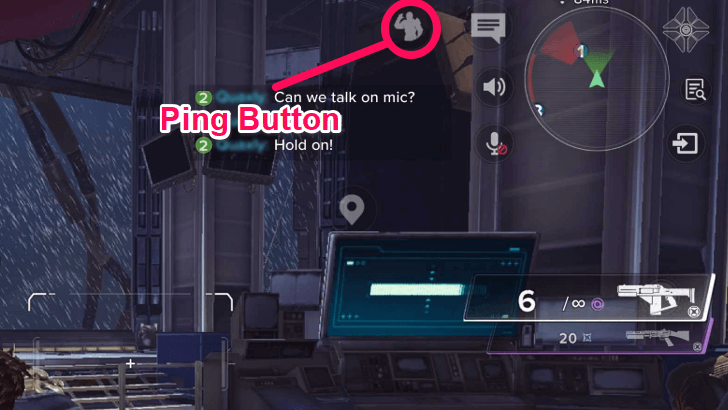
If you’re currently in an activity, the emote button will move to the top of the screen, since it also serves as the game’s ping system.
Select an Emote
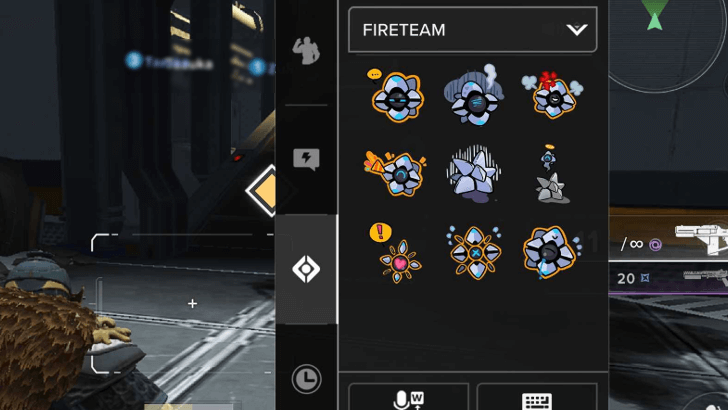
Once you have the emotes open, select the emote you want to send to other players. You can choose from premade texts, stickers, or actions.
You Can Customize Emotes
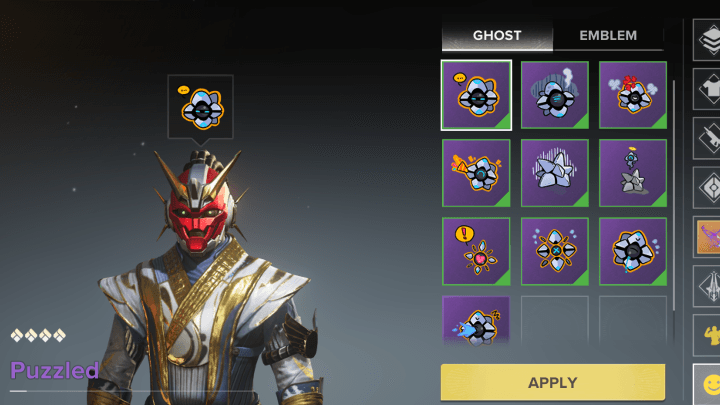
You can also customize your emotes if you’ve unlocked new ones. Some emotes are available through microtransactions, such as the Battle Pass, which rewards emotes if you have the premium version.
Can You Change Characters' Appearance
Wait for a Response
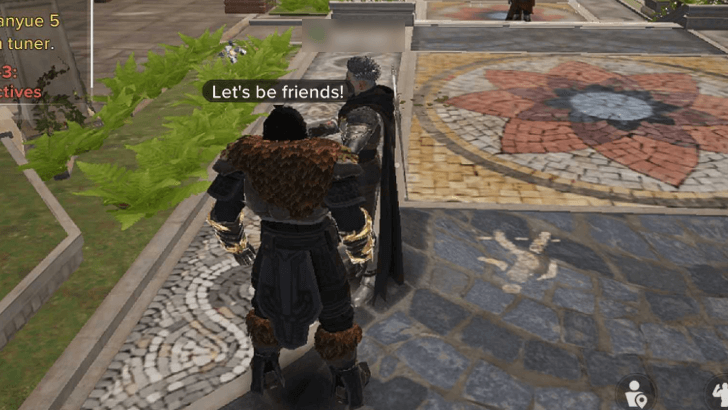
Finally, like greeting other players, just wait for a response after sending an emote to other players, or keep moving if you’re in an activity.
Destiny: Rising Related Guides

Beginner's Guide to Destiny: Rising
All Tips and Tricks
Comment



Author
Emote Guide: How to Greet Fellow Lightbearers

Rankings
- We could not find the message board you were looking for.
Gaming News

![Monster Hunter Stories 3 Review [First Impressions] | Simply Rejuvenating](https://img.game8.co/4438641/2a31b7702bd70e78ec8efd24661dacda.jpeg/show)
![Monster Hunter Stories 3 Review [First Impressions] | Simply Rejuvenating](https://img.game8.co/4438641/2a31b7702bd70e78ec8efd24661dacda.jpeg/thumb)
![The Seven Deadly Sins: Origin [First Impressions] | A Promising Start](https://img.game8.co/4440581/584e0bfb87908f12c4eab6e846eb1afd.png/thumb)

Popular Games

Genshin Impact Walkthrough & Guides Wiki
Umamusume: Pretty Derby Walkthrough & Guides Wiki
Pokemon Pokopia Walkthrough & Guides Wiki
Honkai: Star Rail Walkthrough & Guides Wiki
Monster Hunter Stories 3: Twisted Reflection Walkthrough & Guides Wiki
Arknights: Endfield Walkthrough & Guides Wiki
Wuthering Waves Walkthrough & Guides Wiki
Zenless Zone Zero Walkthrough & Guides Wiki
Pokemon TCG Pocket (PTCGP) Strategies & Guides Wiki
Monster Hunter Wilds Walkthrough & Guides Wiki










Recommended Games
Fire Emblem Heroes (FEH) Walkthrough & Guides Wiki
Diablo 4: Vessel of Hatred Walkthrough & Guides Wiki
Cyberpunk 2077: Ultimate Edition Walkthrough & Guides Wiki
Yu-Gi-Oh! Master Duel Walkthrough & Guides Wiki
Super Smash Bros. Ultimate Walkthrough & Guides Wiki
Pokemon Brilliant Diamond and Shining Pearl (BDSP) Walkthrough & Guides Wiki
Elden Ring Shadow of the Erdtree Walkthrough & Guides Wiki
Monster Hunter World Walkthrough & Guides Wiki
The Legend of Zelda: Tears of the Kingdom Walkthrough & Guides Wiki
Persona 3 Reload Walkthrough & Guides Wiki










All rights reserved
©2024 Bungie
©1997-2024 NetEase.Inc.
The copyrights of videos of games used in our content and other intellectual property rights belong to the provider of the game.
The contents we provide on this site were created personally by members of the Game8 editorial department.
We refuse the right to reuse or repost content taken without our permission such as data or images to other sites.