
How to Save the Game
You can save the game by talking to the King in Tantegel Castle in Dragon Quest 1 HD-2D Remake (DQ1). See where you can save the game, and the difference between quick saving here.
List of Contents
How to Save in Dragon Quest 1 HD-2D Remake
Manual Save at a Church
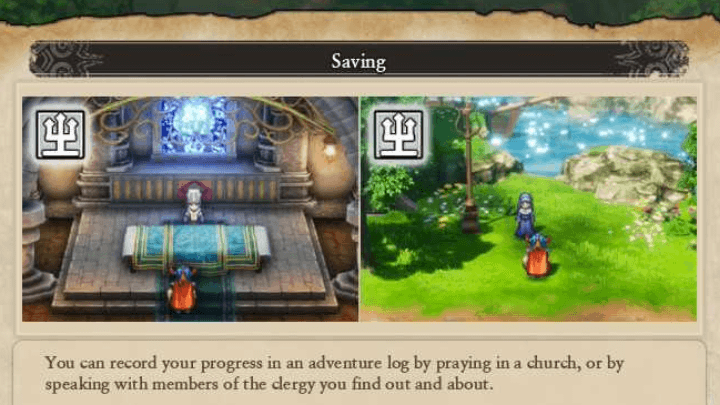
One of the many ways you can save your game is by praying in a church or speaking with priests you encounter throughout your progress. This will make a manual save that you can reload at any time, and churches and priests can be found in most major towns in the game.
You can have up to 9 manual save slots (called Adventure Logs), allowing you to rotate through saves at will.
Interactive Map and List of All Locations
Game Will Autosave While Playing
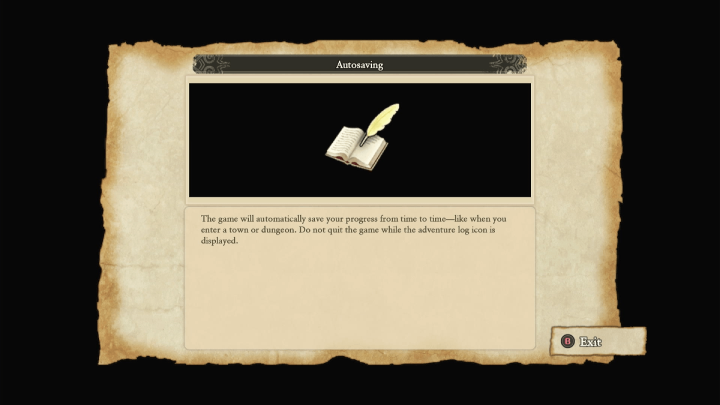
The Autosave has been brought back as a recurring feature from recent Dragon Quest installments, where the game automatically saves in specific points of the game such as entering towns or dungeons encountered on the map.
Autosave Guide: Is There Autosave?
Autosave Files are Often Overwritten
Do note that Autosave Files are oftentimes overwritten, so it is still best to make a Manual Save every now and then to get a more secure saving point in the game.
Quick Save in the Menu
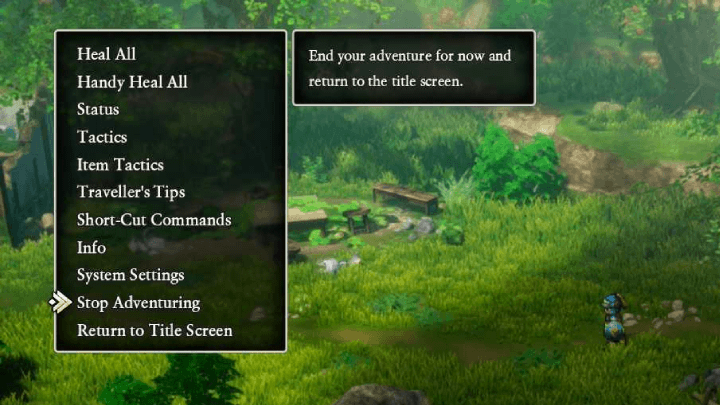
Quick Save enables players to make a temporary save file when playing the game. This can be accessed by opening up the menu and choosing the Stop Adventuring option.
Differences from Quicksaving
Quicksaves Aren't Permanent

One of the key differences between quick saves and regular saves is that a quick save file will instantly get deleted once it's loaded by the player. For a permanent save, it is still recommended to make a manual save by praying in churches or talking with a Clergy NPC.
Can Quicksave Anywhere
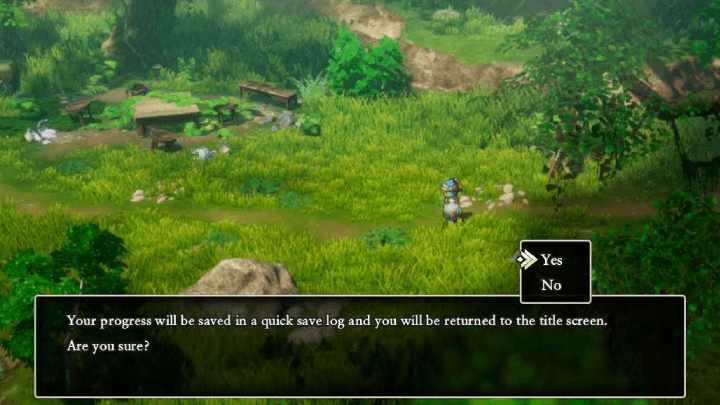
The advantage of creating a quick save file is that you can virtually do it anywhere in the game. This enables you to create a temporary saving point that allows you to stop playing the game while securing a save file.
It is recommended that you create a manual save after loading a quick save file to prevent losing any progress you've made in the game.
Dragon Quest 1 HD-2D Remake (DQ1) Related Guides
Tips and Tricks: Beginner's Guide to DQ1
All Tips and Tricks Guides
Comment



Author

How to Save the Game

Rankings
- We could not find the message board you were looking for.
Gaming News

![Star Savior Review [First Impressions] | Engaging, Entertaining, and Expensive](https://img.game8.co/4447603/8f500e9bf666bdb8adb1af478e9dfdbd.png/show)



Popular Games

Genshin Impact Walkthrough & Guides Wiki
Umamusume: Pretty Derby Walkthrough & Guides Wiki
Crimson Desert Walkthrough & Guides Wiki
Monster Hunter Stories 3: Twisted Reflection Walkthrough & Guides Wiki
Honkai: Star Rail Walkthrough & Guides Wiki
Pokemon Pokopia Walkthrough & Guides Wiki
The Seven Deadly Sins: Origin Walkthrough & Guides Wiki
Wuthering Waves Walkthrough & Guides Wiki
Zenless Zone Zero Walkthrough & Guides Wiki
Arknights: Endfield Walkthrough & Guides Wiki










Recommended Games
Fire Emblem Heroes (FEH) Walkthrough & Guides Wiki
Diablo 4: Vessel of Hatred Walkthrough & Guides Wiki
Cyberpunk 2077: Ultimate Edition Walkthrough & Guides Wiki
Yu-Gi-Oh! Master Duel Walkthrough & Guides Wiki
Super Smash Bros. Ultimate Walkthrough & Guides Wiki
Pokemon Brilliant Diamond and Shining Pearl (BDSP) Walkthrough & Guides Wiki
Elden Ring Shadow of the Erdtree Walkthrough & Guides Wiki
Monster Hunter World Walkthrough & Guides Wiki
The Legend of Zelda: Tears of the Kingdom Walkthrough & Guides Wiki
Persona 3 Reload Walkthrough & Guides Wiki










All rights reserved
© ARMOR PROJECT/BIRD STUDIO/SPIKE CHUNSOFT/SQUARE ENIX
© SUGIYAMA KOBO ℗ SUGIYAMA KOBO
The copyrights of videos of games used in our content and other intellectual property rights belong to the provider of the game.
The contents we provide on this site were created personally by members of the Game8 editorial department.
We refuse the right to reuse or repost content taken without our permission such as data or images to other sites.