
Multiplayer Guide: How to Play 2 Player Co-Op
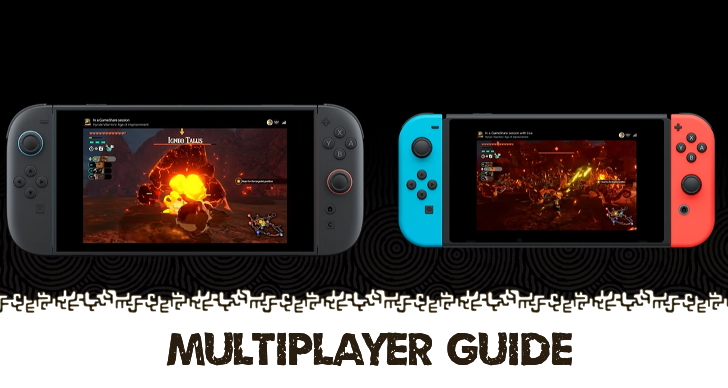
Multiplayer mode can be activated through either split screen co-op or GameShare in Hyrule Warriors: Age of Imprisonment. Read on to learn more about how to play multiplayer in the game and tutorials on how to access it here!
How to Play Multiplayer Age of Imprisonment
Activate Two-Player Mode
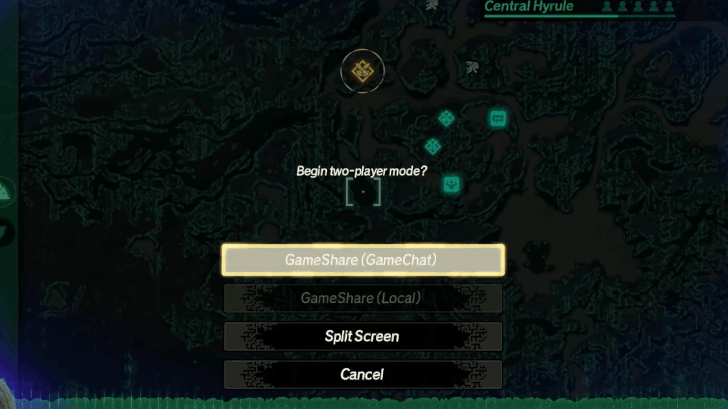
Select the Two-Player Mode by pressing your Left Joystick while in the map. You will be given three multiplayer options between Split Screen (Local), GameShare (GameChat) or GameShare (Local), use the method you prefer to make your co-op experience smooth!
Multiplayer Tutorials in Age of Imprisonment
| Available Multiplayer Modes | ||
|---|---|---|
| GameShare (GameChat) | GameShare (Local) | Split Screen (Local) |
GameShare (GameChat) Mode Tutorial
Host with GameChat
| 1 | 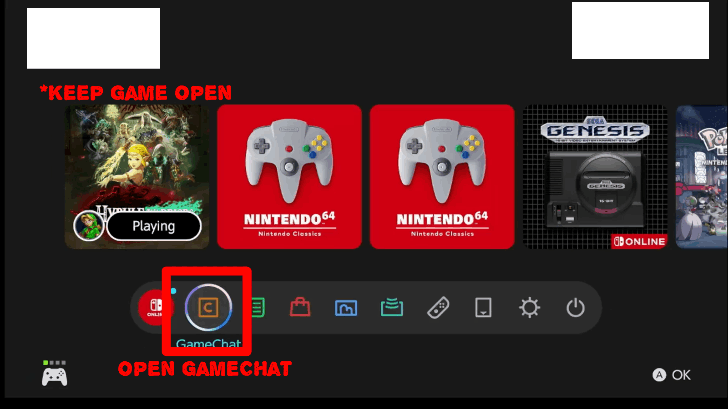 Leave the game open by pressing the Home key on the right Joycon 2 and then open up the GameChat app. Before continuing, make sure you have added your friend so they appear in the list! |
|---|---|
| 2 | 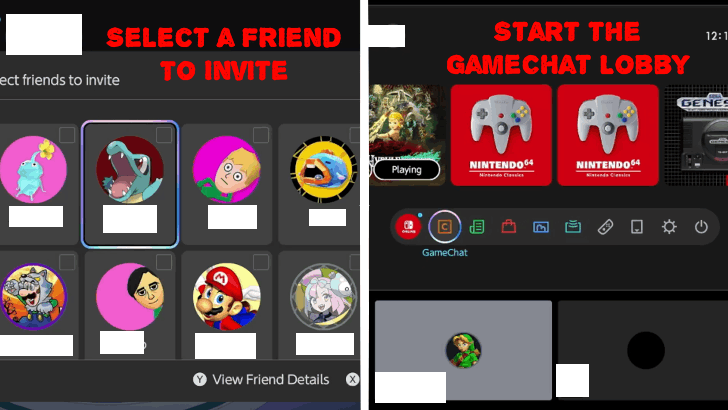 Select the Create Chat option then pick one of your friends in your friends list to start a GameChat lobby. Wait for them to accept and when they do, Don't leave the chat and keep it running! You can modify your settings such as microphone settings before starting a session. Press B to Close the Menu and return to the game. |
| 3 | 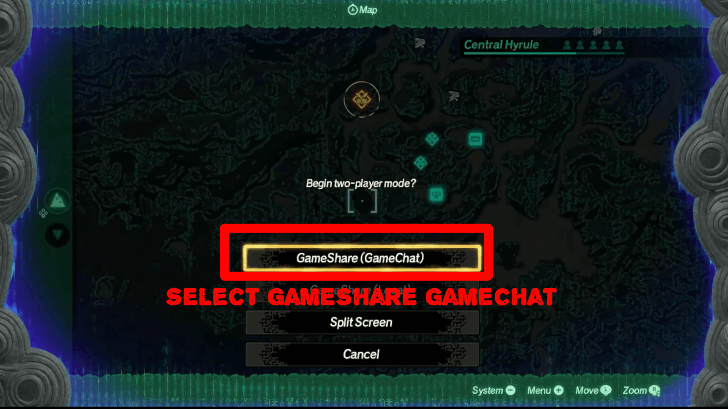 Select the Two-Player Mode from the map by pressing your Left Joystick. You will be given several options for two-player co-op, but select the GameShare (GameChat) option. |
| 4 | 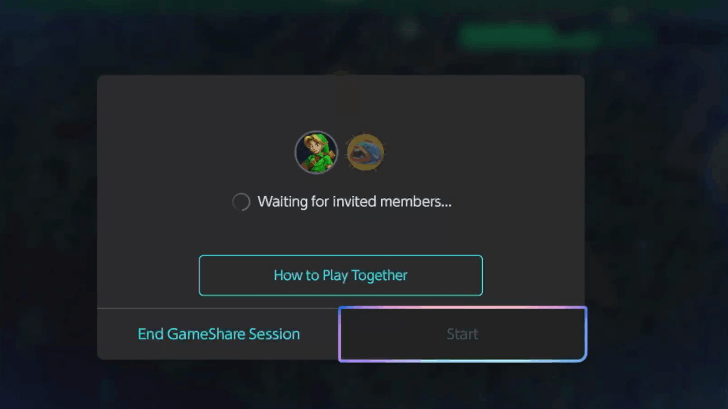 Choose the player in the GameChat session you want to play co-op with and confirm. Wait for the connection to finish and your co-op session with you as the host will begin. |
| 5 |  You and your co-op partner should now be playing the game together! Note that you can also cancel hosting by leaving GameChat once your session is complete. |
※ Remote Co-Op Hosting will rely on your internet connection, so make sure your network is stable!
Join with GameChat
| 1 | 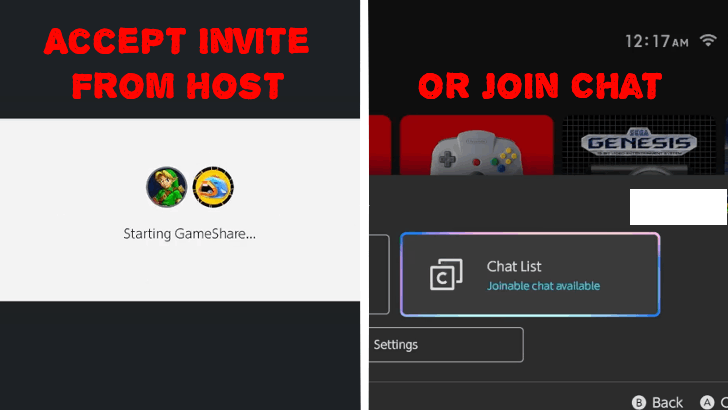 Wait for the hosting friend to set-up the GameChat lobby. When the host sends an invite, accept it to get in the lobby. just added the Alternatively, you can join an active GameChat lobby just by pressing the Chat List button and looking for an active friend to join with. |
|---|---|
| 2 | 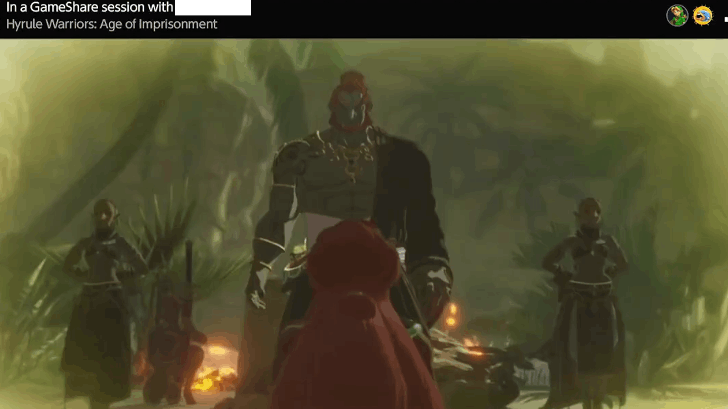 Wait for the host to send you an invite. Accept the invite and you will be able to play with your friend in two-player coop! Note: You don't need to have a game copy to start the co-op session, just accept the invite and you'll be in! |
Does Age of Imprisonment Have GameShare?
GameShare (Local) Mode Tutorial
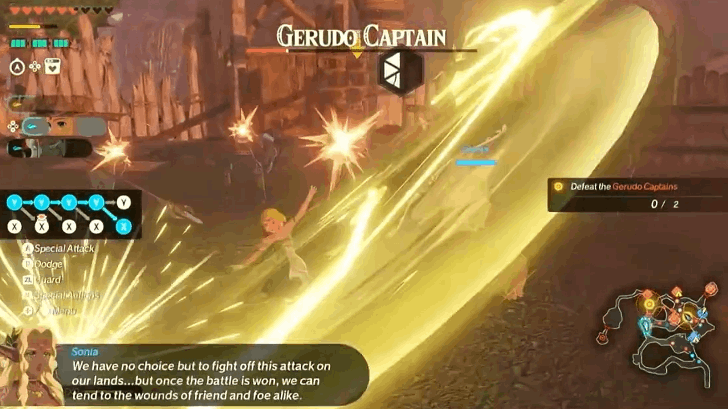
You can also play Locally with a friend who has another Nintendo Switch or Switch 2 by connecting via GameShare locally. This will not require GameChat, just another active friend with a nearby Switch to share the game with.
Split Screen (Local) Mode Tutorial
| 1 | 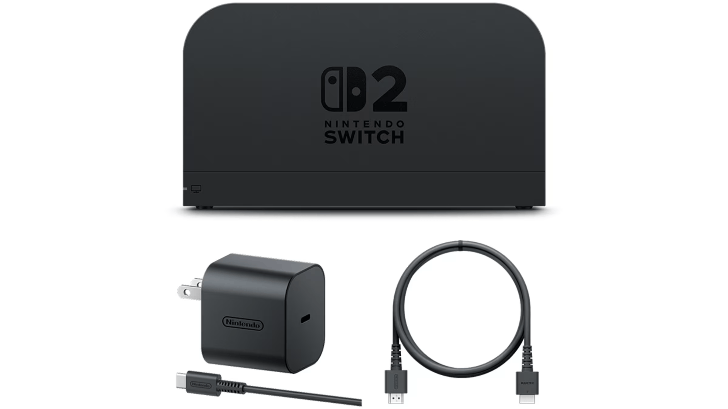 Dock your Switch 2 or find a good location to use its stand mode and connect it to a larger screen or whatever output device of your choosing that can support it. |
|---|---|
| 2 | Select the Two-Player Mode from the map by pressing your Left Joystick. You will be given several options for two-player co-op, but select the Split Screen mode. |
| 3 | 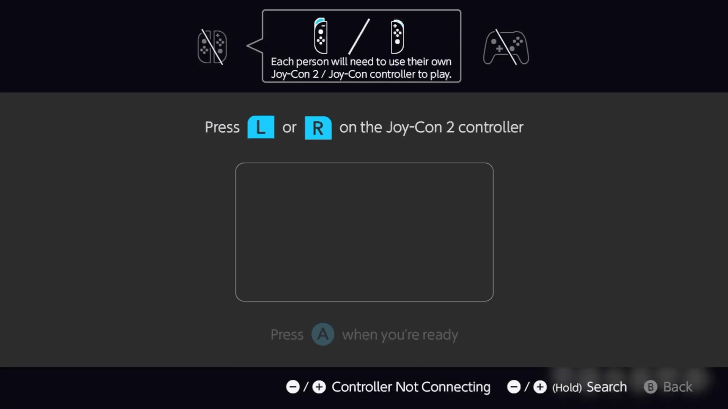 You will then be transferred to a setup screen, have the other player use one Joy-Con 2 while you use the other. Press the prompts to confirm that the controllers are ready. |
| 4 | 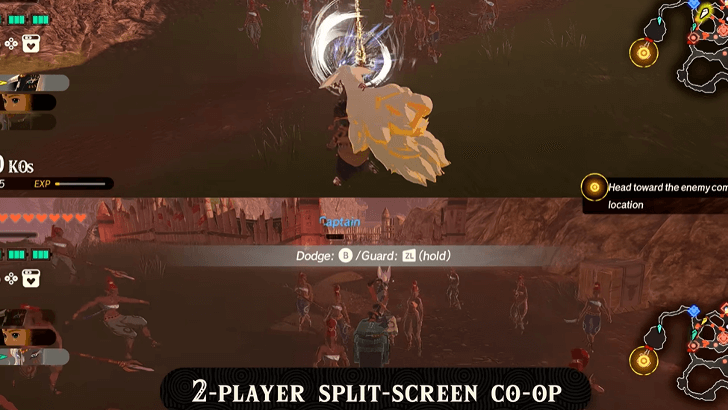 Once confirmed, you will play in split-screen mode, visible with the horizontal split bar, allowing both players to see each other's position in-game. |
Multiplayer Limitations in Age of Imprisonment
Game Only Supports Two-Player Co-op
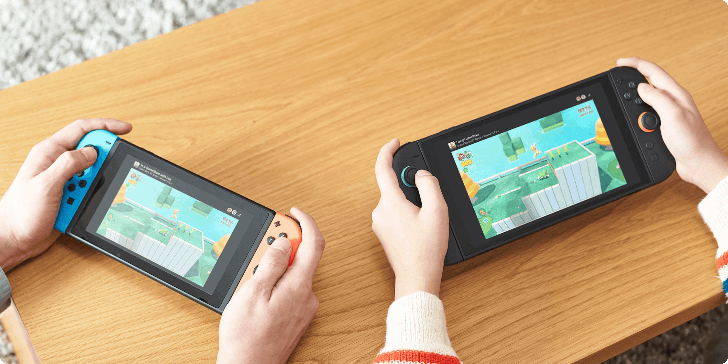
Age of Imprisonment only supports two-player co-op multiplayer and does not feature any PvP or competitive multiplayer. Other players will have to wait for the other party member to finish playing with the Host if they want to have the game shared to them.
Hyrule Warriors: Age of Imprisonment Related Guides

How-To Guides
Comment



Author
Hyrule Warriors: Age of Imprisonment Walkthrough & Guides Wiki
Multiplayer Guide: How to Play 2 Player Co-Op

Rankings
- We could not find the message board you were looking for.
Gaming News

![The Seven Deadly Sins: Origin [First Impressions] | A Promising Start](https://img.game8.co/4440581/584e0bfb87908f12c4eab6e846eb1afd.png/show)

![Monster Hunter Stories 3 Review [First Impressions] | Simply Rejuvenating](https://img.game8.co/4438641/2a31b7702bd70e78ec8efd24661dacda.jpeg/thumb)
![The Seven Deadly Sins: Origin [First Impressions] | A Promising Start](https://img.game8.co/4440581/584e0bfb87908f12c4eab6e846eb1afd.png/thumb)
Popular Games

Genshin Impact Walkthrough & Guides Wiki
Umamusume: Pretty Derby Walkthrough & Guides Wiki
Pokemon Pokopia Walkthrough & Guides Wiki
Honkai: Star Rail Walkthrough & Guides Wiki
Monster Hunter Stories 3: Twisted Reflection Walkthrough & Guides Wiki
Arknights: Endfield Walkthrough & Guides Wiki
Wuthering Waves Walkthrough & Guides Wiki
Zenless Zone Zero Walkthrough & Guides Wiki
Pokemon TCG Pocket (PTCGP) Strategies & Guides Wiki
Monster Hunter Wilds Walkthrough & Guides Wiki










Recommended Games
Fire Emblem Heroes (FEH) Walkthrough & Guides Wiki
Diablo 4: Vessel of Hatred Walkthrough & Guides Wiki
Cyberpunk 2077: Ultimate Edition Walkthrough & Guides Wiki
Yu-Gi-Oh! Master Duel Walkthrough & Guides Wiki
Super Smash Bros. Ultimate Walkthrough & Guides Wiki
Pokemon Brilliant Diamond and Shining Pearl (BDSP) Walkthrough & Guides Wiki
Elden Ring Shadow of the Erdtree Walkthrough & Guides Wiki
Monster Hunter World Walkthrough & Guides Wiki
The Legend of Zelda: Tears of the Kingdom Walkthrough & Guides Wiki
Persona 3 Reload Walkthrough & Guides Wiki










All rights reserved
© Nintendo © KOEI TECMO GAMES All rights reserved.
The copyrights of videos of games used in our content and other intellectual property rights belong to the provider of the game.
The contents we provide on this site were created personally by members of the Game8 editorial department.
We refuse the right to reuse or repost content taken without our permission such as data or images to other sites.