
Stuttering and Frame Drops Issue
★ Disclaimer: Our guides were written before the Rearmament update, so some information may be outdated. We appreciate your support!
★ News: Crossplay | Game Pass | Roadmap
★ Best Settings | Teams | Weapons
┗ Best Bonus Abilities | XP Farm | Difficulty
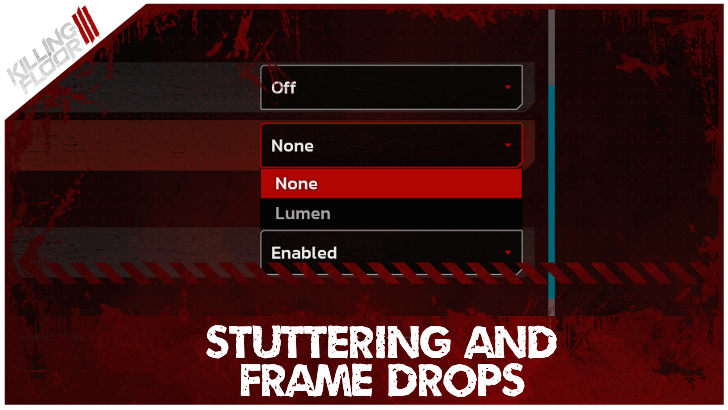
There are multiple ways to resolve stuttering and frame drops in Killing Floor 3 (KF3). See how to resolve stuttering, frame drops, low fps, and input lag here!
List of Contents
How to Fix Stuttering and Frame Drops
Disable Lumen and Reflection Method
When experiencing frame drops, stuttering, and input lag, lower your graphics settings to alleviate this issue. Most notably, disable Lumen in Global Illumination Method and turn off Reflection Method as these are heavy on CPU performance, leading to low FPS and lag.
Best Settings and Best Graphics Settings
Update Graphics Drivers
Graphical issues such as fps drops and stuttering may be caused by having outdated drivers. Ensure your graphics drivers are up to date to avoid experiencing frame drops and lag.
Set Shader Cache Size to Driver Default
For NVIDIA users, head to the NVIDIA Control Panel and navigate to Manage 3D Settings. Locate the Shader Cache Size and set it to Driver Default and see if it resolves the issue.
Turn Off VSync
Turn off VSync in settings to reduce input lag. Enabling VSync synchronizes input to the refresh rate, potentially delaying the game's responsiveness when they their times are not aligned.
Killing Floor 3 Related Guides
All Known Bugs and Issues
| List of Known Bugs and Issues | |
|---|---|
| Missing Rewards for Elite Nightfall Edition | Matchmaking Not Working |
| Stuttering and Frame Drops | Hydra Error |
| Frequent Crashing | Out of Video Memory |
| Failed to Authenticate Error | Unable to Load Profile Data |
Comment



Author

Stuttering and Frame Drops Issue

Rankings
- We could not find the message board you were looking for.
Gaming News

![Death Stranding 2: On The Beach [PC] Review | A Port That Delivers](https://img.game8.co/4447392/15310a0c9aa1b6843bb713b2ea216930.jpeg/show)



Popular Games

Genshin Impact Walkthrough & Guides Wiki
Umamusume: Pretty Derby Walkthrough & Guides Wiki
Crimson Desert Walkthrough & Guides Wiki
Monster Hunter Stories 3: Twisted Reflection Walkthrough & Guides Wiki
Honkai: Star Rail Walkthrough & Guides Wiki
Pokemon Pokopia Walkthrough & Guides Wiki
The Seven Deadly Sins: Origin Walkthrough & Guides Wiki
Wuthering Waves Walkthrough & Guides Wiki
Zenless Zone Zero Walkthrough & Guides Wiki
Arknights: Endfield Walkthrough & Guides Wiki










Recommended Games
Fire Emblem Heroes (FEH) Walkthrough & Guides Wiki
Diablo 4: Vessel of Hatred Walkthrough & Guides Wiki
Cyberpunk 2077: Ultimate Edition Walkthrough & Guides Wiki
Yu-Gi-Oh! Master Duel Walkthrough & Guides Wiki
Super Smash Bros. Ultimate Walkthrough & Guides Wiki
Pokemon Brilliant Diamond and Shining Pearl (BDSP) Walkthrough & Guides Wiki
Elden Ring Shadow of the Erdtree Walkthrough & Guides Wiki
Monster Hunter World Walkthrough & Guides Wiki
The Legend of Zelda: Tears of the Kingdom Walkthrough & Guides Wiki
Persona 3 Reload Walkthrough & Guides Wiki










All rights reserved
Killing Floor© 2009-2025 Tripwire Interactive. Unreal® is a trademark or registered trademark of Epic Games, Inc. in the United States of America and elsewhere. Unreal® Engine, Copyright 1998-2025, Epic Games, Inc. All rights reserved.
The copyrights of videos of games used in our content and other intellectual property rights belong to the provider of the game.
The contents we provide on this site were created personally by members of the Game8 editorial department.
We refuse the right to reuse or repost content taken without our permission such as data or images to other sites.