
List of All Controls
★ Disclaimer: Our guides were written before the Rearmament update, so some information may be outdated. We appreciate your support!
★ News: Crossplay | Game Pass | Roadmap
★ Best Settings | Teams | Weapons
┗ Best Bonus Abilities | XP Farm | Difficulty
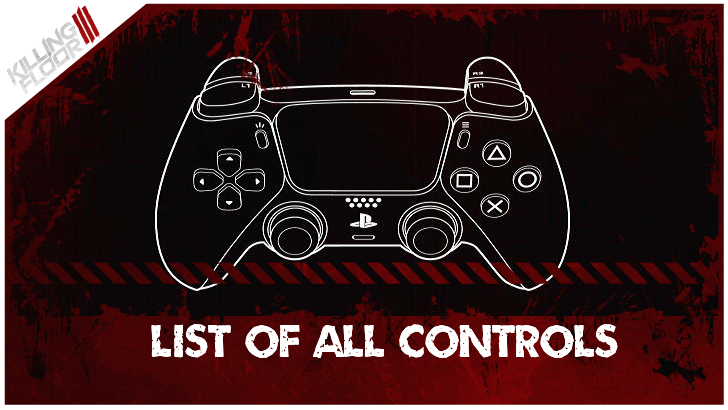
This is a list of all the controls for Controller, Keyboard, and Mouse in Killing Floor 3 (KF3). See all controls and how to change keybinds here!
List of Contents
List of All Controls
| Jump to a Controls Section! | ||
|---|---|---|
| Controller | Keyboard and Mouse | |
Controller Settings
| Button | Keybind |
|---|---|
 + +  |
Gadget |
 |
Aim/Block |
 |
Fire |
|
Switch Mode |
|
Throw |
 |
Look |
 |
Bash |
 |
Sprint |
 |
Use Syringe
Throw Dosh (Hold) |
 |
Tool |
 |
Flashlight
Find Trader (Hold) |
 |
Ping
Open Command Wheel (Hold) |
 |
Reload
Use Syringe(Hold) Give Up (Hold when downed) |
 |
Equip Next Weapon
Swap Melee Main (Hold) |
 |
Jump |
 |
Dash
Crouch (Hold) |
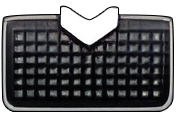 |
Mission Control Menu |
Keyboard and Mouse Settings
| Button | Keybind |
|---|---|
 |
Switch Mode |
 |
Zoom |
 |
Fire |
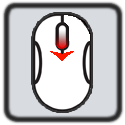 |
Equip Next |
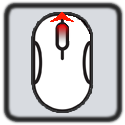 |
Equip Previous |
 |
Throw Dosh |
 |
Reload |
 |
Use Syringe |
 |
Throw Throwable |
 |
Use Tool |
 |
Use Gadget |
 |
Bash |
 |
Give Up (Hold) |
 |
Equip Primary |
 |
Equip Secondary |
 |
Equip Backup |
 |
Push to Talk |
 |
Move Forward |
 |
Move Right |
 |
Move Back |
 |
Move Left |
 |
Jump |
 |
Crouch |
 |
Dash
Sprint |
 |
Toggle Sprint |
 |
Flashlight |
 |
Interact
Find Trader (Hold) |
 |
Use Ping
Open Command Wheel (Hold) |
 |
Friends Menu |
 |
Invite Menu |
 |
Party Menu |
How to Change Settings
Keybind Settings Can Be Changed
Keybind settings for PC can be easily switched through the Settings menu. Select the key you wish to change and press the new key you want to use.
Remember to select Save to apply any changes you've made.
Best Settings and Best Graphics Settings
Console Controls Cannot be Changed
Keybind settings for Console cannot be changed but you can switch between Default, Tactical, Spartan, Bumper Jumper, and Southpaw presets.
Killing Floor 3 Related Guides

Beginner's Guide: Tips and Tricks
All Tips and Tricks Guides
Comment



Author

List of All Controls

Rankings
Gaming News

![Star Savior Review [First Impressions] | Engaging, Entertaining, and Expensive](https://img.game8.co/4447603/8f500e9bf666bdb8adb1af478e9dfdbd.png/show)



Popular Games

Genshin Impact Walkthrough & Guides Wiki
Umamusume: Pretty Derby Walkthrough & Guides Wiki
Crimson Desert Walkthrough & Guides Wiki
Monster Hunter Stories 3: Twisted Reflection Walkthrough & Guides Wiki
Honkai: Star Rail Walkthrough & Guides Wiki
Pokemon Pokopia Walkthrough & Guides Wiki
The Seven Deadly Sins: Origin Walkthrough & Guides Wiki
Wuthering Waves Walkthrough & Guides Wiki
Zenless Zone Zero Walkthrough & Guides Wiki
Arknights: Endfield Walkthrough & Guides Wiki










Recommended Games
Fire Emblem Heroes (FEH) Walkthrough & Guides Wiki
Diablo 4: Vessel of Hatred Walkthrough & Guides Wiki
Cyberpunk 2077: Ultimate Edition Walkthrough & Guides Wiki
Yu-Gi-Oh! Master Duel Walkthrough & Guides Wiki
Super Smash Bros. Ultimate Walkthrough & Guides Wiki
Pokemon Brilliant Diamond and Shining Pearl (BDSP) Walkthrough & Guides Wiki
Elden Ring Shadow of the Erdtree Walkthrough & Guides Wiki
Monster Hunter World Walkthrough & Guides Wiki
The Legend of Zelda: Tears of the Kingdom Walkthrough & Guides Wiki
Persona 3 Reload Walkthrough & Guides Wiki










All rights reserved
Killing Floor© 2009-2025 Tripwire Interactive. Unreal® is a trademark or registered trademark of Epic Games, Inc. in the United States of America and elsewhere. Unreal® Engine, Copyright 1998-2025, Epic Games, Inc. All rights reserved.
The copyrights of videos of games used in our content and other intellectual property rights belong to the provider of the game.
The contents we provide on this site were created personally by members of the Game8 editorial department.
We refuse the right to reuse or repost content taken without our permission such as data or images to other sites.