
Beginner's Guide: Tips and Tricks
★ Disclaimer: Our guides were written before the Rearmament update, so some information may be outdated. We appreciate your support!
★ News: Crossplay | Game Pass | Roadmap
★ Best Settings | Teams | Weapons
┗ Best Bonus Abilities | XP Farm | Difficulty
This is a Killing Floor 3 guide for beginners. See all the tips and tricks to help you get started here!
Killing Floor 3 Guide for Beginners
- Create Your Own Perks Build
- Attach Mods to Your Weapon
- Pick the Perfect Tool for the Job
- Do Not Get Surrounded
- Switching to Your Secondary is Faster
- Aim for Headshots
- Don't Forget Your Melee
Create Your Own Perks Build
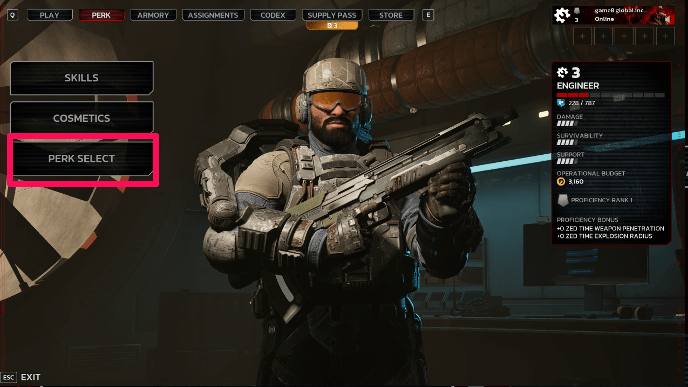
You can choose which Specialist you want to use in the Perks tab and then choose Perk Select. Your Specialist will have a starting pair of Primary and Secondary weapon. But you can equip your Specialist with any weapon.
Unlock Helpful Skills
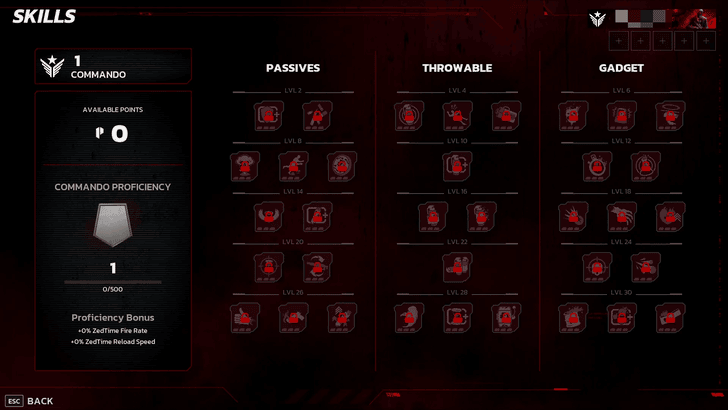
There is also Skills in the Perks tab, you can select it and you will see Passive, Throwable and Gadget Skills. You can use your accumulated points here to make it easier to survive.
Skill Tree Guide: List of All Skills
Attach Mods to Your Weapon
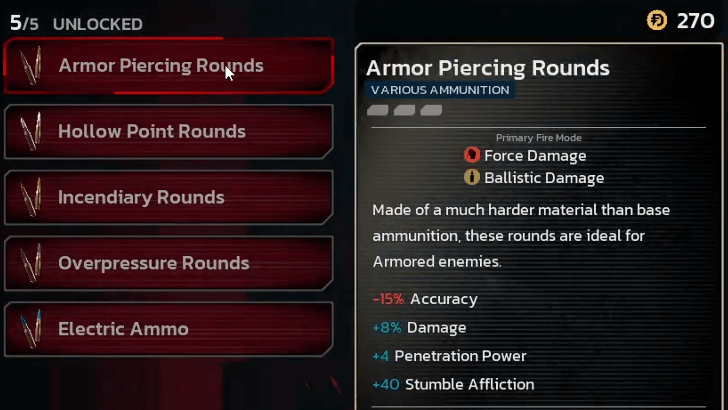
In the Armory tab, you can select your weapon and you'll see a Create Loadout button, clicking on that will show you the Mod Slots on your weapon. Save when you're done and you'll be able to select this below the Create Loadout button next time.
Pick the Perfect Tool for the Job
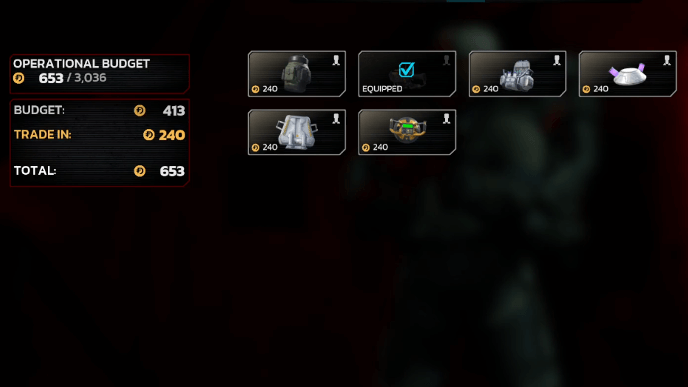
To equip tools before matching against Zeds, access the tool interface and select the tool that you wish to bring. Keep in mind that you're only limited to one tool at a time.
Do Not Get Surrounded
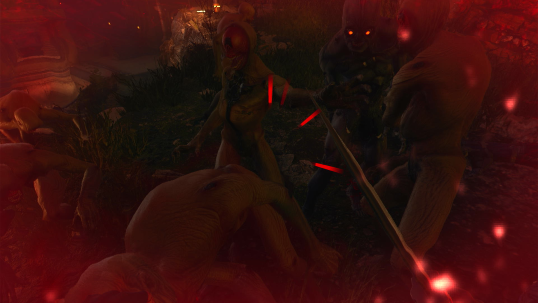
Staying out in the open is a quick way to get surrounded. Find areas where there's one or two exits so it's more manageable to defend yourself from the waves of enemies.
Switching to Your Secondary is Faster
| Reload vs Switch Weapon Speed | |
|---|---|
Reload |
Switch Weapon |
Reloading is good, but if you're pressed for time, switching to your secondary weapon is faster. Sometimes, you'll find yourself in dicey situations and every moment counts.
Aim for Headshots
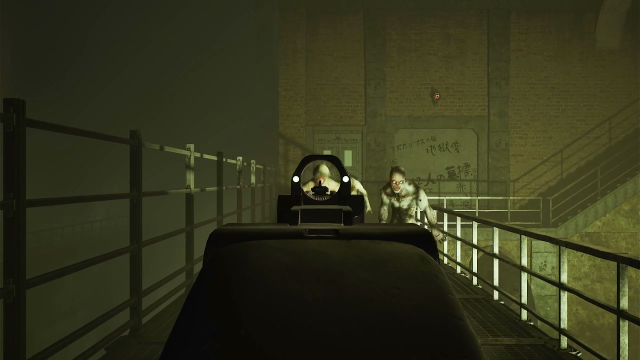
With every headshot or kill you make, you get closer to activating Zed Time where time slows down for you and your perks give you unique boosts.
Don't Forget Your Melee

When you run out of ammo you have the option to switch to your Melee weapon to give you a breather. You can switch to this by pressing 3 on Steam, or hold down the Switch Weapon button for console.
Can You Skip Tutorial?
Tutorial Cannot Be Skipped
When opening the game for the first time, the game will ask the players to complete the tutorial in Solo first. This tutorial cannot be skipped. Completing the tutorial is required before gaining access to other game modes.
All Tips and Tricks Guides
Killing Floor 3 Related Guides

Guides by Category
 Characters
 Skills
 Weapons
 Weapon Mods
 Bosses
 Enemies
 Crafting Materials
 Damage Types
 Cosmetics
 Maps
Maps Tools
Tools Assignments
 Supply Pass
 Bugs and Issues
 Tips and Tricks
 Items
Items Affliction
 Bonus Abilities
 Latest News
All Recommended Guides
 Best Perk Builds
 Best Specialists Tier List
 Best Weapons
 Best Tools
 Best XP Farm Guide
 Best Team Comp
 Best Skills
 Best Bonus Abilities
 Best Ammo and Weapon Mods
 How Long to Beat
 How to Get Creds Pack
 Multiplayer Guide
 Trophy Guide
 Weekly Mutation
 Difficulty Differences
 Easter Eggs and Secrets
 Weapon Stats Explained
 How to Enable Crossplay
 All Game Modes
 Hell on Earth Guide
 List of All Destructibles
 List of All Voice Actors
 How to Join the Playtest
 Lore and Story Explained
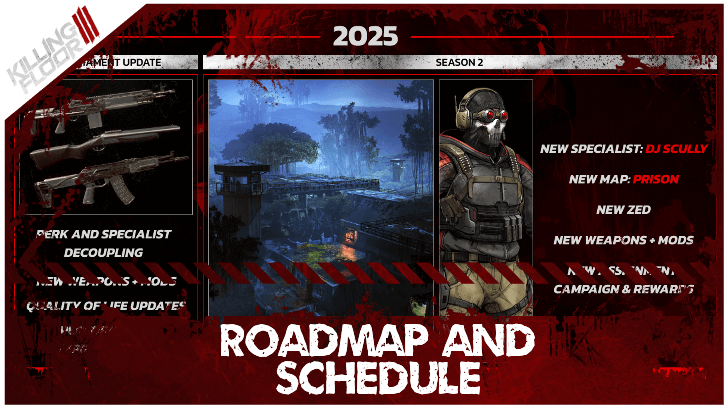 Roadmap and Schedule
 Season 2 Release Date
 Best Settings
 Patch Notes and Updates
 Server Status
 Maintenance Countdown
 Co-Op Message Board
Comment



Author

Beginner's Guide: Tips and Tricks

Rankings
- We could not find the message board you were looking for.
Gaming News





Popular Games

Genshin Impact Walkthrough & Guides Wiki
Umamusume: Pretty Derby Walkthrough & Guides Wiki
Crimson Desert Walkthrough & Guides Wiki
Monster Hunter Stories 3: Twisted Reflection Walkthrough & Guides Wiki
Honkai: Star Rail Walkthrough & Guides Wiki
Pokemon Pokopia Walkthrough & Guides Wiki
The Seven Deadly Sins: Origin Walkthrough & Guides Wiki
Wuthering Waves Walkthrough & Guides Wiki
Zenless Zone Zero Walkthrough & Guides Wiki
Arknights: Endfield Walkthrough & Guides Wiki










Recommended Games
Fire Emblem Heroes (FEH) Walkthrough & Guides Wiki
Diablo 4: Vessel of Hatred Walkthrough & Guides Wiki
Cyberpunk 2077: Ultimate Edition Walkthrough & Guides Wiki
Yu-Gi-Oh! Master Duel Walkthrough & Guides Wiki
Super Smash Bros. Ultimate Walkthrough & Guides Wiki
Pokemon Brilliant Diamond and Shining Pearl (BDSP) Walkthrough & Guides Wiki
Elden Ring Shadow of the Erdtree Walkthrough & Guides Wiki
Monster Hunter World Walkthrough & Guides Wiki
The Legend of Zelda: Tears of the Kingdom Walkthrough & Guides Wiki
Persona 3 Reload Walkthrough & Guides Wiki










All rights reserved
Killing Floor© 2009-2025 Tripwire Interactive. Unreal® is a trademark or registered trademark of Epic Games, Inc. in the United States of America and elsewhere. Unreal® Engine, Copyright 1998-2025, Epic Games, Inc. All rights reserved.
The copyrights of videos of games used in our content and other intellectual property rights belong to the provider of the game.
The contents we provide on this site were created personally by members of the Game8 editorial department.
We refuse the right to reuse or repost content taken without our permission such as data or images to other sites.