
How to Raise Your Character's Potential
The Game8 Black Beacon Team has ended coverage as of May 21, 2025. Information on certain pages may not be up-to-date. Thank you for your continued support!
Raising a character's Potential in Black Beacon enhances their combat performance. Read on to learn more about how to unlock a character's Potential and why it is important.
List of Contents
Raising Character's Potential
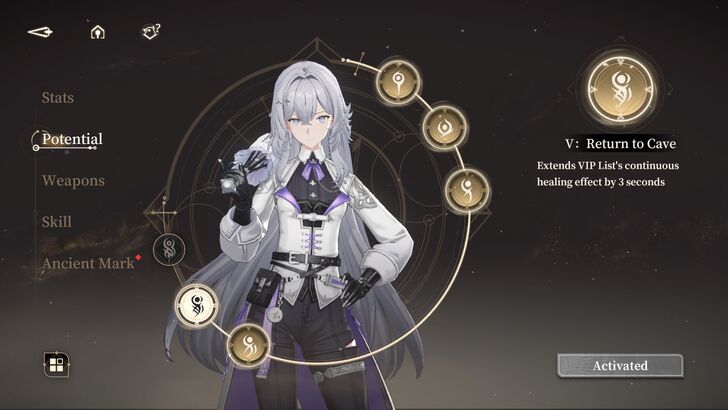
Unlocking a character's Potential boosts their stats and skills. Each character has six Potential Levels to unlock, which can be achieved by obtaining duplicate characters.
How to Unlock Character Potential
| 1 | 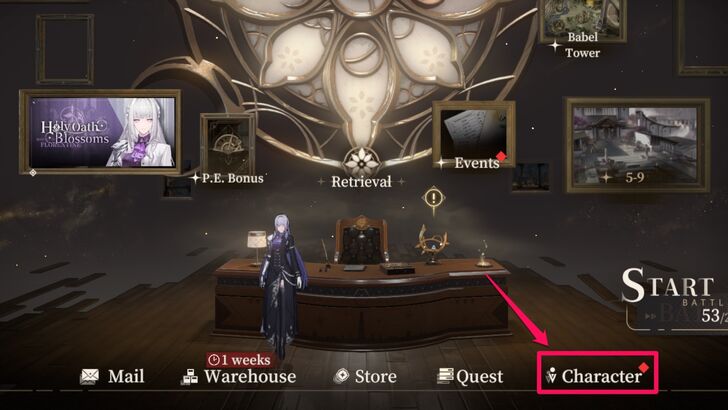 Select the "Character" option from the home screen menu. |
|---|---|
| 2 | 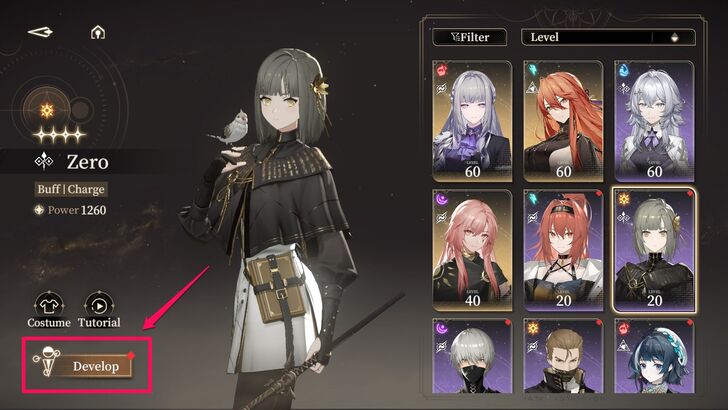 Select your preferred character and tap "Develop." |
| 3 | 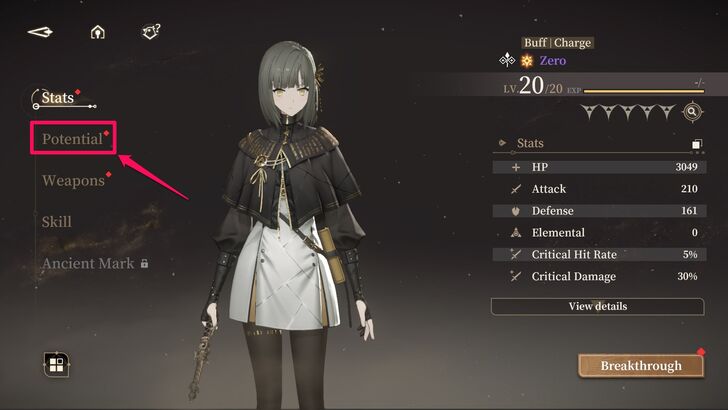 After that, select "Potential" to view the six Potentials you can unlock for your chosen character. |
| 4 | 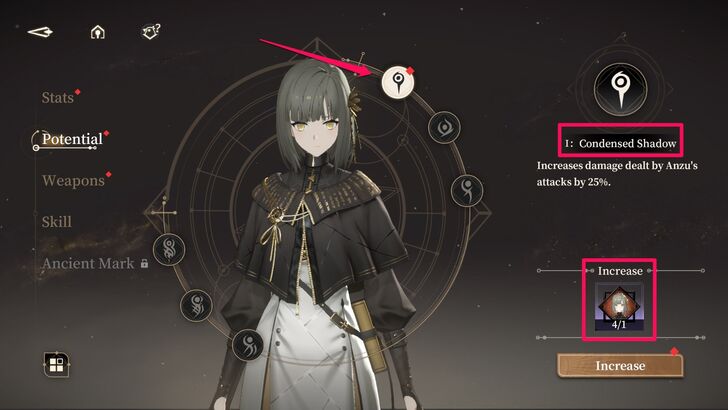 Potentials must be unlocked in order and require a duplicate character, so select the first one if it's your first time unlocking a Potential. The number of duplicates you currently have is represented by the character's icon under the "Increase" caption. |
| 5 | 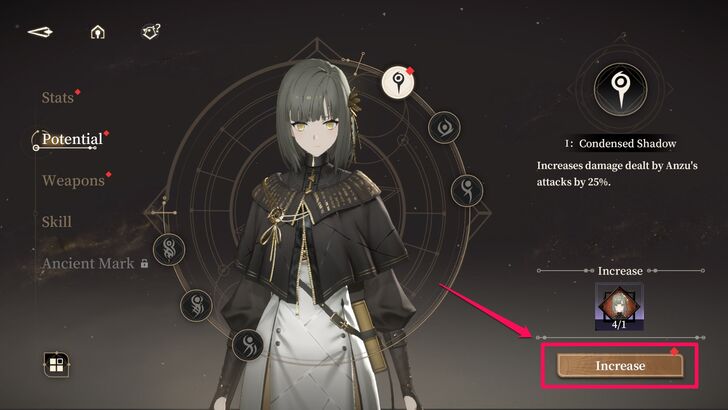 After selecting a Potential, tap "Increase." |
| 6 | 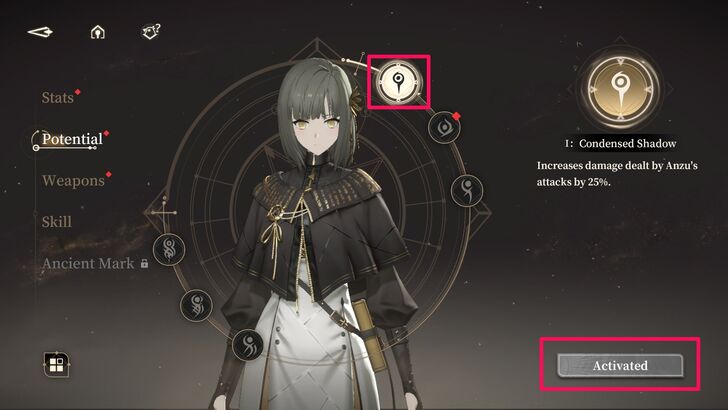 Once done, you have activated a character's Potential, providing a buff or enhancements to their damage output or stats. An unlocked Potential glows white and replaces the "Increase" caption with Activated. |
Obtaining Duplicate Characters
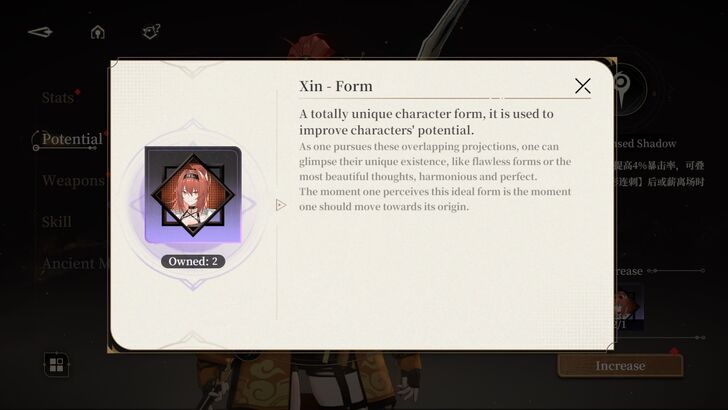
Duplicate characters can be obtained by pulling them from the Retrieval option on the home screen. However, you need Time-Seeking Keys and Lost Time Keys to pull characters, which can be earned as rewards or purchased using Rune Shards.
Use the Retrieval Option
| 1 | 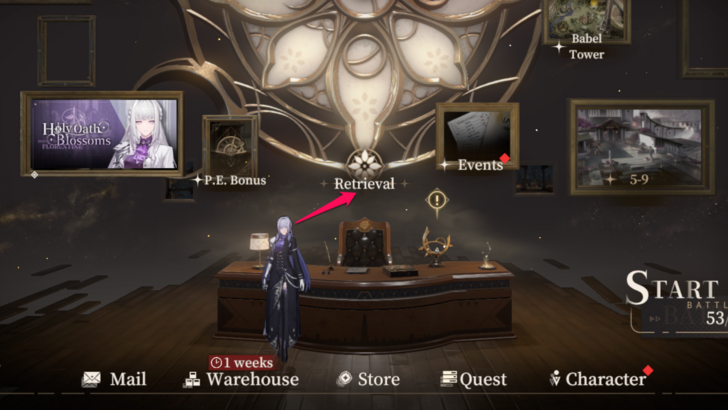 From the home screen menu, tap "Retrieval" at the center of the screen. |
|---|---|
| 2 | 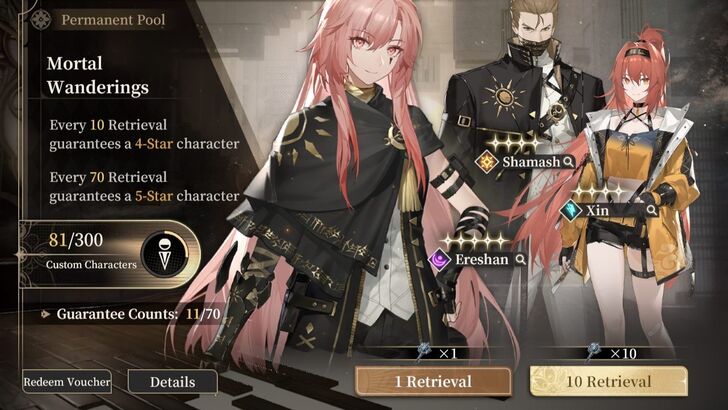 Select a banner, where you want to pull characters. For example, we will try to pull a character from the Mortal Wanderings banner. |
| 3 | 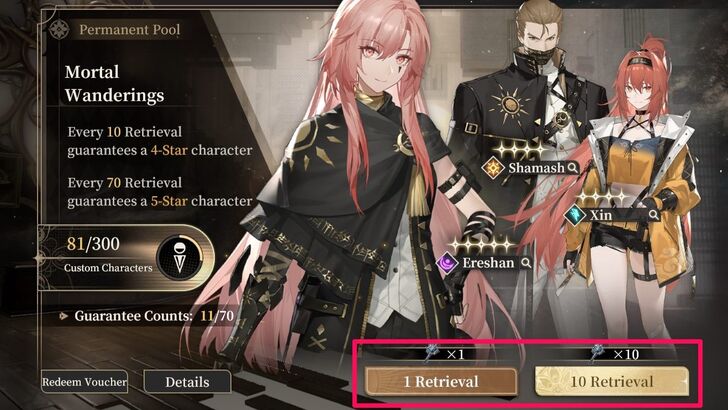 Depending on the number of Lost Time Keys you currently have, tap either "1 Retrieval" or "10 Retrieval." Since we only have 6 Lost Time Keys, we choose 1 Retrieval. |
| 4 | 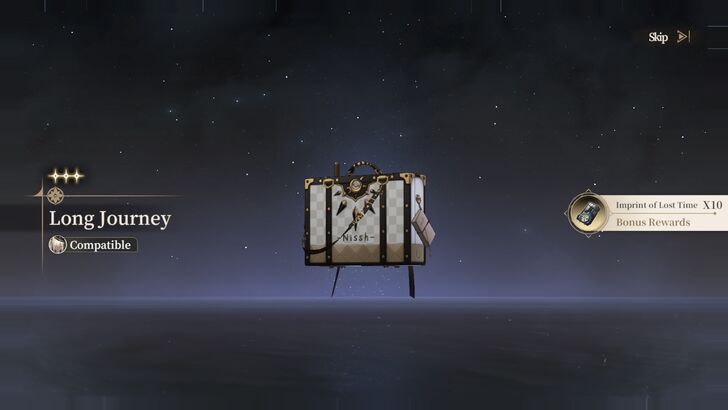 After the pull, you can either obtain a weapon or a character. In this case, we obtained Ninsar's weapon, Long Journey. |
| 5 | 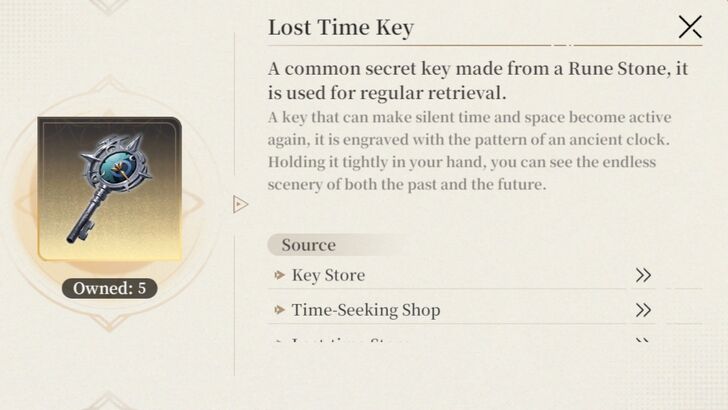 If that happens, simply collect more Lost Time keys and pull again to increase your chances of obtaining a character. Keep in mind that Events and Limited Banners require Time-Seeking Keys. |
Importance of Unlocking Potential
Improves Character's Combat Performance
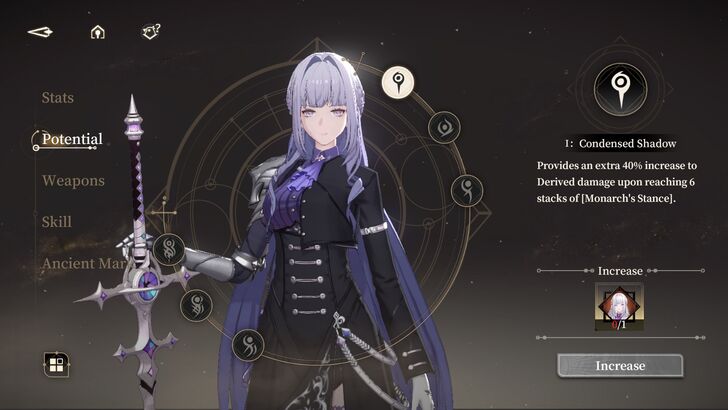
Unlocking Potential allows characters to perform better in combat by increasing their damage output or enhancing their skills.
For example, Florence's first Potential increases her Derived Damage by up to 40% after stacking six Monarch's Stance. With six Potentials to unlock, you can maximize your character’s potential, even lower-quality ones, since rare characters have a low pull rate in the Retrieval option.
Black Beacon Related Guides

All Tips and Tricks Guides
 Beginner's Guide: Tips and Tricks for New Players
Comment



Author

How to Raise Your Character's Potential
Rankings
- We could not find the message board you were looking for.
Gaming News




![Monster Hunter Stories 3 Review [First Impressions] | Simply Rejuvenating](https://img.game8.co/4438641/2a31b7702bd70e78ec8efd24661dacda.jpeg/thumb)
Popular Games

Genshin Impact Walkthrough & Guides Wiki
Honkai: Star Rail Walkthrough & Guides Wiki
Umamusume: Pretty Derby Walkthrough & Guides Wiki
Pokemon Pokopia Walkthrough & Guides Wiki
Resident Evil Requiem (RE9) Walkthrough & Guides Wiki
Monster Hunter Wilds Walkthrough & Guides Wiki
Wuthering Waves Walkthrough & Guides Wiki
Arknights: Endfield Walkthrough & Guides Wiki
Pokemon FireRed and LeafGreen (FRLG) Walkthrough & Guides Wiki
Pokemon TCG Pocket (PTCGP) Strategies & Guides Wiki










Recommended Games
Diablo 4: Vessel of Hatred Walkthrough & Guides Wiki
Cyberpunk 2077: Ultimate Edition Walkthrough & Guides Wiki
Fire Emblem Heroes (FEH) Walkthrough & Guides Wiki
Yu-Gi-Oh! Master Duel Walkthrough & Guides Wiki
Super Smash Bros. Ultimate Walkthrough & Guides Wiki
Pokemon Brilliant Diamond and Shining Pearl (BDSP) Walkthrough & Guides Wiki
Elden Ring Shadow of the Erdtree Walkthrough & Guides Wiki
Monster Hunter World Walkthrough & Guides Wiki
The Legend of Zelda: Tears of the Kingdom Walkthrough & Guides Wiki
Persona 3 Reload Walkthrough & Guides Wiki










All rights reserved
Game Copyright©Glohow Holdings Pte. Ltd. & MINGZHOU Technology Co., Ltd. All Rights Reserved
The content we provide on this site were created personally by members of the Game8 editorial department.
We refuse the right to reuse or repost content taken without our permission such as data or images to other sites.
©Glohow Holdings Pte. Ltd. & MINGZHOU Technology Co., Ltd (Provider)