
Tome of Fate Guide
The Game8 Black Beacon Team has ended coverage as of May 21, 2025. Information on certain pages may not be up-to-date. Thank you for your continued support!
Black Beacon's Tome of Fate challenges players with its roguelite gameplay elements. This guide explains how to unlock Tome of Fate and its gameplay mechanics.
List of Contents
Tome of Fate Guide
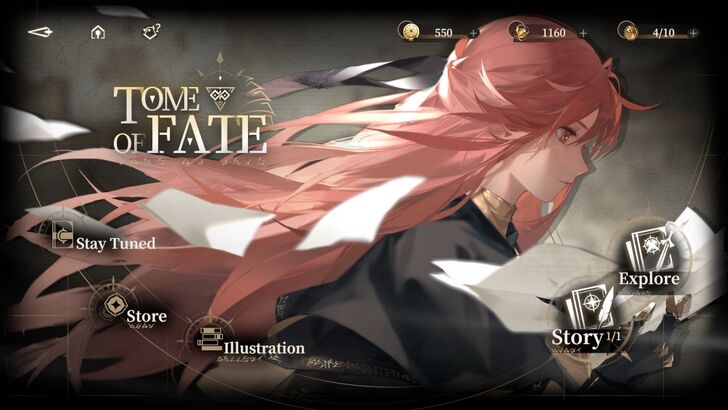
Tome of Fate mode features a randomly generated series of combat encounters and events where you collect temporary and permanent blessings to improve your team's survival against enemies. Each run is divided into three layers, where the third layer features a boss fight.
How to Unlock Tome of Fate?
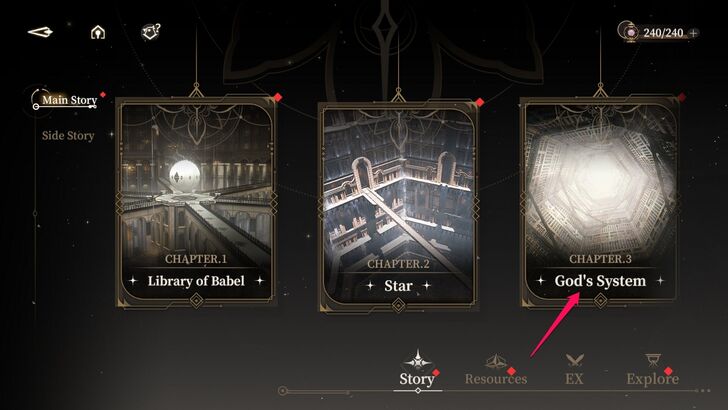
You can unlock Tome of Fate after finishing the Main Story mission Chapter 3-18. After that, just head over to Explore Mode and select Tome of Fate.
Game Modes
Story Mode
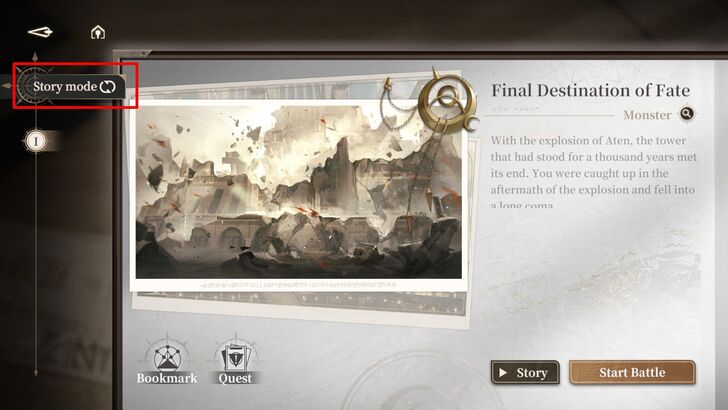
The Story Mode expands on the narratives of other characters in the game. Currently, only Ereshan's story is available to explore.
For your first run in this mode, you will have to fill your team with specific characters designated by the game. After your first successful run, you are free to use whichever characters you prefer.
Adventure Mode
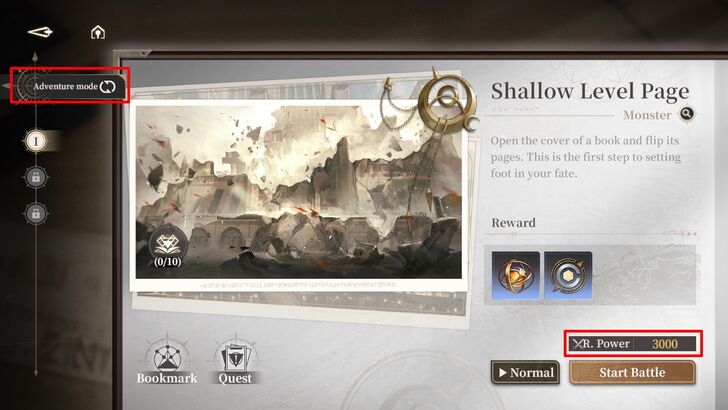
Adventure Mode plays the same way but without the narrative elements. There are two stages: Adventure Mode and Page Reorganization Mode. Each stage consists of three missions with varying difficulty levels. Missions are unlocked sequentially, with each one becoming available after completing the previous mission on Normal difficulty. Once all missions are completed, you can increase the difficulty from Normal to Hard.
You must complete the three stages of Adventure Mode first to unlock Page Reorganization Mode.
Completing a Run
Sample Gameplay Run
| 1 | 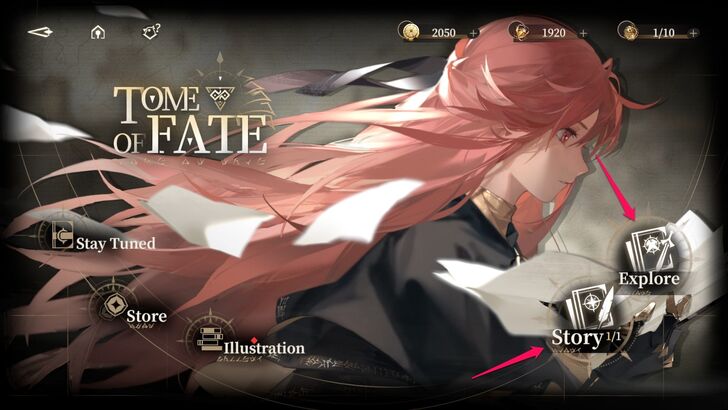 Head to the Tome of Fate menu, and select a mode. |
|---|---|
| 2 | 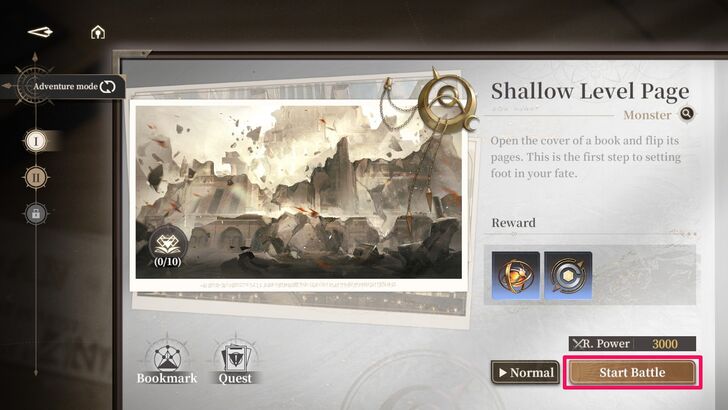 Tap "Start Battle." |
| 3 | 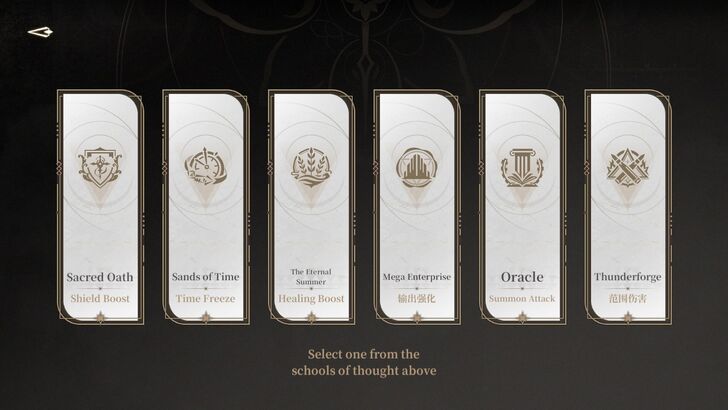 Choose a "School of Thought" to receive one Stage Skill, then press Confirm. There are six Schools of Thought to test, each serving different purposes, like healing characters through the Eternal Summer or releasing a laser beam via Thunderforge. |
| 4 | 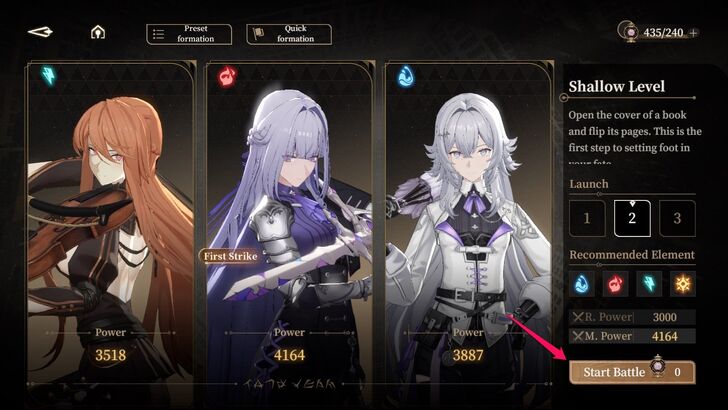 Set your team members for the run. Consider your characters based on the mission's Recommended Power and Elements. Once ready, tap "Start Battle." |
| 5 | 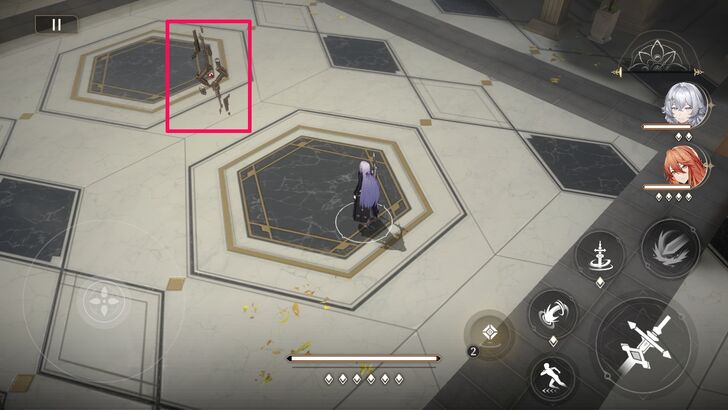 Move towards the interaction point at the center of the map. |
| 6 | 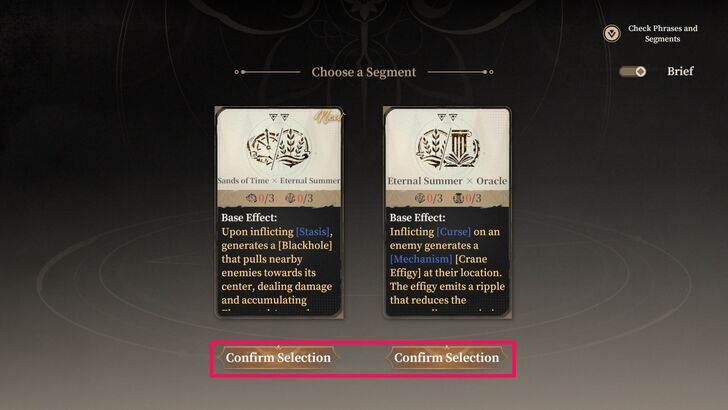 Select a Segment for your run by tapping "Confirm Selection." You can also toggle the "Brief" option to view a detailed explanation of each Segment. |
| 7 | 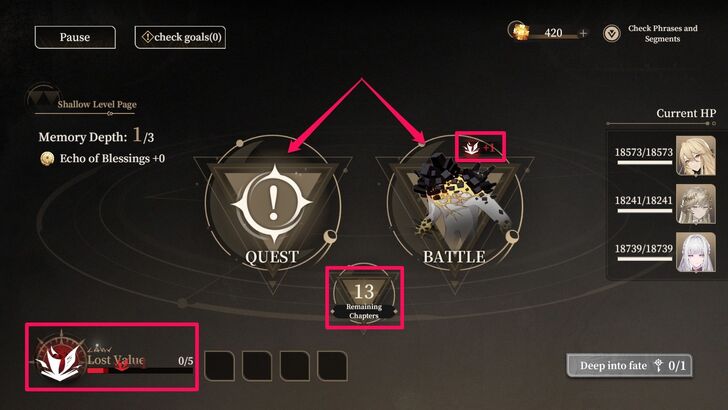 Select a Book Chapter. Chapters can be Events, Quests, Battles, Trade, or Camp. Each selected Chapter Page reduces the Remaining Chapter counter by 2 points. Some pages may also increase the Lost counter by 1 or 2 points. |
| 8 | 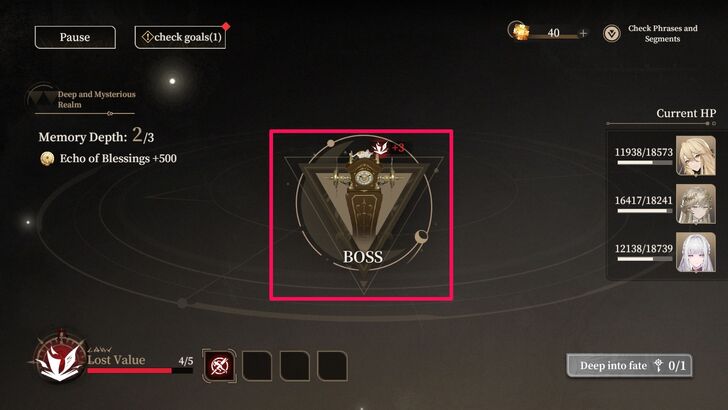 Exhaust the remaining Chapter Pages while collecting and upgrading Phrases or completing quests. Eventually, this will lead you to a boss fight. Throughout the process, you'll also accumulate Phrases, which will upgrade or unlock skills. |
| 9 | 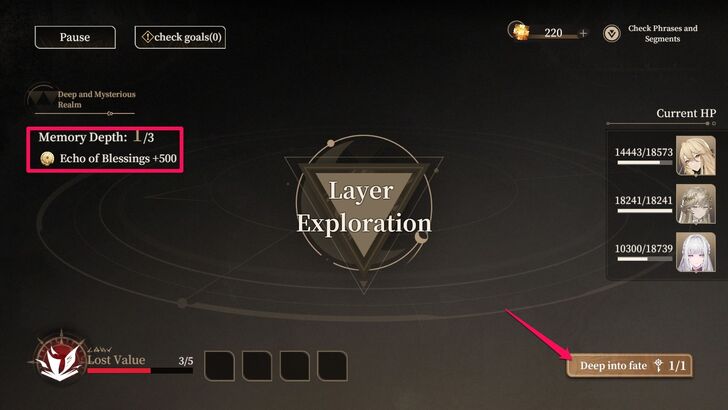 After defeating the boss, you will move forward to the Layer Exploration Phase. Tap "Deep into Fate" to proceed to another Ring or level. You'll earn 500 Echo of Blessing for each completed level. |
| 10 | 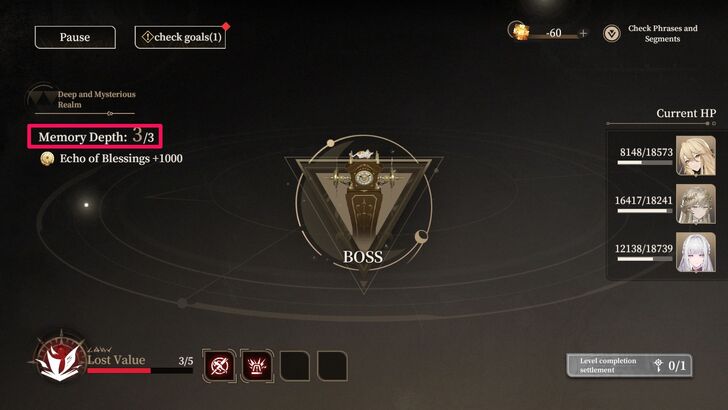 Repeat steps 7 and 9 until you complete Memory Depth Level 3. Tome of Fate has three levels, each ending with a boss fight. Defeating the third boss completes the run. |
| 11 | 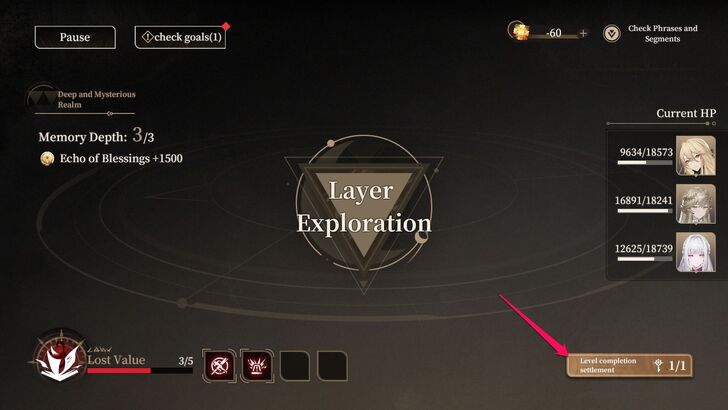 Once the boss is defeated, tap "Level Completion Settlement" and select "Yes" to conclude your run. |
| 12 | 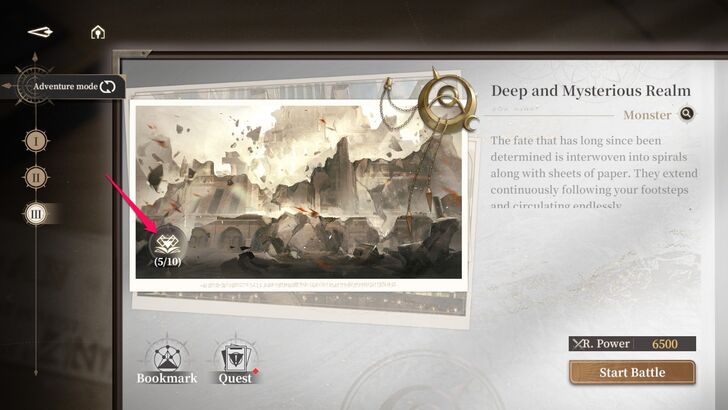 You'll be rewarded with a Chest of Fate, which can be opened using a Key of Karma. Go to the mission selection screen and tap the icon to open the Chest of Fate. This will grant you Original Text and Seals of Fate. |
| 13 | 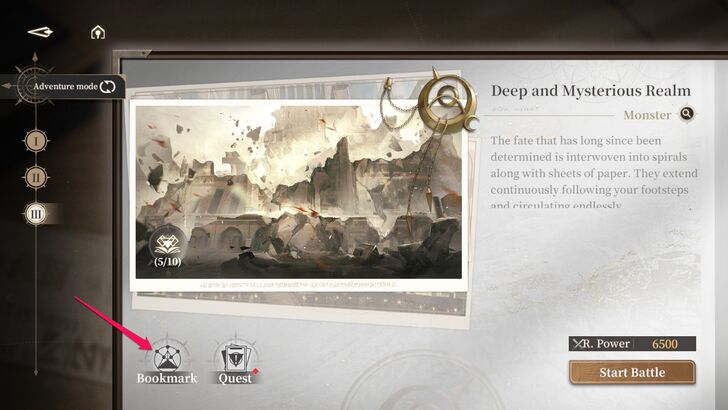 Spend Echo of Blessings to add permanent buffs to your team in the "Bookmark" section, found on the screen where you start a run. Each layer awards players 500 Echo of Blessings, which can be obtained after completing a run. |
Page Reorganization Post-Run Challenge
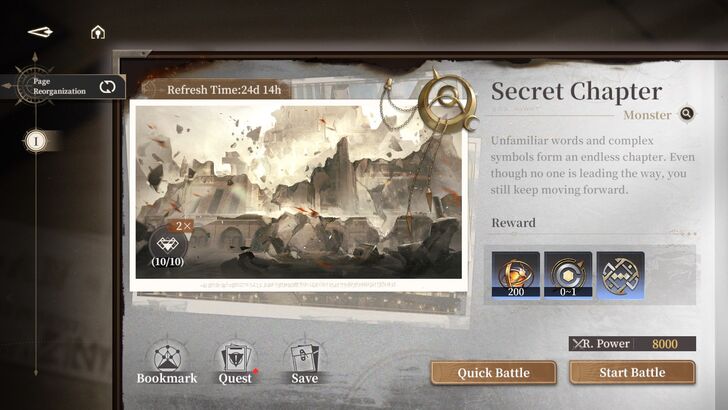
In Page Reorganization mode, you can save a concluded run and initiate a boss fight to quickly earn Seals of Fate and Ancient Marks.
Take note that there are only three save slots in this mode.
| 1 | 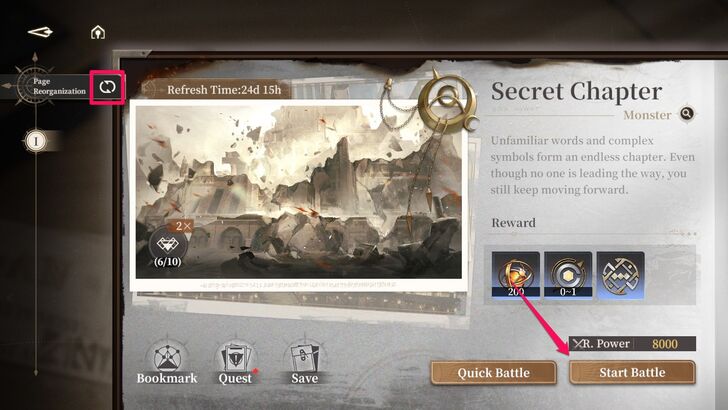 Once you completed all the stages on Adventure Mode, switch it to Page Reorganization and tap "Start Battle." |
|---|---|
| 2 | 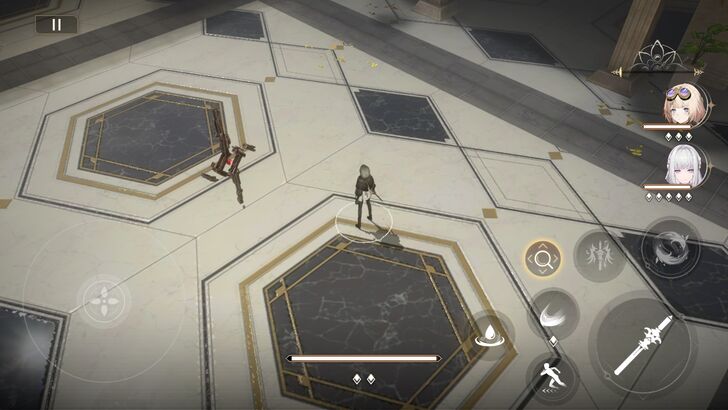 Follow the steps from the Sample Gameplay Run section above and complete a run. |
| 3 | 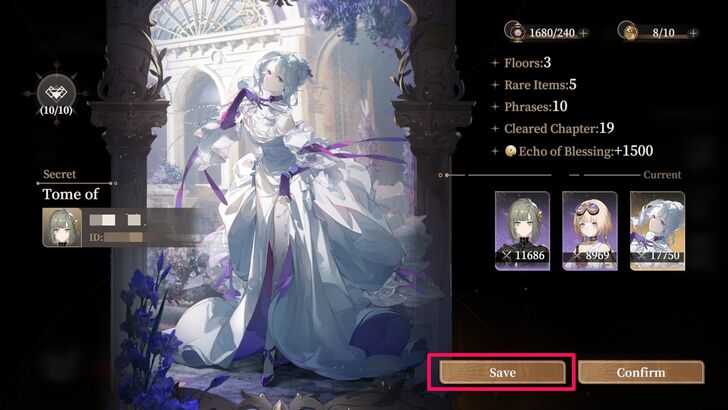 After completing a run, you’ll have the option to save it. Tap "Save" to keep the current run along with the builds and debuffs you accumulated. |
| 4 | 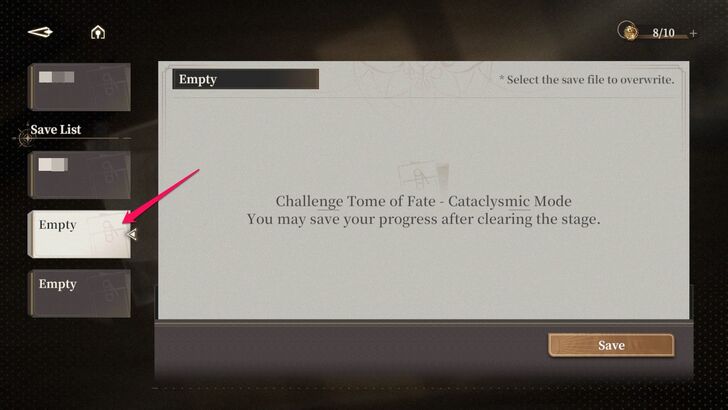 Save it in an empty slot or overwrite an existing one. |
| 5 | 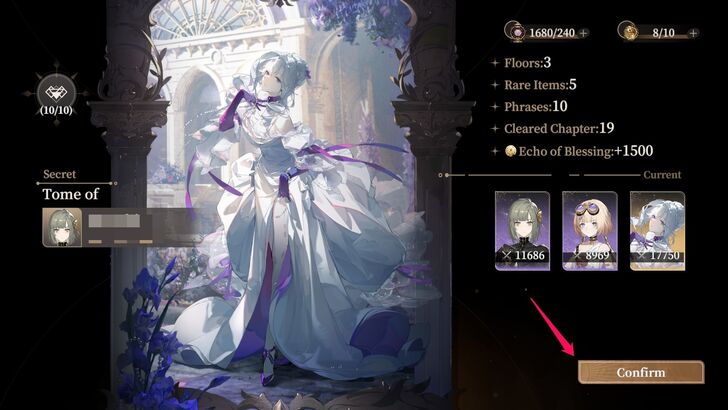 Press "Confirm" to conclude the run. |
| 6 | 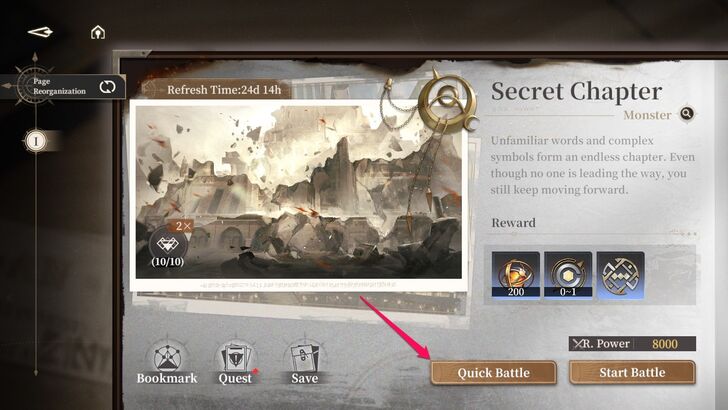 Once you're back to the Page Reorganization menu, select "Quick Battle." |
| 7 | 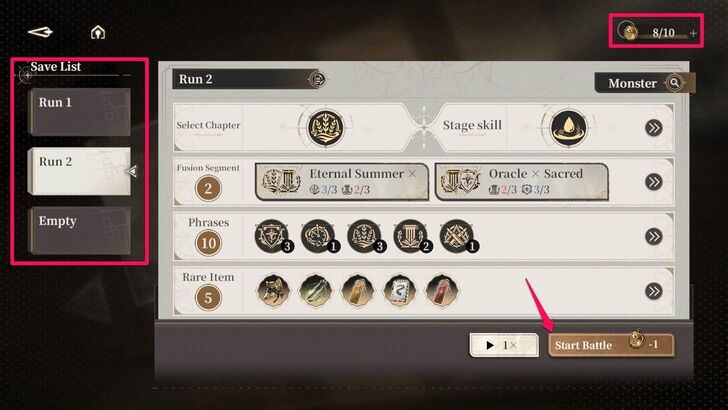 Select a specific save file and tap Start Battle. Keep in mind that you need Key of Karma to initiate a battle here. |
| 8 | 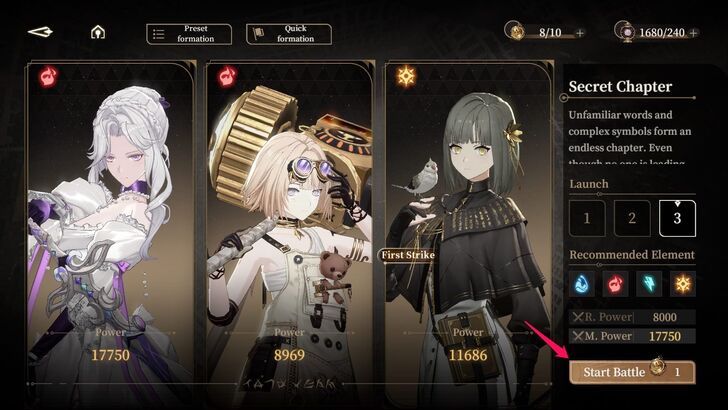 In Quick Battle, you can set a new team or use the one deployed during that run. Once you're team is ready, tap "Start Battle." |
| 9 | 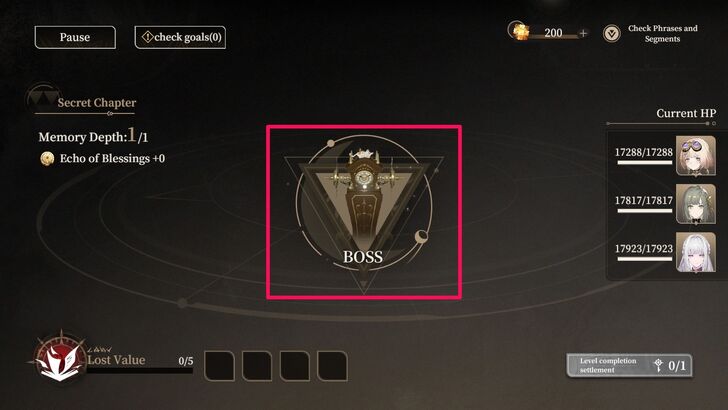 Go to the interaction point and select "Boss." Here, you'll go straight to the final boss fight of that saved run. |
| 10 | 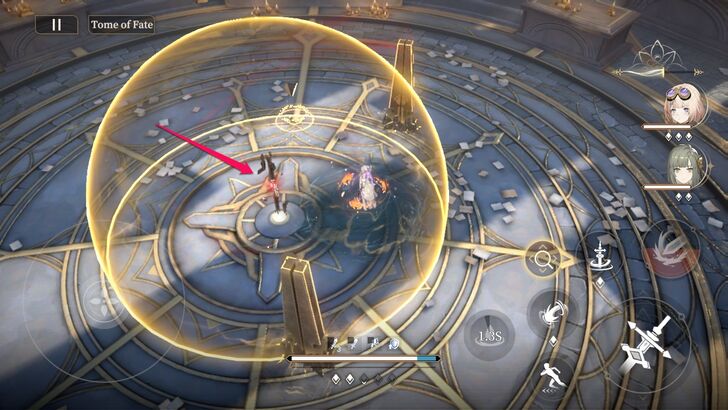 Interact with this object to reforge the Phrases saved in that run. |
| 11 | 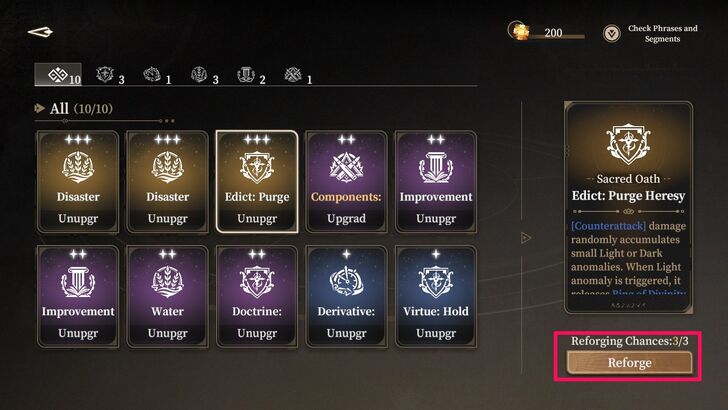 After you selected a particular Phrase, Tap "Reforge" to randomly change it. You can only reforge Phrases three times after each boss battle. |
| 12 | 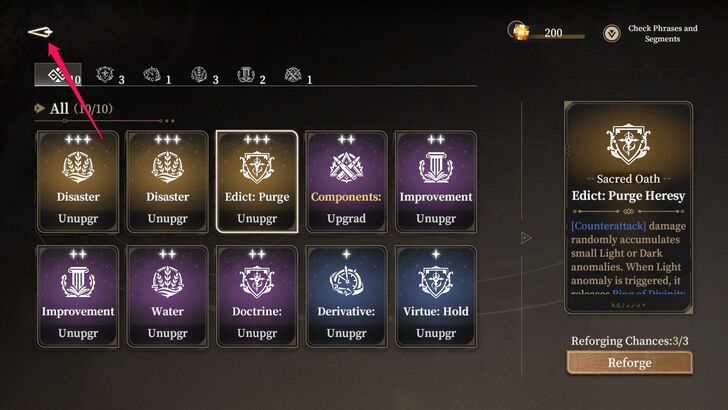 If you're satisfied with the current set of Phrases or done reforging them, tap the arrow button to the top left to go back. |
| 13 | 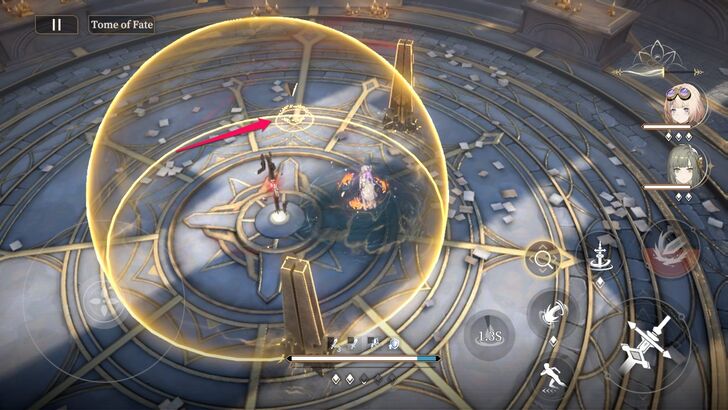 Head to the teleporter and select "Confirm" to conclude this battle. |
| 14 | 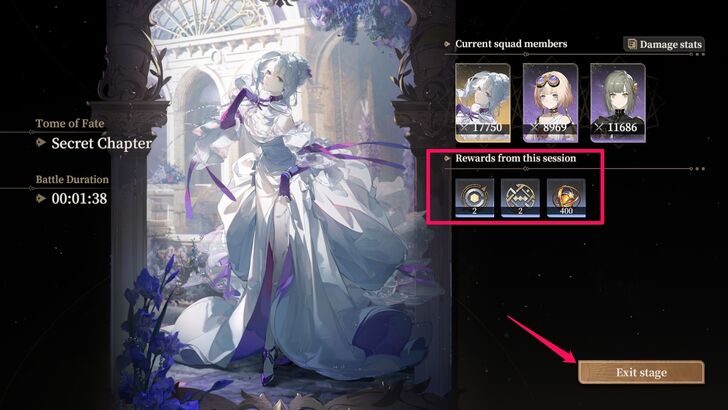 Claim your rewards and tap "Exit Stage." You can repeat these battles to farm Seals of Fate and one and two-slot Ancient Marks as long as you have spare Keys of Karma. |
Tome of Fate Mechanics
Chapter Pages Explained
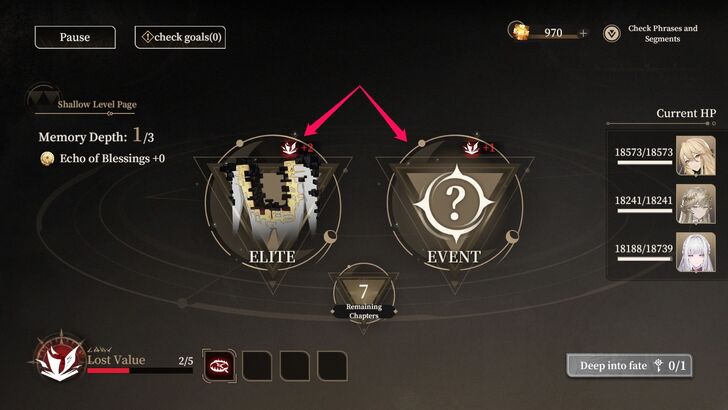
Chapter Pages are primarily used for battling, visiting events, trading items, or healing your team. Each selected Chapter Page reduces the Remaining Chapters counter by 2. Each Ring or level starts with 15 Remaining Chapter points.
Once the Remaining Chapter's points reach zero, you will fight a boss and move on to another Ring.
| Battle | You can fight enemies by selecting this chapter. There are three enemy types: Regular, Elite, and Boss. |
| Event | Presents you with a scenario where you can make a choice. You can gain a Phrase, a Rare Item, or even reduce Confusion points here. However, some events may also decrease your Light Dust or increase your Confusion points. |
| Quest | Choose a quest for your current run. For instance, you can choose to fight an Elite enemy or complete two Events. |
| Trade | You can buy Rare Items or Phrases here in exchange for Fate's Glowdust or additional Confusion points. |
| Camp | Here, you can reduce Confusion points, upgrade a Phrase, or revive and heal a character by spending Fate's Glowdust. In the final level, you can spend all Light Dust/Fate's Glowdust to upgrade Phrases. |
Understanding the Lost Counter
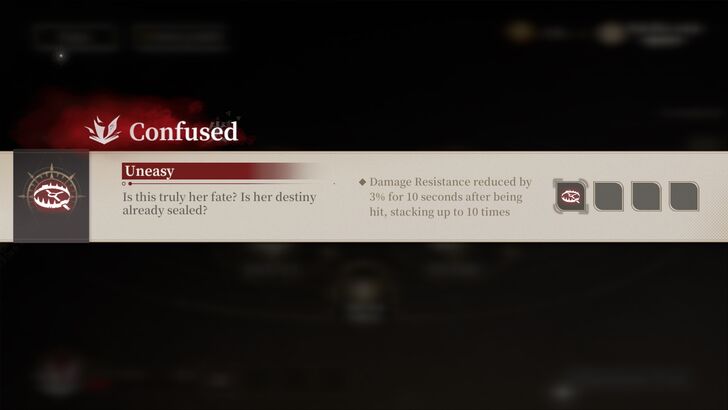
Some Chapter Pages add 1 or 2 Confusion points to the Lost Counter. Once full, you will be penalized with a debuff. It is possible to accumulate up to four different debuffs during a single run. For instance, you might get a debuff called Self-Sabotage that causes 15% ATK reduction after switching.
Particular Chapter Pages like Events and Camp can potentially lower your Lost Counter.
How to Check Collected Items
Review Items During a Run
| 1 | 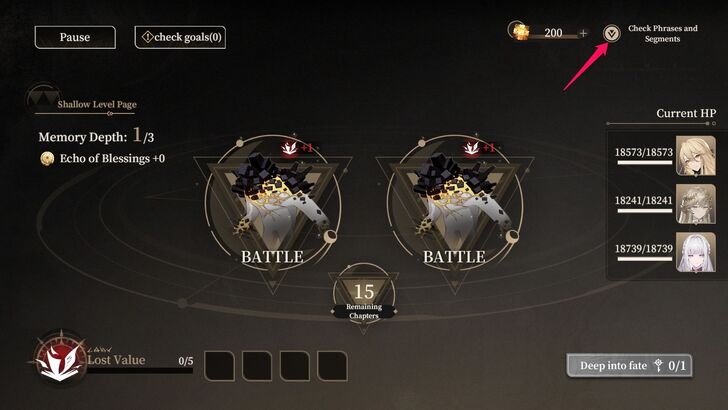 Tap the drop down icon beside "Check Phrases and Segments." |
|---|---|
| 2 | 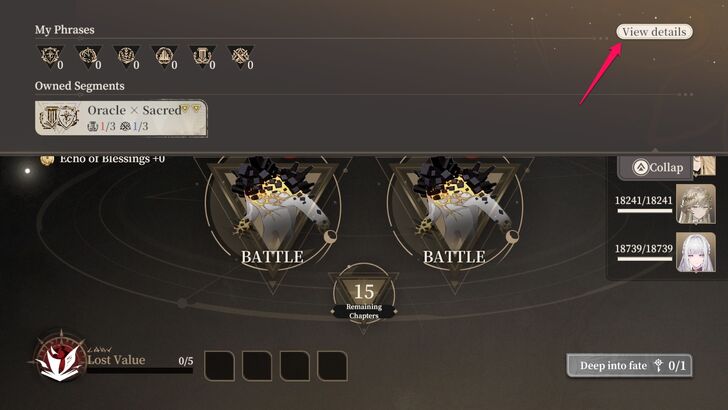 Here, you can view your owned Phrases and Segments. Select "View Details" to open a comprehensive list of items collected throughout the run. |
| 3 | 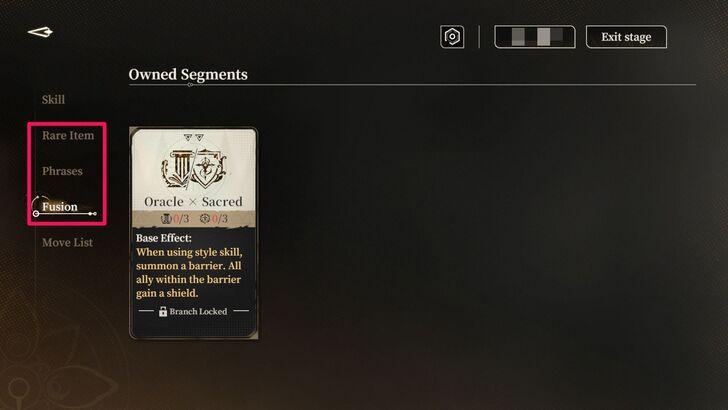 Check Rare Items, Phrases, and Fusion/Segments to review everything you've collected so far and consider which upgrades or new Phrases would be best for your run. |
Check the Unlockables
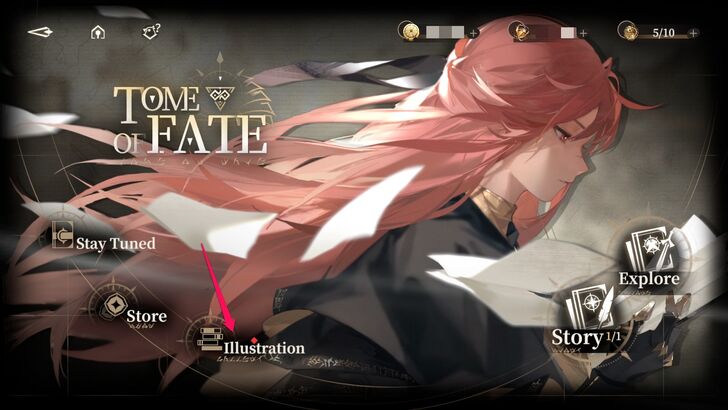
You can also check all collected items by tapping "Illustration" on the Tome of Fate home screen. This displays all the items you've gathered in your runs, including Phrases, Segments, Events, and Rare Items.
Unlockable List
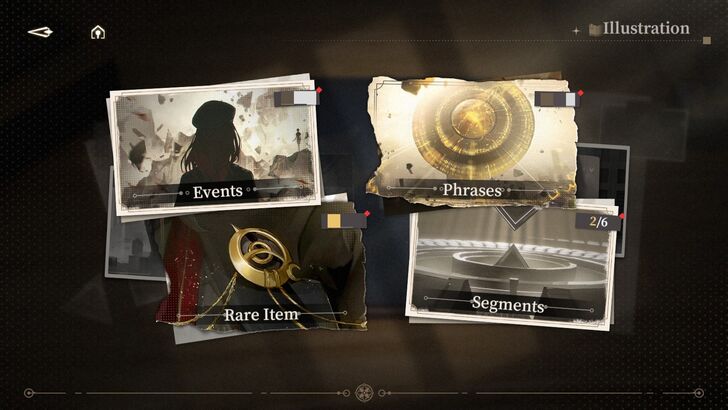
There are four different collectible categories that gradually fill up as you complete runs in Tome of Fate. Some, like Segments and Phrases, are useful for checking which skills and upgrades to unlock for your next run. Additionally, you can earn Rune Shards and Orelium as one-time rewards by unlocking them.
Events
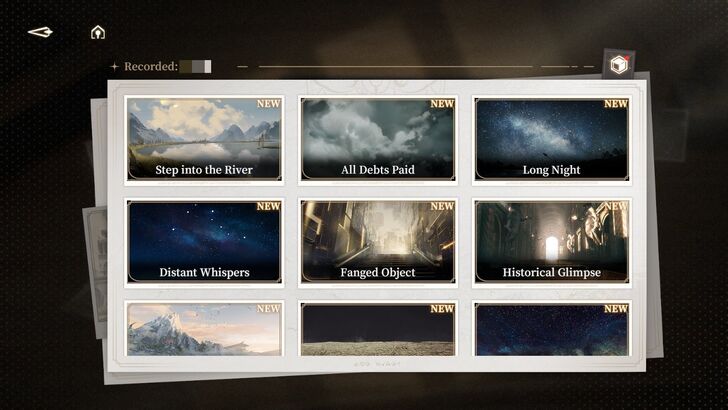
Unique illustrations can be unlocked by selecting an Event during your run. These illustrations feature iconic places or scenes in Black Beacon.
Rare Items
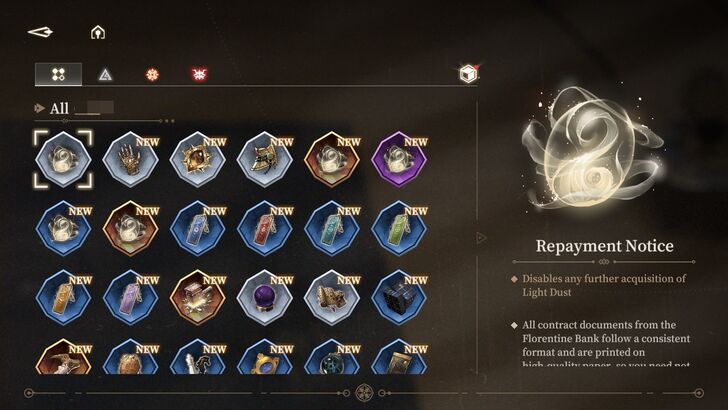
Rare Items can be obtained as rewards during Events or purchased through Trade and Event. These items are useful, as they provide additional buffs to your party during your run.
Segments
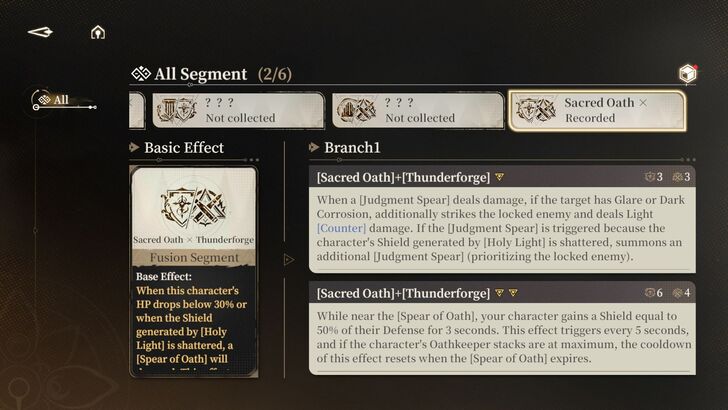
Segments are collected by choosing one of two options during your run after interacting with the map's interaction point. Their icons appear as a combination of two Schools of Thought, but their effects provide buffs to your characters, additional damage through contraptions, or debuffs to enemies.
Phrases
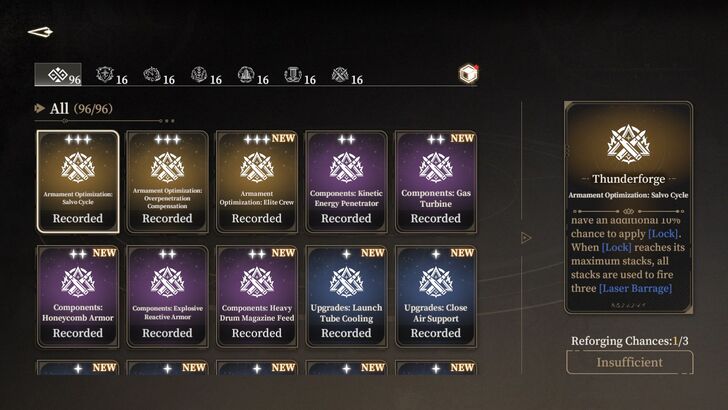
Phrases are skills that can be unlocked and upgraded during your run. Each Phrase enhances a specific skill related to a School of Thought or Segment.
Obtainable Rewards
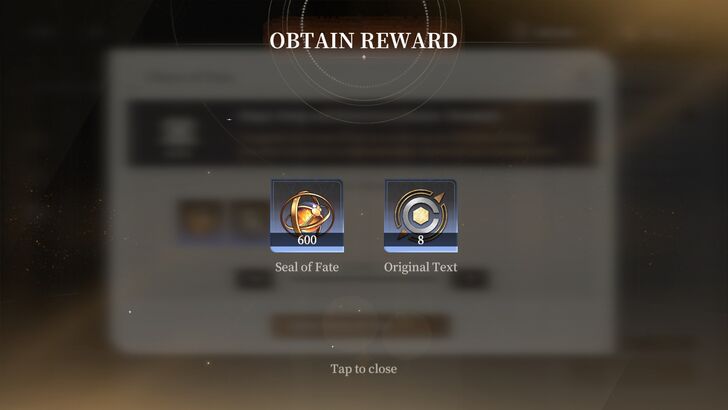
Completing Tome of Fate runs rewards you with a Chest of Fate, which contains Seals of Fate and Ancient Marks. You must have a Key of Karma to open this chest.
Meanwhile, Rune Shards, Orelium, Seals of Fate, and Ancient Marks are one-time rewards obtained through the Quest option on the mission selection screen.
| Item | Description |
|---|---|
| Seal of Fate | Currency for buying Ancient Marks at the in-game store. |
| Original Text | A 1-slot Ancient Mark. |
| Thread Mark | A 3-slot Ancient Mark. |
| Rune Shards | One-time reward for collecting a specific number of collectibles or opening Chest of Fates. |
| Orelium | One-time reward received for opening a specific number of Chest of Fate. |
| Ancient Marks | One-time reward received for opening a specific number of Chest of Fate. |
How to Get Keys of Karma
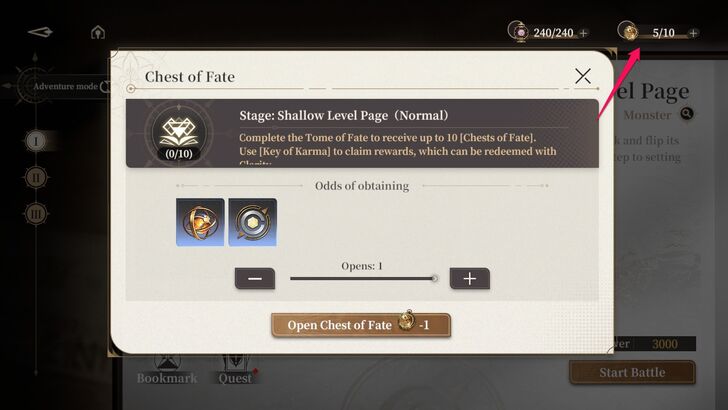
Exchange 40 Clarity for 1 Key of Karma to open a Chest of Fate. Make sure you have enough Clarity or farm it through Babel Tower's Celestial Orchard. The game also provides players with 2 free Keys of Karma every Monday.
You can hold up to 10 Keys of Karma at a time.
Why Play Tome of Fate?
Buy Rare Ancient Marks
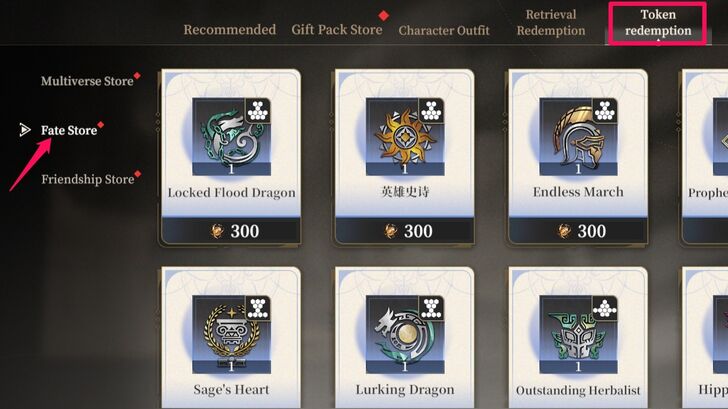
Earn Seals of Fate to purchase rare Ancient Marks in the game's store. These items are especially important, as they provide a significant boost to a specific character stat, enhancing their damage-dealing capability or survivability.
Obtain Rune Shards
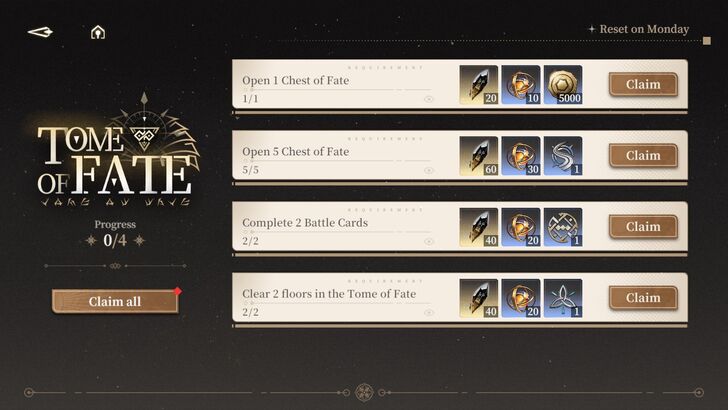
You can earn a sufficient amount of Rune Shards in this mode by collecting Event illustrations, Rare Items, Segments, and Phrases, as well as by opening Chests of Fate and clearing mission floors. However, they are available only as one-time rewards.
All Ways to Get Rune Shards and Best Uses
Black Beacon Related Guides
All Tips and Tricks Guides
 Beginner's Guide: Tips and Tricks for New Players
Comment



Author

Tome of Fate Guide
Rankings
Gaming News




![Monster Hunter Stories 3 Review [First Impressions] | Simply Rejuvenating](https://img.game8.co/4438641/2a31b7702bd70e78ec8efd24661dacda.jpeg/thumb)
Popular Games

Genshin Impact Walkthrough & Guides Wiki
Honkai: Star Rail Walkthrough & Guides Wiki
Umamusume: Pretty Derby Walkthrough & Guides Wiki
Pokemon Pokopia Walkthrough & Guides Wiki
Resident Evil Requiem (RE9) Walkthrough & Guides Wiki
Monster Hunter Wilds Walkthrough & Guides Wiki
Wuthering Waves Walkthrough & Guides Wiki
Arknights: Endfield Walkthrough & Guides Wiki
Pokemon FireRed and LeafGreen (FRLG) Walkthrough & Guides Wiki
Pokemon TCG Pocket (PTCGP) Strategies & Guides Wiki










Recommended Games
Diablo 4: Vessel of Hatred Walkthrough & Guides Wiki
Cyberpunk 2077: Ultimate Edition Walkthrough & Guides Wiki
Fire Emblem Heroes (FEH) Walkthrough & Guides Wiki
Yu-Gi-Oh! Master Duel Walkthrough & Guides Wiki
Super Smash Bros. Ultimate Walkthrough & Guides Wiki
Pokemon Brilliant Diamond and Shining Pearl (BDSP) Walkthrough & Guides Wiki
Elden Ring Shadow of the Erdtree Walkthrough & Guides Wiki
Monster Hunter World Walkthrough & Guides Wiki
The Legend of Zelda: Tears of the Kingdom Walkthrough & Guides Wiki
Persona 3 Reload Walkthrough & Guides Wiki










All rights reserved
Game Copyright©Glohow Holdings Pte. Ltd. & MINGZHOU Technology Co., Ltd. All Rights Reserved
The content we provide on this site were created personally by members of the Game8 editorial department.
We refuse the right to reuse or repost content taken without our permission such as data or images to other sites.
©Glohow Holdings Pte. Ltd. & MINGZHOU Technology Co., Ltd (Provider)