
How to Set Up Support Units
The Game8 Black Beacon Team has ended coverage as of May 21, 2025. Information on certain pages may not be up-to-date. Thank you for your continued support!
Support Units in Black Beacon are characters from other players that you can use in combat. Read on to learn how to set up your own Support Units and why it is important.
List of Contents
How to Set Up Support Units
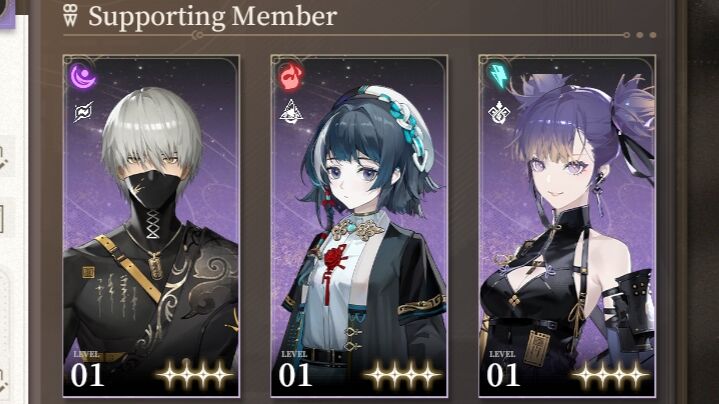
Support Units are characters that you can set in your Seer Profile, allowing other players to add them to their party during missions. The maximum number of characters you can set is three, and they can be changed based on your preferences.
Set Units in your Seer Profile
Setting characters can be done in your Seer Profile, providing players with combat assistance in their missions. Here are the steps on how to set up Support Units:
| 1 | 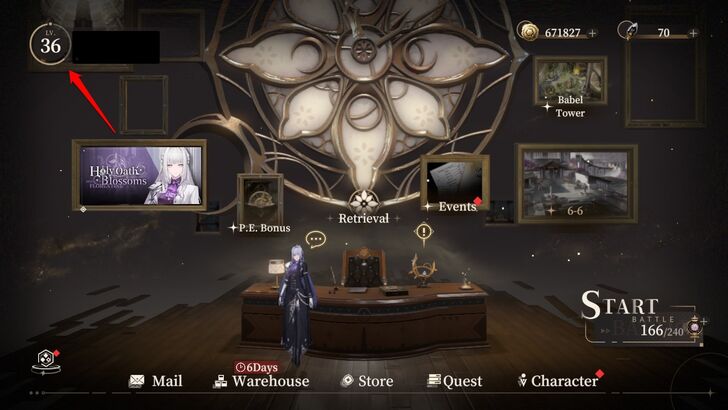 From the home screen, press the icon at the top left that displays your current Seer Level and in-game name. |
|---|---|
| 2 | 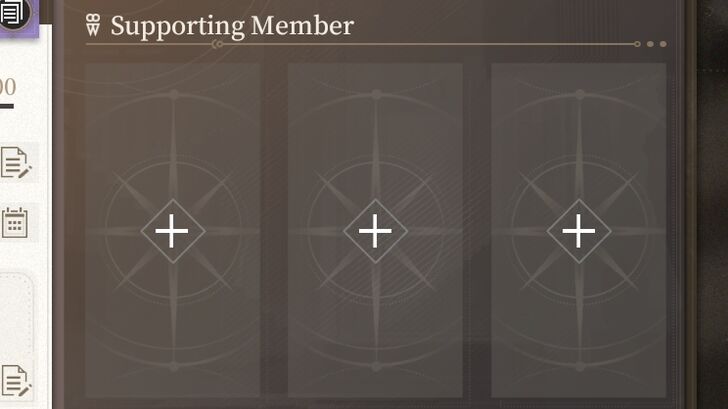 Once there, check the right side of the screen and locate three empty spaces with plus icons. This is where you will assign your support units. |
| 3 | 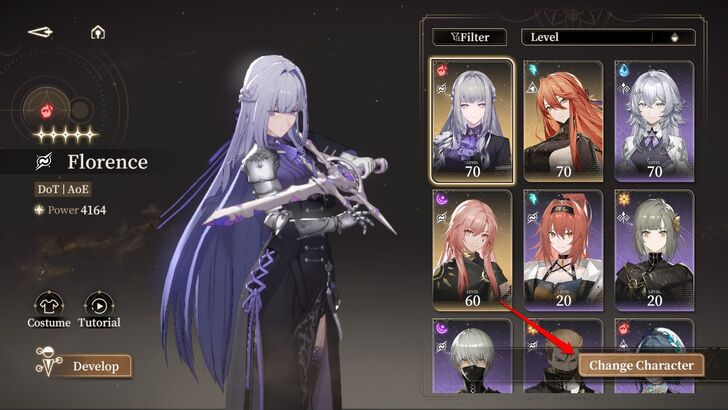 Tap the plus icon, select a character, and press "Change Character." This will assign the chosen character to a specific spot, making it available for other players to use. |
| 4 | 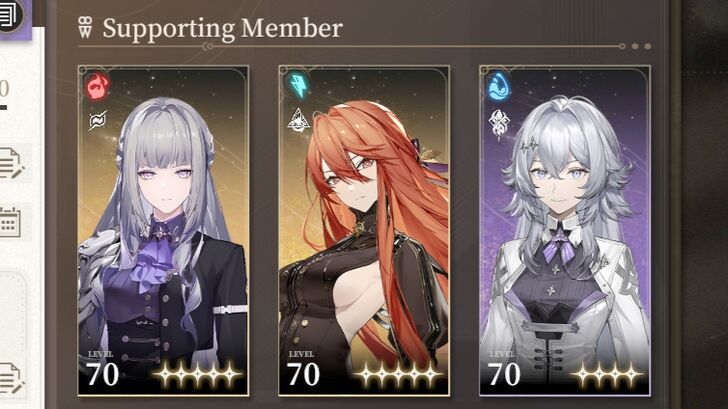 Repeat Step 3 until you have three Supporting Members on your Seer Profile. |
Using Support Units in Missions
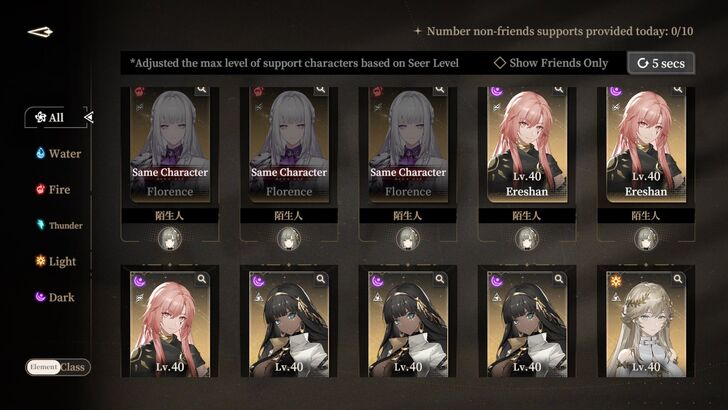
You can also use Support Units for your missions, granting you access to high-level characters or those you do not yet own, which can assist you with your quests.
Use Them as the Third Party Member
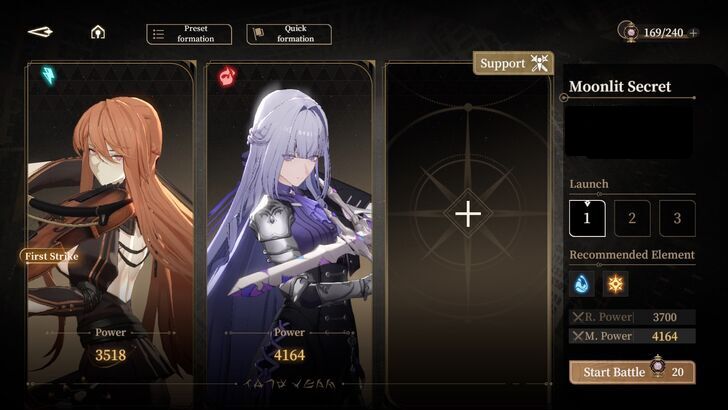
Set one Support Unit in your third-party member slot. Depending on their combat role, you can have them appear first in combat, tagged as First Strike, by tapping number 3 under the Launch
option on the right side of the screen.
| 1 | 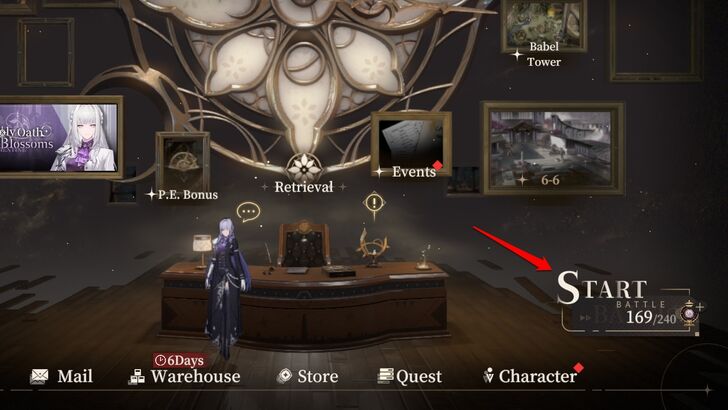 Select "Start Battle" from the home screen and choose between Main Story and Resources Missions. Keep in mind that Support Units cannot be used in certain story missions. |
|---|---|
| 2 | 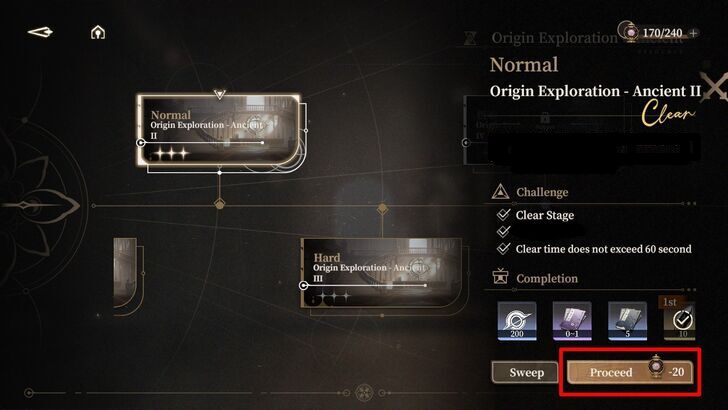 Once you have selected a mission, click "Proceed," and it will take you to the party loadout screen. Keep in mind that you can use Support Units in Main Story and Resources missions only. |
| 3 | 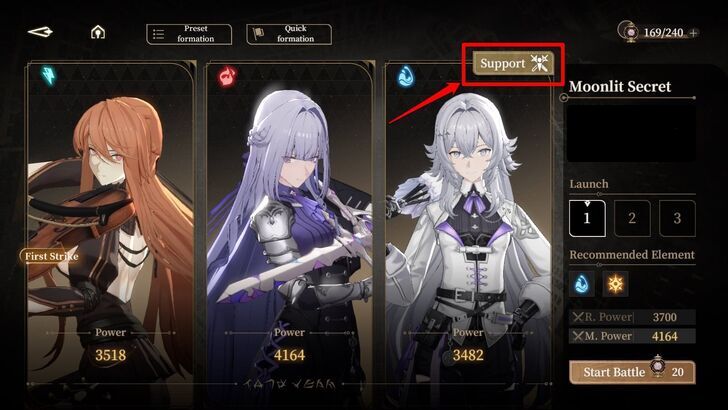 Locate the "Support" icon at the top of the third-party member slot and press it. |
| 4 | 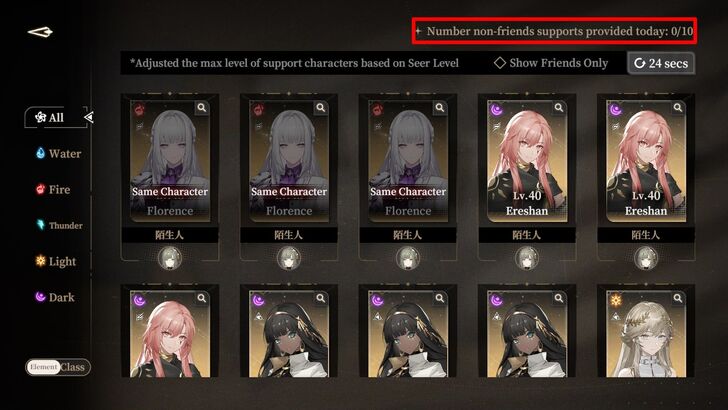 This screen will display the Support Units available for the mission. Simply press a character's icon to automatically add them to your party. Keep in mind that you are limited to 10 supports from strangers, which refreshes daily. |
Why Have Support Units?
Provide and Receive Assistance in Missions
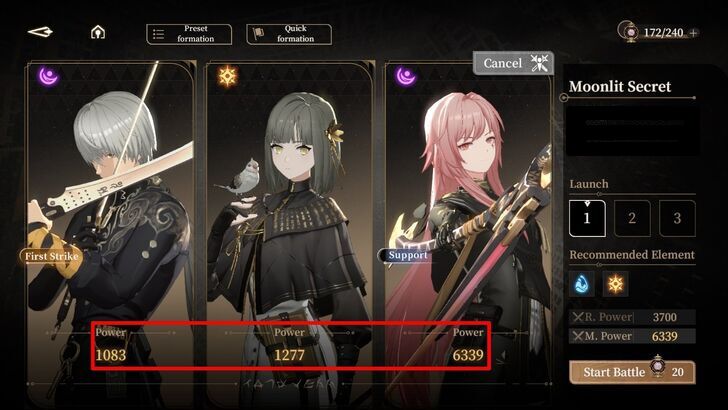
Support Units are extremely useful for tackling difficult quests. If you have a high-level character, setting them as a Support Unit on your Seer Profile allows other players to perform better in their missions by using a powerful character.
The same applies if you are struggling with a mission. If you have a friend or encounter a stranger with powerful Support Units, you can use one of them to even the odds against strong mobs and bosses. Plus, you can even use unobtained characters to test them in real missions.
Earn Mutual Aid Points
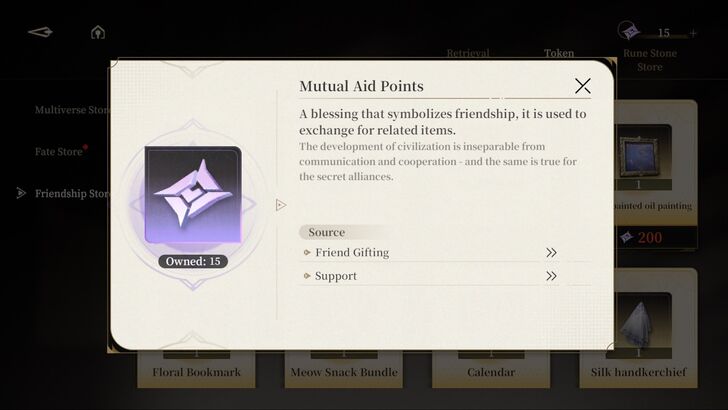
Using Support Units allows you to acquire Mutual Aid Points. This is limited to 10 missions, with a maximum of 350 points to collect every day. Points earned from using a Support Unit from a stranger are only 50 while using one from a friend rewards 70.
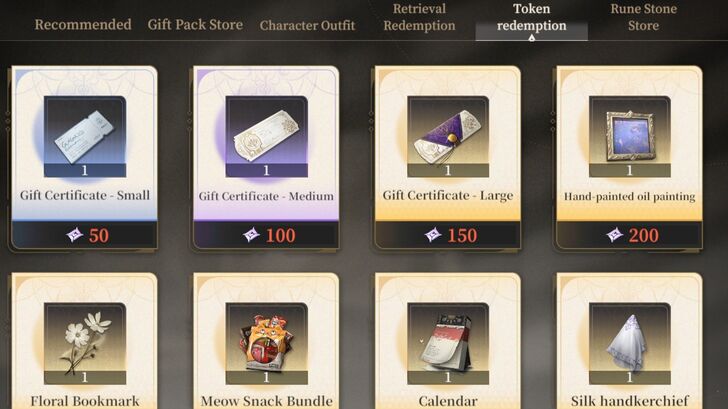
Mutual Aid Points serve as currency for purchasing affection-raising items in the game's store. If you accumulate enough points, select Store from the home screen and locate Token Redemption. Then, choose Friendship Store to buy items using Mutual Aid Points.
These items are essential for increasing affection with a specific character, which can reward a Costume, Rune Shards, and Orelium, depending on the affection level.
Black Beacon Related Guides

All Tips and Tricks Guides
 Beginner's Guide: Tips and Tricks for New Players
Comment



Author

How to Set Up Support Units
Rankings
Gaming News




![Monster Hunter Stories 3 Review [First Impressions] | Simply Rejuvenating](https://img.game8.co/4438641/2a31b7702bd70e78ec8efd24661dacda.jpeg/thumb)
Popular Games

Genshin Impact Walkthrough & Guides Wiki
Honkai: Star Rail Walkthrough & Guides Wiki
Umamusume: Pretty Derby Walkthrough & Guides Wiki
Pokemon Pokopia Walkthrough & Guides Wiki
Resident Evil Requiem (RE9) Walkthrough & Guides Wiki
Monster Hunter Wilds Walkthrough & Guides Wiki
Wuthering Waves Walkthrough & Guides Wiki
Arknights: Endfield Walkthrough & Guides Wiki
Pokemon FireRed and LeafGreen (FRLG) Walkthrough & Guides Wiki
Pokemon TCG Pocket (PTCGP) Strategies & Guides Wiki










Recommended Games
Diablo 4: Vessel of Hatred Walkthrough & Guides Wiki
Cyberpunk 2077: Ultimate Edition Walkthrough & Guides Wiki
Fire Emblem Heroes (FEH) Walkthrough & Guides Wiki
Yu-Gi-Oh! Master Duel Walkthrough & Guides Wiki
Super Smash Bros. Ultimate Walkthrough & Guides Wiki
Pokemon Brilliant Diamond and Shining Pearl (BDSP) Walkthrough & Guides Wiki
Elden Ring Shadow of the Erdtree Walkthrough & Guides Wiki
Monster Hunter World Walkthrough & Guides Wiki
The Legend of Zelda: Tears of the Kingdom Walkthrough & Guides Wiki
Persona 3 Reload Walkthrough & Guides Wiki










All rights reserved
Game Copyright©Glohow Holdings Pte. Ltd. & MINGZHOU Technology Co., Ltd. All Rights Reserved
The content we provide on this site were created personally by members of the Game8 editorial department.
We refuse the right to reuse or repost content taken without our permission such as data or images to other sites.
©Glohow Holdings Pte. Ltd. & MINGZHOU Technology Co., Ltd (Provider)