
How to Farm Energy (Clarity) and Best Uses
The Game8 Black Beacon Team has ended coverage as of May 21, 2025. Information on certain pages may not be up-to-date. Thank you for your continued support!
Need more Energy to play through Black Beacon's Main Quest and Resource Stages? This guide breaks down how to farm Energy (Clarity) efficiently, the best ways to use it, and how to raise your max capacity so you’re never short when it counts.
List of Contents
How to Farm Energy (Clarity) and Best Uses
Clarity Generates Over Time
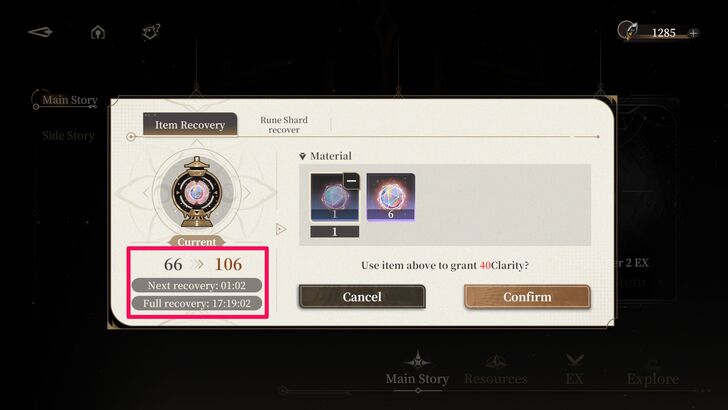
One way to obtain Clarity is to simply let time pass. The game restores 1 Clarity point of clarity every 6 minutes, so it would take 24 hours to gain 240 points - the maximum amount of Clarity a player can have through this process.
Obtain Spherical Fruits to Restore Clarity
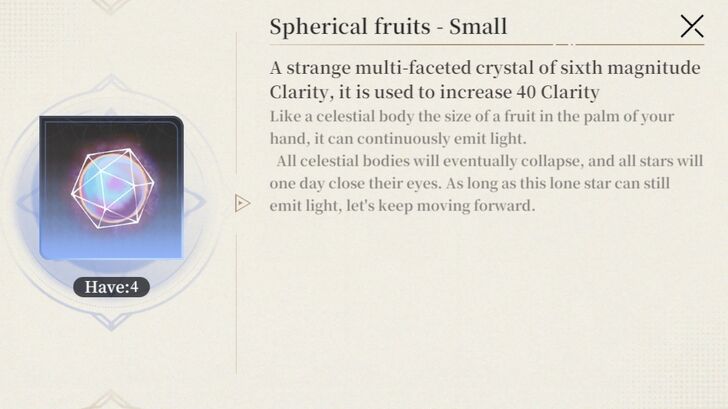
Spherical Fruits are items that can be used to restore Clarity, and the amount of points restored depends on their size. You can use these items even when your Clarity point is already maxed out.
| Spherical Fruit Size | Clarity Points Restored |
|---|---|
| Small | 40 Clarity |
| Medium | 80 Clarity |
| Large | 120 Clarity |
Here are the ways to obtain these items and increase your Clarity further.
Get Spherical Fruits From Daily and Weekly Missions, Battle Pass
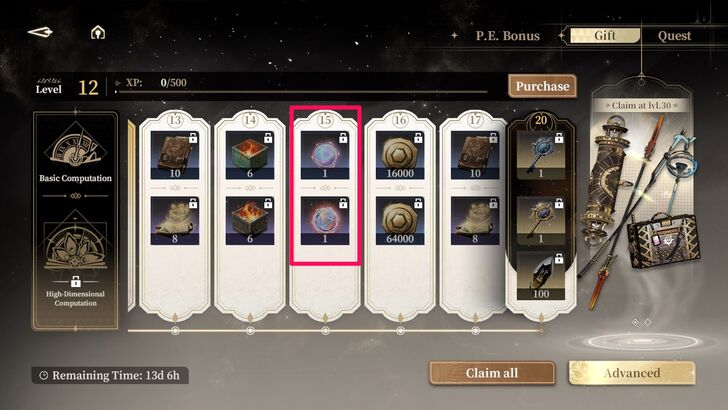
The first way to get Spherical Fruits is to claim them from the Pure Energy or P.E. Bonus. They are given out through both the Basic/High-Dimensional Computation Battle Pass, as well as Daily, Weekly, and Active Quests as random rewards.
You can find P.E. Bonus on the home screen, to the left of the Retrieval option. Select Quest to view the available quests and earn EXP Once you level up, go to Gift to unlock the rewards for your current level. Continue leveling up to obtain Spherical Fruits. You can speed up the process by spending 100 Rune Shards to increase one level, which can be found under the Purchase option on the opposite side of the XP meter.
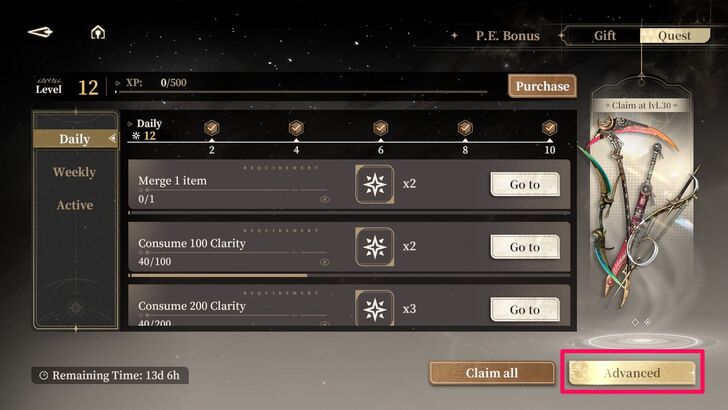
To increase your chances of obtaining more Spherical Fruits, you can unlock the premium "High-Dimensional Computation" or "Infinite Computation" battle pass by selecting Advanced at the bottom right of the screen.
Complete Event Challenges
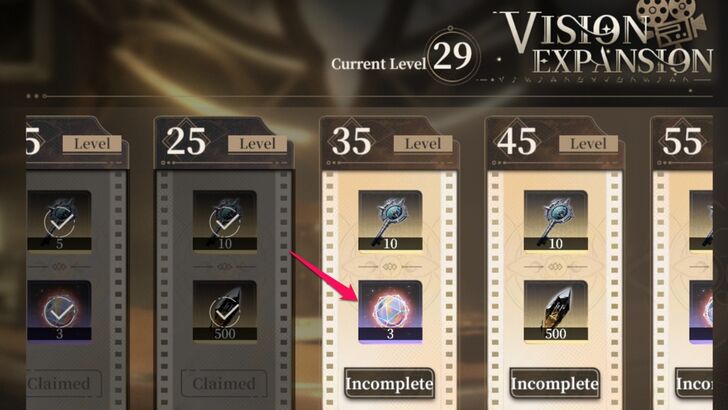
Some events, like Wall Shadow's Sightings and Vision Expansion, offer Spherical Fruits as rewards.
In Wall Shadow's Sightings, there are seven stages to complete by undertaking a series of quests. After completing all assigned quests for a particular stage, you will earn a set number of Time-Seeking Keys, Spherical Fruits, and Secret Alliance's Elemental Supply. The amount and rarity increase as you progress toward the final stages.
Meanwhile, Vision Expansion offers Spherical Fruits - Medium, as well as Lost Time Keys once you reach Seer Levels 15, 35, and 55.
Buy from Gift Pack Store
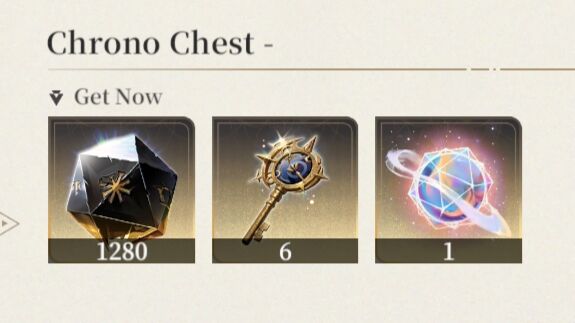
If you need to buy Spherical Fruits, head over to Store at the bottom center of the home screen. From there, select Gift Pack Store.
In the Gift Pack Store, you can buy Chrono Chests under the Limited Pack option. The medium, large, and special chest variants offer Spherical Fruits - Large. Meanwhile, the Daily Pack also includes the Lucubrator's Package, which contains 5 Spherical Fruits - Large. However, this item pack has a weekly purchase limit of 2.
Increase Seer Level
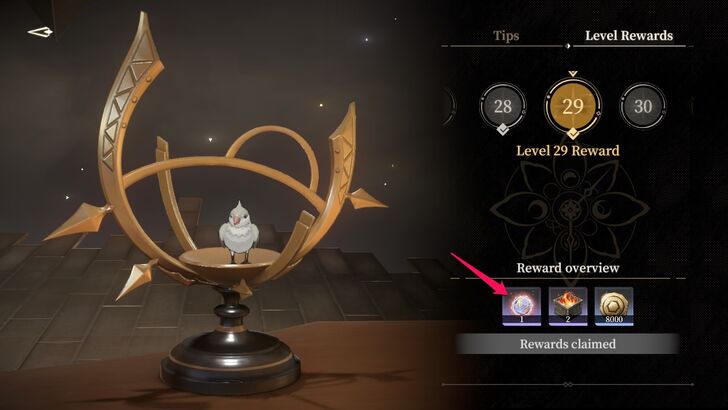
Anzu or "Anchirp" gives rewards to players who have raised their Seer Level. It functions similarly to the P.E. Bonus, where only some levels provide Spherical Fruits as a reward. To receive Anchirp's reward, click the birdcage on your desk in the Home Screen. It should have a drawing of a gift above it.
Convert Rune Shards
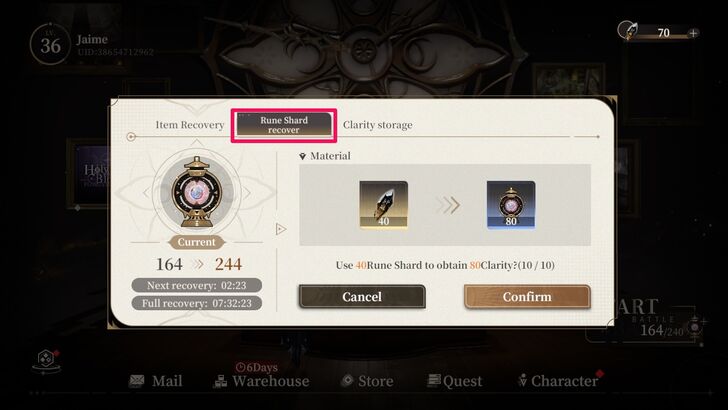
Players can also get Clarity by spending Rune Shards. Though it is primarily used for buying keys for retrieving new weapons and characters, Rune Shards can be exchanged for Clarity in a pinch.
To do this, select the small + icon beside the Start Battle option and choose Rune Shard Recover. Here, you are allowed to exchange 40 Rune Shards for 80 Clarity points. However, it can only be done ten times a day.
An alternative way to do this is to go to the Main Story, Side Story, or Resources mission screens and tap the + button next to the Clarity point counter on the top right-hand corner of the screen.
How to Increase Max Clarity Capacity
By Unlocking Celestial Orchard at Babel Tower
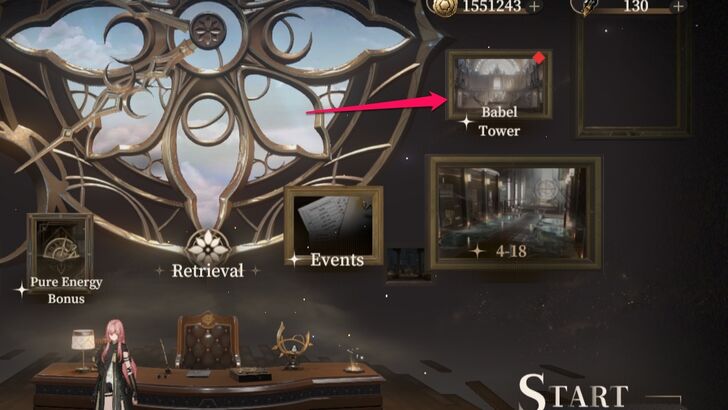
Clearing Chapter 3 of Story Mode and unlocking Babel Tower allow you to increase your Clarity storage capacity, which can be accessed from the top right corner of the home screen, below your current Orelium balance.
In Babel Tower mode, you must unlock the Celestial Orchard to gain the ability to expand your maximum Clarity storage size. At level 1, the maximum storage capacity is set to 100.
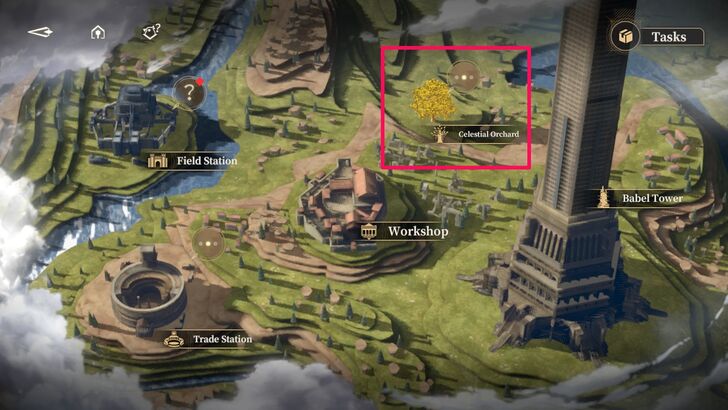
Take note that the Celestial Orchard will store only 30% of the excess Clarity points gained passively. Therefore, your Clarity points must reach the 240 limit before it can store additional points.
You can retrieve the stored points in the Celestial Orchard or by selecting the "+" icon beside the Start Battle option on the home screen menu. Set the amount of Clarity you wish to take and press "Confirm."
Best Uses for Clarity
Use Clarity to Play Missions
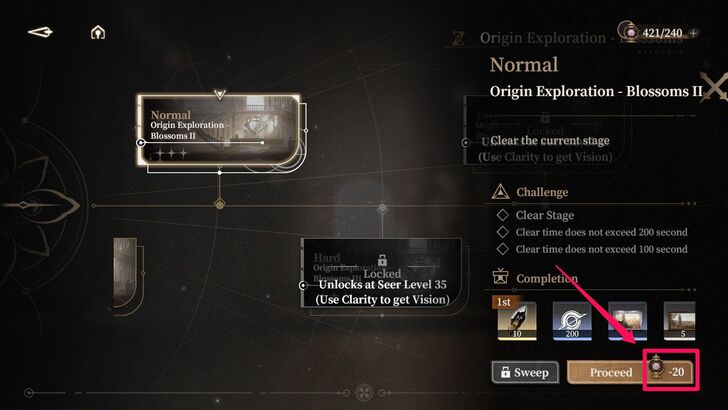
Clarity points are consumed when starting a mission, and the number of points expended depends on the type of mission. For example, Story Mode missions consume 5 Clarity when playing them for the first time. So, if you plan to go through the main quest as fast as you can, save some clarity to be able to play new missions.
Use Clarity to Farm Resource Missions
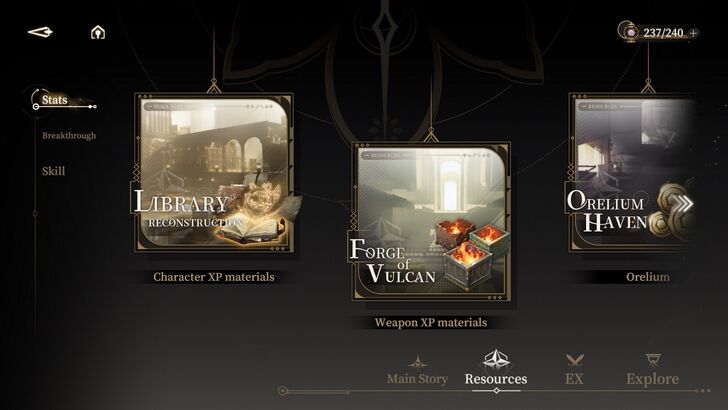
Meanwhile, Resource missions for farming leveling materials and other items consume 20 Clarity. A starting capacity of 240 Clarity can be consumed after 12 runs.
Resource Stages will be your main source of leveling materials, especially those that raise your character's Breakthrough Level, and it's best to use most of your Clarity on them. The more difficult a Resource Mission is, the bigger the rewards, so always try to tackle the tougher missions and clear them with 3-star rankings.
Other Game Modes Don't Need Clarity to Play
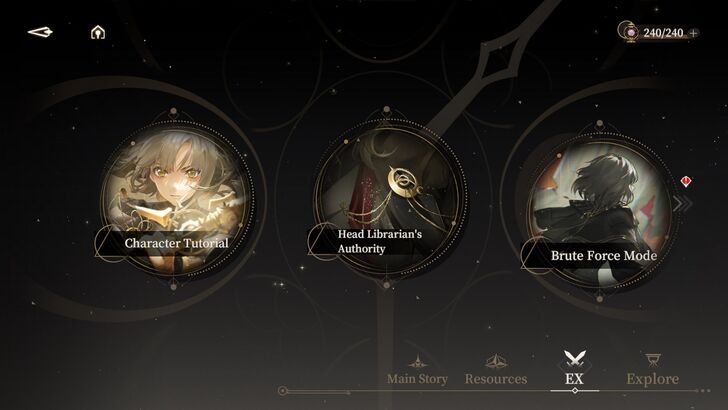
However, there are other game modes that do not consume Clarity such as the EX and Explore modes. You can play these modes while waiting for your Clarity to regenerate while shooting for rewards such as Rune Shards.
Black Beacon Related Guides

All Tips and Tricks Guides
 Beginner's Guide: Tips and Tricks for New Players
Comment



Author

How to Farm Energy (Clarity) and Best Uses
Rankings
Gaming News




![Monster Hunter Stories 3 Review [First Impressions] | Simply Rejuvenating](https://img.game8.co/4438641/2a31b7702bd70e78ec8efd24661dacda.jpeg/thumb)
Popular Games

Genshin Impact Walkthrough & Guides Wiki
Honkai: Star Rail Walkthrough & Guides Wiki
Umamusume: Pretty Derby Walkthrough & Guides Wiki
Pokemon Pokopia Walkthrough & Guides Wiki
Resident Evil Requiem (RE9) Walkthrough & Guides Wiki
Monster Hunter Wilds Walkthrough & Guides Wiki
Wuthering Waves Walkthrough & Guides Wiki
Arknights: Endfield Walkthrough & Guides Wiki
Pokemon FireRed and LeafGreen (FRLG) Walkthrough & Guides Wiki
Pokemon TCG Pocket (PTCGP) Strategies & Guides Wiki










Recommended Games
Diablo 4: Vessel of Hatred Walkthrough & Guides Wiki
Cyberpunk 2077: Ultimate Edition Walkthrough & Guides Wiki
Fire Emblem Heroes (FEH) Walkthrough & Guides Wiki
Yu-Gi-Oh! Master Duel Walkthrough & Guides Wiki
Super Smash Bros. Ultimate Walkthrough & Guides Wiki
Pokemon Brilliant Diamond and Shining Pearl (BDSP) Walkthrough & Guides Wiki
Elden Ring Shadow of the Erdtree Walkthrough & Guides Wiki
Monster Hunter World Walkthrough & Guides Wiki
The Legend of Zelda: Tears of the Kingdom Walkthrough & Guides Wiki
Persona 3 Reload Walkthrough & Guides Wiki










All rights reserved
Game Copyright©Glohow Holdings Pte. Ltd. & MINGZHOU Technology Co., Ltd. All Rights Reserved
The content we provide on this site were created personally by members of the Game8 editorial department.
We refuse the right to reuse or repost content taken without our permission such as data or images to other sites.
©Glohow Holdings Pte. Ltd. & MINGZHOU Technology Co., Ltd (Provider)