
How to Change POV
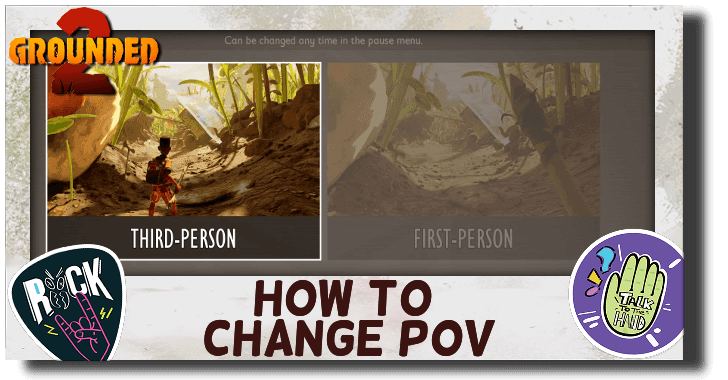
This is a guide to changing your game's POV from first person to third person and vice versa in Grounded 2. Learn all the ways to change your game's POV before and during the game.
List of Contents
How to Change POV
Change Camera Mode Toggle in the Menu
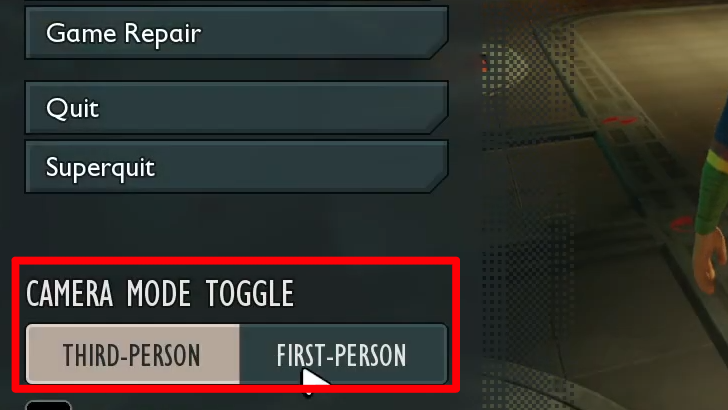
The game's POV can easily be changed by going to the menu and changing the camera mode toggle on the menu. It can be found on the bottom left part of the menu.
Also Changable Before Game Start
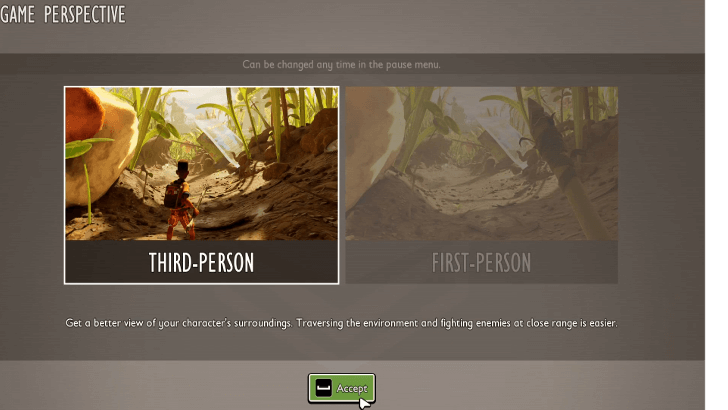
The game starts with asking you to choose your preferred POV before getting in the game. This can be encountered once but can easily be changed in-game.
First Person or Third Person?
First Person Gives Better Immersion
First-person POV will give player the most immersive experience. It gives you a full point-of-view of the shrunken player's world, which let's you feel the micro-gigantic scope of the game.
If you want more spatial awareness while in first-person POV, it's worth adjusting your field of view.
Third Person Provides More Spatial Awareness
Third-person is better for more spatial awareness as it gives you access to vision to your character and any nearby hostiles and / or environment near it. This lets you avoid ambushes (and jump scares) much easier and navigate the terrain faster.
Ultimately Up to Player Preference
While each POV offers their own benefits, it will still ultimately be up to the player's preference for the best experience. Players may also be more dizzy with a first person POV or uncomfortable with a third person POV despite their advantages so choose which POV you are more comfortable with.
Grounded 2 Related Guides

Beginner's Guide: Tips and Tricks
All Tips and Tricks Guides
Comment



Author
How to Change POV

Rankings
- We could not find the message board you were looking for.
Gaming News





Popular Games

Genshin Impact Walkthrough & Guides Wiki
Umamusume: Pretty Derby Walkthrough & Guides Wiki
Pokemon Pokopia Walkthrough & Guides Wiki
Honkai: Star Rail Walkthrough & Guides Wiki
Monster Hunter Stories 3: Twisted Reflection Walkthrough & Guides Wiki
Arknights: Endfield Walkthrough & Guides Wiki
Wuthering Waves Walkthrough & Guides Wiki
Zenless Zone Zero Walkthrough & Guides Wiki
Pokemon TCG Pocket (PTCGP) Strategies & Guides Wiki
Monster Hunter Wilds Walkthrough & Guides Wiki










Recommended Games
Fire Emblem Heroes (FEH) Walkthrough & Guides Wiki
Diablo 4: Vessel of Hatred Walkthrough & Guides Wiki
Cyberpunk 2077: Ultimate Edition Walkthrough & Guides Wiki
Yu-Gi-Oh! Master Duel Walkthrough & Guides Wiki
Super Smash Bros. Ultimate Walkthrough & Guides Wiki
Pokemon Brilliant Diamond and Shining Pearl (BDSP) Walkthrough & Guides Wiki
Elden Ring Shadow of the Erdtree Walkthrough & Guides Wiki
Monster Hunter World Walkthrough & Guides Wiki
The Legend of Zelda: Tears of the Kingdom Walkthrough & Guides Wiki
Persona 3 Reload Walkthrough & Guides Wiki










All rights reserved
© 2025 Obsidian Entertainment, Inc. Obsidian Entertainment, the Obsidian Entertainment logo, Grounded 2, and Grounded 2 logos are trademarks or registered trademarks of Obsidian Entertainment, Inc. All rights reserved.
The copyrights of videos of games used in our content and other intellectual property rights belong to the provider of the game.
The contents we provide on this site were created personally by members of the Game8 editorial department.
We refuse the right to reuse or repost content taken without our permission such as data or images to other sites.