
How to Get Armor Stands
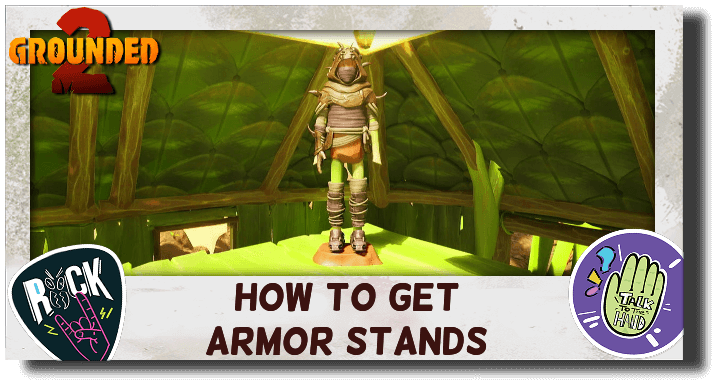
You can build Armor Stands or Armor Dummies in Grounded 2. Learn how to get Armor Stands and how to use Armor Stands in this guide!
List of Contents
How to Get Armor Stands
| How to Get Armor Stands |
|---|
|
|

Obtain Optical Disk A in the Toxic Anthill
| # | Step-by-Step Objectives |
|---|---|
| 1 | 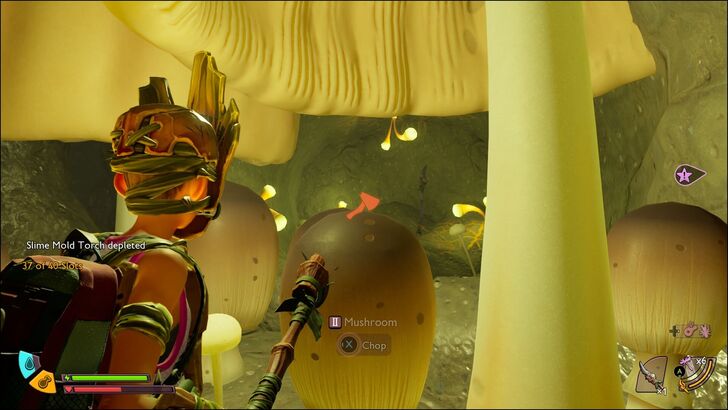 The Armor Stand, formally known as the Armor Dummy in the game, is unlocked by purchasing its recipe from the Science Shop, which only becomes available after obtaining Optical Disk A (Toxic Anthill Optical Disk). Optical Disk A is hidden deep in the Toxic Anthill. We recommend equipping Sizzle-reduction armor and bringing Mintito Smoothies, as you may have to fight the Cockroach Queen in order to get Optical Disk A. |
| 2 | 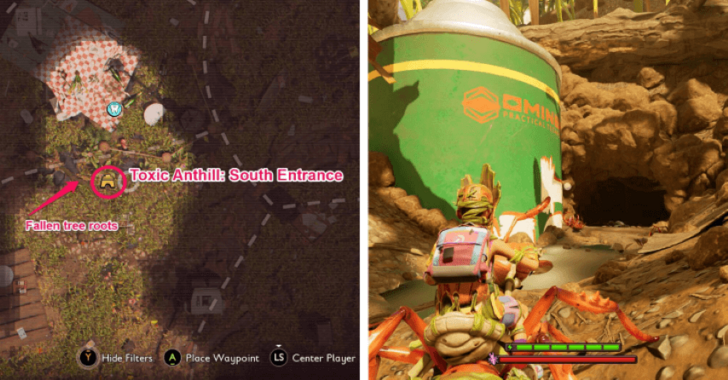 When you're ready, head to the northwest part of the map, south of the Picnic Table. Look for a green spray can near the roots of a toppled tree, which marks the south entrance to the Toxic Anthill. |
| 3 | 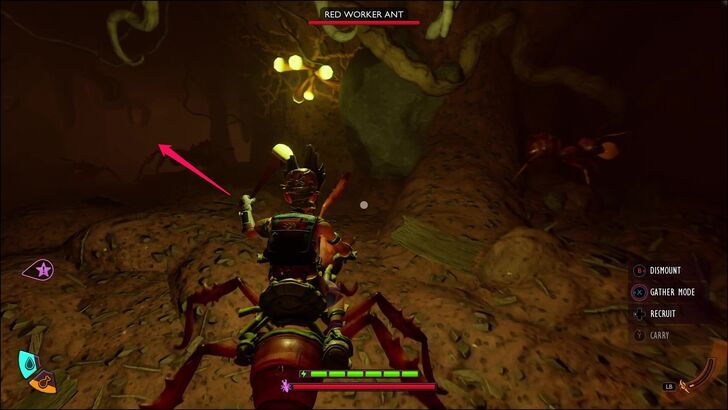 Enter the tunnel and move forward and take the left path when you reach an intersection. You'll then see another green spray can submerged in nasty water. Drop down the ledge, then turn right. |
| 4 | 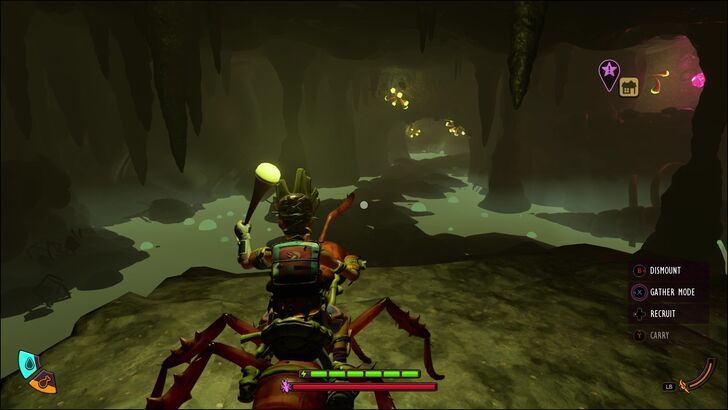 Keep heading north. You'll encounter a Cockroach along the way. But don't worry, this isn't the Queen. Continue forward, and you'll soon reach a cavern surrounded by nasty water. |
| 5 | 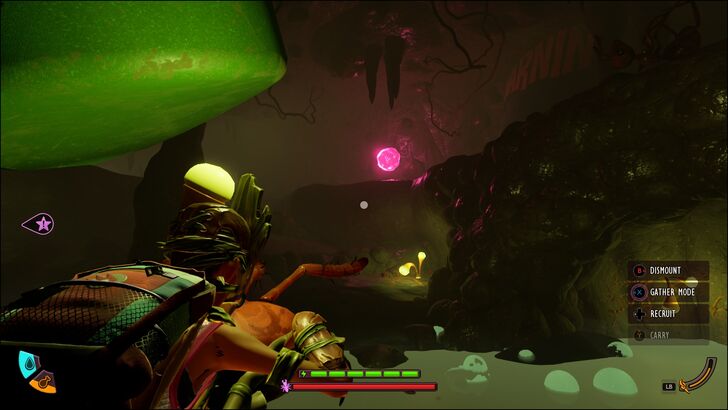 Head through the walkway until you reach the end, and grab the Raw Science to your right. |
| 6 | 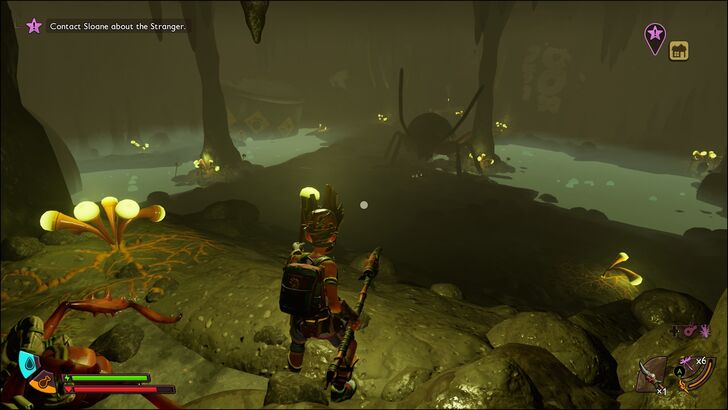 Continue moving forward. You will soon arrive at the entrance to the large arena where the Cockroach Queen resides. Be ready for a boss fight, as she will go aggro once she sees you! |
| 7 | 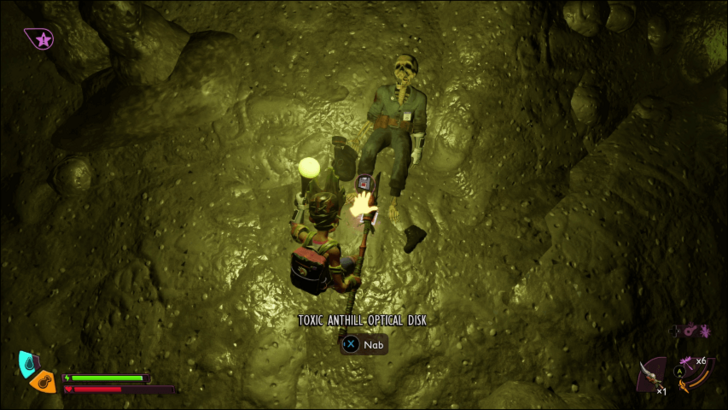 Once the arena is clear, you should find Optical Disk A next to a corpse near the two mushrooms blocking an alcove, which also contains the unique weapon, Gloom Skewer. |
Purchase Teeny Terracotta from the Science Shop
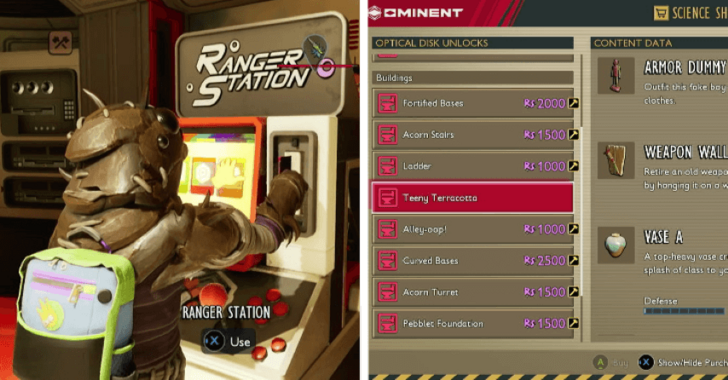
After obtaining Optical Disk A, go to any Ranger Outpost and interact with a Ranger Station to load the disk and unlock new building recipes in the Science Shop, including Teeny Terracotta. This building set includes the recipe for the Armor Dummy.
Purchase Teeny Terracotta for 1,000 Raw Science to unlock the Armor Dummy recipe.
Build an Armor Dummy
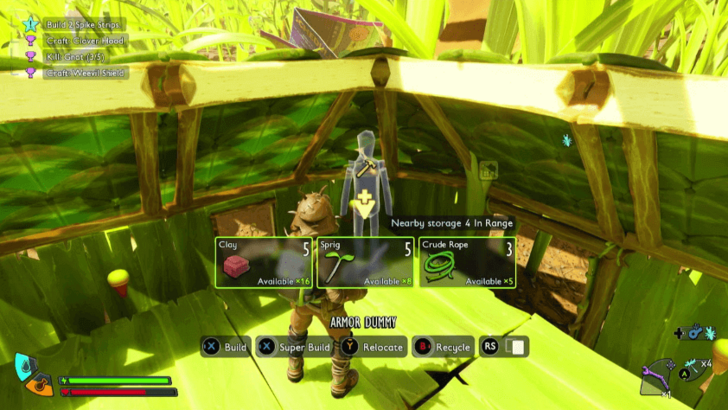
Once you’ve purchased the Teeny Terracotta recipe, you can now build an Armor Dummy (or Armor Stand)! Open the Construction menu, select the Armor Dummy, and place it wherever possible. Building the Armor Dummy requires 5 Clay, 5 Sprig, and 3 Crude Rope, all of which are common resources easily found around the park.
How to Use Armor Stands
Create Armor Presets
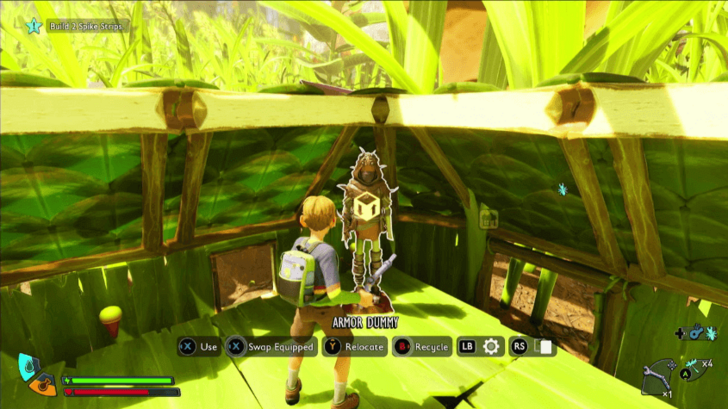
The most common use of Armor Stands is to display your gear. However, when you interact with an Armor Dummy, you can hold the X button (Xbox) or E key (PC) to swap your currently equipped gear with the one displayed on the stand.
This makes Armor Dummies especially useful for creating armor presets. You can build multiple Armor Dummies, each displaying different gear, and then easily switch to the appropriate set for any situation.
Grounded 2 Related Guides

Building Recipes
| Building Guides | |
|---|---|
| Dew Collector | Water Container |
| Lean-To | Workbench |
| Smithing Station | Jerky Rack |
| Egg Storage | Armor Stands |
Comment



Author

How to Get Armor Stands

Rankings
- We could not find the message board you were looking for.
Gaming News





Popular Games

Genshin Impact Walkthrough & Guides Wiki
Umamusume: Pretty Derby Walkthrough & Guides Wiki
Pokemon Pokopia Walkthrough & Guides Wiki
Honkai: Star Rail Walkthrough & Guides Wiki
Monster Hunter Stories 3: Twisted Reflection Walkthrough & Guides Wiki
Arknights: Endfield Walkthrough & Guides Wiki
Wuthering Waves Walkthrough & Guides Wiki
Zenless Zone Zero Walkthrough & Guides Wiki
Pokemon TCG Pocket (PTCGP) Strategies & Guides Wiki
Monster Hunter Wilds Walkthrough & Guides Wiki










Recommended Games
Fire Emblem Heroes (FEH) Walkthrough & Guides Wiki
Diablo 4: Vessel of Hatred Walkthrough & Guides Wiki
Cyberpunk 2077: Ultimate Edition Walkthrough & Guides Wiki
Yu-Gi-Oh! Master Duel Walkthrough & Guides Wiki
Super Smash Bros. Ultimate Walkthrough & Guides Wiki
Pokemon Brilliant Diamond and Shining Pearl (BDSP) Walkthrough & Guides Wiki
Elden Ring Shadow of the Erdtree Walkthrough & Guides Wiki
Monster Hunter World Walkthrough & Guides Wiki
The Legend of Zelda: Tears of the Kingdom Walkthrough & Guides Wiki
Persona 3 Reload Walkthrough & Guides Wiki










All rights reserved
© 2025 Obsidian Entertainment, Inc. Obsidian Entertainment, the Obsidian Entertainment logo, Grounded 2, and Grounded 2 logos are trademarks or registered trademarks of Obsidian Entertainment, Inc. All rights reserved.
The copyrights of videos of games used in our content and other intellectual property rights belong to the provider of the game.
The contents we provide on this site were created personally by members of the Game8 editorial department.
We refuse the right to reuse or repost content taken without our permission such as data or images to other sites.