



This survey will take about 1 minute.
Your answers will help us to improve our website.
Doom: The Dark Ages
Difficulty Settings Explained
☆ Doom: The Dark Ages is live now!
★ Collectibles | Secrets | Walkthrough
┗ Resources | Codex | Toy
★ Trophies | Beginner's Guide | Enemies
☆ Skins: Twitch Drops | Prince St. Pizza
★ FAQs: Co-op | DLC | Specs | Glory Kills
Doom: The Dark Ages comes preloaded with six sets of difficulty levels that can be adjusted accordingly. Read on to see how the difficulty options differ from each other, and the new slider options to customize the difficulty of your game!
| Related Guides | |
|---|---|
| Difficulties Explained | Pandemonium and Ultra-Nightmare |
List of Contents
Doom: The Dark Ages Difficulty Levels
All Difficulty Levels and Features
| Difficulty | Features |
|---|---|
| Aspiring Slayer | • Enemies attack less often and deal less damage • Projectiles are slown down • Resources are made more common |
| Hurt Me Plenty | • Enemies attack and deal damage at manageable levels • Projectiles are faster and stronger • Resources are plenty |
| Ultra-Violence | • Enemies are powerful and tank more damage • Projectiles are fast and deadly • Resources are rarer • Enemies attack in hordes |
| Nightmare | • Enemy HP and damage brought up to monstrous levels • Projectiles are quick fatalities • Armor and HP are a dwindling resource • Enemies attack in overwhelming numbers |
| Pandemonium | • Same level of challenge as Nightmare • Life Sigils can be used to restart the current chapter • If Life Sigils runs out and you die, the campaign ends prematurely |
| Ultra-Nightmare | • Same level of challenge as Nightmare • One death and the campign ends prematurely |
Taking a change from its last installment, difficulties have become more like presets in Doom: The Dark Ages. Players can completely customize their game to be tailored to their playstyle.
Is There a Difficulty Trophy?
No, But There Are 2 Milestones

|
Pandemonium Complete Beat the campaign on Pandemonium difficulty. |
Select Pandemonium as the diffculty at the start of your campaign.
Pandemonium Guide Rewards: Reverent Slayer Skin Reverent Slayer Skin 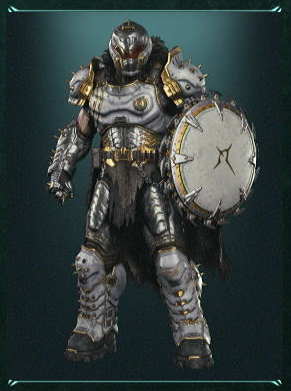 |

|
Ultra-Nightmare Complete Beat the campaign on Ultra-Nightmare difficulty. |
Select Ultra-Nightmare as the diffculty at the start of your campaign.
Ultra Nightmare Guide Rewards: Conqueror Slayer Skin Conqueror Slayer Skin 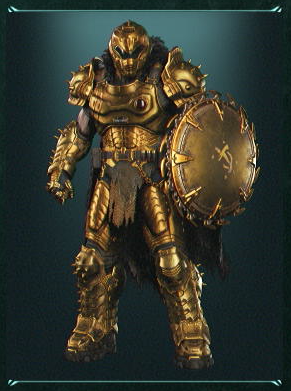 |
While there is no Playstation Trophy or Steam Achievement for completing the game on the highest difficulty, there are two milestones available in game that reward you with 2 in-game exclusive Slayer skins.
On the brightside, all trophies can be obtained on any difficulty even with all the sliders set to minimum.
Trophy Guide and List of Achievements
How to Set Custom Difficulty Level
Adjust Difficulty Sliders to Preference
| Modifier | Description |
|---|---|
| Tutorials | Toggle a Tutorial window to pop up whenever prompted. |
| Objective Marker Style | Toggles between Always on Screen, Migrate to Compass, Disabled. |
| Damage to Player | Increase or decrease the percentage of how much an enemy attack or projectile can hurt the player, ranging from 50% to 500%. |
| Damage to Demons | Adjust the amount of damage inflicted to enemies, ranging from 50% to 1000%. The lower the slider, the less effective the player's weapons will be against enemies. |
| Enemy Aggression | Control the amount of incoming attacks from enemies activated at the same time, and its frequency. |
| Game Speed | Speed up or slow down the overall speed of the game. Certain mechanics that make use of time-scaling, such as the weapon-wheel, will be unaffected. |
| Daze Duration | Control the duration enemies are dazed. Ranges from 50% to 150%. |
| Enemy Projectile Speed | Control the speed of projectiles fired by enemies. Ranges from Slow to Fast. |
| Resource Values | Changes the amount of drops available once an enemy is slain. Ranges from Low to High. |
There are four unique presets for each difficulty options, and players can customize their game to however they prefer beyond the presets. Players can choose to change their difficulty, in the fourth tab of the menu. In there are the different options and modifiers available to the player.
Enable Combat Assistance for Easier Fights
| Modifier | Description |
|---|---|
| Parry Window | Either widen or shorten the window to Parry a green projectile back to its source. The shorter it is, the more precise the timing. |
| Enhanced Targeting | Enable or disable an aim assistance to control the need for precision in a game. Highly recommended for beginners to first-person shooters. |
| Empowered Attacks | Increase the chance of disrupting an enemy each time they are hit by the player, which will stagger and interrupt the enemy. |
On top of the difficulty sliders now available on Doom: The Dark Ages, there is another category of settings as listed above. Modifying the options available in Combat Assistance can either make the game easier or more challenging for the player.
Related Milestone Rewards

|
Custom Trial |
|---|---|
| Start a campaign with at least one Custom Difficulty setting modified and complete chapter: Village of Khalim. |
You can get a quick milestone for tweaking even one of the difficulty sliders and completing the first chapter of the campaign.
Best Difficulty Settings
| Hurt Me Plenty | Casuals |
|---|---|
| Aspiring Slayer | Beginners |
| Ultra-Violence and Nightmare | Veterans |
| Pandemonium and Ultra-Nightmare | Completionists |
Hurt Me Plenty for Balanced Difficulty
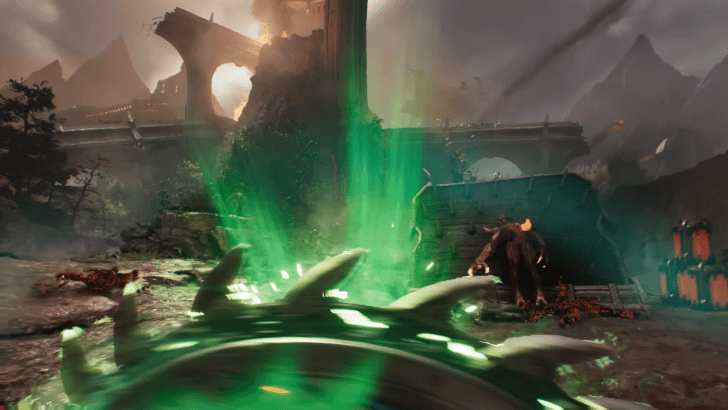
If you crave the sheer ferocity and carnage Doom: The Dark Ages can offer you while still keeping a casual schedule, Hurt Me Plenty is the best choice for a balanced experience. Smash through hordes of demons with the brutal strength of the Slayer to play out the power fantasy Doom craves to provide and be able to enjoy the story without overwhelming pressure of the higher difficulties!
Aspiring Slayer for Story Enjoyers

Aspiring Slayer is best enjoyed by beginners looking to get into the Doom franchise, or if you simply want to enjoy the story. This preset will have you massacring demons like how the Slayer is meant to be, and have the space and freedom to enjoy both the brand new atmosphere and the story this newest installment is offering.
Ultra-Violence and Nightmare for Veterans
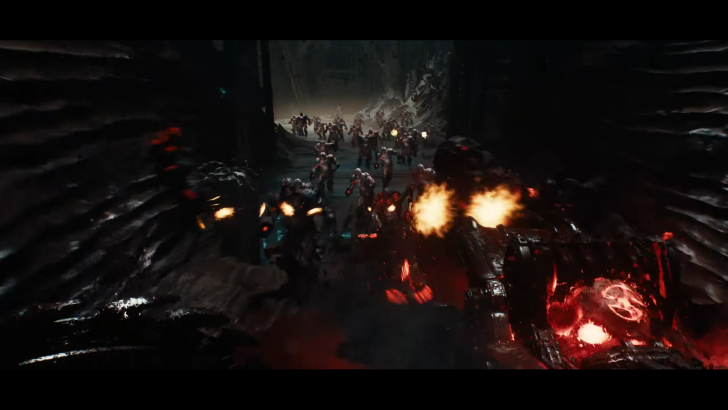
Ultra-Violence is best option for anyone looking to challenge their skills in the battlefield. While enemies are savage in their attacks, any mistakes made during a battle can be recovered from easily through quick thinking. Crank it up to nightmare to test your mastery over the game. The brutal gameplay paired with the unending waves of enemies will be sure to provide any challenger a run for their money.
Pandemonium and Ultra-Nightmare for Completionists
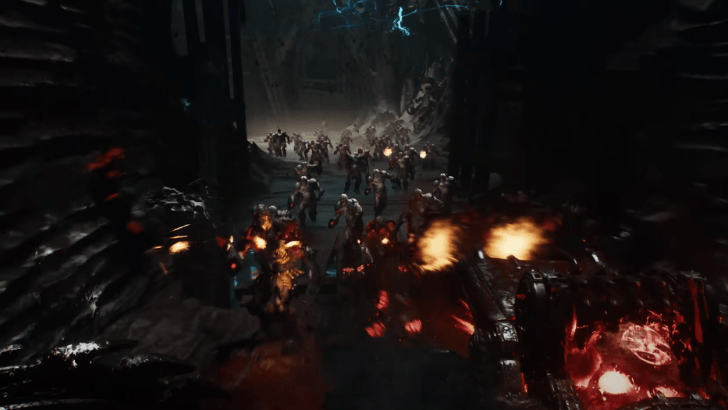
Pandemonium and Ultra-Nightmare are the most punishing difficulty settings in-game. Aside from enemies dealing way more damage and being significantly more difficult to kill, your margin of error also drastically decreases, as you cannot revive as easily anymore, if you can revive at all. In these difficulty settings, dying means starting over a new campaign.
Related Milestone Rewards
The only real benefit in trying the game on these difficulties is to get the exclusive in-game skin rewards for reaching milestones.
|
|
Pandemonium Complete |
|---|---|
|
Beat the campaign on Pandemonium difficulty.
Pandemonium Guide Rewards: Reverent Slayer Skin Reverent Slayer Skin |
|
|
|
Ultra-Nightmare Complete |
|
Beat the campaign on Ultra-Nightmare difficulty.
Ultra Nightmare Guide Rewards: Conqueror Slayer Skin Conqueror Slayer Skin |
Customize Settings
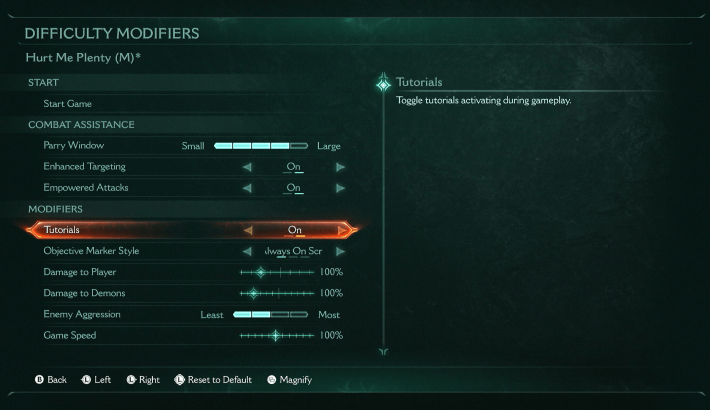
The best part about Doom's latest addition of difficulty sliders is that your experience can now be customized!
If enemies in Ultra-Violence are just too beefy to be enjoyable, but are not quite hitting hard enough in Hurt Me Plenty, Enemy HP can be adjusted to compensate for what felt lacking. If Nightmare felt a little too brutal but the punishing hits are too addicting to let go, adjusting the Parry Window can give the breathing room needed to advance the level.
Such examples are just a few of the many new possibilities that open up thanks to the Difficulty Sliders. The complete control over the gameplay gives a completely novel experience to Doom players that feels refreshing and new to those craving something more from Doom.
What is the Highest Difficulty Level?
Ultra-Nightmare Max Difficulty Sliders
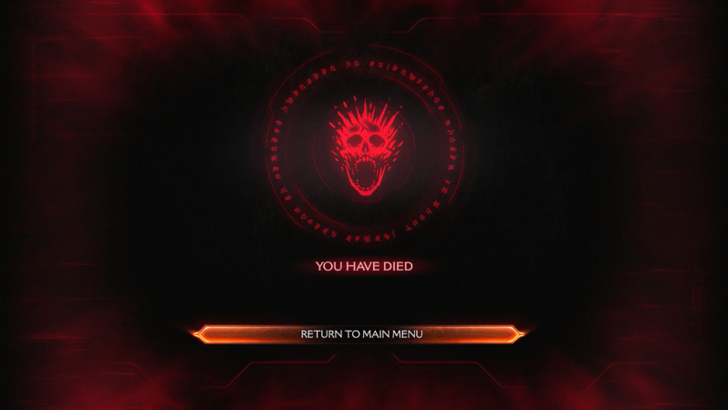
Setting all the sliders to the most difficult possible setting can give the player an experience beyond what Ultra-Nightmare can offer. Not only does it force the player to think fast and be tactical, resources will be a premium luxury. A single death in a run cannot be afforded, as that will end the campaign prematurely.
Simply mowing down the demon masses isn't enough when a single shot from an enemy can being the Slayer to his knees. Complete mastery over the weapons and the Shield is demanded in order to advance a single level. There is no space for mistakes with these settings.
Pandemonium and Ultra-Nightmare Guide
Doom: The Dark Ages Related News

Comment
Author
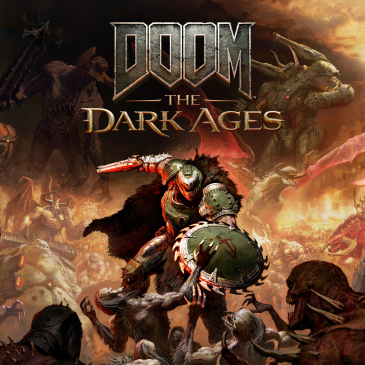
Difficulty Settings Explained

Please participate in our site
improvement survey
03/2026
improvement survey
03/2026
Would you assist in
improving Game8's site?
improving Game8's site?

×
We are listening to our users' valuable opinions and discussing how to act on them.
The information collected through this survey will be used for the purpose of improving our services. In addition, the information will only be disclosed a part of a statistic in a format that will not allow identification of personal information.
Begin Survey
Not Now
×
Please rate each item regarding Game8.co's Advertisements.
Amount of Ads
Very Dissatisfied
Somewhat Dissatisfied
Fine
Somewhat Satisfied
Highly Satisfied
Placement of Ads
Timing of Ad Display
Ad Loading Speed
Safeness of Ads
Content of Ads
×
Please rate each item regarding Game8.co's Quality of Articles.
Amount of information
Very Dissatisfied
Somewhat Dissatisfied
Fine
Somewhat Satisfied
Highly Satisfied
Frequency of updates
Speed of new information
Accuracy of articles
Understandibility of articles
Readability of sentences
×
Please rate each item regarding Game8.co's Usability of the Site.
Ease of finding information
Very Dissatisfied
Somewhat Dissatisfied
Fine
Somewhat Satisfied
Highly Satisfied
Loading Speed
Use of Color
Font Size
Visibility of Images
Easy to Understand Layout
×
Please rate each item regarding Game8.co's Message Boards, Comments.
Ease of Writing
Very Dissatisfied
Somewhat Dissatisfied
Fine
Somewhat Satisfied
Highly Satisfied
Readability
Ease in Finding Information
Comment Quality
Comment Quantity
Admin Response
×
Please rate each item regarding Game8.co's Site's new design.
Please rate our site's new design
Very Dissatisfied
Somewhat Dissatisfied
Fine
Somewhat Satisfied
Highly Satisfied
Do you think that the website's design change makes the site easier to use?
Has the new design made it easier for you to find information on the site?
Has the new design improved the overall visual appeal of the site?
How would you rate your overall satisfaction with the new design of the site?
×
How likely are you to recommend Game8 to someone you know?
Very Unlikely
0
1
2
3
4
5
6
7
8
9
10
Very Likely
If you have other opinions regarding potential improvement to the website, please share them with us. We would appreciate your honest opinion.
Note: This is a free response section, so you can proceed without entering anything.
Note: Please be sure not to enter any kind of personal information into your response.
Note: Please be sure not to enter any kind of personal information into your response.
×
Thank You
×
Thank you for participating in our survey! Your answers will help us to improve the quality of our website and services.
We hope you continue to make use of Game8.
We hope you continue to make use of Game8.
Close
Rankings
- We could not find the message board you were looking for.
Gaming News


![Monster Hunter Stories 3 Review [First Impressions] | Simply Rejuvenating](https://img.game8.co/4438641/2a31b7702bd70e78ec8efd24661dacda.jpeg/thumb)


Popular Games

Genshin Impact Walkthrough & Guides Wiki
Honkai: Star Rail Walkthrough & Guides Wiki
Umamusume: Pretty Derby Walkthrough & Guides Wiki
Pokemon Pokopia Walkthrough & Guides Wiki
Resident Evil Requiem (RE9) Walkthrough & Guides Wiki
Monster Hunter Wilds Walkthrough & Guides Wiki
Wuthering Waves Walkthrough & Guides Wiki
Arknights: Endfield Walkthrough & Guides Wiki
Pokemon FireRed and LeafGreen (FRLG) Walkthrough & Guides Wiki
Pokemon TCG Pocket (PTCGP) Strategies & Guides Wiki










Recommended Games
Diablo 4: Vessel of Hatred Walkthrough & Guides Wiki
Fire Emblem Heroes (FEH) Walkthrough & Guides Wiki
Yu-Gi-Oh! Master Duel Walkthrough & Guides Wiki
Super Smash Bros. Ultimate Walkthrough & Guides Wiki
Pokemon Brilliant Diamond and Shining Pearl (BDSP) Walkthrough & Guides Wiki
Elden Ring Shadow of the Erdtree Walkthrough & Guides Wiki
Monster Hunter World Walkthrough & Guides Wiki
The Legend of Zelda: Tears of the Kingdom Walkthrough & Guides Wiki
Persona 3 Reload Walkthrough & Guides Wiki
Cyberpunk 2077: Ultimate Edition Walkthrough & Guides Wiki










All rights reserved
© 2025 ZeniMax Media Inc. All Rights Reserved.
The copyrights of videos of games used in our content and other intellectual property rights belong to the provider of the game.
The contents we provide on this site were created personally by members of the Game8 editorial department.
We refuse the right to reuse or repost content taken without our permission such as data or images to other sites.